
Introdução
This manual provides detailed instructions for the installation, operation, and maintenance of your Cooler Master MasterLiquid Atmos 360 Black CPU Liquid Cooler. This all-in-one (AIO) water cooling system is designed to deliver efficient thermal performance for your CPU, featuring a dual-chamber pump, pre-installed SickleFlow 120 Edge fans, and Addressable Gen 2 RGB lighting.
The MasterLiquid Atmos 360 is compatible with a wide range of Intel LGA (1700/1200/1151/1150/1155/1156) and AMD (AM5/AM4) sockets.

Image: The Cooler Master MasterLiquid Atmos 360 Black CPU Liquid Cooler, showcasing its radiator, three RGB fans, and illuminated pump head.
Conteúdo da embalagem
Antes de iniciar a instalação, verifique se todos os componentes estão presentes na embalagem:
- 360mm Radiator with pre-installed SickleFlow 120 Edge Fans
- CPU Water Block/Pump Unit
- Mounting Hardware for Intel LGA 1700/1200/115x sockets
- Mounting Hardware for AMD AM5/AM4 sockets
- Pasta Térmica
- ARGB Gen 2 Controller (if included)
- Various Cables (PWM fan cables, ARGB cables)
- Manual do usuário

Imagem: Uma visão abrangente view of all included components for the MasterLiquid Atmos 360, including the radiator, fans, pump, mounting brackets, and accessories.
Configuração e instalação
Follow these steps carefully to install your liquid cooler. Refer to your motherboard and PC case manuals for specific guidance on component placement and cable routing.
1. Prepare o soquete da CPU
- Identify your CPU socket type (Intel LGA or AMD AM).
- Install the appropriate backplate (for Intel) or retention clips (for AMD) as per the included hardware guide.
- Clean the CPU surface with isopropyl alcohol to remove any residue.
2. Aplique a pasta térmica.
- Apply a small, pea-sized amount of the included thermal paste to the center of your CPU's integrated heat spreader (IHS).
- Do not spread the paste manually; the pressure from the cold plate will distribute it evenly.
3. Instale o radiador e as ventoinhas.
- Determine the optimal mounting location for the 360mm radiator in your PC case (typically top or front).
- Secure the radiator to the case using the provided screws. The SickleFlow Edge fans are pre-installed on the radiator for convenience.
4. Monte a bomba/placa fria.
- Attach the correct mounting brackets to the pump unit for your CPU socket.
- Coloque cuidadosamente o conjunto da bomba/placa fria sobre a CPU, alinhando os orifícios de montagem.
- Secure the pump unit with the appropriate screws, tightening them in a diagonal pattern until snug. Do not overtighten.
5. Conecte os cabos
- Connect the pump's 3-pin power cable to an available CPU_FAN or AIO_PUMP header on your motherboard.
- Connect the PWM fan cables from the SickleFlow Edge fans to the CPU_FAN or other available fan headers on your motherboard. It is recommended to connect them to a single header using a splitter if necessary, to ensure synchronized fan speed control.
- Connect the ARGB cables from the pump and fans to an Addressable Gen 2 RGB header on your motherboard (5V-D-G) or to the included ARGB controller.

Image: The assembled MasterLiquid Atmos 360, showing the radiator, fans, and pump unit connected by tubing.
Instruções de operação
Inicialização
After installation, power on your system. The pump and fans should begin operating. Monitor your CPU temperatures using system monitoring software to ensure proper function.
Controle de Iluminação RGB
The MasterLiquid Atmos 360 features Addressable Gen 2 RGB lighting on both the pump and fans. You can control the lighting effects through several methods:
- Sincronização da placa-mãe: If connected to a compatible ARGB motherboard header, use your motherboard's RGB software (e.g., ASUS Aura Sync, MSI Mystic Light, Gigabyte RGB Fusion, ASRock Polychrome Sync) to customize lighting.
- Controlador ARGB incluído: If an ARGB controller is included, use its physical buttons to cycle through pre-set lighting modes and colors.
- Cooler Master MasterCTRL/MasterPlus Software: Download and install Cooler Master's MasterCTRL or MasterPlus software for advanced customization of lighting effects and device performance.
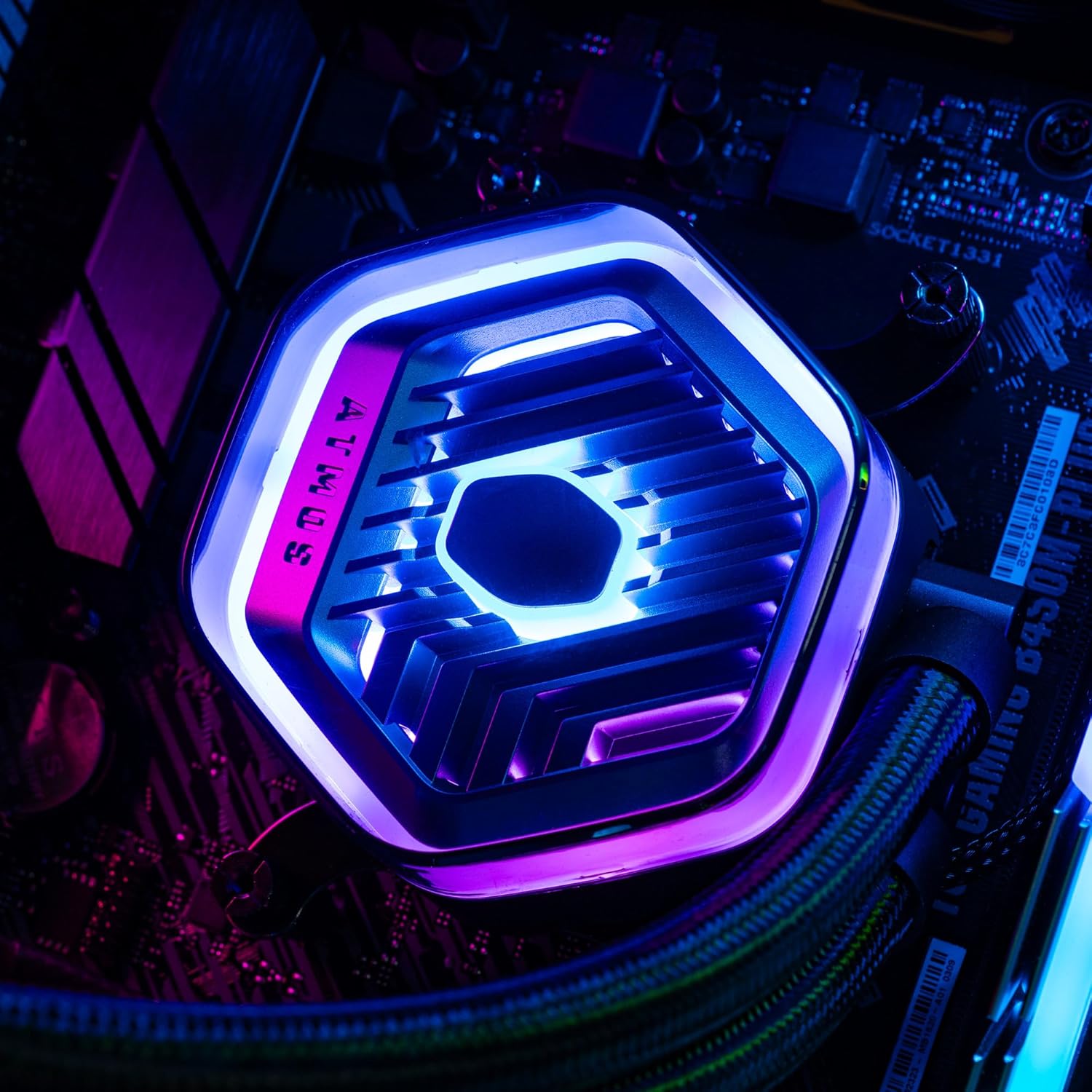
Imagem: Uma imagem detalhada view of the MasterLiquid Atmos pump head, showcasing its unique design and customizable RGB illumination.
Controle de velocidade do ventilador
The SickleFlow Edge fans are PWM (Pulse Width Modulation) controlled. Their speed can be managed via your motherboard's BIOS/UEFI settings or through motherboard-specific software. Adjust fan curves to balance cooling performance and noise levels according to your preferences.
Manutenção
A manutenção regular ajuda a garantir o desempenho ideal e a longevidade do seu resfriador de líquido.
- Limpeza de pó: Limpe periodicamente a poeira das aletas do radiador e das pás da ventoinha usando ar comprimido ou uma escova macia. Certifique-se de que o sistema esteja desligado antes de limpar.
- Inspeção visual: Occasionally inspect the tubing and connections for any signs of leaks or damage. While AIO coolers are sealed systems, a quick visual check can prevent potential issues.
- Atualizações de software: Keep your Cooler Master MasterCTRL/MasterPlus software and motherboard BIOS/UEFI updated to ensure compatibility and access to the latest features and performance optimizations.
Solução de problemas
If you encounter issues with your MasterLiquid Atmos 360, refer to the following common troubleshooting steps:
Altas temperaturas da CPU
- Verifique a conexão da bomba: Ensure the pump's power cable is securely connected to the correct motherboard header (CPU_FAN or AIO_PUMP) and receiving power.
- Verifique a operação do ventilador: Confirm that all radiator fans are spinning. Check their connections to the motherboard or fan controller.
- Pasta térmica: Ensure thermal paste was applied correctly and the cold plate has good contact with the CPU. Re-apply if necessary.
- Fluxo de ar: Check your PC case's overall airflow. Ensure radiator fans are oriented correctly for intake or exhaust as desired.
Iluminação RGB não funciona
- Conexão ARGB: Verify that the ARGB cables are correctly connected to a 5V-D-G header on your motherboard or the ARGB controller. Ensure it is not connected to a 12V RGB header, which can damage the LEDs.
- Programas: Check your motherboard's RGB software or Cooler Master's MasterCTRL/MasterPlus software for lighting settings. Ensure the lighting is enabled and configured.
- Potência do controlador: If using an external ARGB controller, ensure it is receiving power (usually via SATA power connector).
Ruído incomum da bomba
- Bolhas de ar: New AIOs may have some air bubbles that can cause gurgling noises initially. These usually dissipate within a few hours of operation. Gently tilt your PC case to help move air bubbles to the radiator.
- Montagem: Ensure the pump is securely mounted and not vibrating against other components.
If problems persist, please contact Cooler Master customer support.
Especificações
| Recurso | Especificação |
|---|---|
| Número do modelo | MLX-D36M-A25PZ-R1 |
| Dimensões do produto (C x L x A) | 15.51" x 4.71" x 1.07" (394 x 119.6 x 27.2 mm) |
| Método de resfriamento | Liquid (All-in-One) |
| Dispositivos compatíveis | Desktop, Server |
| Soquetes compatíveis | Intel LGA 1700/1200/1151/1150/1155/1156, AMD AM5/AM4 |
| Nível de ruído | 27.2 Decibels (Fan) |
| Maximum Rotational Speed (Fan) | 2500 RPM |
| Air Flow Capacity (Fan) | 70.7 CFM |
| Material | Alumínio (Radiador) |
| Tipo de conector de alimentação | 3 pinos (bomba), 4 pinos PWM (ventoinhas) |
| Volumetage | 12 Volts |
| O quetage | 3.6 watts |
| Peso do item | 1.42 quilos |
Informações de garantia
The Cooler Master MasterLiquid Atmos 360 Black CPU Liquid Cooler comes with a Garantia de 5 anos a partir da data da compra. Esta garantia cobre defeitos em materiais e mão de obra sob uso normal.
For warranty claims or detailed terms and conditions, please retain your proof of purchase and visit the official Cooler Master website ou entre em contato com o suporte ao cliente.
Apoiar
For further assistance, technical support, or to download the latest software and drivers, please visit the official Cooler Master website:
You may also find helpful resources, FAQs, and community forums on their support pages.