
Edifier WH700NB
Manual do Usuário dos Fones de Ouvido Over-Ear Edifier WH700NB Sem Fio com Cancelamento Ativo de Ruído
Model: WH700NB | Brand: Edifier
Introdução
This manual provides detailed instructions for the Edifier WH700NB Wireless Active Noise Cancellation Over-Ear Headphones. Please read this manual thoroughly before using the product to ensure proper operation and to maximize your listening experience. The WH700NB headphones feature Bluetooth 5.3 connectivity, active noise cancellation, dual device connection, and a long-lasting battery.

Image: Edifier WH700NB headphones, black, showcasing their over-ear design.
Conteúdo da embalagem
The Edifier WH700NB package typically includes:
- Edifier WH700NB Headphones
- Cabo de carregamento USB-C
- Manual do usuário
Note: Specific contents may vary. Please check the product packaging for exact details.
Configurar
1. Carregando os fones de ouvido
Before first use, fully charge the headphones. Connect the supplied USB-C cable to the charging port on the headphones and the other end to a USB power adapter (not included) or a computer's USB port.
- Uma carga completa leva aproximadamente 1.5 horas.
- Uma carga de 10 minutos proporciona aproximadamente 8 horas de reprodução.
- O indicador LED mostrará o status do carregamento.
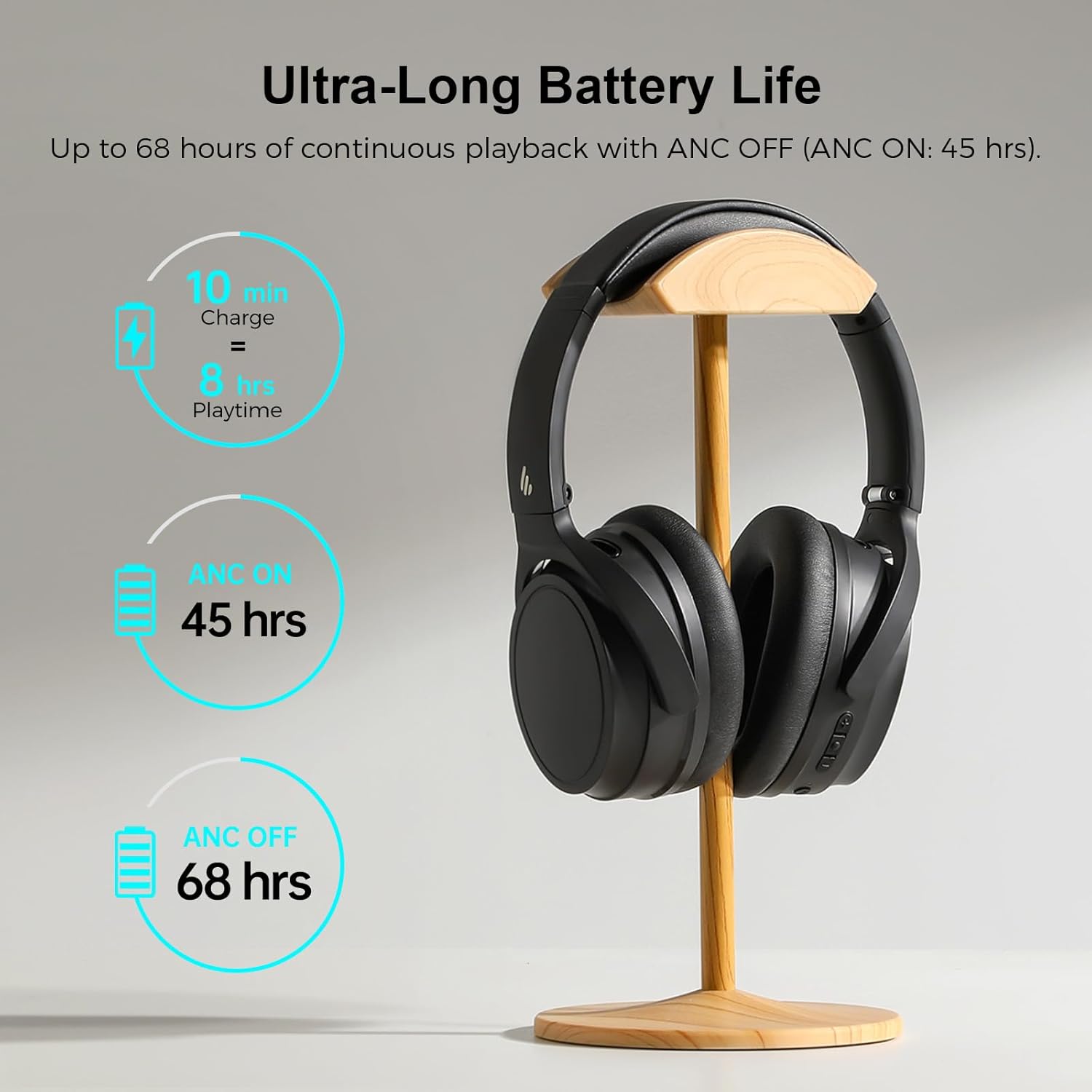
Image: Visual representation of the Edifier WH700NB's battery performance, highlighting quick charge and extended playback times.
2. Emparelhamento Bluetooth
- Certifique-se de que os fones de ouvido estejam carregados.
- Press and hold the Power button for 3 seconds to turn on the headphones. The LED indicator will flash blue rapidly, indicating pairing mode.
- No seu dispositivo (smartphone, tablet, computador), ative o Bluetooth e procure por dispositivos disponíveis.
- Select "EDIFIER WH700NB" from the list of found devices.
- Após a conexão, o indicador LED ficará azul fixo.
3. Conexão de dois dispositivos
The WH700NB headphones support simultaneous connection to two Bluetooth devices.
- Connect the headphones to the first device as described in the Bluetooth Pairing section.
- After successful connection, disable Bluetooth on the first device. The headphones will re-enter pairing mode.
- Conecte os fones de ouvido ao segundo dispositivo.
- Reative o Bluetooth no primeiro dispositivo. Os fones de ouvido devem se conectar automaticamente a ambos os dispositivos.
- You can now switch between audio sources from either connected device.

Image: Edifier WH700NB headphones positioned between a laptop and a smartphone, illustrating the dual device connection capability.
Instruções de operação
Sobre os controlesview
The headphones feature intuitive button controls for various functions. Refer to the diagram below for button locations and their corresponding actions.

Image: Detailed diagram illustrating the control buttons on the Edifier WH700NB headphones and their respective functions.
| Botão/Ação | Função |
|---|---|
| Power Button (Press 3s) | Ligar/Desligar |
| Power Button (Press 1x) | Tocar/Pausar Música |
| Power Button (Press 2x) | Ativar Assistente de Voz |
| Volume Up (+) (Press 1x) | Aumentar o volume |
| Volume Up (+) (Hold) | Próxima faixa |
| Volume Down (-) (Press 1x) | Diminuir volume |
| Volume Down (-) (Hold) | Faixa anterior |
| ANC Button (Press 1x) | Cycle ANC Modes (ANC On / Ambient Sound / ANC Off) |
| Call Button (Press 1x) | Atender/encerrar chamada |
| Call Button (Press 2x) | Rejeitar chamada |
| Call Button (Press 3s) | Switch to Game Mode |
Cancelamento Ativo de Ruído (ANC) e Modo Ambiente
The WH700NB headphones offer three noise control modes:
- ANC ligado: Reduz o ruído externo para uma experiência de áudio imersiva.
- Som ambiente: Permite ouvir o que está ao seu redor enquanto desfruta do áudio, útil para manter a atenção em espaços públicos.
- ANC desligado: Standard headphone operation without noise cancellation.
Press the ANC button to cycle through these modes.

Image: A user demonstrating the Active Noise Cancellation feature of the Edifier WH700NB headphones, with a visual representation of sound wave cancellation.
Funções de chamada
The integrated microphone with DNN noise cancellation ensures clear communication during calls.
- Atender/encerrar chamada: Pressione o botão Chamar uma vez.
- Rejeitar chamada: Press the Call button twice.
- Assistente de voz: Press the Power button twice to activate your device's voice assistant.

Image: A user engaged in a call while wearing the Edifier WH700NB headphones, emphasizing the clarity of communication.
Modo de jogo
Activate Game Mode for ultra-low latency (0.08s) during gaming sessions, providing synchronized audio and visuals.
- Ativar o Modo de Jogo: Pressione e segure o botão Chamar por 3 segundos.
- Repeat the action to exit Game Mode.
Aplicativo Edifier Connect
Para maior controle e personalização, baixe o aplicativo Edifier Connect na loja de aplicativos do seu dispositivo. O aplicativo permite que você:
- Adjust sound settings and equalizer presets.
- Personalize as funções dos botões.
- Verifique o status da bateria.
- Atualizar firmware.

Image: A smartphone displaying the Edifier Connect App interface, showing various settings and controls for the headphones.
Manutenção
Limpeza
- Limpe os fones de ouvido com um pano macio e seco.
- Não utilize produtos de limpeza abrasivos, solventes ou sprays químicos.
- Avoid getting moisture into the ports or speaker grilles.
Armazenar
- Guarde os fones de ouvido em local fresco e seco, longe da luz solar direta e de temperaturas extremas.
- When not in use, fold the headphones to save space and protect them.

Image: The Edifier WH700NB headphones shown in their folded state, emphasizing their portable and lightweight design.
Cuidados com a bateria
- Carregue os fones de ouvido regularmente, mesmo que não os use com frequência, para manter a saúde da bateria.
- Evite descarregar completamente a bateria por períodos prolongados.
Solução de problemas
| Problema | Solução |
|---|---|
| Não é possível ligar | Verifique se os fones de ouvido estão carregados. Conecte-os a uma fonte de energia e tente novamente. |
| Não é possível emparelhar via Bluetooth. |
|
| Sem som |
|
| Má qualidade de chamada |
|
| ANC não é eficaz |
|
Especificações
| Recurso | Detalhe |
|---|---|
| Modelo | WH700NB |
| Versão Bluetooth | 5.3 |
| Alcance Bluetooth | Até 10 metros |
| Tipo de driver de áudio | Driver Dinâmico |
| Resposta de frequência | 20Hz - 20KHz |
| Duração da bateria (ANC desligado) | Até 68 horas |
| Duração da bateria (ANC ativado) | Até 45 horas |
| Tempo de carregamento | Approx. 1.5 hours (10 min charge for 8 hrs playback) |
| Latência de áudio (Modo Jogo) | 0.08 seconds (80ms) |
| Controle de Ruído | Cancelamento de ruído ativo |
| Microfone | Single MIC with DNN Noise Cancellation |
| Conectividade | Wireless (Bluetooth 5.3), USB-C for charging |
| Peso | Aproximadamente 13.7 onças (0.39 kg) |
| Dimensões | 6.71 x 4.43 x 4.04 polegadas |
| Material | Plástico |
Garantia e Suporte
Edifier products are designed and manufactured to the highest quality standards. For warranty information, technical support, or service inquiries, please refer to the warranty card included with your product or visit the official Edifier website. Guarde o comprovante de compra para solicitações de garantia.
Edifier Oficial Website: www.edifier.com
Ask a question about this manual
Ask about setup, troubleshooting, compatibility, parts, safety, or missing instructions. Manuals+ will review the question and use this page’s manual context to help answer it.