
1. Introdução
The BOTSLAB W302 Outdoor Dual-Lens Security Camera is designed to provide comprehensive surveillance for your home or business. Featuring advanced dual-lens technology, it offers a 170° super-wide viewing angle and crystal-clear 4MP resolution. This manual provides detailed instructions for setting up, operating, and maintaining your security camera to ensure optimal performance.
2. Conteúdo da embalagem
Verifique se todos os itens listados abaixo estão incluídos em seu pacote. Caso algum item esteja faltando ou danificado, entre em contato com o suporte ao cliente.
- Unidade de câmera x 1
- Suporte x 1
- Adesivo de posicionamento x 1
- Warning sticker x 1
- Guia de início rápido x 1
- Adaptador de energia x 1
- Pacote de parafusos x 1

Figure 2.1: All components included in the BOTSLAB W302 camera package.
3. Recursos do Produto
- Dual-Lens Vision: Captures a wide 170° super-wide viewing angle with 4MP (2MP+2MP) resolution for seamless panoramic images without blind spots.
- Visão noturna colorida: Provides continuous color views 24/7, even in low light, thanks to automatic light adaptation (ColorGuard) and up to 100ft night vision range.
- Smart Security & Precise Alerts: Detects people and vehicles with motion detection, sending precise alerts. Features a customizable siren and light alarm for enhanced security.
- Rastreamento com Inteligência Artificial: Intelligently focuses on humans, offering close-up views and dual live views (wide panorama and close-up) simultaneously via the Botslab app.
- Conectividade perfeita: Supports faster and more stable dual-band Wi-Fi (2.4GHz/5GHz).
- Áudio bidirecional: Stay connected and communicate with visitors or deter intruders.
- Projeto à prova de intempéries: IP66 rated, ensuring reliable performance in temperatures from -20°C to 60°C.
- Integração de casa inteligente: Seamlessly integrates with Amazon Alexa and Google Assistant for voice control.

Figure 3.1: Dual-Lens Vision with 170° Super-Wide Angle.

Figure 3.2: Non-Stop Color Night Vision.

Figure 3.3: Smart Security with Person, Vehicle, and Motion Detection.
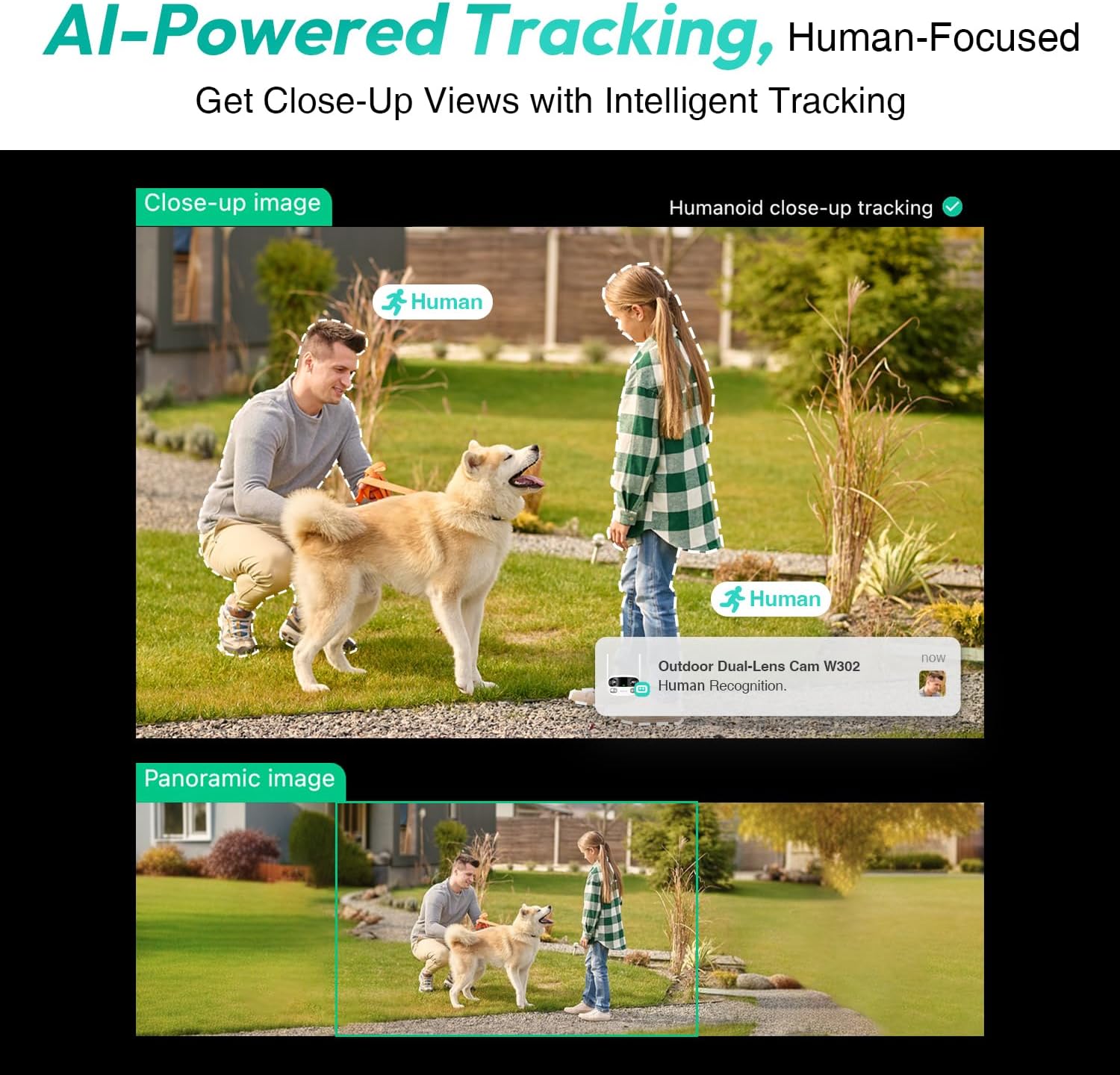
Figure 3.4: AI-Powered Human Tracking with Dual Live Views.
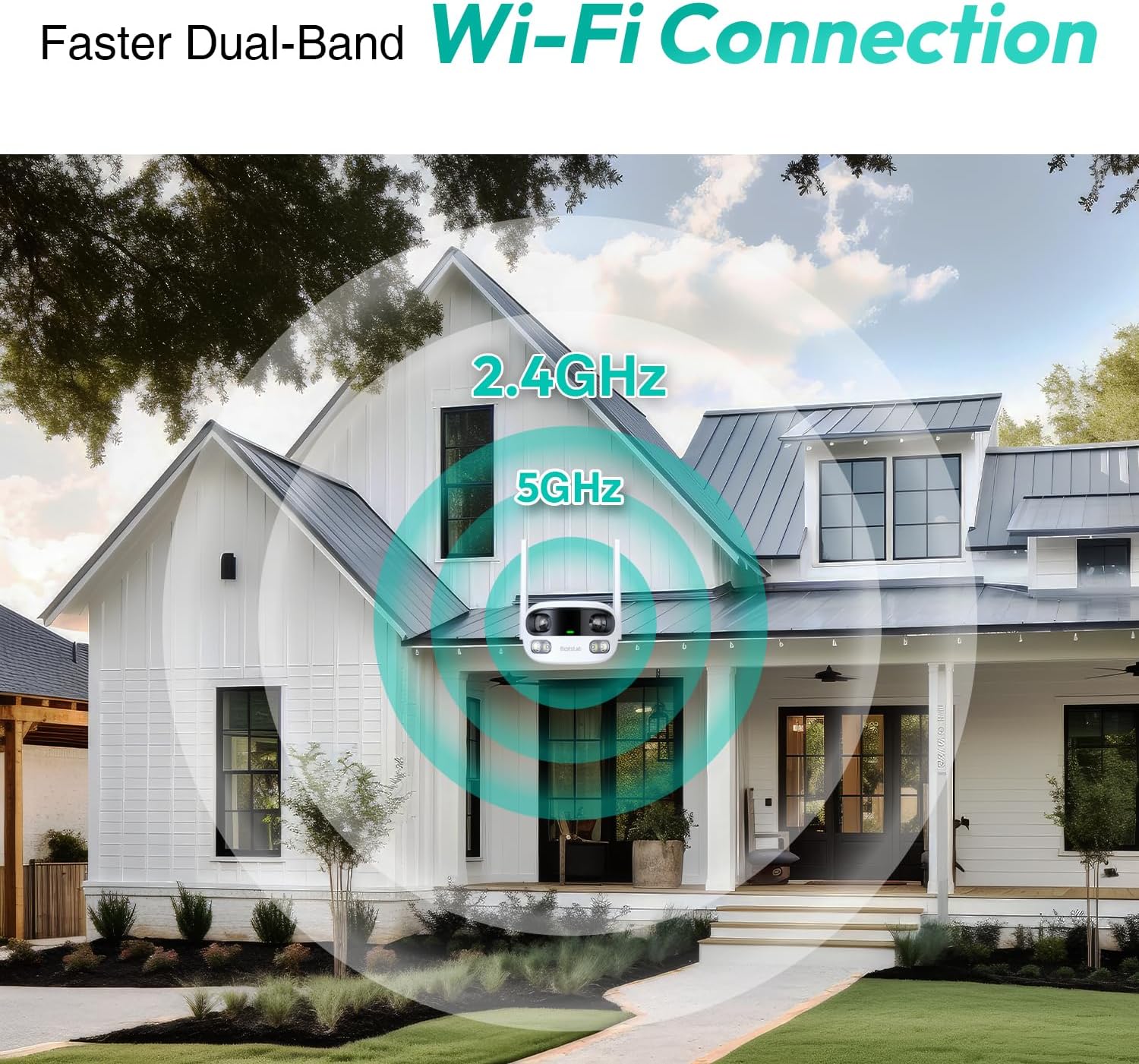
Figure 3.5: Faster Dual-Band Wi-Fi Connection.

Figura 3.6: Comunicação de áudio bidirecional.

Figura 3.7: Design à prova de intempéries IP66.

Figure 3.8: Alexa & Google Assistant Integration.
4. Configuração e instalação
Follow these steps to properly install your BOTSLAB W302 camera.
- Escolha um local: Selecione um local ao ar livre com boa visibilidade. view of the area you wish to monitor. Ensure it's within Wi-Fi range and near a power outlet.
- Monte o suporte: Use the provided positioning sticker to mark drill holes on the wall or ceiling. Drill the holes, insert expansion tubes, and securely fasten the bracket with screws.
- Anexe a câmera: Rotate the camera body and screw it onto the bracket. Adjust the camera's position and tighten the bracket.
- Conecte a energia: Plug the power adapter into the camera and then into a power outlet. The indicator light will turn green and start flashing when ready for pairing.

Figure 4.1: Versatile Installation Options (Wall and Ceiling).
Vídeo 4.1: Um excessoview of the Botslab Security Camera Outdoor, including its features and installation process. This video is provided by Botslab Security.
5. Configuração do aplicativo
The Botslab app is essential for controlling and monitoring your camera. Download and install the app on your smartphone (available on App Store and Google Play).
- Cadastre-se/Faça login: Open the Botslab app and register a new account or log in with an existing one.
- Adicionar dispositivo: Tap 'Add Device' or the '+' icon in the app.
- Leia o código QR: Digitalize o código QR localizado na parte inferior da câmera.
- Conectar ao Wi-Fi: Follow the in-app instructions to connect the camera to your 2.4GHz or 5GHz Wi-Fi network. Ensure your phone is near the camera during this process.
- Vinculação de dispositivo: The app will bind the device to your account. Once connected, the indicator light on the camera will turn solid blue.
Vídeo 5.1: Uma análise detalhadaview of the Botslab W302 Outdoor Dual Lens Security Camera, including app setup and features. This video is provided by Galaxy Tech Review.
6. Instruções de operação
Once configured, you can access and control your camera through the Botslab app.
- Ao vivo View: Access the live feed from both lenses. You can switch between close-up and panoramic views, or use the left/right mode for individual lens feeds.
- Panorâmica / zoom: In panoramic mode, slide the bottom image to pan left or right. Pinch to zoom on the close-up image.
- Áudio bidirecional: Tap the phone icon to speak through the camera's speaker. Tap the mute icon to silence audio from the camera's microphone.
- Siren & Light Alarm: Activate the siren and floodlights manually from the app to deter intruders.
- Motion/Vehicle/Person Detection: Enable these features in the app settings to receive precise alerts.
- Zonas de privacidade: Defina áreas específicas dentro da câmera. view that will not be monitored for privacy.
- Visão noturna: The camera automatically adapts to low light. You can choose between full-color night vision (using floodlights) or infrared night vision.

Figure 6.1: Dual Live Views on the Botslab App.

Figure 6.2: Siren & Light Alarm for Instant Deterrence.

Figure 6.3: Configuring Privacy Zones.

Figure 6.4: Smart Security with Precise Alerts.
7. Opções de armazenamento
The BOTSLAB W302 offers flexible storage solutions for your recorded footage.
- Botslab Cloud Storage: Includes a one-year trial with 7-day storage for motion-detected clips at 5-minute intervals.
- Armazenamento local: Supports up to 256GB MicroSD cards (not included). The MicroSD card slot is located under a protective cover at the bottom of the camera.

Figure 7.1: Cloud and Local Storage Options.
8. Especificações
| Recurso | Especificação |
|---|---|
| Resolução de captura de vídeo | 4 MP |
| Viewângulo de engate | 170 graus |
| Tecnologia de Conectividade | Wi-Fi de 2.4 GHz/5 GHz |
| Avaliação de proteção internacional | IP66 |
| Temperatura de operação | -20°C a 60°C |
| Compatibilidade com Smart Home | Amazon Alexa, Assistente Google |
| Armazenamento local | Up to 256GB MicroSD (Not Included) |
| Fonte de energia | Wired (AC power cord included) |
| Cor | White Pro |
| Peso do item | 1.63 libras |
9. Manutenção
- Limpeza: Limpe regularmente a lente e o corpo da câmera com um pano macio e seco.amp Use um pano para remover poeira e sujeira. Não utilize produtos químicos agressivos.
- Atualizações de firmware: Check the Botslab app periodically for firmware updates to ensure optimal performance and security.
- Fonte de energia: Ensure the camera is connected to a stable power source. Avoid using unofficial power adapters.
- Gerenciamento de cartão SD: If using local storage, regularly back up important footage and format the MicroSD card to maintain performance.
10. Solução De Problemas
- Câmera off-line: Check Wi-Fi connection and power supply. Try restarting the camera and your router.
- Má qualidade de vídeo: Ensure the lens is clean. Check your Wi-Fi signal strength. Adjust camera placement if necessary.
- Problemas de detecção de movimento: Verify detection zones are correctly set in the app. Adjust sensitivity settings.
- Problemas de áudio bidirecional: Check microphone and speaker settings in the app. Ensure volume levels are adequate.
- Cartão SD não está gravando: Ensure the MicroSD card is inserted correctly and is not full. Format the card if issues persist.
11. Garantia e Suporte
A BOTSLAB está comprometida em fornecer produtos de alta qualidade e um excelente atendimento ao cliente.
- Garantia de qualidade: Enjoy a 365-day quality guarantee.
- Ajuda técnica: Suporte técnico vitalício disponível.
- Retornos: Devoluções gratuitas em 30 dias.
- Fast Support: Expect support within 48 hours.
Para obter mais assistência, visite global.botslab.com ou contato service@botslab.com.