
Introdução
This manual provides detailed instructions for the installation, operation, maintenance, and troubleshooting of your wisecoco 12.6 Inch Bar LCD Screen HDMI Display Monitor. This monitor is specifically designed to integrate seamlessly with the Hyte Y60 PC case, serving as an excellent secondary display for monitoring system performance, displaying custom visuals, or extending your desktop.

Figure 1: The 12.6-inch bar LCD screen displaying real-time system performance data.
Configuração e instalação
The wisecoco 12.6 Inch Bar LCD Screen is designed for easy installation, particularly within the Hyte Y60 PC case. The package includes all necessary components for a straightforward setup.
Conteúdo da embalagem
Antes de iniciar a instalação, verifique se todos os itens estão presentes na embalagem:
- 12.6-inch Bar LCD Screen
- 3.5mm DC Power Cable
- Cabo HDMI para Mini HDMI
- Chave de fenda cruzada

Figure 2: Included accessories: DC power cable, HDMI to Mini HDMI cable, and a screwdriver.
Installation Steps (for Hyte Y60 PC Case)
- Preparando o Gabinete do PC: Ensure your Hyte Y60 PC case is powered off and unplugged. Carefully remove the side panel where the monitor will be installed.
- Instale a tela: The screen features a bracket specifically designed to fit the Y60 case panel. Align the screen with the designated slot on the case. Use the provided screwdriver to secure the screen in place. No additional screws are typically required.
- Conecte o cabo de vídeo: Connect one end of the HDMI to Mini HDMI cable to the Mini HDMI port on the monitor. Connect the other end to an available HDMI port on your graphics card (GPU) or motherboard.
- Conecte o cabo de alimentação:
- Connect the 3.5mm DC power cable to the DC 3.5mm port on the monitor. The other end of this cable typically connects to a power source within your PC.
- Alternatively, the screen can be powered via a Micro USB A cable (not included). If using Micro USB A, ensure the input is 5V500mA. If using the DC cable, the input should be 5V2A.
- Gerenciamento de cabos: Route the cables neatly within your PC case to avoid interference with fans or other components.
- Ligar: Once all connections are secure, replace the PC case panel, plug in your PC, and power it on. The monitor should be detected as a secondary display.

Figure 3: Visual guide for installing the secondary monitor into the Hyte Y60 PC case.

Figure 4: The monitor seamlessly integrated into a Hyte Y60 PC case, displaying custom visuals.

Figure 5: Dimensions and port layout of the 12.6-inch bar LCD screen.
Instruções de operação
The wisecoco 12.6 Inch Bar LCD Screen functions as a standard secondary display, compatible with PCs and laptops. It offers versatile display options and user-friendly controls.
Recursos de exibição
- Resolução: 1920x515 IPS panel for clear and vibrant visuals.
- Tempo de resposta: 3-5ms for smooth motion.
- Viewângulo de entrada: 178 ° de largura viewO ângulo de inclinação garante uma qualidade de imagem consistente a partir de várias perspectivas.
- Taxa de atualização: 60Hz standard refresh rate.
- Taxa de contraste: 1000:1 para pretos profundos e brancos brilhantes.
- Alto-falantes embutidos: Integrated dual speakers provide audio output.

Figure 6: The monitor features a 178° full viewing angle and IPS technology for superior image quality.
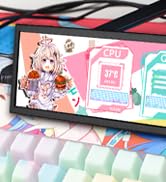
Figure 7: The Wisecoco monitor includes built-in speakers for convenience.
Modos de exibição
The monitor supports both landscape and portrait modes, allowing for flexible integration into your setup. You can adjust the display orientation through your operating system's display settings.

Figure 8: The monitor supports both portrait and landscape display orientations.
Controles de exibição na tela (OSD)
The monitor features physical buttons on the back for accessing the OSD menu and controlling basic functions:
- Fonte: Switches between available video inputs (e.g., Mini HDMI 1, Mini HDMI 2).
- Volume +/-: Adjusts the audio output level of the built-in speakers.
- Menu: Accesses the OSD menu for advanced settings (brightness, contrast, color, etc.).
- Poder: Liga ou desliga o monitor.
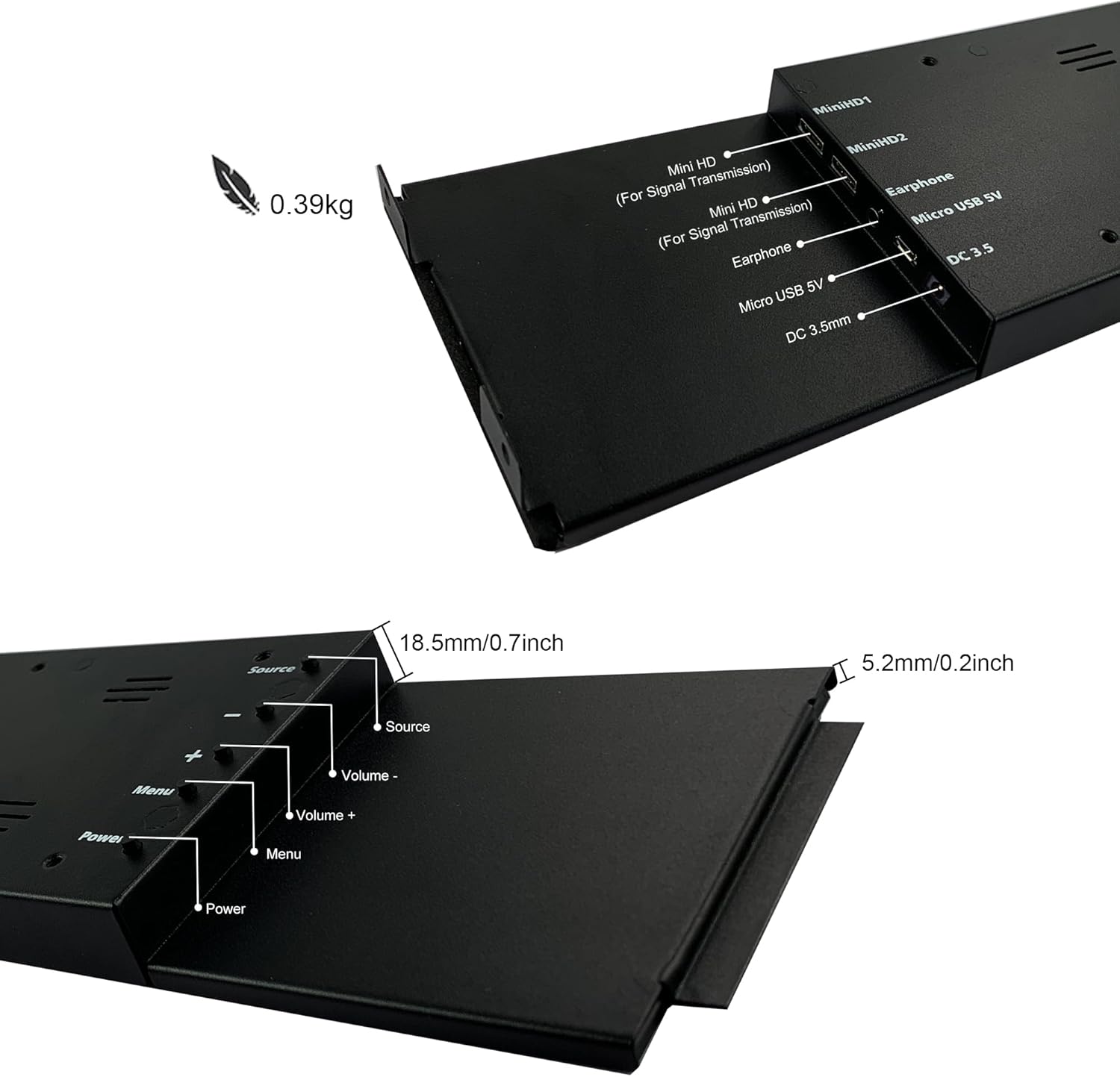
Figure 9: Location of control buttons and ports on the side of the monitor.
Manutenção
A manutenção adequada garante a longevidade e o desempenho ideal do seu monitor.
- Limpando a tela: Use a soft, lint-free cloth specifically designed for electronics. For stubborn marks, lightly dampLimpe o pano com água ou uma solução de limpeza de telas. Evite produtos químicos agressivos, materiais abrasivos ou borrifar líquido diretamente na tela.
- Limpeza geral: Limpe o monitor.asing com um pano macio e seco.
- Ventilação: Certifique-se de que as aberturas de ventilação do monitor não estejam bloqueadas para evitar superaquecimento.
- Condições ambientais: Avoid exposing the monitor to extreme temperatures, high humidity, or direct sunlight.
- Desligue quando não estiver em uso: For extended periods of inactivity, it is recommended to power off the monitor.
Solução de problemas
If you encounter issues with your wisecoco monitor, refer to the following common problems and solutions:
| Problema | Possível causa | Solução |
|---|---|---|
| Sem imagem / Mensagem "Sem sinal" |
|
|
| Screen flashes red, blue, or green when PC sleeps | Specific display settings or driver interaction. | Access the monitor's OSD menu and navigate through settings. Sometimes simply accessing and exiting the menu can resolve this. Ensure GPU drivers are updated. |
| Sem áudio nos alto-falantes integrados |
|
|
| Half of the screen not working | Hardware defect or severe connection issue. |
|
Especificações do produto
Detailed technical specifications for the wisecoco 12.6 Inch Bar LCD Screen HDMI Display Monitor:
| Recurso | Especificação |
|---|---|
| Dimensões do produto | 1 x 4 x 13 polegadas |
| Peso do item | 1.74 libras |
| Fabricante | Wisecoco |
| Número do modelo do item | R126F01-HB |
| Tamanho de exibição da tela em pé | 12.6 polegadas |
| Proporção da tela | 32:9 |
| Volumetage | 5 Volts (CC) |
| Resolução | 1920 x 515 |
| Marca | wisecoco |
| Tamanho da tela | 12.6 polegadas |
| Descrição da superfície da tela | Lustroso |
Garantia e Suporte
Wisecoco is committed to providing high-quality products and customer satisfaction.
- Garantia: Este produto vem com garantia de 12 meses a partir da data de compra.
- Garantia de devolução de dinheiro: É oferecida uma garantia de reembolso de 30 dias.
- Suporte ao cliente: 24-hour customer support is available for any inquiries or assistance.
For warranty claims, technical support, or any other questions, please contact Wisecoco customer service through the official channels provided at the point of purchase or on the Wisecoco brand website.

Figure 10: Wisecoco's commitment to customer satisfaction.