
Introdução
This manual provides essential information for the safe and efficient use of your Dopesplay DR158W 15.6-inch Portable Laptop Screen. Please read these instructions thoroughly before operating the device and retain them for future reference.
The Dopesplay DR158W is a versatile 15.6-inch portable touchscreen display designed to extend your workspace or enhance your mobile computing experience. It features a built-in battery, wireless charging capabilities, and multiple connectivity options, allowing you to transform your smartphone, mini-computer, or game console into a powerful workstation.
Produto acimaview
The Dopesplay DR158W combines a compact, portable design with a high-resolution display and integrated features for enhanced productivity and entertainment on the go.
Principais características:
- 15.6-inch FHD 1080p IPS Display: Offers a clear and vibrant visual experience with a 1920 x 1080 resolution.
- Funcionalidade da tela sensível ao toque: Provides intuitive interaction with compatible devices.
- Integrated Keyboard and Trackpad: Transforms your mobile device into a laptop-like setup.
- Bateria integrada de 12900 mAh: Ensures extended usage without external power.
- Carregamento sem fio: Conveniently charge compatible smartphones.
- Conectividade com fio e sem fio: Supports USB Type-C, Mini HDMI, Bluetooth, and Wi-Fi.
- 360-Degree Convertible Design: Permite flexibilidade viewmodos de operação.
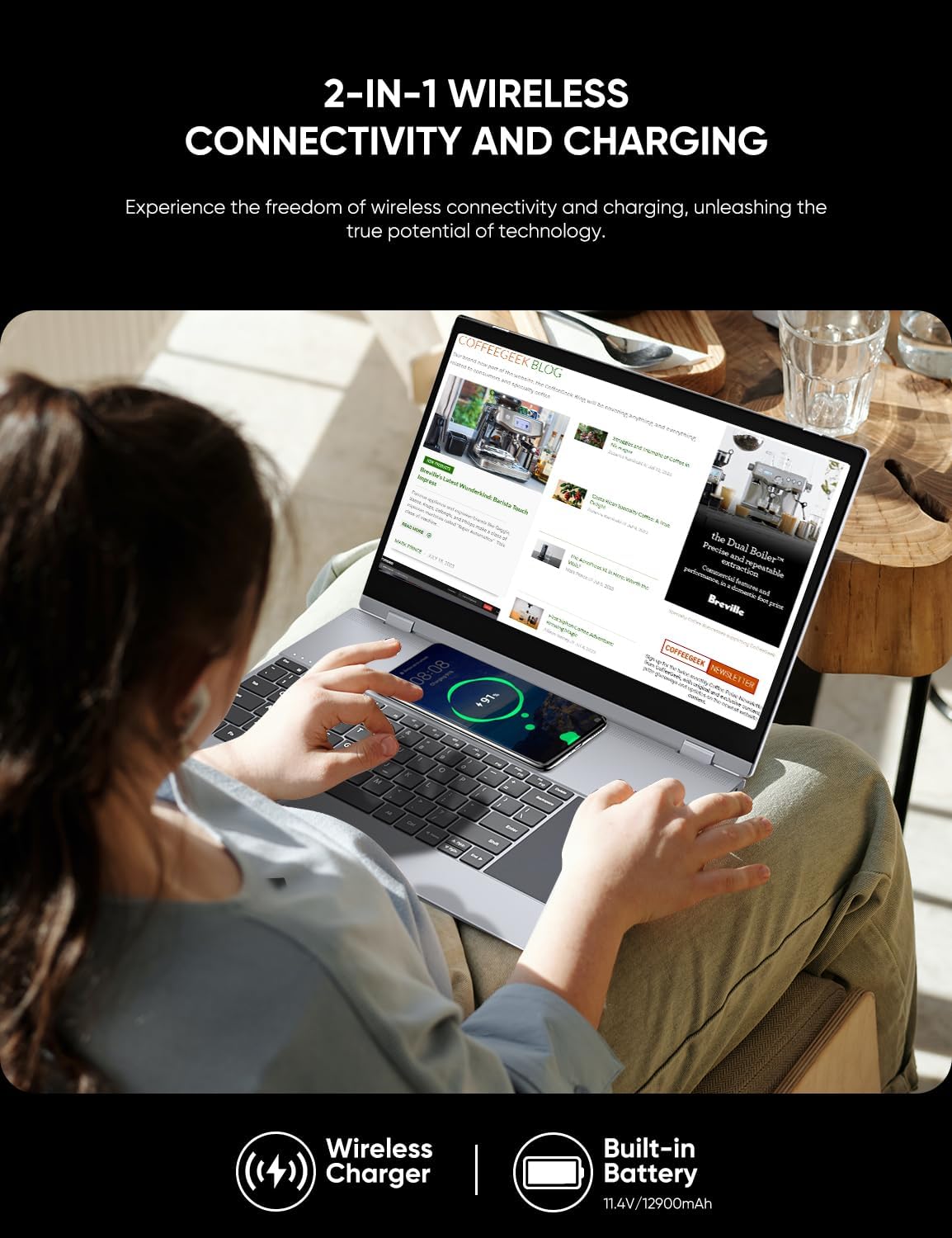
Image: Visual representation of the Dopesplay DR158W's display specifications, highlighting its 1920x1080 resolution, 15.6-inch IPS panel, 300 Nits brightness, 800:1 contrast ratio, HDR support, Low Blue Light feature, 16.7 million colors, 100% sRGB color gamut, and 60Hz refresh rate.

Image: The Dopesplay DR158W portable monitor displayed in multiple configurations, illustrating its 360-degree rotating capability for flexible use as a laptop, tablet, or presentation display.
Configurar
Identifying Ports:
Familiarize yourself with the available ports on your Dopesplay DR158W to ensure correct connections.
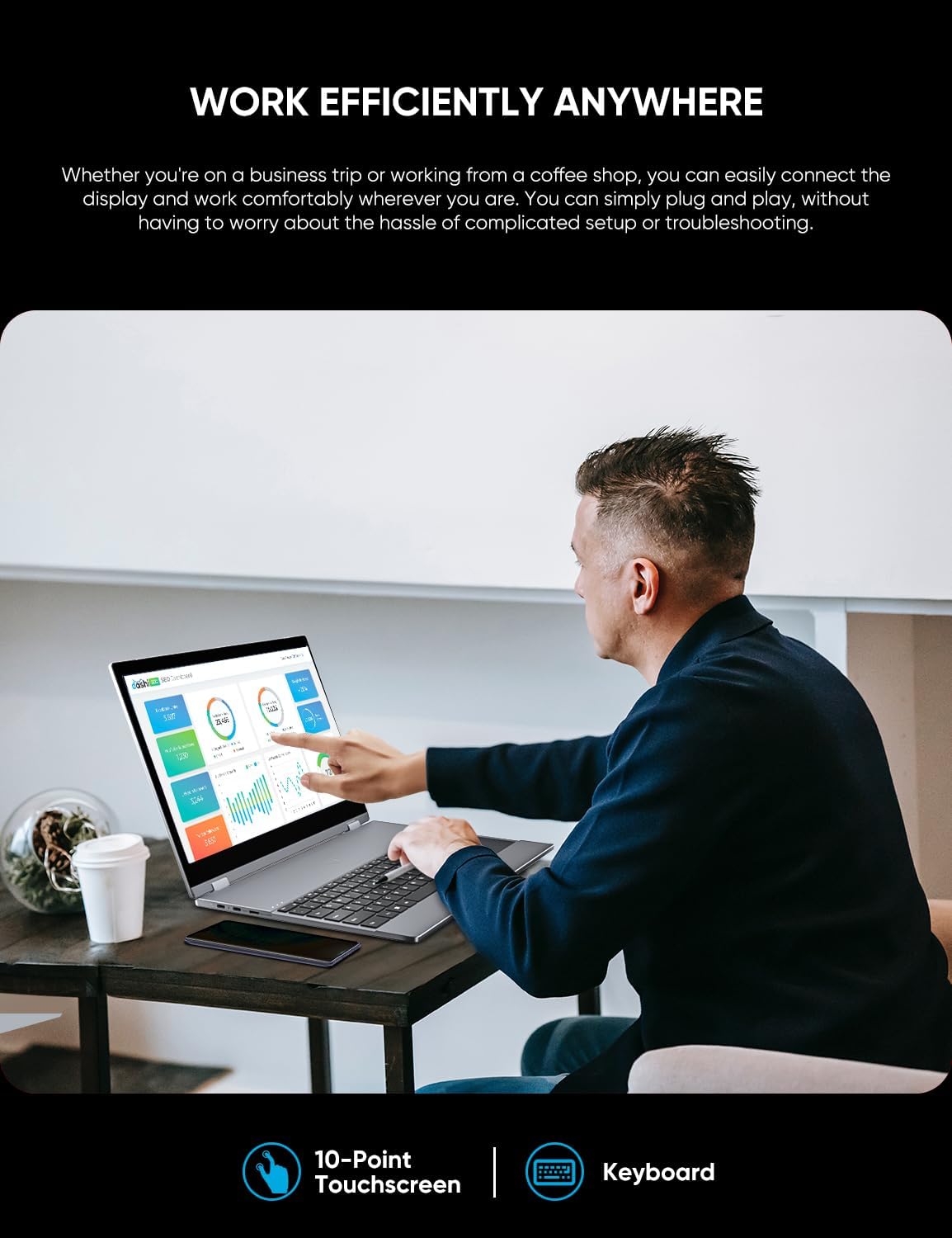
Imagem: Uma imagem detalhada view of the Dopesplay DR158W's connectivity ports. Labels indicate: A) Power on/off button, B) Micro SD card slot, C) Standard USB port, D) Headphone jack, E) USB-C port for charging, F) USB-C port for data input, and G) Mini HDMI input port.
Conectando seu dispositivo:
The DR158W offers both wired and wireless connection options.

Image: Illustration detailing the wired connection methods for the Dopesplay DR158W. It shows that devices with a full-functional USB-C port can connect with a single USB-C cable, while devices without can use a USB-A and HDMI cable combination.
- Conexão USB tipo C: If your device has a fully functional USB-C port (supporting video output and power delivery), connect it directly to the monitor using a single USB-C cable. This provides both power and display signal.
- Conexão HDMI e USB-A: For devices without a full-functional USB-C port, connect the monitor via a Mini HDMI cable for video and a USB-A cable for power and touch functionality.
- Conexão sem fio: The DR158W supports fast wireless connection via Bluetooth 4.1 and Wi-Fi 5.8 GHz. Refer to the 'Operating Instructions' section for detailed steps on wireless pairing.
Ligando:
Press and hold the Power On/Off button (A) located on the side of the device until the screen illuminates.
Instruções de operação
Conectividade sem fio:
The DR158W allows for seamless wireless connection to your mobile devices, eliminating cable clutter.
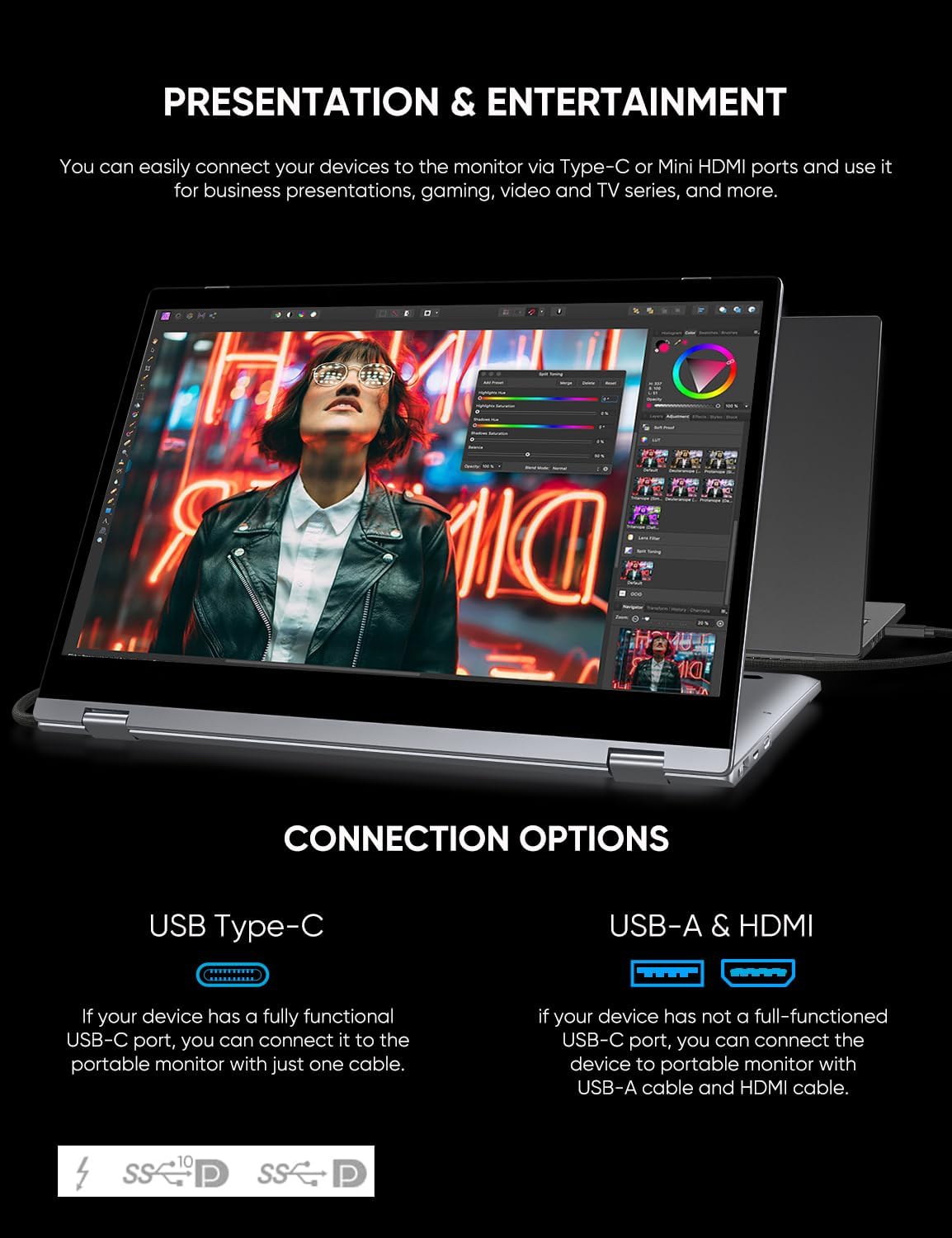
Image: A user interacting with the Dopesplay DR158W, which is wirelessly connected to a smartphone, demonstrating its use for productivity. The image emphasizes its Wi-Fi 5.8 GHz and Bluetooth 4.1 wireless connection features.
- Ensure both the DR158W and your mobile device (smartphone, tablet) have their wireless functions (Bluetooth, Wi-Fi) enabled.
- On your mobile device, search for available Bluetooth or Wi-Fi devices and select the DR158W.
- Siga as instruções na tela para concluir o processo de pareamento.
- Once connected, your mobile device's display will be mirrored or extended to the DR158W.
Note: Touch functionality may vary or be unavailable for certain operating systems or devices when connected wirelessly (e.g., Mac and iPhone).
Using the Integrated Keyboard and Touchscreen:
The DR158W features an integrated keyboard and a 10-point touchscreen for intuitive control.
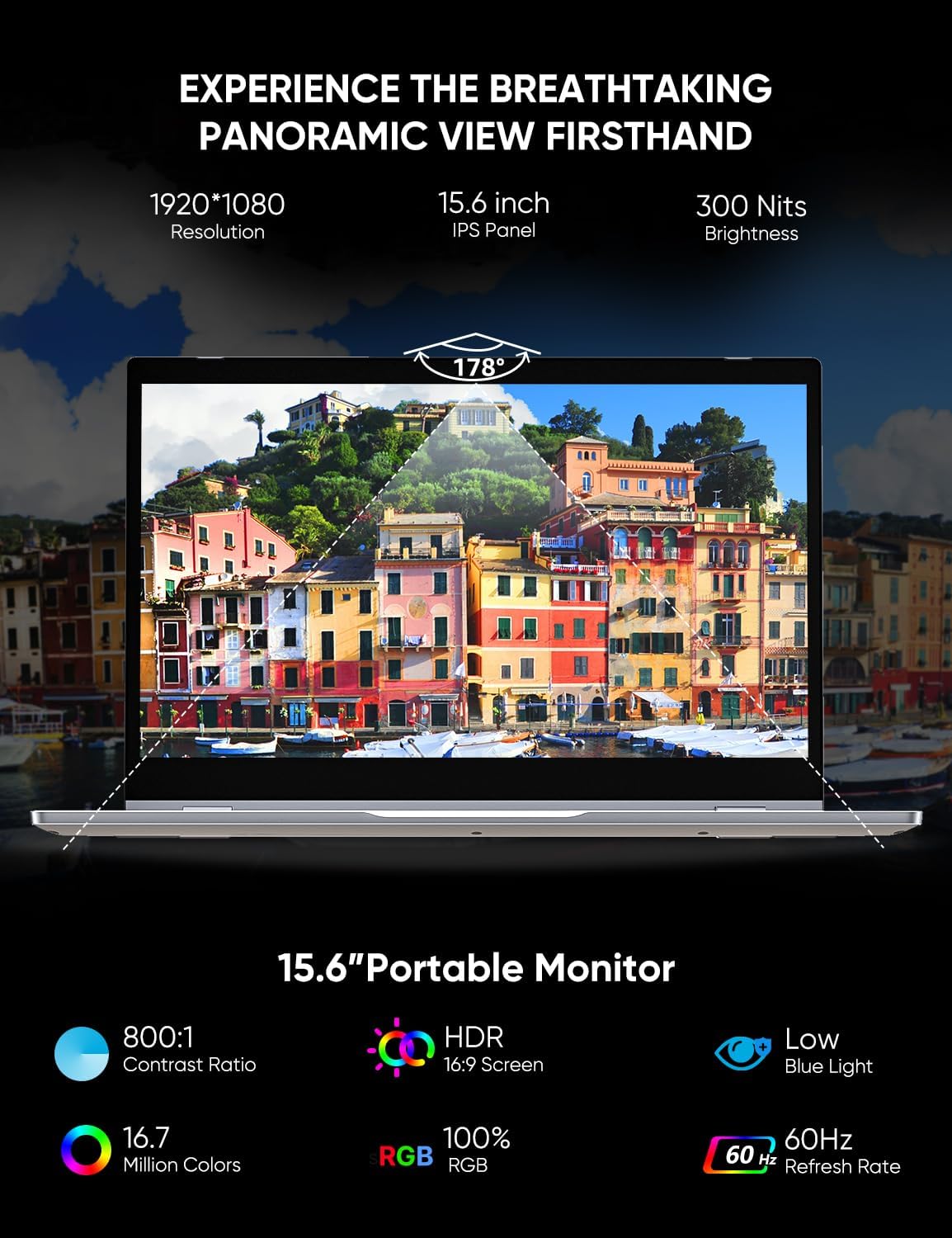
Image: A user operating the Dopesplay DR158W portable monitor, demonstrating its 10-point touchscreen and integrated keyboard for efficient work on a productivity application.
- Teclado: Use the physical keyboard for typing and text input, similar to a standard laptop.
- Tela sensível ao toque: Interact directly with the display using touch gestures. The 10-point touchscreen allows for multi-touch commands.
- Painel de controle: The integrated trackpad provides mouse-like control for navigation and selection.
Carregamento sem fio:
The DR158W includes a wireless charging pad for compatible devices.

Image: The Dopesplay DR158W portable monitor in use, with a smartphone placed on its keyboard area, actively charging wirelessly. This image also highlights the device's built-in 11.4V/12900mAh battery.
- Place your Qi-compatible smartphone on the designated wireless charging area, typically located on the keyboard deck.
- Ensure the phone is properly aligned for charging to begin. A charging indicator may appear on your phone's screen.
Note: Wireless charging speed may vary. For optimal charging, ensure the phone is centered on the charging pad.
Manutenção
- Limpeza: Use um pano macio e sem fiapos para limpar a tela e a parte externa. Para manchas persistentes, esfregue levementeampLimpe o pano com água ou um produto de limpeza seguro para telas. Evite produtos químicos agressivos ou materiais abrasivos.
- Armazenar: Quando não estiver em uso, guarde o dispositivo em local fresco e seco, longe da luz solar direta e de temperaturas extremas.
- Manuseio: Handle the device with care to prevent drops or impacts. Avoid placing heavy objects on top of the screen.
- Cuidados com a bateria: Para prolongar a vida útil da bateria, evite descarregá-la completamente com frequência. Carregue o dispositivo regularmente, mesmo que não o esteja utilizando constantemente.
Solução de problemas
| Problema | Possível causa | Solução |
|---|---|---|
| A tela não liga. | Low battery; Power cable not connected; Device not powered on. | Charge the device; Ensure power cable is securely connected; Press and hold the power button. |
| No display signal. | Incorrect cable connection; Source device not outputting video; Incorrect input selected. | Check USB-C or HDMI cable connections; Ensure source device is configured for external display; Select correct input source on the monitor (if applicable). |
| Problemas de conexão sem fio. | Bluetooth/Wi-Fi not enabled; Device out of range; Interference. | Ensure wireless functions are enabled on both devices; Move devices closer; Reduce interference from other wireless devices. |
| A tela sensível ao toque não responde. | Incompatible device/OS; Loose USB connection (for wired); Software glitch. | Verify device/OS compatibility for touch; Reconnect USB cable; Restart both devices. |
| Screen is too dim. | Brightness settings; Power saving mode. | Adjust brightness settings on the monitor or connected device. Ensure power saving mode is not active. |
| O carregamento sem fio não está funcionando. | Phone not Qi-compatible; Incorrect placement; Foreign objects. | Ensure phone supports Qi wireless charging; Realign phone on the charging pad; Remove any objects between phone and pad. |
Especificações
| Recurso | Detalhe |
|---|---|
| Marca | Dopesplay |
| Número do modelo | DR158W |
| Tamanho da tela de exibição | 15.6 polegadas |
| Resolução máxima de exibição | 1920 x 1080 pixels (FHD 1080p) |
| Proporção da tela | 16:9 |
| Descrição da superfície da tela | Lustroso |
| Relação de contraste da imagem | High (specific value not provided) |
| Tempo de resposta | 5 milissegundos |
| Taxa de atualização | 60 Hz |
| Características especiais | Glossy screen, Touchscreen, Portable, Built-in speakers |
| Cor | Prata |
| Fator de forma | Laptop (referring to its convertible nature) |
| Dimensões do produto | 37.34 x 26.8 x 6.4 cm |
| Peso do item | 2.83 quilos |
| Tipo sem fio | 5.8 GHz Radio Frequency (Wi-Fi), Bluetooth 4.1 |
| Volumetage | 5 Volts |
| Bateria embutida | 12900 mAh (11.4 V) |
Garantia e Suporte
For warranty information and technical support, please refer to the documentation included with your purchase or visit the official Dopesplay website. Guarde o comprovante de compra para solicitações de garantia.