
Introdução
The Vieta Pro Way 3 headphones are designed to provide a versatile audio experience with multiple connectivity options and features. This device supports Bluetooth wireless connection, an Aux-in port for wired use, an integrated microphone for hands-free communication, a dedicated gaming mode, and Dual Pairing functionality. With an impressive battery life of up to 50 hours, these headphones are suitable for extended listening sessions.
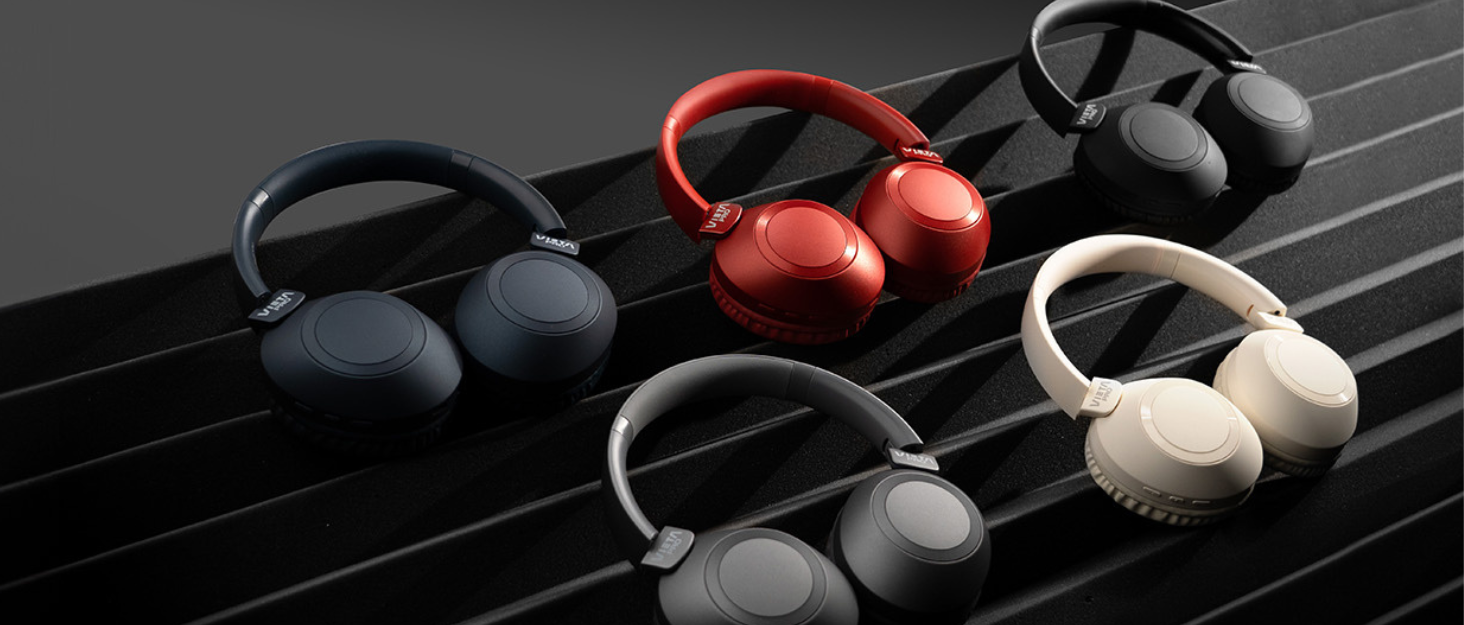
Image: Vieta Pro Way 3 headphones displayed in multiple color options.
Configurar
1. Carregando os fones de ouvido
Before initial use, ensure the headphones are fully charged. The Vieta Pro Way 3 headphones support wireless charging. A full charge provides up to 50 hours of continuous playback.
- Connect the provided charging cable to the charging port on the headphones and to a compatible USB power source.
- Alternatively, place the headphones on a compatible wireless charging pad.
- The indicator light will show the charging status and turn off or change color once fully charged.
2. Ligar / desligar
- Para ligar: Pressione e mantenha pressionado o botão Liga/Desliga por aproximadamente 3 segundos até que a luz indicadora acenda.
- Para desligar: Pressione e mantenha pressionado o botão Liga/Desliga por aproximadamente 3 segundos até que a luz indicadora se apague.
3. Emparelhamento Bluetooth
Para conectar seus fones de ouvido sem fio a um dispositivo:
- Certifique-se de que os fones de ouvido estejam desligados.
- Pressione e segure o botão Liga/Desliga por aproximadamente 5 a 7 segundos até que a luz indicadora pisque rapidamente, indicando o modo de emparelhamento.
- No seu smartphone, tablet ou computador, ative o Bluetooth e procure por dispositivos disponíveis.
- Select "Vieta Pro Way 3" from the list of found devices.
- Once connected, the indicator light will stop flashing and remain solid or flash slowly.
4. Conexão de entrada auxiliar
For a wired connection, use a 3.5mm audio cable:
- Connect one end of the 3.5mm audio cable to the Aux-in port on the headphones.
- Connect the other end to the 3.5mm audio output of your audio source.
- The headphones will automatically switch to Aux-in mode when a cable is detected.
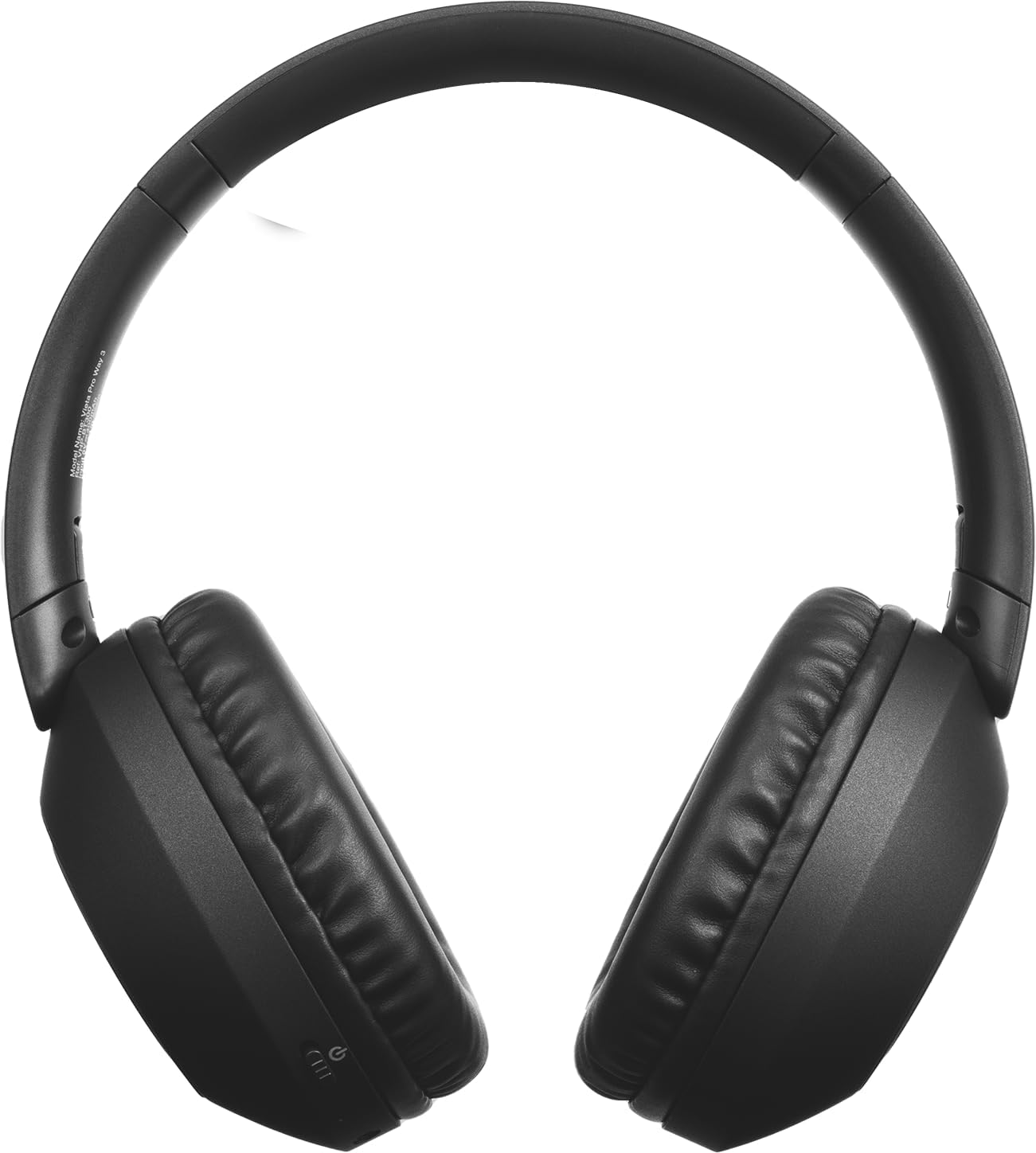
Imagem: Frente view of the Vieta Pro Way 3 headphones, showing the earcups and headband.
Instruções de operação
1. Reprodução de música
When connected via Bluetooth or Aux-in, you can control your music:
- Reproduzir/Pausar: Pressione o botão multifuncional uma vez.
- Próxima faixa: Pressione e mantenha pressionado o botão de aumentar o volume.
- Faixa anterior: Pressione e segure o botão Diminuir volume.
- Aumentar o volume: Pressione rapidamente o botão Aumentar Volume.
- Volume baixo: Pressione rapidamente o botão Diminuir Volume.
2. Gerenciamento de chamadas
The integrated microphone allows for hands-free calls when connected via Bluetooth:
- Atender/encerrar chamada: Pressione o botão multifuncional uma vez.
- Rejeitar chamada: Pressione e segure o botão multifuncional por 2 segundos.
- Assistente de voz: Pressione duas vezes o botão multifuncional para ativar o assistente de voz do seu dispositivo.
3. Modo de jogo
Activate the dedicated gaming mode for optimized audio performance during gameplay, reducing latency and enhancing sound effects.
- Ativar o Modo Jogo: Refer to the specific button or gesture indicated in the quick start guide for your model. (Typically a dedicated button or a long press on a volume button).
4. Emparelhamento duplo
The Dual Pairing feature allows the Vieta Pro Way 3 headphones to connect to two different Bluetooth devices simultaneously. This enables seamless switching between audio sources without the need to disconnect and re-pair.
- Pair the headphones with your first device following the Bluetooth Pairing instructions.
- Desconecte temporariamente o Bluetooth do primeiro dispositivo.
- Pair the headphones with your second device.
- Reative o Bluetooth no primeiro dispositivo. Os fones de ouvido agora devem estar conectados a ambos os dispositivos.
- Audio will play from the active source, and you can switch by pausing one and playing the other.

Image: A person wearing the Vieta Pro Way 3 headphones, demonstrating comfortable use.
Manutenção
1. Limpeza
- Limpe os fones de ouvido com um pano macio, seco e sem fiapos.
- Do not use abrasive cleaners, solvents, or strong chemicals, as these may damage the surface or internal components.
- Evite a entrada de umidade em qualquer abertura.
2. Armazenamento
- Guarde os fones de ouvido em local fresco e seco, longe da luz solar direta e de temperaturas extremas.
- When not in use for extended periods, store them in their protective case (if included) to prevent dust and damage.
3. Cuidados com a bateria
- To prolong the lifespan of the battery, avoid fully discharging the headphones frequently.
- Charge the headphones regularly, even if not in frequent use.
Solução de problemas
1. Sem som
- Certifique-se de que os fones de ouvido estejam ligados e carregados.
- Verifique os níveis de volume tanto nos fones de ouvido quanto no dispositivo conectado.
- Verify that the headphones are properly paired via Bluetooth or securely connected via the Aux-in cable.
- Tente reiniciar tanto os fones de ouvido quanto o dispositivo de origem do áudio.
2. Problemas de emparelhamento
- Ensure the headphones are in Bluetooth pairing mode (indicator light flashing rapidly).
- Desative e reative o Bluetooth no seu dispositivo.
- Move the headphones closer to your device to ensure a strong signal.
- Clear previous Bluetooth connections from your device's Bluetooth settings and try pairing again.
3. Problemas de carregamento
- Verify that the charging cable is securely connected to both the headphones and the power source, or that the headphones are correctly placed on the wireless charging pad.
- Ensure the power source (USB adapter, computer port, wireless charger) is functional.
- Check the charging port on the headphones for any debris that might obstruct the connection.
Especificações
| Marca | Vieta Pro |
| Modelo | Caminho 3 |
| Fator de forma | Over-ear (Headband) |
| Tecnologia de Conectividade | Wireless (Bluetooth), Wired (Aux-in) |
| Comunicação sem fio | Bluetooth |
| Duração da bateria | Até 50 horas (reprodução) |
| Características especiais | Wireless Charging, Built-in Microphone, Gaming Mode, Dual Pairing |
| Fabricante | FRAMASON AUDIO SA |
| ASIN | B0CRL99NBD |
Nota: as especificações estão sujeitas a alterações sem aviso prévio.
Garantia e Suporte
For detailed warranty information, product registration, or technical assistance, please refer to the official Vieta Pro website or contact their customer support directly. It is recommended to retain your purchase receipt as proof of purchase for any warranty claims.
- Oficial Website: Visita www.vietapro.com (or relevant regional site) for support resources.
- Atendimento ao Cliente: Contact information can typically be found on the official website.