
1. Introdução
This manual provides detailed instructions for the Edifier X5 Pro Active Noise Cancelling Earbuds. These earbuds feature hybrid active noise cancellation, AI-enhanced call clarity, fast charging, a dedicated game mode, app customization, and IP55 water resistance, all powered by True Wireless Bluetooth 5.3 technology.

Figure 1: Edifier X5 Pro Ivory Earbuds and Charging Case
2. O que está na caixa
The Edifier X5 Pro package includes the following components:
- Edifier X5 Pro Earbuds
- Estojo de carregamento
- Cabo de carregamento USB
- Ponteiras auriculares x 3 pares (P, M, G)
- Manual do usuário

Figure 2: Included components of the Edifier X5 Pro package.
3. Configuração
3.1 Emparelhamento Inicial
- Abra o estojo de carregamento. Os fones de ouvido entrarão automaticamente no modo de emparelhamento.
- No seu dispositivo (smartphone, tablet, etc.), ative o Bluetooth.
- Procurar "EDIFIER X5 Pro" in the list of available Bluetooth devices and select it to connect.
- Após a conexão, um som de confirmação será reproduzido nos fones de ouvido.
3.2 Instalação do aplicativo Edifier ConneX
For enhanced features and customization, download the Edifier ConneX App from your device's app store. The app allows for personalized control settings, EQ adjustments, game mode activation, and the 'Find My Earbuds' function.

Figura 3: Interface do aplicativo Edifier ConneX para personalização.
4. Instruções de operação
4.1 Cancelamento Ativo de Ruído (ANC) e Som Ambiente
The Edifier X5 Pro utilizes Hybrid ANC Technology to reduce ambient noise. You can switch between ANC On, Ambient Sound, and ANC Off modes via the Edifier ConneX App or through the touch controls on the earbuds.
- ANC ligado: Blocks out most surrounding noise for an immersive audio experience.
- Som ambiente: Permite ouvir o que está ao seu redor enquanto escuta áudio, útil para manter a atenção em ambientes movimentados.
- ANC desligado: Desativa o cancelamento de ruído.

Figure 4: Active Noise Cancellation in use.

Figure 5: Comparison of sound before and after ANC activation.
4.2 Immersive Sound Experience
The earbuds are equipped with 10mm large-size dynamic drivers and Titanium-coated diaphragms, delivering natural and balanced audio across various music genres.

Figure 6: Internal structure of the 10mm dynamic driver.
4.3 Clear Calls with AI Algorithm
The built-in microphone, enhanced with an AI algorithm, effectively reduces unwanted background noise, ensuring clear and faithful reproduction of the human voice during calls.

Figure 7: AI-enhanced call clarity.
4.4 Duração da bateria e carregamento rápido
The earbuds offer up to 7 hours of playtime on a single charge. The charging case extends the total playtime to 31 hours. A quick 15-minute charge provides an additional 1 hour of playback time.
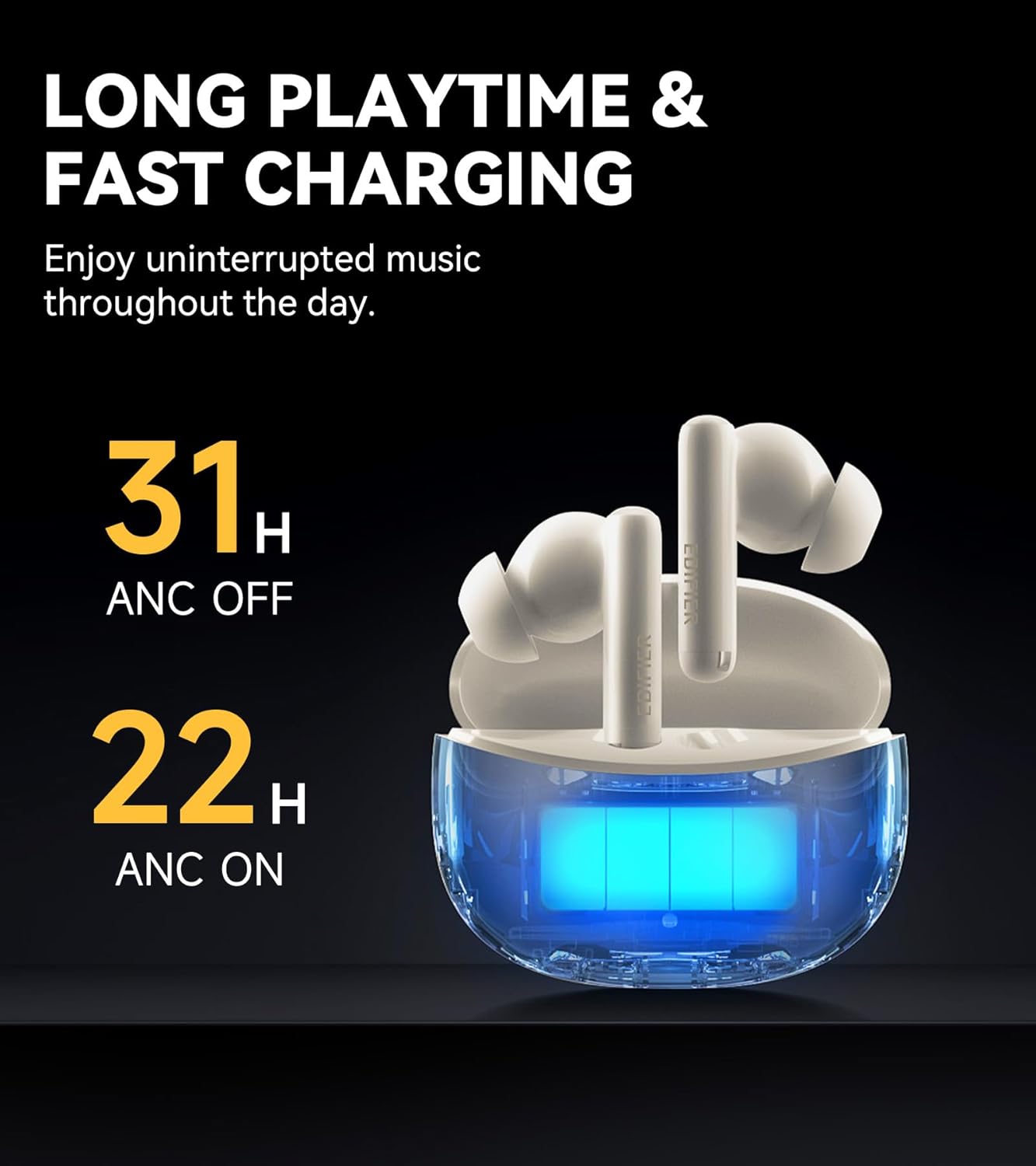
Figure 8: Battery life indicators for ANC on/off.
4.5 Advanced Bluetooth 5.3 Connectivity
Equipped with an advanced Bluetooth 5.3 chipset, the earbuds provide a fast and stable connection, ensuring smooth music playback, a seamless gaming experience, and clear calls with significantly low latency.

Figure 9: Bluetooth 5.3 chipset for stable connection.
4.6 App Customization and Game Mode
The Edifier ConneX App allows users to personalize control settings, select preset EQ modes, and activate a low-latency game mode for an optimized gaming experience. The app also includes a feature to locate your earbuds.

Figure 10: Low latency game mode for enhanced gaming.
4.7 IP55 Water and Dust Resistance
The earbuds are rated IP55 for dust and water resistance, making them suitable for use during workouts or in light rain conditions.

Figure 11: IP55 rating for dust and splash proofing.
5. Manutenção
- Limpe regularmente os fones de ouvido e o estojo de carregamento com um pano macio e seco.
- Avoid exposing the earbuds to extreme temperatures or direct sunlight for extended periods.
- Certifique-se de que a porta de carregamento esteja livre de poeira e detritos.
- Guarde os fones de ouvido no estojo de carregamento quando não estiverem em uso para protegê-los e manter a vida útil da bateria.
6. Solução De Problemas
6.1 Problemas de conexão
- Os fones de ouvido não estão emparelhando: Ensure the earbuds are charged and within range of your device. Turn Bluetooth off and on again on your device. Try resetting the earbuds (refer to the app or Edifier support for specific reset instructions).
- Conexão intermitente: Move closer to your device. Avoid environments with strong electromagnetic interference.
6.2 Problemas de som
- Sem som: Verifique os níveis de volume tanto no seu dispositivo quanto nos fones de ouvido. Certifique-se de que os fones de ouvido estejam conectados corretamente.
- Má qualidade de som: Ensure ear tips are correctly sized for a good seal. Clean any debris from the earbud nozzles.
6.3 Problemas de cobrança
- Fones de ouvido não carregam: Ensure the charging case has power. Check that the earbuds are correctly seated in the charging case. Clean the charging contacts on both the earbuds and the case.
- O estojo de carregamento não carrega: Use the provided USB cable and a compatible power adapter. Check the cable and port for damage.
7. Especificações
| Recurso | Especificação |
|---|---|
| Nome do modelo | X5 Pro |
| Marca | Edificador |
| Controle de Ruído | Cancelamento de ruído ativo |
| Tecnologia de Conectividade | Sem fio |
| Tecnologia de comunicação sem fio | Bluetooth V5.3 |
| Alcance Bluetooth | 10 metros |
| Tamanho do driver de áudio | 10 milímetros |
| Tipo de driver de áudio | Driver Dinâmico |
| Impedância | 32 Ohms |
| Método de controle | Aplicativo, Toque |
| Nível de resistência à água | IP55 (à prova d'água) |
| Peso do item | 100 gramas |
| Cor | Marfim |
| Data da primeira disponibilidade | 11 de março de 2024 |
8. Vídeo oficial do produto
Video 1: Edifier X5 Pro Active Noise Cancelling Earbuds - An overview of features and design by EdifierDirect.
9. Garantia e Suporte
The Edifier X5 Pro comes with a one-year warranty, ensuring product performance and providing reliable support. For further assistance, please refer to the official Edifier website ou entre em contato com o suporte ao cliente.