
Codnida LC323
Codnida 2K Security Light Bulb Camera LC323 User Manual
Model: LC323 | Brand: Codnida
1. Introdução
This manual provides detailed instructions for the installation, operation, and maintenance of your Codnida 2K Security Light Bulb Camera (Model LC323). Please read this manual thoroughly before using the product to ensure proper function and safety.
The Codnida LC323 is a versatile security camera designed for both outdoor and indoor use, featuring 2K resolution, PTZ capabilities, 24/7 recording, sound and light alarms, human motion detection, and color night vision. It is designed to fit into standard E27 light bulb sockets for easy installation.
2. Conteúdo da embalagem
Verifique se todos os componentes estão presentes na embalagem:
- Codnida 2K Security Light Bulb Camera (LC323)
- Manual do usuário
- Mounting Accessories (if applicable, e.g., E27 adapter if not integrated)
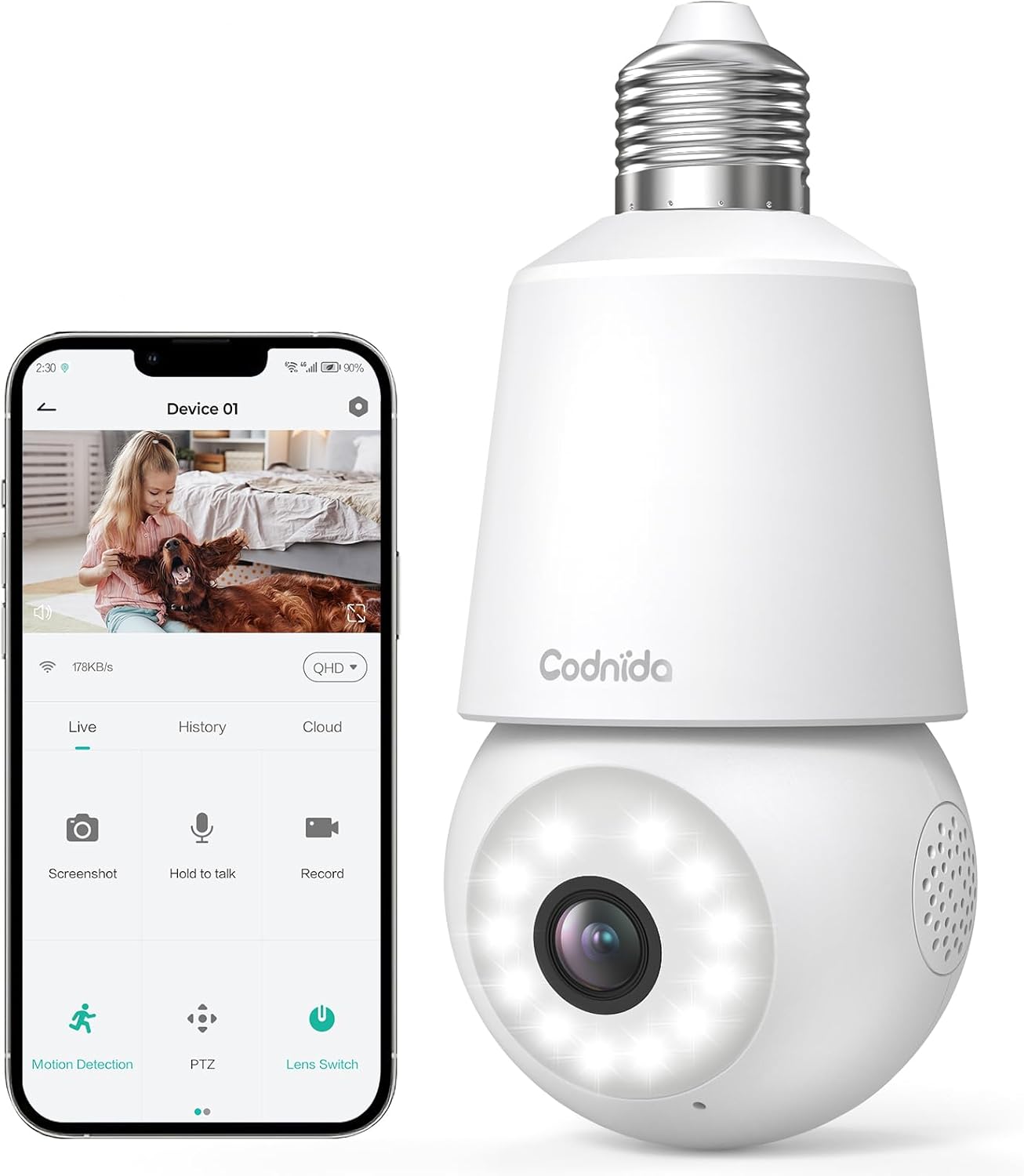
Image: The Codnida LC323 light bulb camera shown alongside a smartphone displaying its live view e interface de controle.
3. Especificações
| Recurso | Detalhe |
|---|---|
| Número do modelo | LC323 |
| Resolução | 2K (3 MP) |
| Conectividade | Wi-Fi (somente 2.4 GHz) |
| Fonte de energia | Corded Electric (E27 Socket) |
| Alcance de visão noturna | 10 metros |
| Rotação PTZ | Pan 355 °, inclinação 50 ° |
| Opções de armazenamento | Micro SD Card (16-128GB, not included), Cloud Storage |
| Áudio bidirecional | Suportado |
| Detecção de movimento | Detecção de movimento humano, rastreamento automático |
| Recursos de alarme | Alarme de Som e Luz |
| Uso interno/externo | Outdoor, Indoor (IP66 waterproof and dustproof) |
| Compatibilidade de aplicativos | CloudEdge App (Tablet, Smartphone) |
Note: The camera requires a 2.4GHz Wi-Fi connection. 5GHz Wi-Fi is not supported.
4. Informações de segurança
- Ensure the power is off before installing or removing the camera.
- Install the camera in a standard E27 light bulb socket.
- Não exponha a câmera a temperaturas ou umidade extremas além de sua faixa de operação.
- Avoid direct exposure to water jets or prolonged submersion, despite its IP66 rating.
- Mantenha fora do alcance de crianças.
- Only use the camera with compatible power sources (240 Volts, 5 watts).
5. Guia de configuração
5.1 Instalação do aplicativo
- Download the "CloudEdge" app from your smartphone's app store (Google Play Store for Android or Apple App Store for iOS).
- Crie uma nova conta ou faça login se já tiver uma.
5.2 Instalação da câmera
The camera is designed for easy installation into a standard E27 light bulb socket.
- Ensure the power to the E27 socket is turned off at the main switch.
- Carefully screw the Codnida LC323 camera into the E27 socket until it is securely fastened.
- Turn on the power to the E27 socket. The camera will power on and initiate its startup sequence.

Image: A hand demonstrates screwing the Codnida light bulb camera into an outdoor E27 light fixture, illustrating the simple installation process.
5.3 Conectando-se ao Wi-Fi
Follow the in-app instructions to connect your camera to your home Wi-Fi network. Remember, only 2.4GHz Wi-Fi is supported.
- Open the CloudEdge app and tap "Add Device" or the "+" icon.
- Select the appropriate device type (e.g., "Smart Camera" or "Light Bulb Camera").
- Follow the prompts to enter your 2.4GHz Wi-Fi network name (SSID) and password.
- The app will generate a QR code. Position your phone screen in front of the camera lens (approx. 15-20 cm away) until you hear a confirmation sound from the camera.
- Once connected, the camera's status indicator light will change, and you can name your device in the app.
6. Instruções de operação
6.1 Ao vivo View e controle PTZ
Access the live video feed and control the camera's pan and tilt functions directly from the CloudEdge app.
- Open the CloudEdge app and select your camera from the device list.
- O ao vivo view will appear. Use the on-screen joystick or directional arrows to pan (355°) and tilt (50°) the camera lens.

Image: A smartphone screen displays the live view from the Codnida camera with on-screen controls for pan and tilt (PTZ) functionality.
Áudio bidirecional 6.2
The camera supports two-way audio communication, allowing you to speak and listen through the camera.
- Ao vivo view, tap the microphone icon to speak. Hold the button while speaking.
- Ensure your phone's volume is up to hear audio from the camera.
Image: An illustration showing the two-way audio feature, with a person outside the house hearing "OK!" from the camera and a person inside speaking "Please put it at the door." through the app.
6.3 Detecção de movimento e rastreamento automático
The camera can detect human motion and automatically track the subject within its field of view.
- Navigate to the camera settings in the CloudEdge app.
- Enable "Motion Detection" and "Human Detection" for optimized alerts.
- Activate "Auto Tracking" to have the camera follow detected movement.
- You can define specific detection zones to focus monitoring on critical areas.
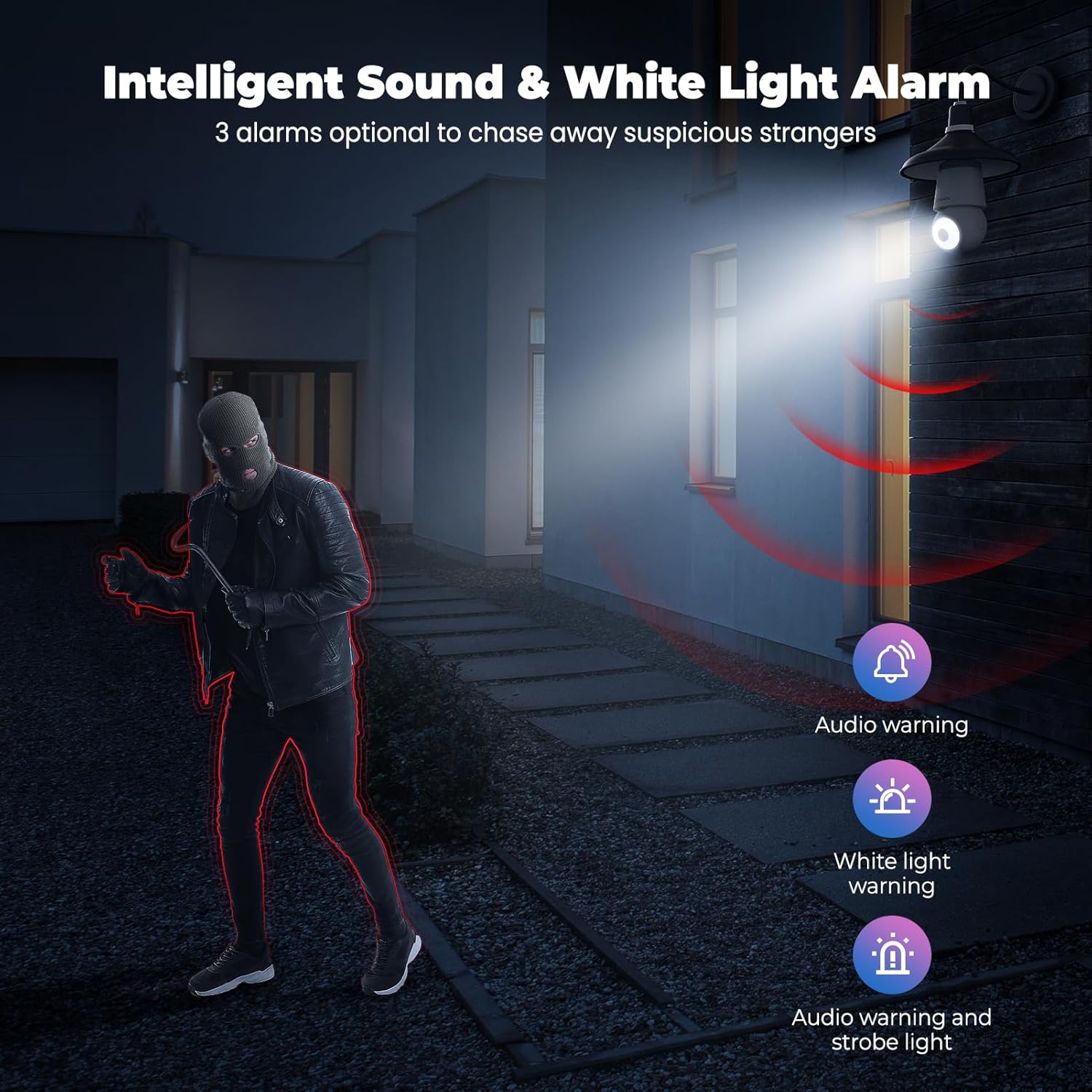
Image: An indoor scene demonstrating motion detection and auto-tracking, with dashed lines indicating the camera's pan and tilt range and boxes highlighting moving cats being tracked.

Image: An outdoor scene illustrating Human AI Intelligent Analytics, showing the camera's ability to detect and differentiate between a person, animal, car, and package.
6.4 Visão noturna
The camera provides clear surveillance even in low-light conditions with its color night vision capability.
- The camera automatically switches to night vision mode when ambient light is insufficient.
- Color night vision provides more detail than traditional black and white infrared night vision.

Image: A side-by-side comparison showing the superior detail and color provided by the camera's color night vision feature compared to standard black and white night vision in a low-light outdoor setting.
6.5 Sound and Light Alarm
Configure the camera to trigger an audible alarm and/or flashing white light upon detection of suspicious activity.
- In the app settings, enable the sound and light alarm features.
- Choose from audio warning, white light warning, or a combination of both.
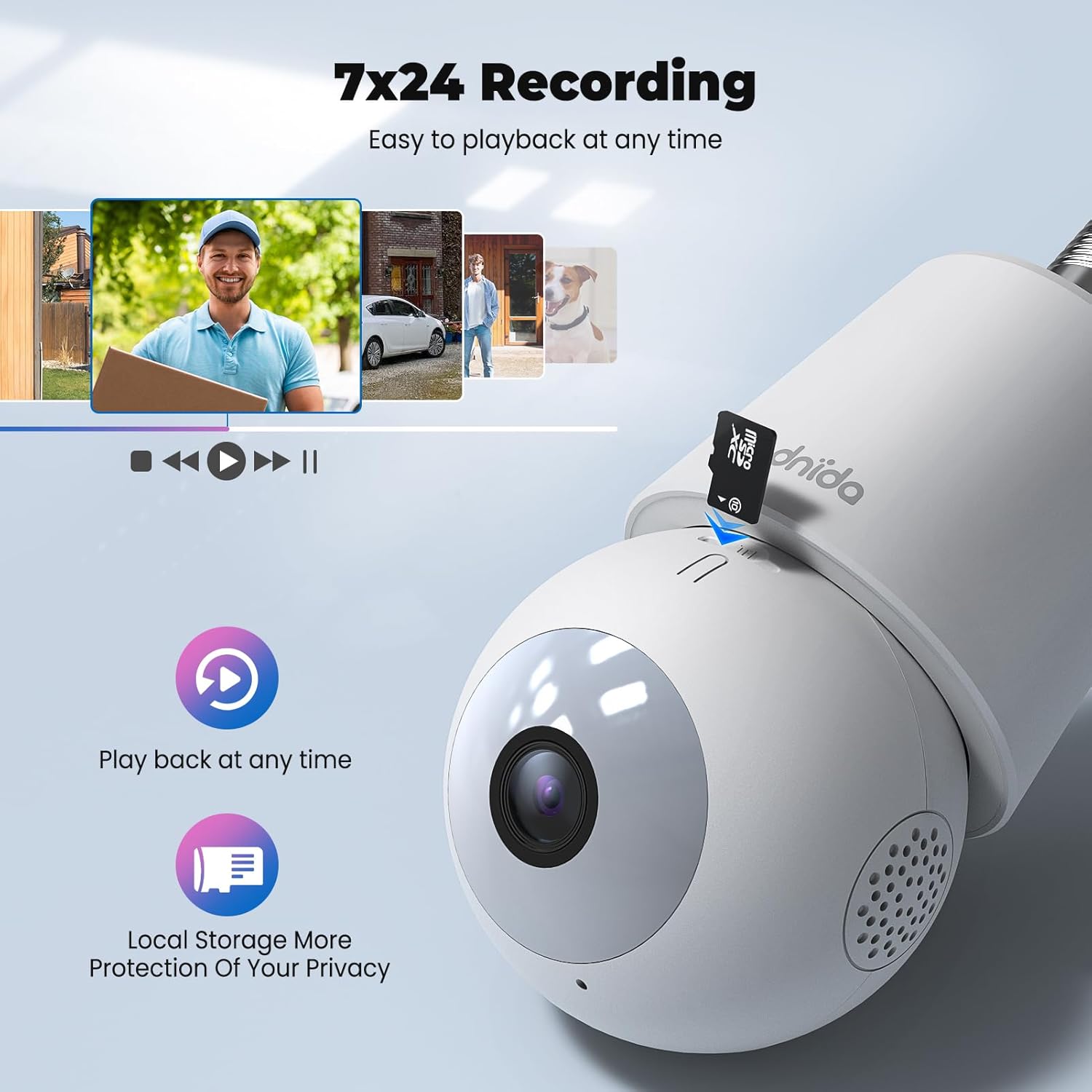
Image: An illustration depicting the intelligent sound and white light alarm feature, showing a bright light and red sound waves emanating from the camera towards a masked figure, with options for audio warning, white light warning, and audio warning with strobe light.
6.6 Gravação e Armazenamento
The camera supports 24/7 recording and offers both local and cloud storage options.
- Cartão Micro SD: Insert a Micro SD card (16GB to 128GB, not included) into the designated slot for local storage. Ensure the card is formatted correctly via the app.
- Armazenamento em nuvem: Cloud storage options may be available through the CloudEdge app (subscription may be required).
- Acesse foo gravadotage via the "History" or "Playback" section in the app.

Imagem: Um close-up view of the Codnida camera showing the Micro SD card slot, with icons indicating playback functionality and local storage benefits.

Image: A detailed diagram highlighting the key components of the Codnida camera, including the E27 base, TF card slot, reset button, loudspeaker, working indicator light, lens, and microphone.
6.7 Compartilhamento de dispositivos
Share access to your camera with family members or trusted individuals through the CloudEdge app.
- In the app, navigate to the device settings and find the "Share Device" option.
- You can share by scanning a QR code or by entering the recipient's registered CloudEdge account.

Image: An illustration demonstrating the device sharing feature within the CloudEdge app, showing options to share via QR code or by entering another user's registered account.
7. Manutenção
- Limpeza: Limpe delicadamente a lente e o corpo da câmera com um pano macio e seco. Não use produtos químicos agressivos ou abrasivos.
- Atualizações de firmware: Verifique regularmente o aplicativo CloudEdge para atualizações de firmware, garantindo desempenho e segurança ideais.
- Gerenciamento de cartão SD: Reavaliar periodicamenteview e gerenciar foo gravadotage on your Micro SD card to prevent it from becoming full.
8. Solução De Problemas
| Problema | Solução possível |
|---|---|
| A câmera não consegue se conectar ao Wi-Fi. |
|
| Má qualidade de vídeo. |
|
| A detecção de movimento não está funcionando ou há muitos alarmes falsos. |
|
| Cannot hear audio or two-way audio not functioning. |
|
9. Garantia e Suporte
For warranty information and technical support, please refer to the official Codnida webAcesse o site ou entre em contato diretamente com o atendimento ao cliente. Guarde o recibo de compra como comprovante para solicitações de garantia.
Fabricante: Codnida
Contato: Refer to Codnida's official support channels for assistance.
Recursos on-line: Visite o Codnida Store on Amazon Para atualizações de produtos e informações adicionais.
Ask a question about this manual
Ask about setup, troubleshooting, compatibility, parts, safety, or missing instructions. Manuals+ will review the question and use this page’s manual context to help answer it.