
1. Produto acabadoview
The Docooler IPX7 Waterproof Bluetooth Portable Shower Speaker is designed for audio playback in various environments, including wet conditions. It features Bluetooth 5.0 connectivity, an LED display, FM radio, and a light show function. The speaker is equipped with a removable suction cup for versatile placement.

Image: Docooler IPX7 Waterproof Bluetooth Portable Shower Speaker, showcasinseu design e características.
2. Conteúdo da embalagem
Verifique se todos os itens estão presentes na embalagem:
- Docooler IPX7 Waterproof Bluetooth Portable Shower Speaker
- Cabo de carregamento USB-C
- Removable Suction Cup
- Manual do usuário
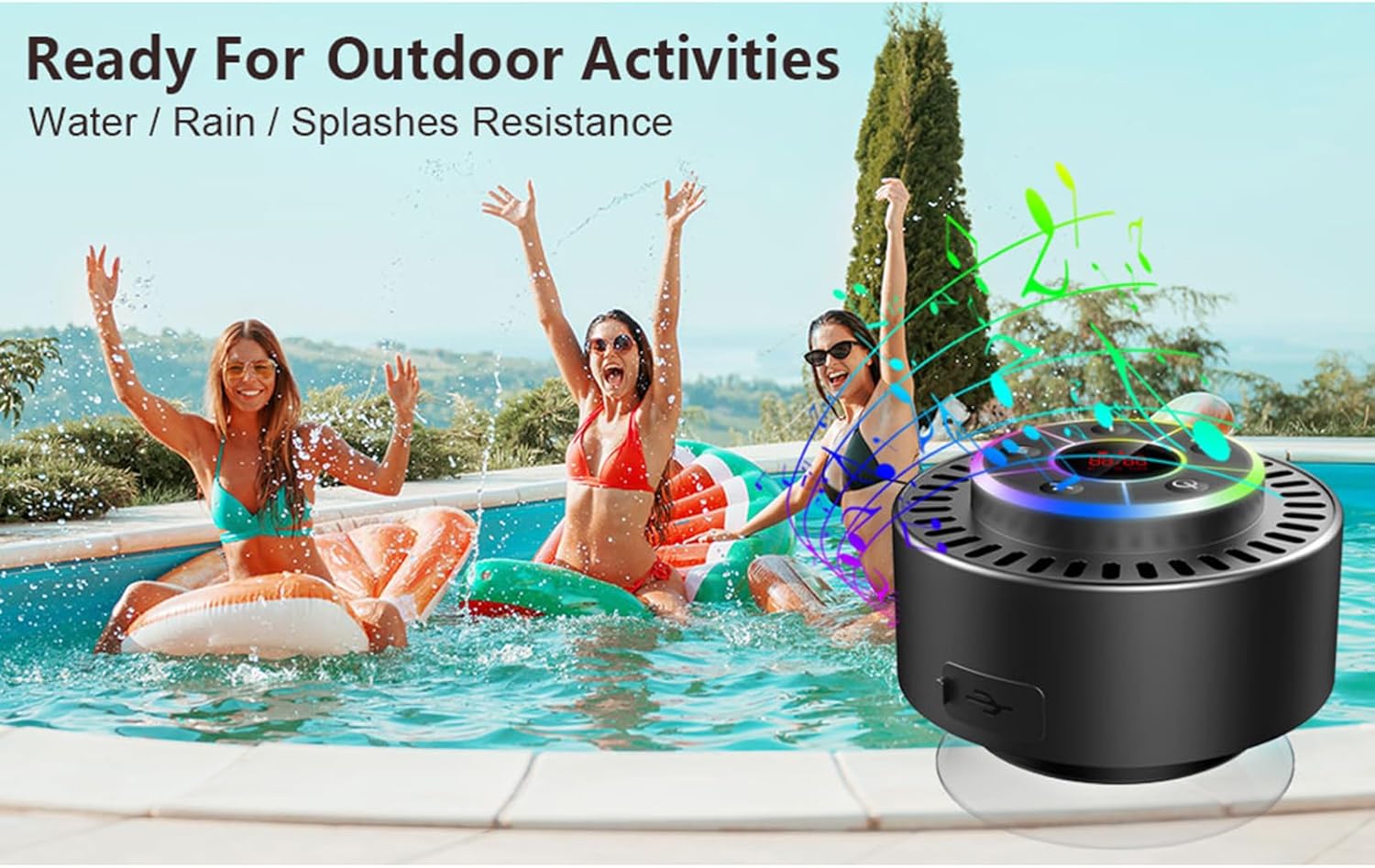
Image: The speaker, USB-C charging cable, and user manual as included in the package.
3. Configuração
3.1 Carregando o alto-falante
Before initial use, fully charge the speaker. Connect the provided USB-C charging cable to the speaker's charging port and the other end to a USB power adapter (not included) or a computer's USB port. The LED display will indicate charging status.
3.2 Attaching the Suction Cup
To attach the suction cup, ensure both the speaker's back surface and the desired mounting surface are clean and dry. Press the suction cup firmly against the surface until it adheres securely. For best results, slightly moisten the suction cup before application.
3.3 Ligar/Desligar
- Para ligar: Pressione e segure o Botão de energia (
 ) for approximately 3 seconds until the LED display illuminates.
 - Para desligar: Pressione e segure o Botão de energia for approximately 3 seconds until the LED display turns off.
4. Instruções de operação
4.1 Funções dos botões
Imagem: Detalhada view of the speaker's control panel, indicating the function of each button.
| Botão | Função (Pressão curta) | Função (pressione longamente) |
|---|---|---|
| Botão de energia () | Toggle LED light show modes | Ligar/Desligar |
| Botão M | Switch between Bluetooth and FM Radio modes | N / D |
| Botão Reproduzir/Pausar () | Play/Pause music; Answer/End calls; Auto-scan in FM mode | Rejeitar chamada recebida |
| Previous Song / Volume Down (-) | Previous song (Bluetooth); Previous station (FM) | Diminuir volume |
| Next Song / Volume Up (+) | Next song (Bluetooth); Next station (FM) | Aumentar o volume |
4.2 Emparelhamento Bluetooth
When powered on, the speaker automatically enters Bluetooth pairing mode. The LED display will show 'BT'.
- Ensure Bluetooth is enabled on your device (smartphone, tablet, laptop).
- Procurar available Bluetooth devices and select "Docooler Speaker" from the list.
- Once connected, the speaker will emit an audible confirmation, and the 'BT' indicator on the LED display will stabilize.

Image: The speaker demonstrating connectivity with a phone, tablet, and computer via Bluetooth.
Emparelhamento estéreo sem fio verdadeiro (TWS) 4.3.
To achieve 3D stereo sound, two Docooler speakers can be paired together.
- Certifique-se de que ambas as caixas de som estejam ligadas e não estejam conectadas a nenhum outro dispositivo Bluetooth.
- Em uma das caixas de som (esta será a caixa de som principal), pressione e segure o botão Botão Reproduzir/Pausar Aguarde de 2 a 3 segundos até ouvir um tom de emparelhamento.
- Os dois alto-falantes se conectarão automaticamente um ao outro.
- Once paired, connect your device to the primary speaker via Bluetooth as described in section 4.2. Audio will now play through both speakers in stereo.

Image: Two Docooler speakers wirelessly connected to a computer, illustrating the True Wireless Stereo (TWS) feature.
4.4 Modo Rádio FM
To switch to FM Radio mode:
- Pressione o Botão M to cycle through modes until 'FM' appears on the LED display.
- Analise automatica: No modo FM, pressione rapidamente o Botão Reproduzir/Pausar to automatically scan and save available radio stations.
- Estação de Troca: Use o Previous Song / Volume Down (-) e Next Song / Volume Up (+) botões para navegar pelas estações salvas.
- Ajustar volume: Pressione e segure o Previous Song / Volume Down (-) or Next Song / Volume Up (+) botões para ajustar o volume.
4.5 LED Light Show
The speaker features a beat-driven LED light show with seven colors.
- Alterar modo de luz: Pressione brevemente o Botão de energia to cycle through different light show patterns or to lock a single color.
- Apague as luzes: Continue pressionando o Botão de energia until the lights turn off.
4.6 Chamadas mãos-livres
Quando conectado via Bluetooth, o microfone embutido permite chamadas com as mãos livres.
- Atender chamada: Pressione brevemente o Botão Reproduzir/Pausar.
- Encerrar chamada: Pressione brevemente o Botão Reproduzir/Pausar durante uma chamada.
- Rejeitar chamada: Pressione e segure o Botão Reproduzir/Pausar.
Informações do visor LED de 4.7 polegadas
The LED display shows the current time and battery level in Bluetooth mode. In FM radio mode, it displays the frequency.
5. Manutenção
5.1 Resistência à água (IPX7)
The speaker is IPX7 waterproof, meaning it can be submerged in up to 1 meter (3 feet) of water for up to 30 minutes. Ensure the charging port cover is securely closed before exposing the speaker to water. After exposure to water, wipe the speaker dry with a soft cloth.
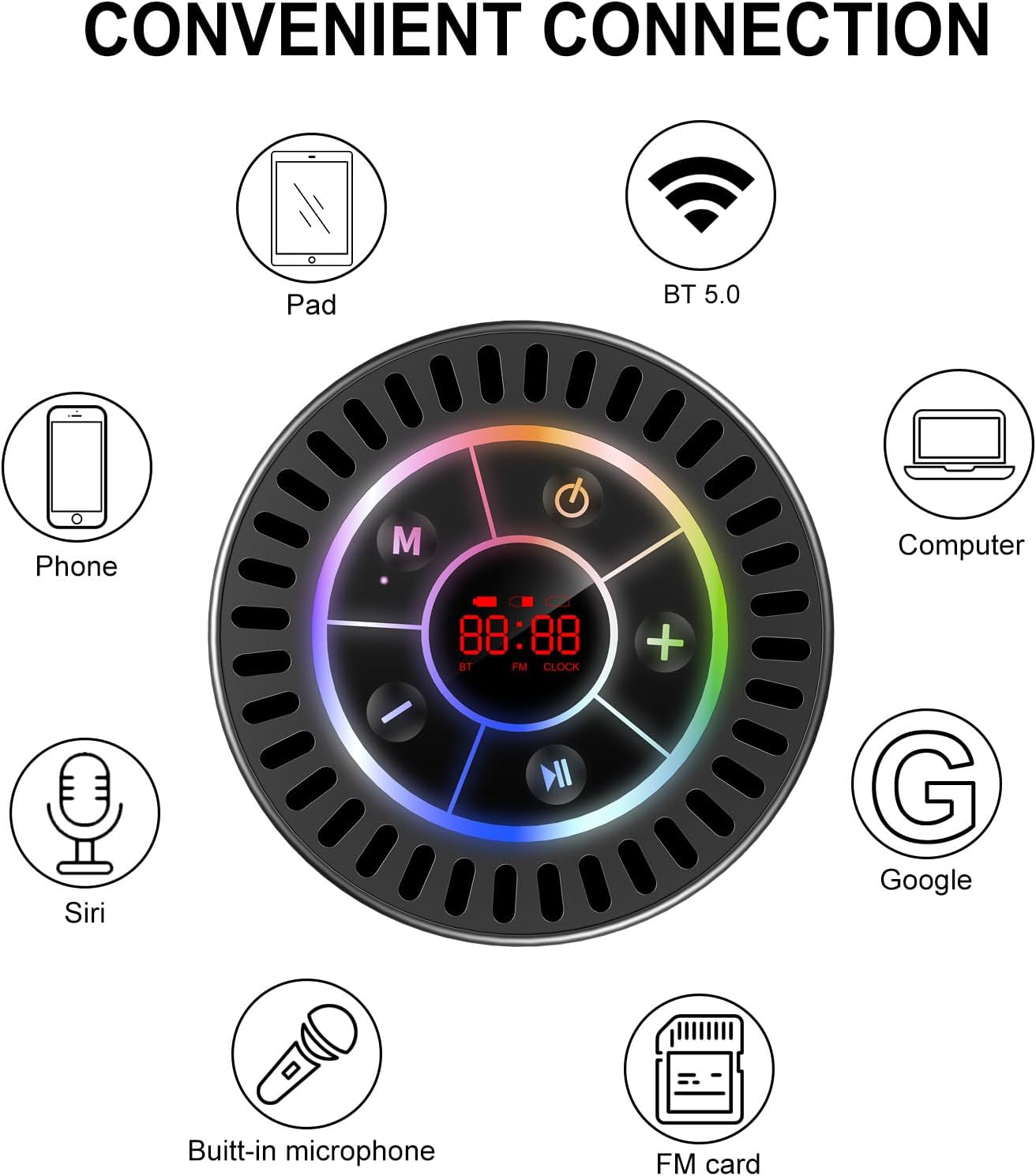
Image: The Docooler speaker attached to a shower wall, demonstrating its waterproof capability.
5.2 Limpeza
Limpe o alto-falante com um pano macio e seco.amp pano. Não utilize produtos de limpeza abrasivos, álcool ou solventes químicos, pois estes podem danificar a superfície ou os componentes internos.
5.3 Armazenamento
Guarde a caixa de som em local fresco e seco, longe da luz solar direta e de temperaturas extremas. Se for armazená-la por um longo período, carregue a bateria periodicamente para prolongar sua vida útil.
6. Solução De Problemas
- A caixa de som não liga: Verifique se a bateria está carregada. Conecte a caixa de som a uma fonte de energia usando o cabo USB-C e tente novamente.
- Não foi possível emparelhar via Bluetooth:
- Ensure the speaker is in Bluetooth pairing mode ('BT' flashing on display).
- Make sure Bluetooth is enabled on your device and it is within 15 meters of the speaker.
- Se já estiverem emparelhados anteriormente, tente esquecer o dispositivo no seu telefone e emparelhá-lo novamente.
- Reinicie tanto a caixa de som quanto o seu dispositivo Bluetooth.
- Recepção de rádio FM deficiente: FM radio reception can be affected by location and environmental factors. Try repositioning the speaker or using it in an open area. The charging cable can sometimes act as an antenna to enhance signal.
- Sem som ou volume baixo:
- Verifique o nível de volume tanto na caixa de som quanto no dispositivo conectado.
- Ensure the speaker is properly paired and not connected to another device.
- If using TWS, ensure both speakers are correctly paired to each other and then to your device.
- Speaker starts at full volume: Some units may default to a high volume upon power-on. Immediately adjust the volume using the '-' button to a comfortable level after turning the speaker on.
- Suction cup does not hold: Ensure the mounting surface is clean, smooth, and dry. Slightly moisten the suction cup before pressing it firmly onto the surface. Avoid porous or textured surfaces.
7. Especificações

Imagem: Uma explosão view showing the internal components of the Docooler speaker, highlighting its sound technology.
| Recurso | Detalhe |
|---|---|
| Marca | Docooler |
| Número do modelo | SMT4782513347516YX |
| Tecnologia de Conectividade | Bluetooth 5.0 |
| Alcance Bluetooth | Até 15 metros |
| Nível de resistência à água | IPX7 (à prova d'água) |
| Potência máxima de saída do alto-falante | 5 Watts |
| Resposta de frequência | 100 Hz |
| Modo de saída de áudio | Estéreo, Surround (com TWS) |
| Sinal-Ruído | 95 dB |
| Número de microfones | 1 (Incorporado) |
| Fonte de energia | Alimentado por bateria |
| Método de controle | Botão |
| Peso do item | 300 gramas |
| Dispositivos compatíveis | Laptop, MP3 Player, Smartphone, Tablet, Television |
8. Garantia e Suporte
8.1 Informações de garantia
This Docooler speaker comes with a limited warranty. For specific terms and conditions, please refer to the warranty card included in your package or contact Docooler customer support.
8.2 Suporte ao cliente
For further assistance, technical support, or warranty claims, please visit the official Docooler website or contact their customer service department. Contact information can typically be found on the product packaging or the brand's online store.