
1. Introdução
This manual provides essential information for the safe and efficient operation of your Next YE-43020GG4 43-inch Full HD Google Android TV. Please read this manual thoroughly before using the product and retain it for future reference.

Imagem 1.1: Frente view of the Next YE-43020GG4 43-inch Full HD Google Android TV, showcasing its sleek design and the Google Android TV interface.
The Next YE-43020GG4 is a 43-inch Full HD (1920x1080p) LED television featuring the Google Android TV operating system. It offers a dynamic contrast enhancer for improved picture quality and integrated Wi-Fi for seamless internet connectivity. This model is designed for ease of use and provides access to a wide range of applications and streaming services.
2. Informações de segurança
Observe as seguintes precauções de segurança para evitar danos à TV e garantir a sua segurança:
- Fonte de energia: Connect the TV only to an AC 100-240V, 50/60Hz power source. Ensure the power cord is not damaged or pinched.
- Ventilação: Não obstrua as aberturas de ventilação. Deixe espaço suficiente ao redor da TV para permitir a circulação adequada de ar e evitar o superaquecimento.
- Água e Umidade: Não exponha a TV à chuva, umidade ou coloque objetos contendo líquidos sobre ou perto da TV.
- Limpeza: Desligue a TV da tomada antes de limpar. Use um pano macio e seco. Não use produtos de limpeza líquidos ou sprays aerossóis.
- Colocação: Place the TV on a stable, level surface. If wall-mounting, ensure the mount is compatible and installed by qualified personnel.
- Raio: During lightning storms or when unused for long periods, unplug the TV from the power outlet and disconnect the antenna cable.
- Manutenção: Não tente consertar a TV por conta própria. Encaminhe todos os serviços de manutenção a pessoal qualificado.
3. Conteúdo da embalagem
Verifique se todos os itens estão presentes na embalagem:
- Next YE-43020GG4 43-inch Full HD Google Android TV Unit
- Controle remoto
- Suporte para TV (2 peças)
- Cabo de alimentação
- Manual do usuário (este documento)
- Batteries for Remote Control (may vary by region)
4. Características Físicas e Conexões
Familiarize yourself with the physical layout and connection ports of your television.

Imagem 4.1: Traseira view of the TV with labeled connection ports.
4.1. Conexões do painel traseiro
| Porta | Descrição |
|---|---|
| HDMI1 (ARC) | High-Definition Multimedia Interface with Audio Return Channel support. Connect external devices like Blu-ray players or soundbars. |
| HDMI 2 | High-Definition Multimedia Interface. Connect external devices. |
| USB (2x) | Universal Serial Bus ports for connecting USB storage devices (e.g., flash drives) to play media or for software updates. |
| ETHERNET | RJ45 port for wired internet connection. |
| DVB-S/DVB-S2 | Satellite input for connecting a satellite dish. |
| DVB-T/DVB-T2 | Terrestrial antenna input for connecting a digital terrestrial antenna. |
| DVB-C | Cable input for connecting to a cable TV network. |
| CI MODULE | Common Interface slot for inserting a CI+ module and smart card, typically used for encrypted digital TV services. |
| MINI AV-IN | Mini Audio/Video input for connecting older devices using an adapter cable (not always included). |
4.2. Side Profile

Imagem 4.2: Left side profile da TV.

Imagem 4.3: Right side profile da TV.
The slim design of the television allows for versatile placement options, whether on a stand or wall-mounted. The side profiles illustrate the minimal depth of the unit.
5. Configuração
5.1. Fixando o suporte de TV
- Carefully place the TV face down on a soft, flat surface (e.g., a blanket or foam) to prevent screen damage.
- Identifique as peças do suporte esquerdo e direito.
- Alinhe cada peça do suporte com os orifícios correspondentes para os parafusos na parte inferior da TV.
- Fixe os suportes utilizando os parafusos fornecidos. Não aperte em excesso.
- Carefully lift the TV to an upright position and place it on a stable surface.
5.2. Montagem na parede (opcional)
If you choose to wall-mount your TV, ensure you use a VESA-compatible wall mount kit (not included) and follow the instructions provided with the wall mount. It is recommended to have this installation performed by a qualified professional.
5.3. Conectando a alimentação e os dispositivos externos
- Conecte o cabo de alimentação à entrada de energia da TV e, em seguida, a uma tomada de parede.
- Connect your antenna, satellite dish, or cable TV source to the appropriate input ports (DVB-T/T2, DVB-S/S2, DVB-C).
- Connect any external devices (e.g., game consoles, Blu-ray players) to the HDMI ports.
- For wired internet, connect an Ethernet cable to the ETHERNET port. For Wi-Fi, ensure your router is on and within range.
5.4. Assistente de configuração inicial
- Ligue a TV usando o botão liga / desliga do controle remoto ou da própria TV.
- Follow the on-screen instructions to select your language, country, and network settings (Wi-Fi or Ethernet).
- Sign in with your Google Account to access Google Play Store, Google Assistant, and other Google services.
- Complete the channel scan for terrestrial, satellite, or cable broadcasts.
6. Instruções de operação
6.1. Controle remotoview

Imagem 6.1: The remote control for your Next Google Android TV, featuring quick access buttons for popular streaming services and voice control.
The remote control provides access to all TV functions. Insert two AAA batteries (not included) into the battery compartment, observing polarity.
- Botão de energia: Liga ou desliga a TV.
- Teclado de navegação (Cima/Baixo/Esquerda/Direita/OK): Navega pelos menus e confirma as seleções.
- Botão Voltar: Retorna à tela anterior.
- Botão Home: Acessa a tela inicial do Android TV.
- Aumentar/diminuir volume: Ajusta o nível de volume.
- Canal para cima/para baixo: Muda de canal na TV.
- Botões da Netflix, YouTube, Prime Video e Google Play: Acesso direto a esses aplicativos.
- Google Assistant Button (Microphone Icon): Ativa o controle por voz.
6.2. Usando o Google Assistente

Imagem 6.2: Voice search functionality via the remote control, activated by the Google Assistant button.
Press the Google Assistant button on your remote and speak into the microphone to:
- Procurar filmes, programas de TV ou informações.
- Controle dispositivos domésticos inteligentes.
- Inscrições abertas.
- Obtenha respostas às perguntas.
6.3. Accessing Applications and Streaming Services
From the Android TV home screen, you can access pre-installed applications or download new ones from the Google Play Store. Use the dedicated buttons on the remote for quick access to popular streaming platforms.
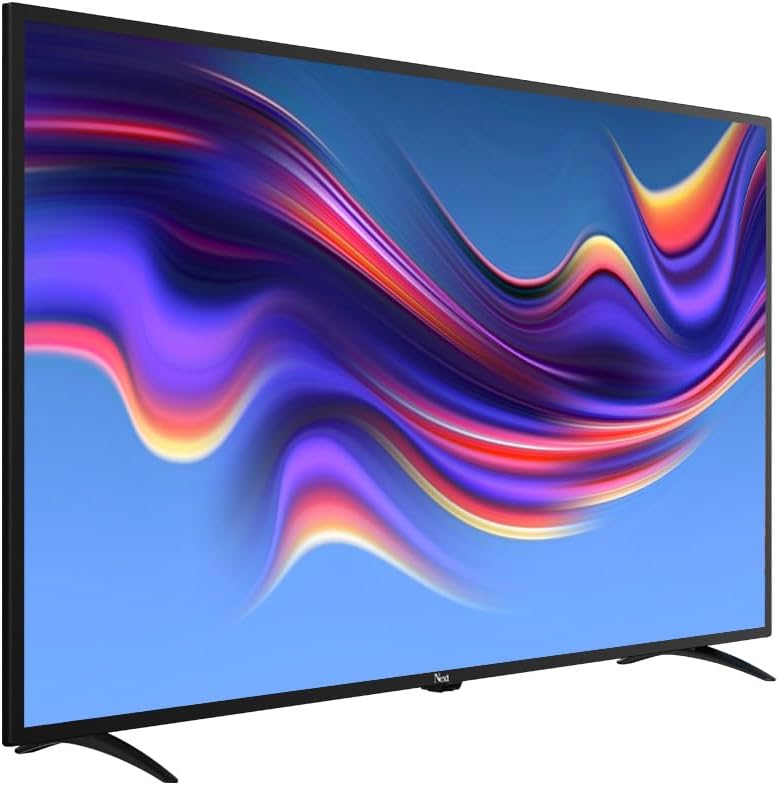
Imagem 6.3: The Next Google Android TV provides access to a wide range of streaming applications, enhancing your entertainment options.
7. Manutenção
7.1. Limpando a TV
- Tela: Limpe suavemente a tela com um pano macio e sem fiapos. Para manchas persistentes, esfregue levemente.ampMolhe o pano com água ou um produto de limpeza específico para telas (certifique-se de que seja seguro para telas de LED) e limpe suavemente. Não borrife o líquido diretamente na tela.
- Gabinete: Limpe o móvel da TV com um pano macio e seco. Evite usar produtos de limpeza abrasivos, ceras ou solventes.
- Antes da limpeza: Desligue sempre a TV da tomada antes de limpá-la.
7.2. Atualizações de software
Your Android TV may receive software updates periodically. It is recommended to keep your TV's software updated to ensure optimal performance and access to the latest features and security patches. You can usually check for updates in the TV's settings menu under "About" or "System Update."
8. Solução De Problemas
Consulte a tabela a seguir para obter informações sobre problemas comuns e suas soluções:
| Problema | Possível causa/solução |
|---|---|
| Sem energia |
|
| Sem imagem, mas com som. |
|
| Sem som, mas com imagem. |
|
| Controle remoto não funciona |
|
| Problemas de conexão Wi-Fi |
|
| Aplicativos travando ou congelando |
|
9. Especificações
Technical specifications for the Next YE-43020GG4 43-inch Full HD Google Android TV:
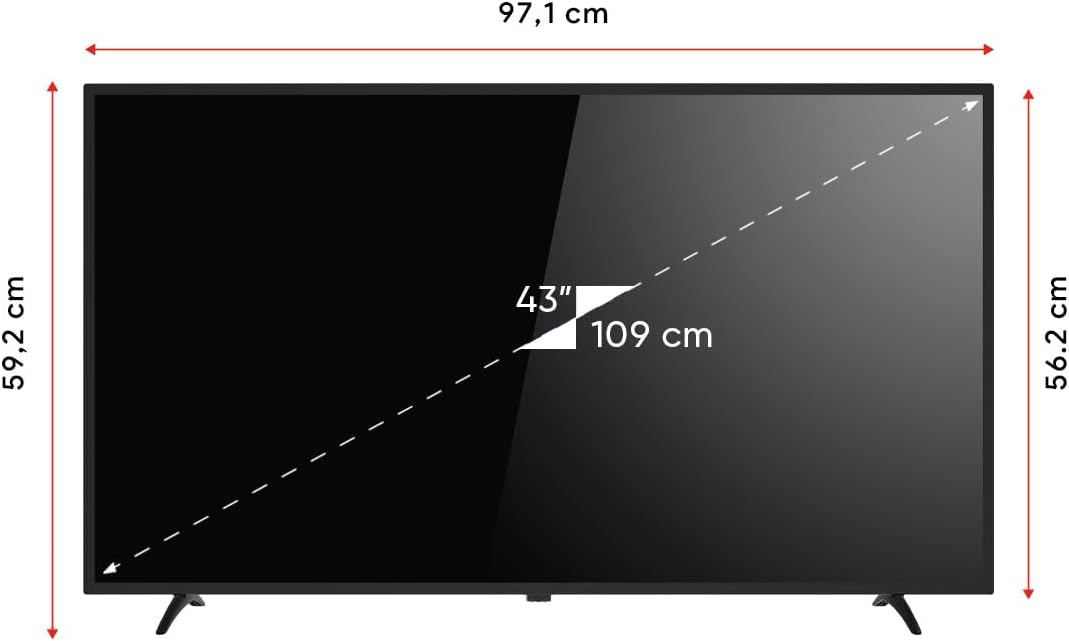
Imagem 9.1: Dimensions of the Next YE-43020GG4 TV.
| Recurso | Detalhe |
|---|---|
| Nome do modelo | YE-43020GG4 |
| Marca | Próximo |
| Tamanho da tela | 43 polegadas (109 cm) |
| Tecnologia de exibição | LIDERADO |
| Resolução | Full HD (1920x1080p) |
| Taxa de atualização | 60 Hz |
| Sistema operacional | Google TV Android |
| Conectividade | Wi-Fi, Ethernet |
| Portas HDMI | 2 (1x ARC) |
| Portas USB | 2 |
| Proporção da tela | 16:9 |
| Taxa de contraste | 3000:1 |
| Características especiais | Dynamic Contrast Enhancer, Google Assistant |
| Dimensões do produto (LxPxA) | 97.1 x 19.4 x 59.2 cm |
| Peso do produto | 5.9 quilos |
| Ano do modelo | 2024 |
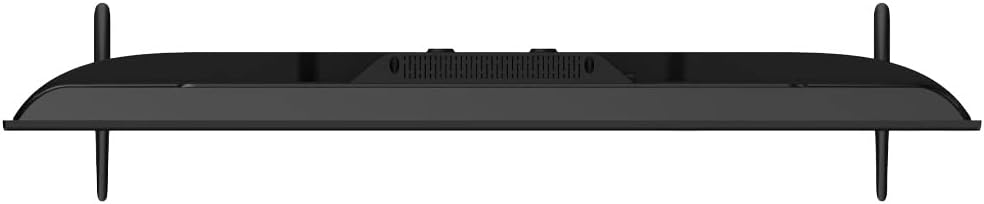
Imagem 9.2: EU Energy Label for the Next YE-43020GG4, indicating its energy efficiency rating and consumption.
10. Garantia e Suporte
10.1. Informações de garantia
Your Next YE-43020GG4 television comes with a manufacturer's warranty. Please refer to the warranty card included in your product packaging for specific terms, conditions, and duration of the warranty. Keep your purchase receipt as proof of purchase for warranty claims.
10.2. Suporte ao cliente
For technical assistance, troubleshooting beyond this manual, or warranty service, please contact Next customer support. Contact details can typically be found on the manufacturer's official webno site ou no cartão de garantia.
Ao entrar em contato com o suporte, tenha as seguintes informações em mãos:
- Nome do modelo: YE-43020GG4
- Serial Number (located on the back of the TV)
- Data da compra
- A clear description of the issue