
Introdução
The OptiMate 4 Quad Program Premium Edition is an advanced battery charger and maintainer designed for 12V lead-acid and 12.8V LiFePO4 (Lithium) batteries. It features four distinct charging programs, including options for direct battery connection and charging via CAN-bus compatible BMW or Triumph 12V sockets. This manual provides essential information for safe and effective operation, setup, maintenance, and troubleshooting of your OptiMate 4 Quad Program charger.
Informações de segurança
Always read and understand all safety warnings and instructions before using the OptiMate 4 Quad Program. Failure to do so may result in electric shock, fire, or serious injury.
- Use o carregador somente em áreas bem ventiladas.
- Não exponha o carregador à chuva ou umidade.
- Certifique-se de que o carregador esteja desconectado da fonte de alimentação CA antes de conectar ou desconectar a bateria.
- Evite carregar baterias congeladas.
- Mantenha fora do alcance de crianças.
- Do not use the charger if it or the cables are damaged.
- Refer to the battery manufacturer's instructions for specific charging requirements.
Conteúdo da embalagem
Verifique se todos os itens estão presentes na embalagem:
- OptiMate 4 Quad Program Charger Unit
- Chicote de terminais de anel
- Battery Clip Set
- Gancho de suspensão
- O-19 Cable Accessory
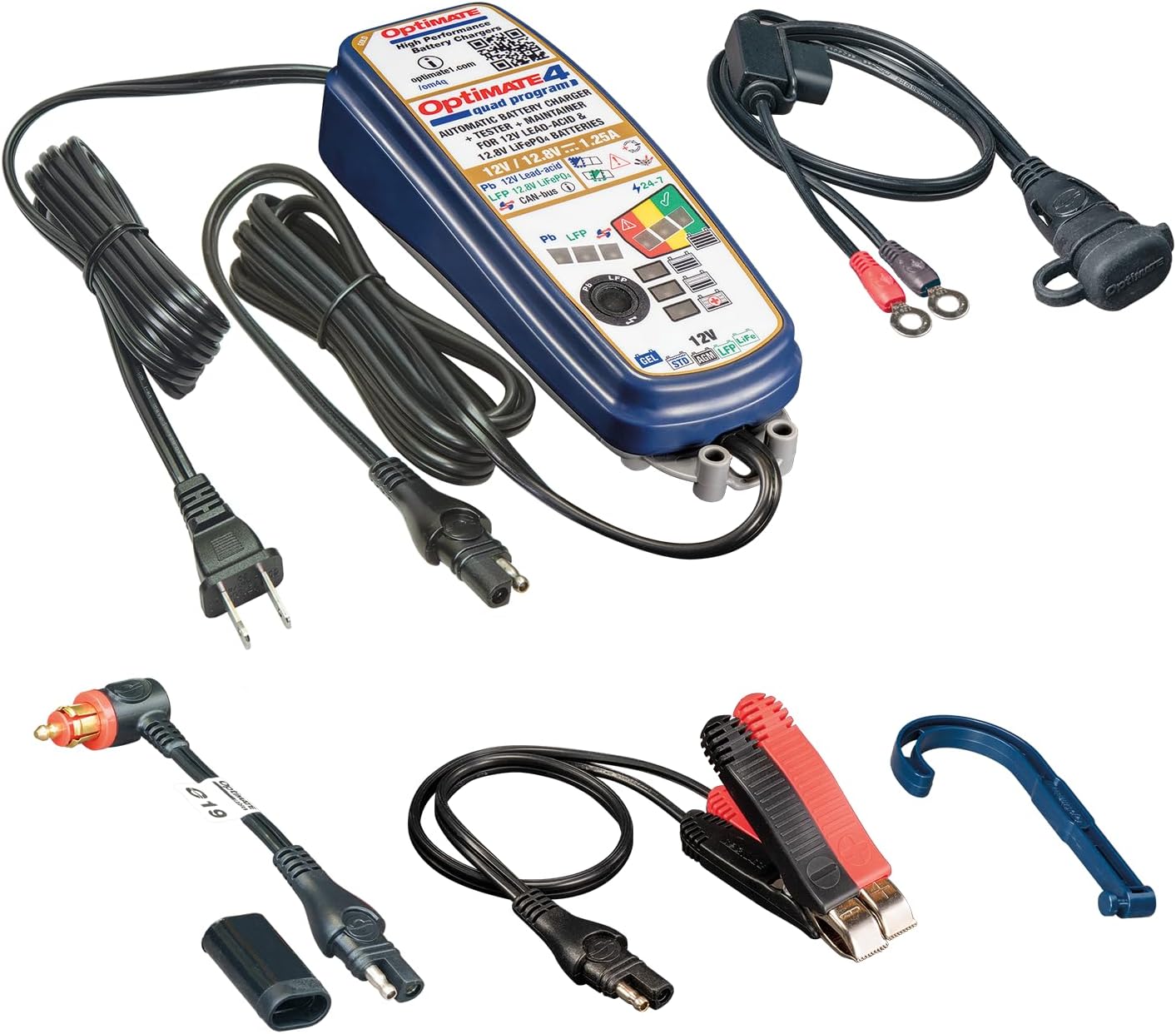
Image: OptiMate 4 Quad Program charger and its complete set of accessories.
Configurar
Before connecting the charger, ensure the battery type matches the charger's capabilities (12V Lead-Acid or 12.8V LiFePO4). Select the appropriate connection method:
- Conexão direta da bateria:
- Conecte o vermelho (+) clamp/ring terminal to the positive (+) battery terminal.
- Conecte o preto (-) clamp/ring terminal to the negative (-) battery terminal.
- Certifique-se de que as conexões estejam seguras.
- CAN-bus or Triumph 12V Socket Connection:
- Use the appropriate accessory cable (e.g., O-19 cable) to connect the charger to the vehicle's 12V socket.
- Ensure the vehicle's ignition is off before connecting.
Once connected to the battery/vehicle, plug the charger's AC power cord into a suitable wall outlet.
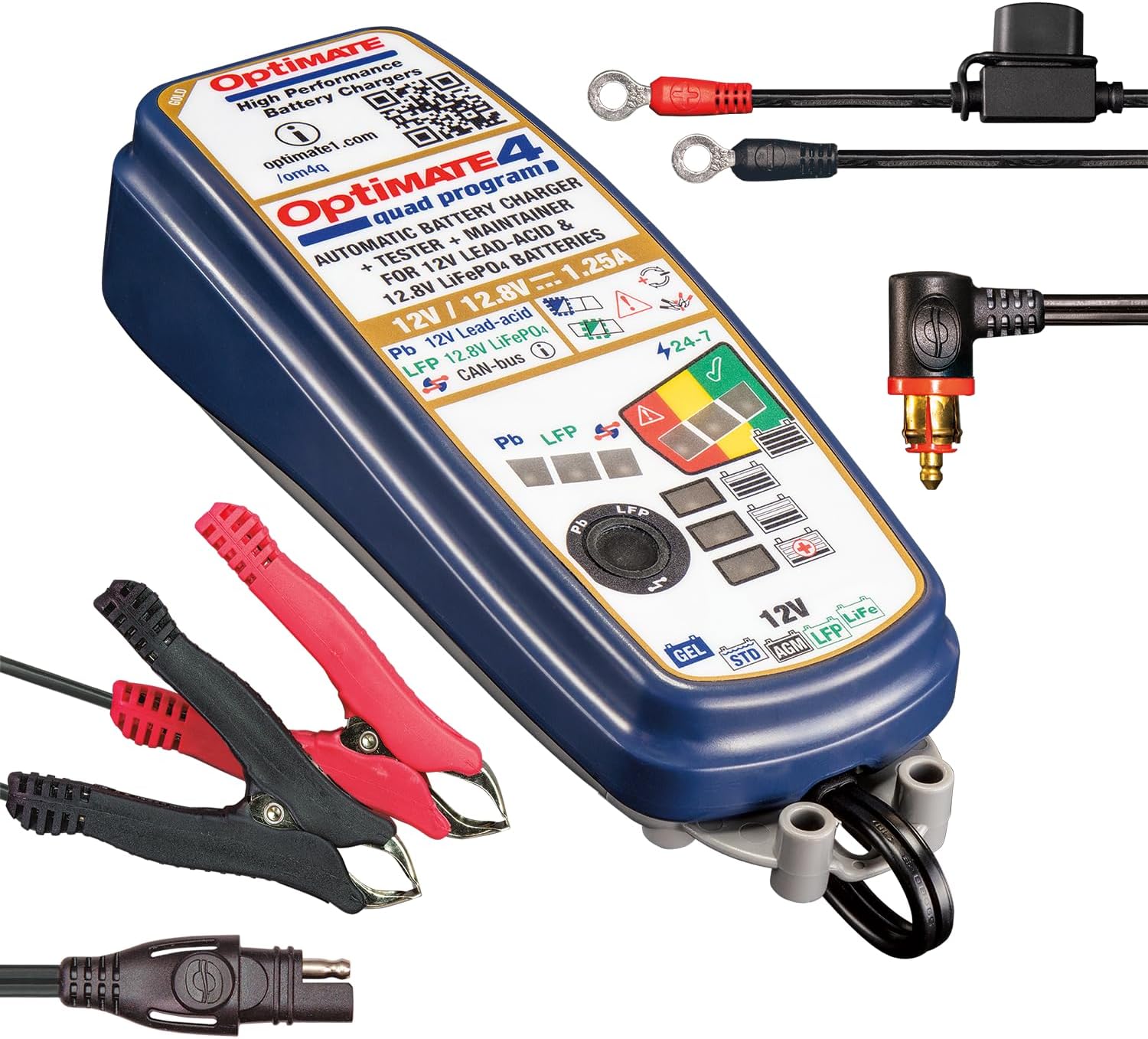
Image: OptiMate 4 Quad Program charger showing connection options.
Instruções de operação
The OptiMate 4 Quad Program offers four distinct charging programs. The charger automatically detects the battery voltage and type (Lead-Acid or LiFePO4) and initiates the appropriate program. You can manually select programs for CAN-bus or direct charging.
Seleção de programas:
- Program 1 (Default): For 12V Lead-Acid batteries connected directly to the battery terminals.
- Programa 2: For 12V Lead-Acid batteries connected via a compatible BMW CAN-bus controlled 12V socket.
- Programa 3: For 12.8V LiFePO4 batteries connected directly to the battery terminals.
- Programa 4: For 12.8V LiFePO4 batteries connected via a compatible BMW CAN-bus controlled 12V socket or Triumph 12V live (hot) socket.
To switch programs, refer to the charger's interface or specific instructions on the device itself (often involves pressing a button or sequence). The charger will indicate the active program via LEDs.
9-Step Charging Process (General Overview):
The OptiMate 4 employs a sophisticated 9-step charging and maintenance process to optimize battery health and longevity:
- Inicialização: Verifica o volume da bateriatagee polaridade.
- Desulfation/Recovery: Recovers deeply discharged batteries (as low as 0.5V for lead-acid and lithium).
- Carga em massa: Fornece corrente máxima para carregar a bateria até aproximadamente 80% da sua capacidade.
- Taxa de absorção: Gradually reduces current to bring the battery to 100% charge.
- Volumetage Retention Test: Monitora o volume da bateriatage to assess its health.
- Charge Retention Test: Further tests the battery's ability to hold a charge.
- Maintenance Charge (Float): Maintains the battery at optimal voltage.
- Manutenção do pulso: Delivers small pulses to prevent self-discharge and sulfation during long-term storage.
- Modo de economia de bateria: Enters a low-power mode when the battery is fully charged and healthy.
LED indicators on the charger will display the current charging stage e status da bateria.
Manutenção
Proper maintenance ensures the longevity of your OptiMate 4 charger and the batteries it charges.
- Mantenha o carregador limpo e seco. Limpe com um pano macio e seco.amp pano.
- Inspect cables and connectors regularly for damage. Do not use if damaged.
- Guarde o carregador em local fresco e seco quando não estiver em uso.
- Ensure battery terminals are clean and free of corrosion before connecting.
Solução de problemas
| Problema | Possível causa | Solução |
|---|---|---|
| O carregador não liga. | No AC power; faulty connection. | Check wall outlet and charger connections. |
| O carregamento não inicia. | Incorrect battery connection; battery too deeply discharged; wrong program selected. | Verify polarity and secure connections. Allow time for recovery mode. Ensure correct program for battery type and connection method. |
| Error LED illuminated. | Short circuit; reverse polarity; battery fault. | Disconnect and re-connect. Check for short circuits. If error persists, battery may be faulty. |
For further assistance, please visit the official Tecmate website ou entre em contato com o suporte ao cliente.
Especificações
| Recurso | Detalhe |
|---|---|
| Número do modelo | TM631-PR |
| Volume de saídatage | 12V (Lead-Acid), 12.8V / 13.2V (LiFePO4) |
| Corrente de saída | 1.25A |
| Battery Capacity (Lead-Acid) | 4 - 60Ah |
| Battery Capacity (LiFePO4) | 2 - 15Ah |
| Dimensões | 1.97"P x 2.36"L x 7.87"A |
| Peso | 2.09 libras |
| Fabricante | Tecmate Powersport Products, North America Inc |
Garantia e Suporte
For warranty information and technical support, please refer to the official Tecmate webou entre em contato com o departamento de atendimento ao cliente. Guarde seu comprovante de compra para eventuais solicitações de garantia.
Página oficial do produto: http://www.optimate1.com/om4q
Tecmate Store on Amazon: Visit the Tecmate Store