
Introdução
This manual provides essential information for the safe and efficient use of your HP 15 Professional Slim High-Performance Laptop. Please read these instructions carefully before using your device. Keep this manual for future reference.
1. Configuração inicial
1.1 Unboxing and Connecting Power
Carefully remove the laptop and all accessories from the packaging. Connect the provided AC adapter to the laptop's power port and then to a power outlet. It is recommended to fully charge the battery before first use.

Image: The HP 15 laptop shown from the front, with the power adapter connected to the side. This illustrates the initial connection for charging.
1.2 Primeira inicialização e configuração do sistema operacional
Press the power button to turn on the laptop. Follow the on-screen instructions to complete the Windows 11 Home operating system setup. This includes selecting your region, connecting to a Wi-Fi network, and creating a user account.

Image: The HP 15 laptop open, displaying the Windows 11 desktop interface, indicating successful operating system initialization.
2. Operando seu laptop
2.1 Ligar/Desligar e Modo de Suspensão
- Ligar: Pressione o botão liga/desliga localizado no teclado.
- Desligar: Clique no botão Iniciar, depois em Ligar/Desligar e selecione "Desligar".
- Modo dormir: Feche a tampa ou clique no botão Iniciar, depois em Ligar/Desligar e selecione "Suspender".
2.2 Teclado e touchpad
The laptop features a full-size island-style QWERTY keyboard and a multi-touch touchpad. Use the touchpad for navigation and gestures. Refer to Windows 11 settings for touchpad customization.
2.3 Conectividade
Your HP 15 laptop offers various connectivity options:
- Wi-fi: Supports Realtek Killer Wi-Fi 6 (802.11ax) for high-speed wireless internet access.
- Bluetooth: Integrated Bluetooth 5.3 for connecting wireless peripherals like headphones and mice.
- Portas USB:
- Two (2) USB 3.2 Gen 1.0 Type-A ports (5 Gbps signaling rate).
- One (1) USB 3.2 Gen 1.0 Type-C port (5 Gbps signaling rate, data transfer only; charging or external monitors not supported).
- HDMI: One (1) HDMI v1.4b output port for connecting to external displays.
- Jack de áudio: One (1) headphone/microphone combo port.
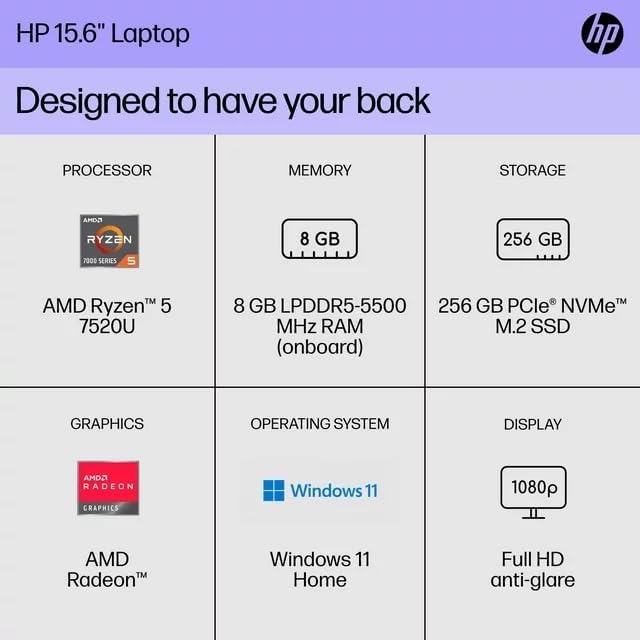
Imagem: Um lado view of the HP 15 laptop, highlighting the various input/output ports for external device connectivity.
2.4 Áudio e Câmera
- Áudio: Equipped with dual speakers for audio output and HD Audio support.
- Câmera: Features an HP True Vision 720p HD camera with integrated dual array digital microphones, suitable for video calls and online meetings.

Image: The HP 15 laptop displaying a video conference call, demonstrating the use of the integrated camera and microphone.
3. Manutenção e Cuidados
3.1 Limpando seu laptop
- Tela: Use um pano macio e sem fiapos levemente dampLimpe com água ou um produto de limpeza para telas. Não borrife líquido diretamente na tela.
- Teclado e chassi: Use um pano macio e seco. Para sujeira persistente, um pano levemente umedecidoamp Pode-se usar um pano, garantindo que não entre umidade nas aberturas.
- Vents: Periodically check and gently clean the ventilation openings to prevent dust buildup, which can affect cooling.
3.2 Cuidados com a bateria
To maximize battery lifespan, avoid extreme temperatures and prolonged full discharge or full charge states. For long-term storage, charge the battery to approximately 50%.
3.3 Atualizações de Software
Regularly check for and install Windows updates and HP driver updates to ensure optimal performance, security, and compatibility. Access Windows Update via Settings > Windows Update.
3.4 Considerações Ambientais
This laptop is built with recycled materials, including ocean-bound plastic. Please dispose of the device and its components responsibly at the end of its life cycle, following local regulations for electronic waste.
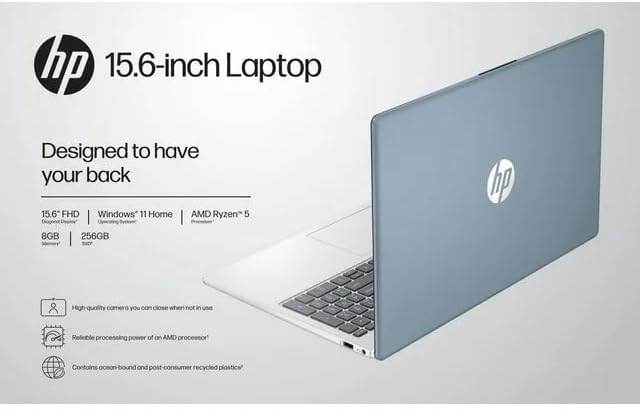
Image: The HP 15 laptop shown from the rear, illustrating its design and potential ventilation areas for maintenance.
4. Solução de problemas comuns
This section addresses common problems you might encounter. For more complex issues, refer to the HP support website.
4.1 No Power or Laptop Not Turning On
- Certifique-se de que o adaptador CA esteja conectado firmemente tanto ao laptop quanto a uma tomada elétrica em funcionamento.
- Verifique se a tomada está funcionando conectando outro aparelho.
- Experimente uma tomada diferente.
- Se a bateria estiver completamente descarregada, deixe-a carregar por pelo menos 30 minutos antes de tentar ligá-la.
4.2 Problemas de exibição
- Tela em branco: Connect an external monitor via HDMI to check if the issue is with the laptop's display or the graphics output.
- Exibição fraca: Adjust screen brightness using the function keys (usually F2/F3 or similar icons) or through Windows display settings.
- Resolução incorreta: Adjust the display resolution in Windows Settings > System > Display.
4.3 Problemas de conectividade Wi-Fi ou Bluetooth
- Ensure Wi-Fi and Bluetooth are enabled in Windows Settings > Network & internet or Devices > Bluetooth & devices.
- Reinicie o seu roteador/modem para resolver problemas de Wi-Fi.
- Update wireless drivers through HP Support Assistant or Device Manager.
- Forget and reconnect to the Wi-Fi network or re-pair the Bluetooth device.
4.4 Audio Not Working
- Check volume levels in Windows and ensure speakers are not muted.
- Verify that the correct audio output device is selected in Windows Sound settings.
- Atualize os drivers de áudio.
- Test with headphones to determine if the issue is with the internal speakers or the audio output.
5. Especificações do produto
The following are the technical specifications for the HP 15 Professional Slim High-Performance Laptop (Model 15):
| Recurso | Detalhe |
|---|---|
| Nome do modelo | HP 15 |
| Processador | AMD Ryzen 5 7520U (up to 4.3 GHz max boost, 4 cores, 8 threads) |
| Gráficos | Placa gráfica AMD Radeon (integrada) |
| Memória (RAM) | Memória RAM DDR8 de 4 GB |
| Armazenar | SSD PCIe NVMe M.2 de 256 GB |
| Mostrar | 15.6-inch diagonal, Full HD (1920 x 1080), micro-edge, anti-glare, 250 nits, 45% NTSC |
| Sistema operacional | Windows 11 Início |
| Conectividade sem fio | Realtek Killer Wi-Fi 6 (2x2), Bluetooth 5.3 |
| Portos |
|
| Câmera | Câmera HP True Vision 720p HD com microfones digitais de matriz dupla integrados |
| Áudio | Dual speakers, HD Audio |
| Teclado | Full-size island-style QWERTY keyboard |
| Dispositivo de energia | Adaptador CA |
| UPC | 196337455771 |
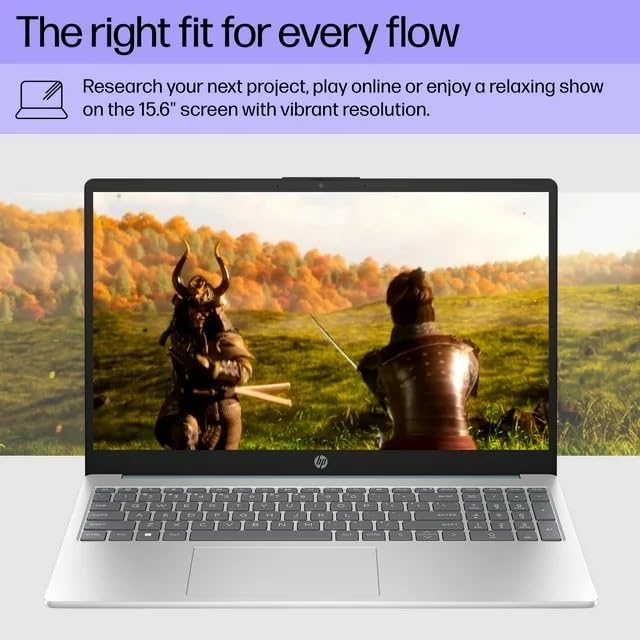
Image: A visual representation of the HP 15 laptop, complementing the detailed specifications listed.
6. Informações de garantia
This HP 15 laptop is a renewed product and comes with a Garantia limitada de 90 dias. This warranty covers defects in materials and workmanship under normal use. For specific terms and conditions, please refer to the warranty documentation included with your product or contact HP support.
7. Suporte ao cliente
Para obter mais assistência, suporte técnico ou para baixar drivers e softwares atualizados, visite o site oficial de suporte da HP. website. You can typically find support resources by searching for "HP Support" and your specific model number (HP 15) on their website.
Recursos on-line: https://support.hp.com