
1. Introdução
This manual provides instructions for the installation, operation, and maintenance of the Abode Lock & Keypad Smart Lock. This device offers keyless entry through a keypad, fingerprint recognition, or the Abode mobile application, and integrates with smart home systems like Alexa and Google Home.

Image 1.1: The Abode Lock and Keypad Smart Lock, showcasing both the interior lock unit and the exterior keypad.
2. Produto acabadoview
2.1 Componentes incluídos
The Abode Lock package includes the following items:
- Lock Body with battery
- Keypad with fingerprint scanner
- Placa de montagem
- Parafusos
- Lock adaptor fittings (3 types)
- Keypad mounting screws and plugs
- Keypad mounting adhesive
- Lock stabilizing tape
2.2 Identificação do Componente
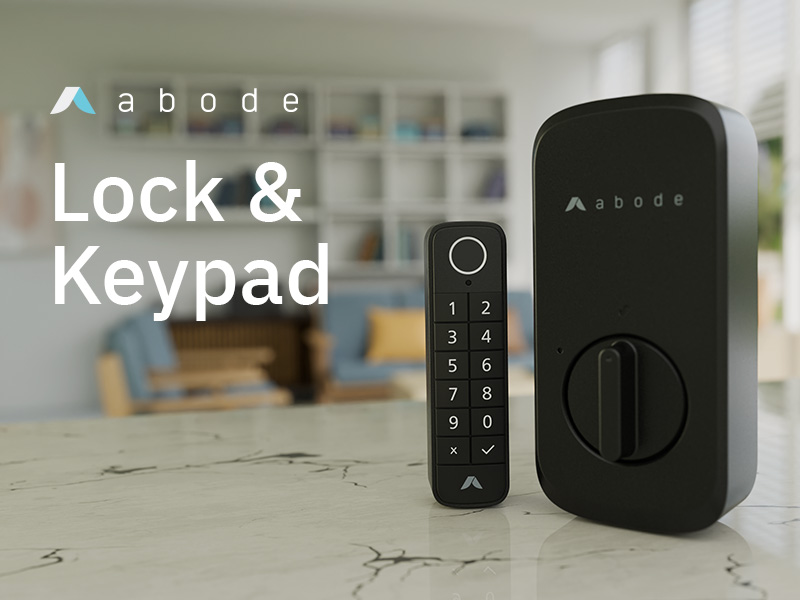
Image 2.1: Detailed diagram illustrating the internal and external components of the Abode Lock Body and Keypad, with numbered labels for each part.
Corpo da fechadura:
- Bateria
- Botão de reinicialização
- Indicador LED
- Girar o polegar
Teclado:
- Leitor de impressão digital
- Indicador LED
- Placa de montagem
- Compartimento da bateria
- Localização do parafuso de montagem
3. Instalação
The Abode Lock is designed to work with your existing deadbolt and door hardware, preserving the door's aesthetic. It replaces the existing locking mechanism on the inside of your door.
3.1 Compatibilidade
The lock includes 3 deadbolt lock adapters to fit most common deadbolt locks.
3.2 Etapas de instalação
- Preparar Porta: Ensure your existing deadbolt operates smoothly. The Abode Lock mounts on the interior side of the door.
- Install Lock Body: Replace your existing interior locking mechanism with the Abode Lock body. Use the appropriate lock adaptor fitting for your deadbolt. Secure the mounting plate and lock body with the provided screws.
- Teclado de montagem: The wireless keypad is weatherproof and can be mounted on the outside door, door frame, or any desired location within 9 feet of the lock. Use the keypad mounting screws and plugs or the adhesive.
- Configuração do aplicativo: Download the Abode App (available for iOS and Android). Follow the in-app instructions to complete the installation, connect the lock to your WiFi network, and pair it with the Bluetooth keypad.

Image 3.1: The interior Abode Lock body being installed over an existing deadbolt mechanism on a door.

Image 3.2: The Abode Keypad mounted on a wall adjacent to a door, demonstrating its placement for external access.
4. Instruções de operação
The Abode Lock offers multiple methods for secure keyless entry and remote management.
4.1 Keyless Entry Options
Access your property using one of the following methods:
- Reconhecimento de impressão digital: Use the integrated fingerprint reader on the keypad for quick and secure access.
- Códigos PIN: Enter a programmable keycode on the keypad.
- Abode Mobile App: Lock and unlock your door directly from the Abode application on your smartphone.
- Comandos de voz: Control the lock using Amazon Alexa or Google Home voice assistants.

Image 4.1: A finger being placed on the fingerprint scanner located at the top of the Abode Keypad for entry.

Image 4.2: A user entering a PIN code on the numerical keypad of the Abode Smart Lock.

Image 4.3: A smartphone displaying the Abode application interface, with the smart lock visible in the background.

Image 4.4: A woman using her smartphone to control the Abode Lock, with Alexa and Google Home logos indicating voice assistant compatibility.
4.2 Gerenciamento Remoto
The Abode app allows you to manage your lock remotely from any location:
- Monitor the lock's status (locked/unlocked).
- Create and manage customizable keycodes, including permanent, single-use, and time-specific codes.
- Grant or revoke access for guests or service providers.
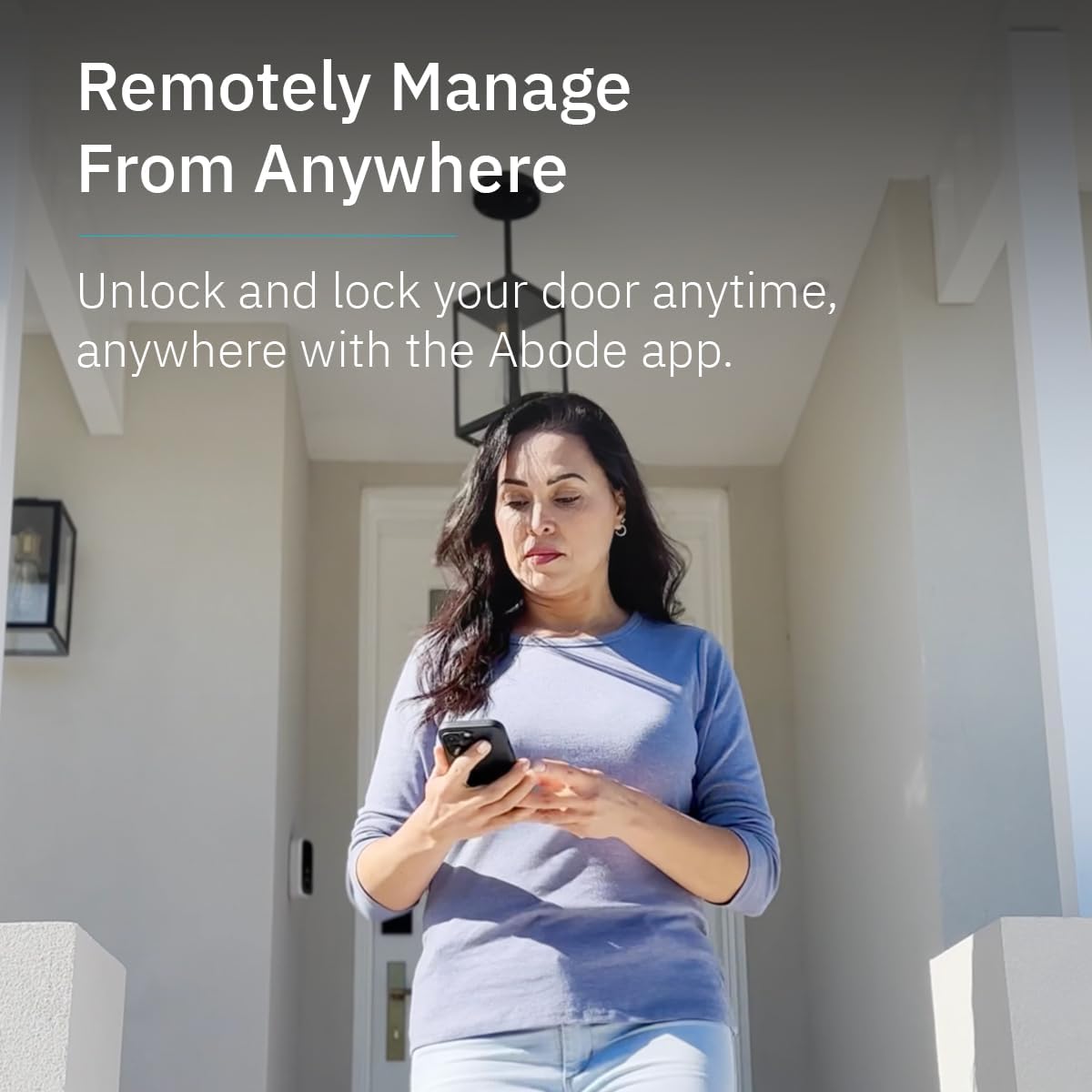
Image 4.5: A woman standing outside her home, using her smartphone to remotely manage the Abode Lock.
5. Manutenção
5.1 Substituição da bateria
The Lock Body and Keypad are battery-powered. The package includes 2 AAA batteries for the Lock Body. The wireless keypad battery is expected to last approximately 12 months on a full charge.
- The Abode app will notify you when battery levels are low.
- Refer to the component identification diagram (Image 2.1) for battery compartment locations.
- Replace batteries with new ones of the specified type (AAA for Lock Body, type not specified for keypad but typically similar).
5.2 Limpeza
Clean the lock and keypad surfaces with a soft, dry cloth. Avoid using abrasive cleaners or solvents that may damage the finish or electronic components.
6. Solução De Problemas
If you encounter issues with your Abode Lock & Keypad, refer to the following common problems and solutions:
- Lock Motor Weakness or Incomplete Locking:
If the lock motor struggles to engage or disengage the deadbolt, ensure there is no obstruction in the door frame or strike plate. The deadbolt should move freely without resistance. Adjust the strike plate or the deadbolt hole if necessary to ensure smooth operation. - Connectivity Issues (Disconnection from Network/Keypad):
If the lock frequently disconnects from your WiFi network or the keypad, ensure the lock is within range of your WiFi router and the keypad is within 9 feet of the lock. Check your home network for stability. A hard reset of the lock or keypad may resolve temporary connection issues. Refer to the Abode app for network status and troubleshooting guides. - Keypad Unresponsive or Codes Invalid:
If the keypad stops working or programmed codes are not recognized, check the keypad's battery level. If batteries are sufficient, try performing a hard reset on the keypad. Ensure the keypad is properly paired with the lock via Bluetooth through the Abode app. Firmware updates can also address such issues; check the Abode app for available updates. - Lock Body Fit Issues:
If the Abode Lock body does not fit securely over your existing deadbolt mechanism, ensure you are using the correct lock adaptor fitting. The lock is designed to fit most standard deadbolts, but some variations may require minor adjustments to the door or deadbolt components. - Door Open/Closed Status:
Note that this lock primarily indicates locked or unlocked status, not whether the door itself is open or closed. For door open/closed sensing, additional sensors may be required as part of a broader security system.
7. Especificações
| Marca | morada |
| Número do modelo | 850025571326 |
| Tipo de bloqueio | Teclado |
| Características especiais | Fingerprint, Keyless, Programmable |
| Material | Metal |
| Cor | Preto |
| Dimensões do item (C x L x A) | 1.46 x 2.83 x 5.94 polegadas |
| Peso do item | 1.5 libras |
| Baterias | São necessárias 2 pilhas AAA (incluídas) |
| Protocolo de conectividade | Bluetooth (for keypad pairing), WiFi (for remote app control) |
| Método de controle | App, Voice (Amazon Alexa, Google Home) |
| Usos recomendados | Residential Doors, Commercial Doors, Home Security, Office Security |
8. Garantia e Suporte
For detailed warranty information and customer support, please refer to the official Abode website or contact Abode customer service directly. Warranty terms typically cover manufacturing defects for a specified period from the date of purchase.
For technical assistance, product registration, or to access the latest FAQs and troubleshooting guides, visit the Abode support portal.