
Prolink DS-3106-CCL
Manual do Usuário da Câmera de Segurança Residencial Prolink DS-3106 3MP
Model: DS-3106-CCL
Introdução
The Prolink DS-3106 3MP Full HD Pan/Tilt/Zoom Smart Home Security Camera is designed to provide comprehensive indoor monitoring. Featuring a 110-degree wide-angle lens and 10-meter night vision, this AI-enabled camera ensures the safety of your household. It also includes a built-in microphone and speaker for two-way communication, allowing you to interact with occupants remotely.

Image: Prolink DS-3106 Home Security Camera with companion mobile application interface.
O que há dentro da caixa
Verifique se todos os componentes estão presentes na embalagem antes de prosseguir com a instalação.

Image: Contents of the Prolink DS-3106 package.
- Prolink DS-3106 Smart Security Camera
- Mount accessories (mounting kit with screw set)
- Power adapter (5V 1A, UK plug)
- USB cable (Type A to Type-C)
- Guia de instalação rápida
Produto acimaview e Características
AI-Powered Detection
The camera utilizes smart AI to analyze human contours, enabling faster detection and delivering timely notifications upon detection of activity within its field of view.

Image: Smart AI Detection and Notification feature highlighting human contour analysis.
Full HD 3MP Resolution
Capture every detail in Full HD with 3-megapixel resolution. The camera incorporates Wide Dynamic Range (WDR) image enhancement for clearer visuals.

Image: Comparison of 3MP Full HD resolution versus 2MP, demonstrating enhanced detail.
Visão noturna clara
The DS-3106 provides clear night vision with a visual distance of up to 10 meters in low light conditions, ensuring continuous monitoring even in darkness.

Image: Night vision capability comparison, showing superior clarity of the Prolink DS-3106.
Pan-Tilt-Zoom (PTZ) Functionality
Achieve wide-range coverage with 360-degree pan and 110-degree tilt capabilities. The camera also features 6X digital zoom and can be mounted on ceilings or walls to eliminate blind spots.

Image: Pan-Tilt-Zoom functionality and wide-angle view demonstração.
Wide Dynamic Range (WDR)
WDR technology adjusts lighting contrast to minimize shadowing effects and overexposure, rendering images that are true to life, even in challenging lighting conditions.
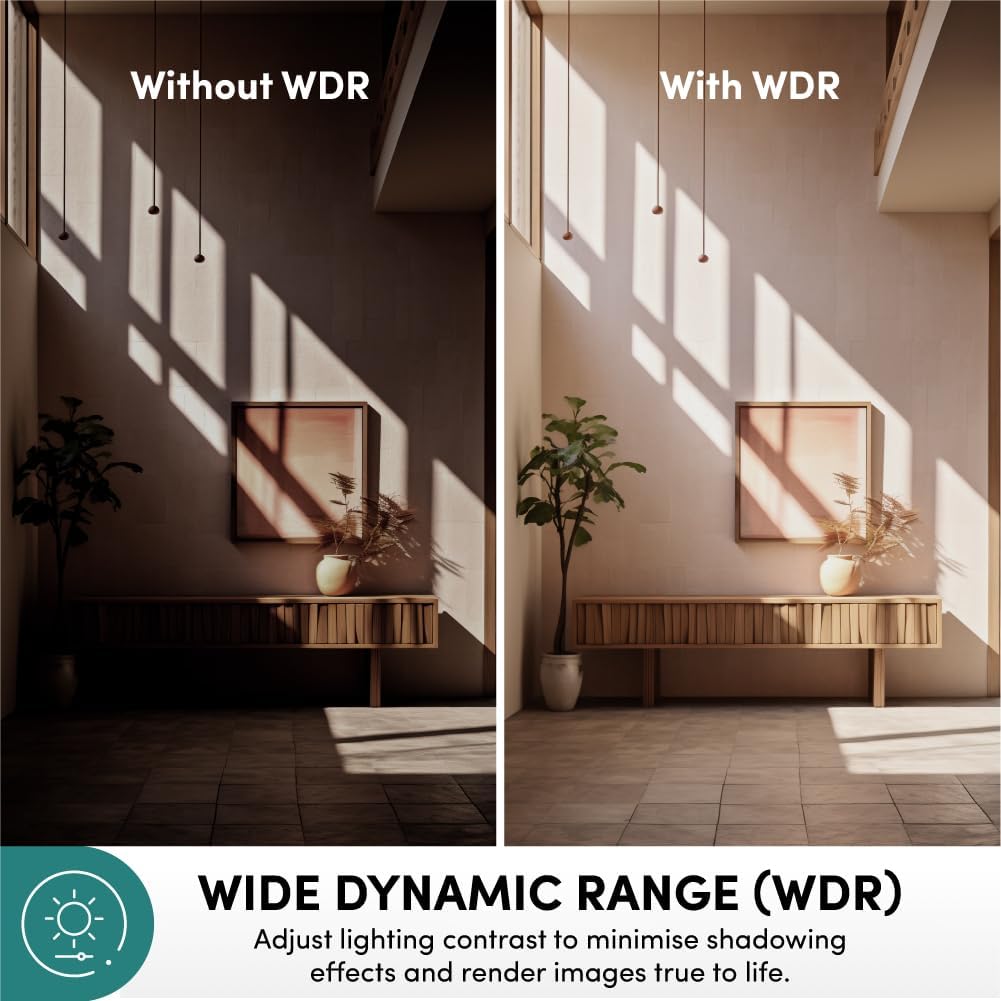
Image: Effect of Wide Dynamic Range (WDR) on image quality.
Comunicação bidirecional
The integrated microphone and speaker enable live view and two-way audio communication, allowing you to speak and listen through the camera via the mobile application.
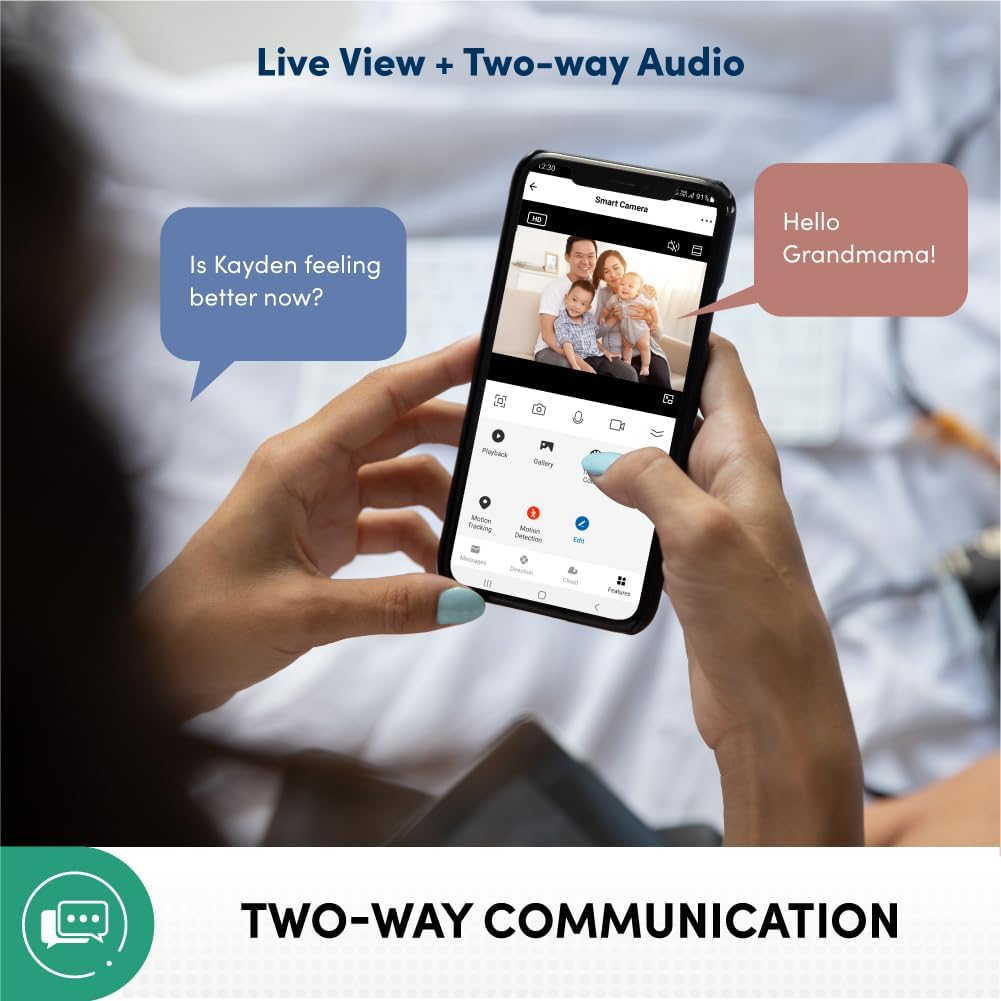
Image: Two-way communication feature via the mobile app.
Privacy Protection and Data Security
Your data and privacy are protected by end-to-end encryption (AES/TLS) to prevent malicious cyber attacks. The system is hosted on Amazon AWS Cloud Server and features 2-layer user login (password/pattern). It is also certified by the Cyber Security Agency of Singapore.

Image: Privacy protection and data security features.
Multiple Recording Methods
The camera supports various recording and storage options, including 3rd party NVR (ONVIF Compatible), optional cloud storage (subscription required), direct recording to smartphone/tablet, and local storage via microSD card up to 512GB (sold separately).

Image: Available recording and storage methods.
Guia de configuração
1. Ligando a câmera
- Connect the provided USB cable to the camera's Type-C port.
- Connect the other end of the USB cable to the 5V 1A power adapter.
- Conecte o adaptador de alimentação a uma tomada elétrica padrão.
- Wait for the camera's indicator light to show it is ready for pairing (refer to the Quick Installation Guide for specific light patterns).
2. Mobile Application Installation and Pairing
- Download the official Prolink Smart Home application from your device's app store (available for Android and iOS).
- Open the application and create a new account or log in if you already have one.
- Follow the in-app instructions to add a new device. This typically involves scanning a QR code on the camera or manually selecting the camera model.
- Certifique-se de que seu dispositivo móvel esteja conectado a uma rede Wi-Fi de 2.4 GHz durante o processo de emparelhamento.
- Uma vez conectado, você poderá view A transmissão ao vivo e as configurações da câmera de acesso.
3. Montagem da câmera (opcional)
The camera can be placed on a flat surface or mounted on a wall/ceiling using the included mounting kit.
- Escolha um local adequado para obter os melhores resultados. viewcobertura.
- Use the mounting bracket as a template to mark screw holes on the desired surface.
- Faça furos-guia e insira buchas de parede, se necessário.
- Fixe o suporte de montagem à superfície utilizando os parafusos fornecidos.
- Attach the camera to the mounting bracket, ensuring it is securely locked in place.
Instruções de operação
Ao vivo View e Monitoramento
- Open the Prolink Smart Home app on your smartphone or tablet.
- Select the DS-3106 camera from your device list to access the live video feed.
- Use the on-screen controls to pan (rotate horizontally) and tilt (rotate vertically) the camera lens for a full 360-degree view.
- Pinch to zoom in or out on the live feed to utilize the 6X digital zoom.
Comunicação de áudio bidirecional
- Enquanto estiver ao vivo view, tap the microphone icon to enable two-way audio.
- Speak into your mobile device's microphone to transmit your voice through the camera's speaker.
- The camera's built-in microphone will pick up audio from the camera's environment, which will be played through your mobile device's speaker.
Gravação e reprodução
- Local Storage (microSD card): Insert a microSD card (up to 512GB, sold separately) into the camera's card slot. Configure recording settings (e.g., continuous, motion-triggered) via the app.
- Armazenamento em nuvem: If subscribed to cloud storage, recordings will automatically upload to the cloud based on your settings.
- Reprodução: Acesse foo gravadotage through the "Playback" or "Gallery" section in the Prolink Smart Home app. Select the date and time to review eventos.
Detecção de movimento e alertas
- Enable motion detection in the camera settings within the app.
- Adjust sensitivity levels and define detection zones as needed.
- Receive instant push notifications on your mobile device when motion is detected.
Manutenção
- Limpeza: Limpe delicadamente a lente e o corpo da câmera com um pano macio e seco. Evite usar produtos químicos agressivos ou materiais abrasivos que possam danificar a superfície ou a lente.
- Atualizações de firmware: Regularly check for and install firmware updates through the Prolink Smart Home app to ensure optimal performance, security, and access to new features.
- Colocação: Certifique-se de que a câmera esteja posicionada em um local estável, longe da luz solar direta, temperaturas extremas e alta umidade.
- Estabilidade da rede: Maintain a stable Wi-Fi connection for uninterrupted monitoring and recording.
Solução de problemas
| Problema | Possível causa | Solução |
|---|---|---|
| Câmera não liga | Problema com o adaptador de energia ou cabo; problema com a tomada. | Check power connections. Try a different outlet. Ensure the power adapter is functioning correctly. |
| Não é possível conectar ao Wi-Fi | Senha de Wi-Fi incorreta; câmera muito distante do roteador; rede Wi-Fi de 5 GHz. | Verify Wi-Fi password. Move camera closer to router. Ensure you are connecting to a 2.4GHz Wi-Fi network. Reset camera and try pairing again. |
| Sem transmissão de vídeo ao vivo | Internet connection issue; camera offline; app glitch. | Check your internet connection. Restart the camera. Close and reopen the Prolink Smart Home app. |
| A detecção de movimento não funciona | Feature disabled; sensitivity too low; incorrect detection zone. | Enable motion detection in app settings. Increase sensitivity. Adjust detection zones. |
| Áudio bidirecional não funciona | Microphone/speaker muted in app; volume too low; network latency. | Check audio settings in the app. Increase volume on your mobile device. Ensure stable network connection. |
Especificações
| Recurso | Detalhe |
|---|---|
| Número do modelo | DS-3106-CCL |
| Resolução de captura de vídeo | 3 MP (2304 effective resolution) |
| Cor | Carvão |
| Dimensões (C x L x A) | 7.5 x 7.5 x 11.3 cm |
| Peso | 186 g |
| Viewângulo de engate | 110 Degrees (wide-angle lens) |
| Faixa de Pan/Tilt | Pan: 360 Degrees, Tilt: 110 Degrees |
| Zoom Digital | 6X |
| Alcance de visão noturna | Até 10 metros |
| Tecnologia de Conectividade | Wi-Fi (2.4 GHz) |
| Características especiais | AI-Powered Detection, 2-Way Audio, Wide Dynamic Range (WDR), Privacy Protection (AES/TLS Encryption) |
| Opções de armazenamento | microSD card (up to 512GB), Cloud Storage (optional), 3rd Party NVR (ONVIF Compatible) |
| Fonte de energia | Elétrico com fio (5V 1A) |
| Tipo de instalação | Freestanding, Wall Mount, Ceiling Mount |
| Uso interno/externo | Interior |
| Tipo de controlador | Android, iOS (via Prolink Smart Home App) |
Garantia e Suporte
For warranty information, technical support, or service inquiries, please refer to the official Prolink website or contact Prolink customer service directly. Details can typically be found in the Quick Installation Guide included with your product or on the manufacturer's official support pages.
Fabricante: Link profissional
Vendedor: Prolink Official (via Amazon.sg)
Política de devolução: 15 days (refund/replacement) as per Amazon.sg policy.
Ask a question about this manual
Ask about setup, troubleshooting, compatibility, parts, safety, or missing instructions. Manuals+ will review the question and use this page’s manual context to help answer it.