
FAMOO 33
FAMOO Bluetooth Headset Model 33 User Manual
Modelo: 33
Introdução
Thank you for choosing the FAMOO Bluetooth Headset Model 33. This manual provides essential information for setting up, operating, and maintaining your new headset. Please read it thoroughly before use to ensure optimal performance and longevity of your device.
O que está na caixa
- Wireless Bluetooth Headset x1
- Estojo de Carregamento x1
- Cabo de carregamento x1
- Spare Ear Caps x3 Pairs (S, M, L)
- Manual de instruções x1
Configurar
1. Carregando os fones de ouvido e o estojo
Before first use, fully charge the headset and its charging case. Connect the provided charging cable to the charging case and a USB power source. The headset charges automatically when placed inside the case.
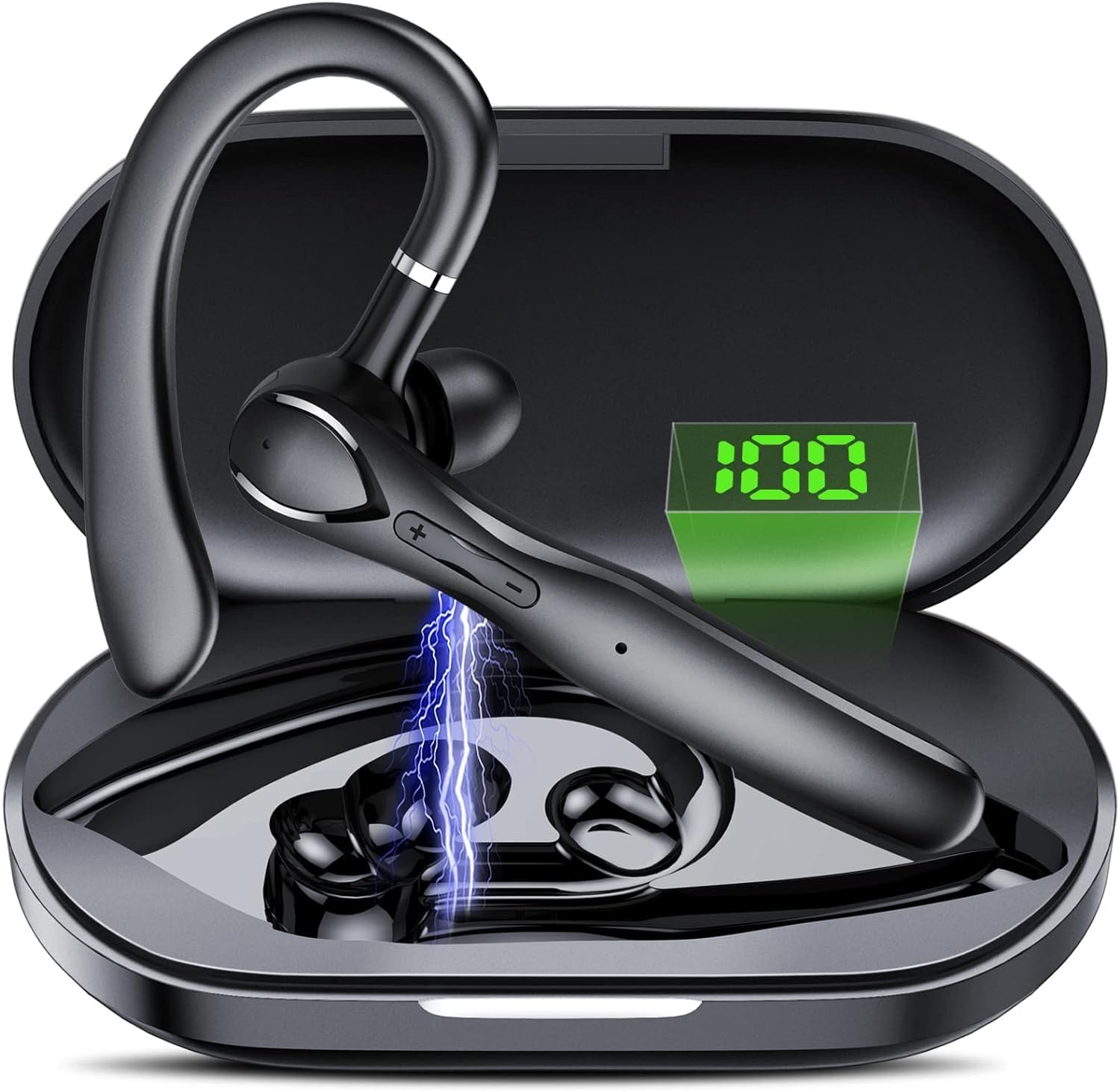
Imagem: The FAMOO Bluetooth Headset inside its charging case, illustrating battery life and charging duration. The charging case provides up to 100 hours of total play time, with the headset offering 20 hours of play time on a single charge. A full charge takes approximately 1.5 hours.
- Capacidade da caixa de carga: 400mAh
- Headset Play Time: Até 20 horas
- Total Play Time (with case): Até 100 horas
- Tempo de carregamento: Aproximadamente 1.5 horas
2. Emparelhamento com seu dispositivo
- Certifique-se de que o fone de ouvido esteja carregado e ligado.
- Ative o Bluetooth no seu smartphone ou outro dispositivo.
- Procurar available Bluetooth devices and select "FAMOO 33" from the list.
- Once connected, the headset will indicate successful pairing.
The FAMOO Bluetooth Headset supports Bluetooth 5.3 for stable connectivity and can connect to two devices simultaneously.

Imagem: The FAMOO Bluetooth Headset shown wirelessly connected to two different smartphones, demonstrating its dual device connectivity feature. This allows for seamless switching between devices like Android phones, iPhones, iPads, laptops, and desktop computers.
3. Adjusting for a Comfortable Fit
The headset is designed for an adjustable and comfortable fit for both ears. Choose the appropriate ear cap size (S, M, L) for a secure and comfortable seal. The ear hook can be rotated to fit either the left or right ear.

Imagem: A man wearing the FAMOO Bluetooth Headset, illustrating its adjustable design for a comfortable fit on either the left or right ear. The image highlights the ergonomic ear hook design.
Instruções de operação
1. Ligar/desligar
- Ligar: Pressione e segure o botão multifuncional por 3 segundos.
- Desligar: Pressione e segure o botão multifuncional por 5 segundos.
2. Gerenciamento de chamadas
The headset features an HD microphone and ENC (Environmental Noise Cancellation) for clear calls, even in noisy environments. CVC8.0 technology further enhances audio clarity.

Imagem: A man using the FAMOO Bluetooth Headset while driving, demonstrating the clear call feature with ENC Noise Cancellation and Smart Voice Assistant. The graphic indicates a significant reduction in background noise (90% reduction).
- Atender/encerrar chamada: Pressione o botão multifuncional uma única vez.
- Rejeitar chamada: Pressione e segure o botão multifuncional por 2 segundos.
- Rediscar último número: Pressione duas vezes o botão multifuncional.
3. Reprodução de música
- Reproduzir/Pausar: Pressione o botão multifuncional uma única vez.
- Próxima faixa: Pressione e mantenha pressionado o botão de aumentar o volume.
- Faixa anterior: Pressione e segure o botão Diminuir volume.
4. Controle de volume
The headset features dedicated volume control buttons to adjust audio levels.

Imagem: A close-up of the FAMOO Bluetooth Headset highlighting the two physical control buttons (volume up/down) and the touch-sensitive area for other functions. This design aims to reduce accidental touches while providing easy access to controls.
- Aumentar o volume: Pressione rapidamente o botão Aumentar Volume.
- Volume baixo: Pressione rapidamente o botão Diminuir Volume.
5. Assistente de voz
Activate your device's voice assistant (e.g., Siri, Google Assistant) using the headset.
- Ative o Voice Assistant: Pressione três vezes o botão multifuncional.
Manutenção
- Limpeza: Use a soft, dry cloth to clean the headset and charging case. Do not use harsh chemicals or abrasive materials.
- Armazenar: Store the headset in its charging case when not in use to protect it from dust and damage. Avoid extreme temperatures.
- Cuidados com a bateria: Para prolongar a vida útil da bateria, evite descarregar completamente os fones de ouvido com frequência. Carregue-os regularmente, mesmo que não estejam em uso constante.
Solução de problemas
1. Fone de ouvido não emparelhado
- Certifique-se de que o fone de ouvido esteja carregado e ligado.
- Desligue e ligue o Bluetooth do seu dispositivo.
- Delete "FAMOO 33" from your device's Bluetooth list and try pairing again.
- Aproxime o fone de ouvido do seu dispositivo.
2. Sem som
- Verifique o nível de volume tanto no fone de ouvido quanto no dispositivo conectado.
- Certifique-se de que o fone de ouvido esteja conectado corretamente ao seu dispositivo.
- Tente reproduzir o áudio de um aplicativo ou fonte diferente.
3. Problemas de carregamento
- Verifique se o cabo de carregamento está conectado firmemente tanto à capa quanto à fonte de alimentação.
- Verifique se a fonte de alimentação está funcionando.
- Clean the charging contacts on the headset and inside the case with a dry cotton swab.
Especificações
| Marca | FAMOSO |
| Número do modelo | 33 |
| Tecnologia de Conectividade | Wireless (Bluetooth) |
| Versão Bluetooth | 5.3 |
| Colocação da orelha | No ouvido |
| Fator de forma | No ouvido |
| Controle de Ruído | Cancelamento Ativo de Ruído (ENC) |
| Microfone | Microfone HD integrado |
| Método de controle | Voice, Touch Control, Physical Buttons |
| Formato do fone de ouvido | Gancho |
| Material do gabinete | Plástico |
| Características adicionais | Fast Charging, Microphone Included, Touch Control, Dual Device Connectivity |
Informações de garantia
The FAMOO Bluetooth Headset Model 33 comes with a Garantia de 2 ano from the date of purchase. This warranty covers manufacturing defects and workmanship. Please retain your proof of purchase for warranty claims. For detailed warranty terms and conditions, please refer to the official FAMOO website ou entre em contato com o suporte ao cliente.
Suporte ao cliente
For further assistance, technical support, or warranty inquiries, please visit the official FAMOO store or contact our customer service team.
FAMOO Store: Visit the FAMOO Store on Amazon
Ask a question about this manual
Ask about setup, troubleshooting, compatibility, parts, safety, or missing instructions. Manuals+ will review the question and use this page’s manual context to help answer it.