
Olá Bebê HB6339
Manual do Usuário do Monitor de Bebê HelloBaby HB6339
Modelo: HB6339
Introdução
This manual provides detailed instructions for the safe and effective use of your HelloBaby HB6339 Baby Monitor system. Please read this manual thoroughly before operating the device and retain it for future reference.
The HelloBaby HB6339 is a comprehensive baby monitoring system featuring a 3.2-inch IPS screen, two cameras, and two monitor mounts. It offers remote pan-tilt-zoom capabilities, night vision, two-way talk, and eight pre-programmed lullabies, all operating on a secure 2.4GHz FHSS connection with a range of up to 1000 feet, ensuring no reliance on Wi-Fi.
Conteúdo da embalagem
- 1 x HelloBaby HB6339 Parent Unit (Monitor)
- 2 x HelloBaby HB6339 Baby Units (Cameras)
- 2 x Monitor Mounts (Flexible Twist Mounts)
- 3 x Power Adapters (for Parent Unit and two Baby Units)
- 1 x Manual do Usuário
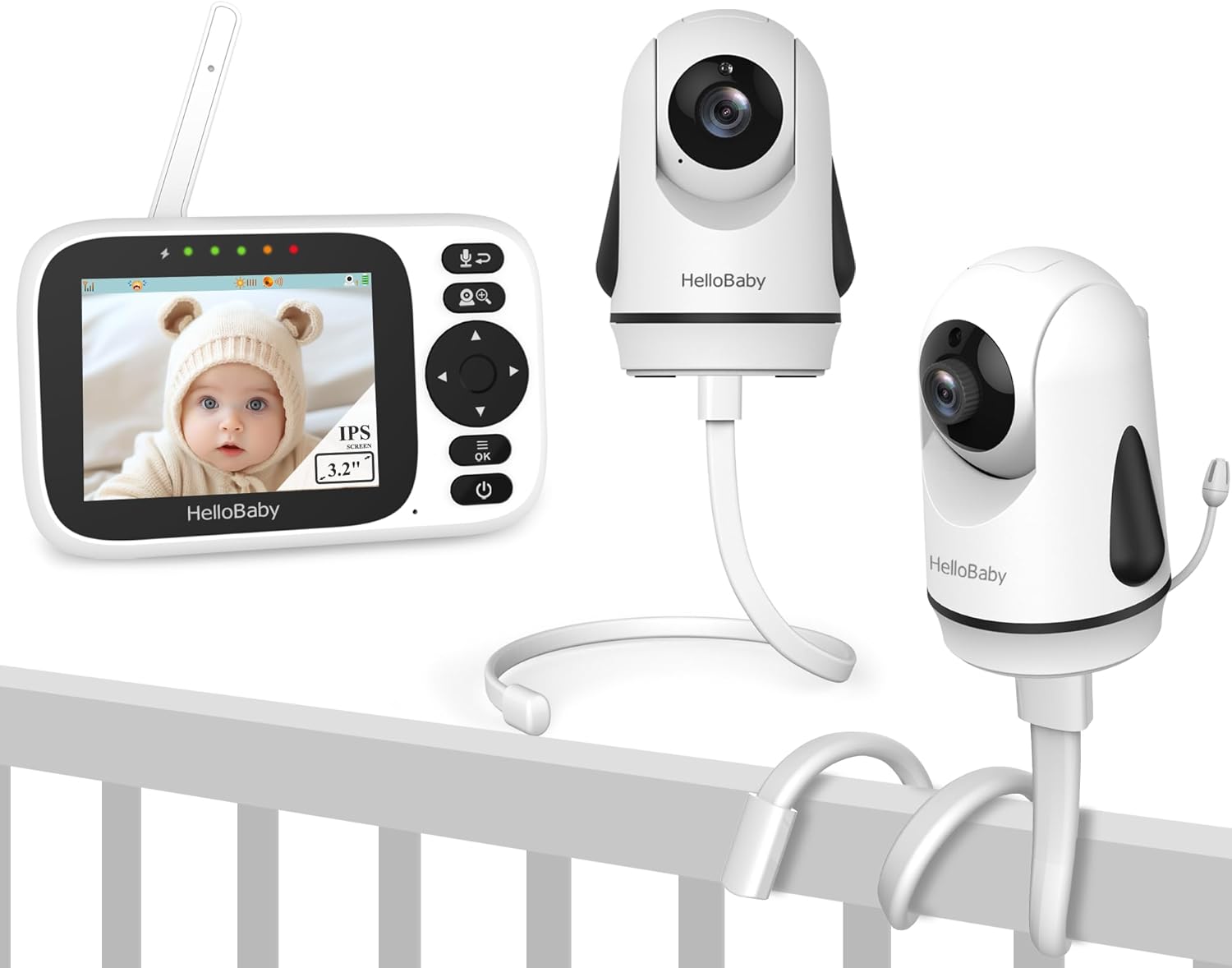
Image: The complete HelloBaby HB6339 Baby Monitor system, including the parent unit, two baby units (cameras), and two flexible monitor mounts.
Guia de configuração
1. Carregando a unidade principal
Before first use, fully charge the parent unit for approximately 8 hours. Connect the small end of the power adapter to the parent unit's charging port and the other end to a power outlet. The battery indicator on the screen will show charging status.
2. Posicionando a Unidade do Bebê (Câmera)
Coloque a unidade do bebê em um local que ofereça boa visibilidade. view of your baby. Ensure it is at least 3 feet (1 meter) away from the baby to prevent entanglement hazards from the power cord. The camera can be placed on a flat surface or mounted using the provided flexible mounts.

Image: A HelloBaby camera securely attached to a crib railing using the flexible monitor mount, demonstrating a common setup configuration.
The flexible mounts allow for versatile placement. Bend and twist the mount to secure the camera to cribs, shelves, or other suitable surfaces. Ensure the mount is stable and the camera is positioned for optimal viewindo.

Image: The HelloBaby camera with its flexible mount adjusted to form a stable base for tabletop placement, offering an alternative to crib mounting.
The mounts are designed for wide compatibility with HelloBaby monitors, featuring a 1/4-inch threaded port for secure attachment.

Image: A visual guide illustrating the compatibility of the monitor mounts with different HelloBaby camera models, emphasizing the universal 1/4-inch threaded port for easy attachment.
3. Ligar e emparelhar
- Connect the power adapter to the baby unit and plug it into a power outlet. The baby unit will automatically power on.
- Pressione e segure o botão Liga/Desliga na unidade dos pais para ligá-la.
- The units are pre-paired at the factory. If pairing is lost or you are adding a new camera, refer to the "Adding/Removing Cameras" section.
Instruções de operação
1. Monitorarview
The parent unit features a 3.2-inch IPS screen, providing a wide viewing angle and accurate color reproduction. The screen displays the live video feed from the camera, battery status, signal strength, temperature, and other indicators.

Image: The HelloBaby HB6339 parent unit (monitor) showing a live feed of a baby on its 3.2-inch IPS screen, positioned next to the two accompanying baby cameras.
2. Remote Pan, Tilt, and Zoom (PTZ)
Use the directional buttons on the parent unit to remotely control the camera's pan (horizontal) and tilt (vertical) movements. The camera offers a 320° pan and 120° tilt range. Press the zoom button to digitally zoom in on the image.

Image: A visual representation of the camera's remote control features, detailing its 320-degree pan, 120-degree tilt, and the option for a 155-degree wide-angle panoramic view or a 65-degree standard view.
3. Conversa bidirecional
Press and hold the microphone button on the parent unit to speak to your baby through the camera's speaker. Release the button to hear your baby's sounds.

Image: A depiction of the two-way audio communication feature, where a parent can speak to their baby through the monitor, and the baby's sounds are transmitted back to the parent unit.
4. Visão noturna
The baby unit is equipped with automatic infrared night vision. In low light conditions, the camera will automatically switch to night vision mode, providing a clear black and white video feed without disturbing your baby's sleep.
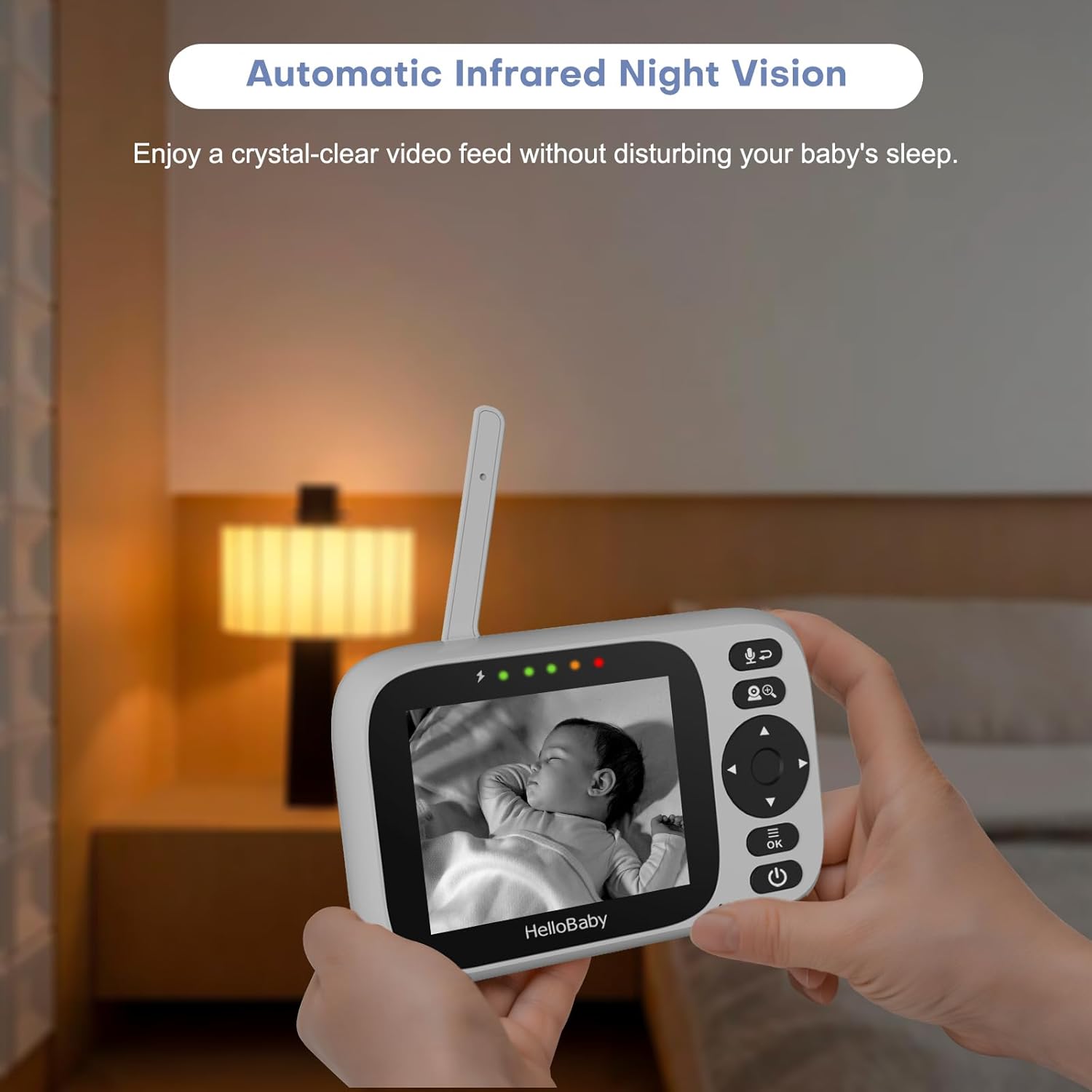
Image: The HelloBaby parent unit showing a crystal-clear black and white image of a baby sleeping in a dimly lit room, illustrating the effectiveness of the automatic infrared night vision feature.
5. VOX (Voice Operated Exchange) / Power Saving Mode
The VOX mode allows the parent unit screen to turn off to save power and turn back on automatically when sounds are detected from the baby unit. The sensitivity of cry detection can be adjusted.
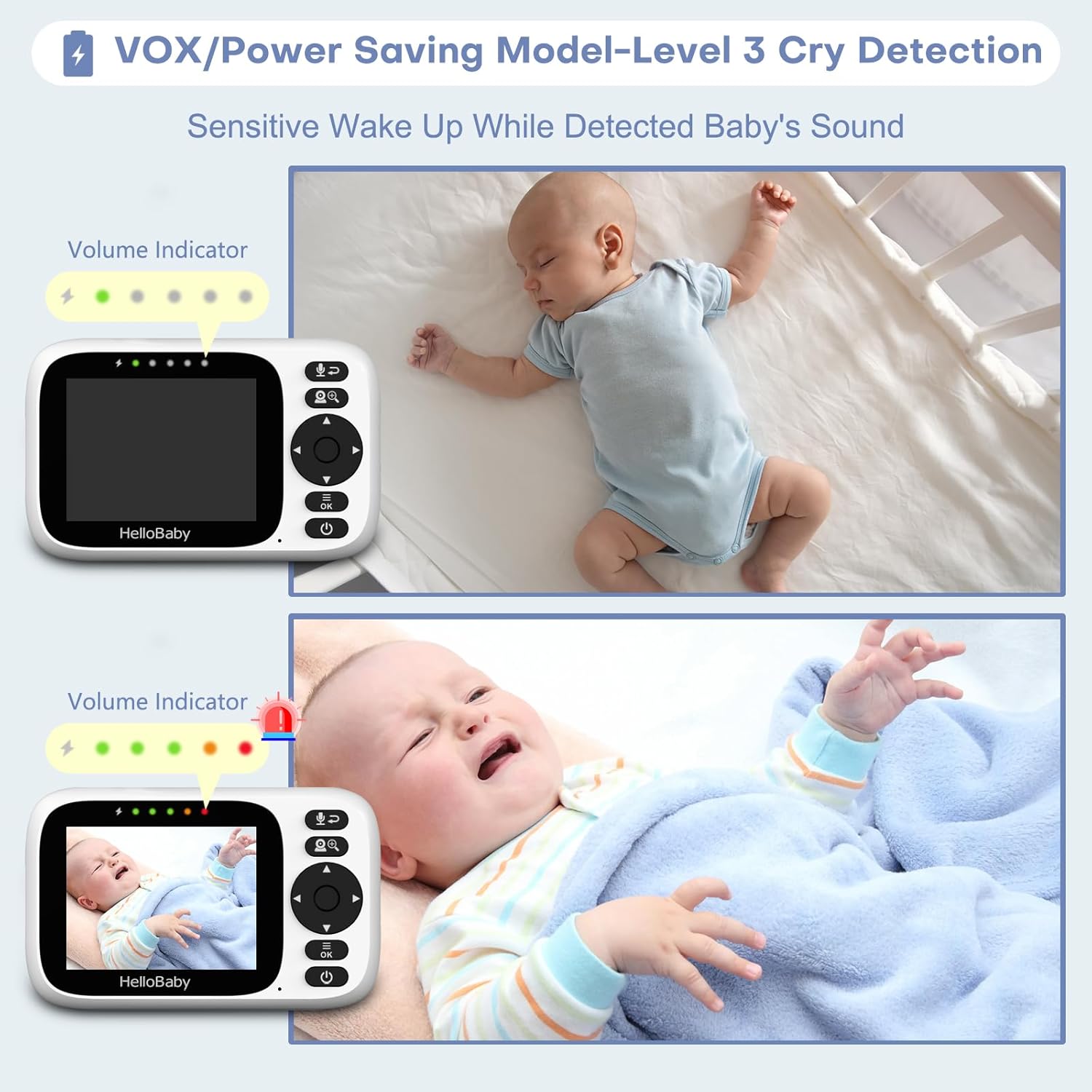
Image: A visual explanation of the VOX (Voice Operated Exchange) or Power Saving Mode, showing how the monitor's screen activates and displays volume indicators when a baby's sound is detected, such as crying.
6. Canções de ninar
The monitor includes 8 pre-programmed lullabies. Refer to the parent unit's menu for instructions on how to play and select lullabies to soothe your baby.
7. Monitoramento da temperatura ambiente
The baby unit has a built-in temperature sensor that transmits the room temperature to the parent unit. You can set alerts for temperature deviations from a comfortable range.
Manutenção e Cuidados
- Limpeza: Use um pano macio e seco para limpar as superfícies da unidade dos pais e da unidade do bebê. Não use produtos de limpeza abrasivos ou solventes.
- Armazenar: If storing the unit for an extended period, ensure the battery is fully charged and then store it in a cool, dry place.
- Cuidados com a bateria: To prolong battery life, avoid overcharging and fully discharging the parent unit's battery frequently.
- Ambiente: Mantenha os aparelhos longe da luz solar direta, fontes de calor e umidade.
Solução de problemas
| Problema | Possível causa | Solução |
|---|---|---|
| Sem imagem/som na unidade principal. |
|
|
| A imagem é em preto e branco. | Condições de pouca luz. | This is normal. The camera has switched to night vision mode. |
| Estática ou interferência. | Outros aparelhos eletrônicos próximos. | Move the monitor away from other electronic devices (e.g., Wi-Fi routers, microwaves). |
| VOX not activating. | Sensibilidade do VOX muito baixa. | Adjust VOX sensitivity settings in the parent unit menu. |
Especificações
| Recurso | Detalhe |
|---|---|
| Modelo | HB6339 |
| Tamanho da tela | Tela IPS de 3.2 polegadas |
| Tipo de câmera | Remote Pan-Tilt-Zoom (PTZ) |
| Pan Angle | 320° |
| Ângulo de inclinação | 120° |
| Tecnologia sem fio | 2.4GHz FHSS (No Wi-Fi dependency) |
| Faixa | Até 1000 pés (linha de visão) |
| Visão noturna | Infravermelho automático |
| Recursos de áudio | Two-Way Talk, Lullabies (8), VOX Mode, Sound Level LED Indicator |
| Características adicionais | Room Temperature Monitoring with Alert |
| Tipo de montagem | Wall Mount / Flexible Stand |
Garantia e Suporte
HelloBaby offers a one-year warranty for the HB6339 Baby Monitor system. This warranty covers defects in materials and workmanship under normal use.
For any issues or support inquiries, please refer to the user manual in the "Product guides and documents" section or contact HelloBaby customer service. We are committed to providing friendly and helpful service within 24 hours.
For further assistance, please visit the official HelloBaby webou entre em contato diretamente com o suporte ao cliente. Visite a loja HelloBaby na Amazon.
Ask a question about this manual
Ask about setup, troubleshooting, compatibility, parts, safety, or missing instructions. Manuals+ will review the question and use this page’s manual context to help answer it.