
Introdução
This manual provides instructions for the goopow T97 Mini Karaoke Machine. This portable Bluetooth speaker, accompanied by wireless microphones, is designed for audio playback and interactive singing. Please read this manual thoroughly before operating the device to ensure proper use and maintenance.
Conteúdo da embalagem
- goopow T97 Mini Karaoke Machine Speaker
- Wireless Microphones (2 included)
- Cabo de carregamento USB Tipo-C
- Manual do usuário (este documento)
Produto acimaview
Familiarize yourself with the components and features of your goopow T97 Mini Karaoke Machine.

Imagem 1: The goopow T97 Mini Karaoke Machine speaker and two wireless microphones. The speaker features a blue fabric top and a white base with a colorful LED light ring around the control panel. The microphones are blue with black grilles.
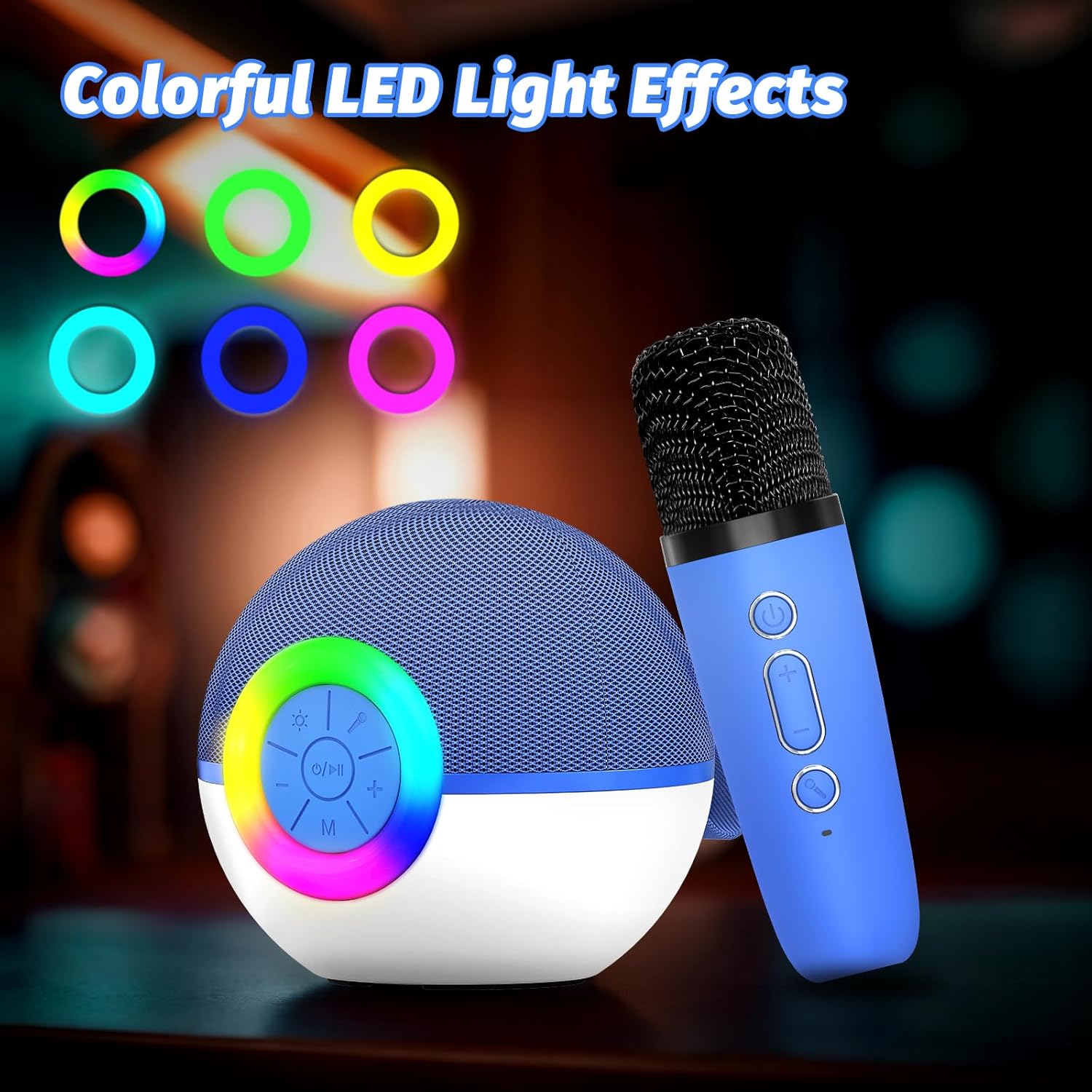
Imagem 2: Detail of the speaker's control panel. It includes buttons for power/play/pause, volume up/next track, volume down/previous track, and mode selection. The surrounding ring illuminates with various LED colors.

Imagem 3: Traseira view of the speaker, highlighting the AUX input, USB Type-C charging port, and TF (Micro SD) card slot for various audio input options.

Imagem 4: This image demonstrates the Bluetooth connectivity of the karaoke machine, showing it paired with a smartphone, laptop, and tablet. It also indicates support for TF Card and AUX input.

Imagem 5: Two wireless microphones are shown in use, highlighting the dual microphone capability for duets or shared singing experiences.

Imagem 6: The compact size of the goopow T97 speaker and microphone is illustrated, emphasizing its portability for various settings.
Configurar
1. Carregamento inicial
Before first use, fully charge the karaoke machine speaker and both microphones. Connect the provided USB Type-C cable to the charging port on the speaker and a compatible USB power adapter (not included). The charging indicator will show the charging status. A full charge typically takes 2-3 hours.
2. Ligar / desligar
- To power on the speaker: Press and hold the power button (O/eu) on the speaker's control panel until the LED lights illuminate.
- To power on the microphones: Press and hold the power button on each microphone.
- To power off: Repeat the steps above for both the speaker and microphones.
3. Emparelhamento Bluetooth
- Ensure the speaker is powered on and in Bluetooth pairing mode (indicated by a flashing blue light or an audible prompt).
- No seu dispositivo móvel (smartphone, tablet, laptop), ative o Bluetooth e procure por dispositivos disponíveis.
- Select "goopow T97" from the list of devices.
- Após o emparelhamento, o alto-falante emitirá uma confirmação sonora e a luz indicadora do Bluetooth ficará acesa continuamente.
The microphones automatically connect to the speaker when both are powered on and within range.
Instruções de operação
1. Tocando música
- Bluetooth: Após o emparelhamento bem-sucedido, reproduza músicas do seu dispositivo conectado.
- Cartão TF: Insira um cartão Micro SD (TF) com áudio MP3. files into the TF card slot on the speaker. The speaker will automatically switch to TF card mode and begin playback.
- Entrada AUX: Connect an external audio device using a 3.5mm AUX cable (not included) to the AUX port on the speaker.
2. Controles de alto-falante
- Power / Play / Pause: Pressione o O/eu button once to play or pause music. Press and hold to power on/off.
- Aumentar o volume / próxima faixa: Imprensa + button to increase volume. Press and hold to skip to the next track.
- Diminuir o volume / faixa anterior: Imprensa - button to decrease volume. Press and hold to go to the previous track.
- Modo (M): Pressione o M button to switch between Bluetooth, TF Card, and AUX input modes.
- Luzes LED: Press the light button (sun icon) to cycle through different LED light modes or turn them off.
3. Controles do microfone
- Poder: Pressione e segure o botão liga/desliga do microfone para ligá-lo ou desligá-lo.
- Volume do microfone: Use o + e - buttons on the microphone to adjust its volume.
- Efeitos de voz: Press the voice effect button (microphone icon) to cycle through available voice changing effects (e.g., Monster Voice, Female Voice, Male Voice, Robot Voice, Baby Voice).
Carregando
The goopow T97 Mini Karaoke Machine and its microphones are equipped with rechargeable batteries. Use the provided USB Type-C cable for charging.
- Carregamento do alto-falante: Connect the USB Type-C cable to the speaker's charging port and a 5V/1A USB power source.
- Carregamento do microfone: Each microphone has its own USB Type-C charging port. Connect them individually to a 5V/1A USB power source.
- Tempo de carregamento: Aproximadamente 2 a 3 horas para uma carga completa.
- Hora de brincar: The speaker provides approximately 4-6 hours of playtime on a full charge. Actual playtime may vary based on volume level, audio content, and usage of LED lights.
Manutenção
- Mantenha o dispositivo longe de água, umidade e temperaturas extremas.
- Limpe o dispositivo com um pano macio e seco. Não utilize produtos de limpeza abrasivos ou solventes.
- Guarde o dispositivo em local fresco e seco quando não estiver em uso.
- Evite deixar cair o dispositivo ou submetê-lo a impactos fortes.
Solução de problemas
| Problema | Solução possível |
|---|---|
| O dispositivo não liga. | Certifique-se de que o dispositivo esteja totalmente carregado. Conecte-o a uma fonte de energia e tente novamente. |
| Nenhum som sai do alto-falante. | Check speaker volume and the volume on your connected device. Ensure the correct input mode (Bluetooth, TF Card, AUX) is selected. |
| O microfone não está funcionando. | Ensure the microphone is powered on and fully charged. Verify it is within range of the speaker. Adjust microphone volume. |
| O emparelhamento Bluetooth falha. | Ensure the speaker is in pairing mode. Turn off Bluetooth on other nearby devices. Try restarting both the speaker and your device's Bluetooth. |
| Má qualidade de som. | Ensure the speaker and connected device are within close range without obstructions. Check the audio source quality. |
Especificações
| Recurso | Detalhe |
|---|---|
| Número do modelo | T97 |
| Marca | goopow |
| Tecnologia de Conectividade | Bluetooth |
| Entrada de áudio | Wireless Microphone, Bluetooth |
| Fonte de energia | Alimentado por bateria |
| Tipo de conector | USB Tipo C |
| Material | Plástico |
| Peso do item | 14.5 onças (410 gramas) |
| Dimensões do produto (C x L x A) | 3.66 x 3.66 x 3.62 polegadas |
| Número de canais | 1 |
| Resposta de frequência | 10 kHz |
| Baterias | 1 bateria não padrão (incluída) |
Garantia e Suporte
Specific warranty details are not provided in the product information. For warranty claims, technical support, or further assistance, please contact the manufacturer directly or refer to the official goopow website.
Note: Keep your purchase receipt as proof of purchase for any warranty-related inquiries.