
Introdução
This manual provides detailed instructions for the KZZI K75 Lite Wireless Mechanical Keyboard. It covers setup, operation, maintenance, and troubleshooting to ensure optimal performance and user experience. Please read this manual thoroughly before using your new keyboard.
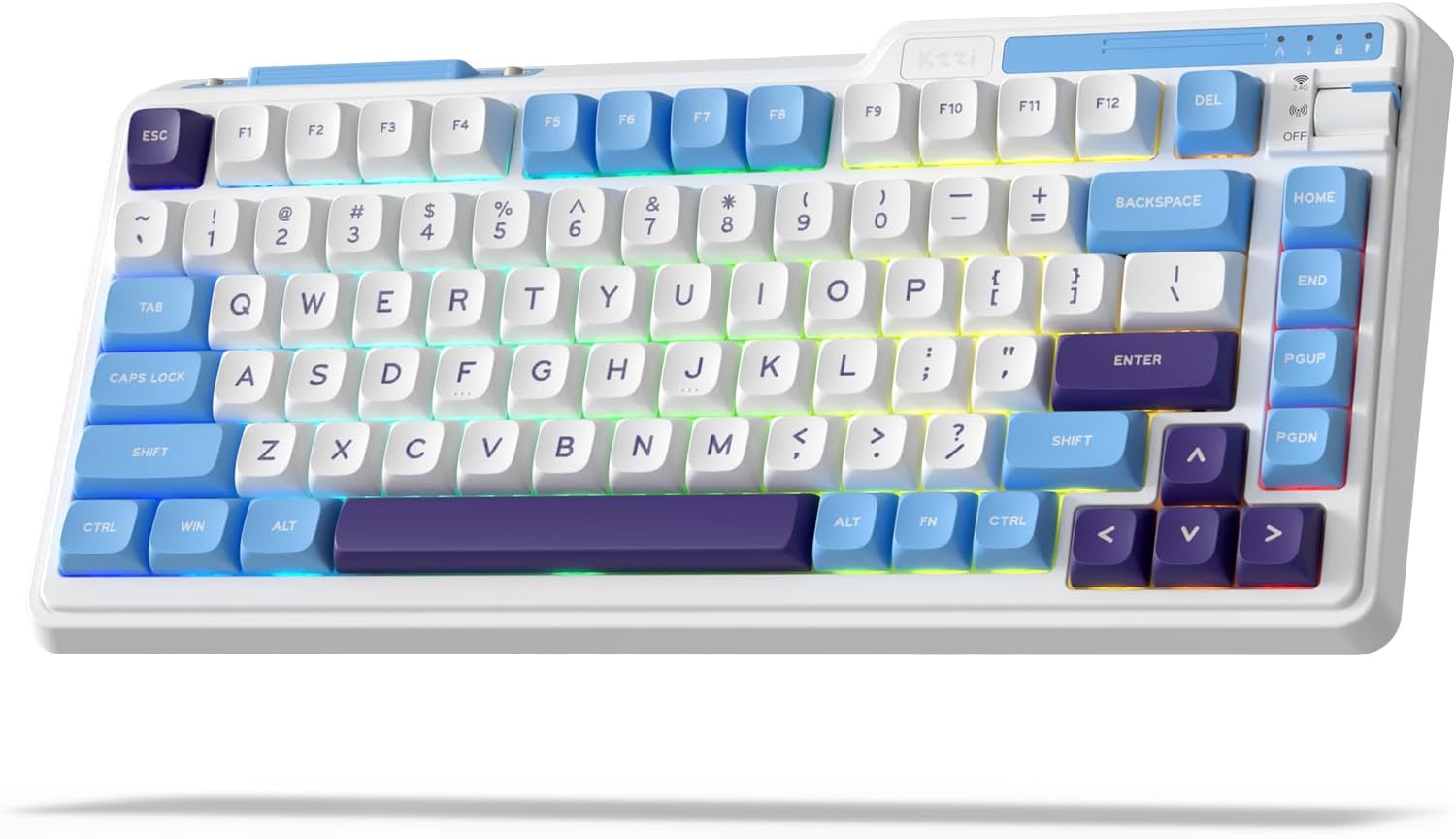
Image: The KZZI K75 Lite Wireless Mechanical Keyboard, showcasing its 75% layout and Grand Sea Blue color scheme with RGB backlighting.
Conteúdo da embalagem
Por favor, verifique se todos os itens estão presentes na embalagem:
- 1 x KZZI K75 Lite Keyboard
- 1 x cabo USB-C
- 1 x Extrator de Teclas e Switches 2 em 1
- 4 x Backup Switches
- 1 x Manual do Usuário (este documento)

Imagem: Vista aérea view of the KZZI K75 Lite keyboard and its included accessories: USB-C cable, 2-in-1 keycap and switch puller, and four backup switches.
Configurar
1. Carregando o teclado
Before first use, it is recommended to fully charge the keyboard. Connect the provided USB-C cable to the keyboard's Type-C charging port and the other end to a USB power source (e.g., computer USB port, wall adapter).
2. Modos de conectividade
The K75 Lite supports three connectivity modes: USB-C Wired, 2.4GHz Wireless, and Bluetooth 5.0. Use the toggle switch located on the top right of the keyboard to select your desired mode.

Image: An illustration demonstrating the 3-mode toggle switch on the K75 Lite keyboard, allowing users to easily switch between Bluetooth 5.0, 2.4GHz wireless, and USB-C wired modes for connecting to multiple devices like laptops, monitors, and tablets.
2.1. Modo com fio USB-C
- Set the toggle switch to the 'Wired' position.
- Connect the keyboard to your device using the provided USB-C cable.
- The keyboard will be recognized automatically.
2.2. Modo sem fio de 2.4 GHz
- Locate the 2.4G USB dongle, usually stored in a magnetic slot on the keyboard.
- Set the toggle switch to the '2.4G' position.
- Conecte o dongle USB de 2.4 GHz a uma porta USB disponível no seu computador.
- O teclado deve conectar-se automaticamente.
2.3. Modo Bluetooth 5.0
- Set the toggle switch to the 'BT' position.
- No seu dispositivo (PC, laptop, tablet, celular), ative o Bluetooth e procure por novos dispositivos.
- No teclado, pressione e mantenha pressionada a tecla. FN +Q, FN + W, ou FN + E for 3-5 seconds to enter pairing mode for BT1, BT2, or BT3 respectively. The corresponding key will flash rapidly.
- Select 'K75 Lite' from the list of available Bluetooth devices on your device to pair.
- Once paired, the key will stop flashing and remain steadily lit for a few seconds.
- Você pode emparelhar até três dispositivos Bluetooth e alternar entre eles pressionando FN + Q/W/E.

Image: A composite image highlighting various physical features of the K75 Lite keyboard, including the Type-C charging port, the magnetic storage for the 2.4G dongle, and the two-level adjustable feet for ergonomic positioning.
Instruções de operação
1. Verificando o nível da bateria
Para verificar o nível atual da bateria, pressione FN + ENTER. The number keys (1-0) will light up to indicate the approximate battery percentage.

Image: An illustration demonstrating the battery level check function (FN + ENTER) on the K75 Lite keyboard, indicating a 3750mAh battery capacity, with up to 200 hours of use with RGB off and 30 hours with RGB on.
2. Controles de retroiluminação RGB
The K75 Lite features dynamic RGB backlighting with 18 available modes. Use the following FN key combinations to control the lighting:
- FN+\|: Switch Backlight Mode
- FN +: Switch Backlight Color
- FN + ↑: Increase Backlight Brightness
- FN + ↓: Decrease Backlight Brightness
- FN +>: Adjust Breathing Speed (Increase)
- FN +: Adjust Breathing Speed (Decrease)

Imagem: Vista aérea view of the K75 Lite keyboard illustrating the FN key combinations used to control the 18 brilliant RGB effects, including switching modes, colors, brightness, and adjusting breathing speed.
3. Personalização de Software
The KZZI K75 Lite keyboard supports powerful software for advanced customization. This software allows you to:
- Redefine keys and create custom keyboard shortcuts.
- Configure macros para sequências de comandos complexas.
- Customize the full RGB backlight with dynamic effects.
Please visit the official KZZI website to download the latest software for your K75 Lite keyboard.

Image: Screenshots of the KZZI software, illustrating its capabilities for redefining keys, managing macros, and customizing the full RGB backlight settings for the keyboard.
Manutenção
1. Troca a quente de interruptores
The K75 Lite features a hot-swappable design, allowing you to change switches without soldering. It supports most 3-pin/5-pin mechanical switches.
- Using the provided 2-in-1 keycap & switch puller, carefully remove the keycap from the desired switch.
- Insert the switch puller's prongs into the two small tabs on the top and bottom of the switch.
- Gently squeeze the tabs and pull the switch straight up to remove it from the PCB.
- Alinhe os pinos do novo interruptor com os orifícios na placa de circuito impresso. Certifique-se de que os pinos estejam retos.
- Press the new switch firmly into place until it clicks. Do not force it if resistance is met; check pin alignment.
- Substitua a tecla.
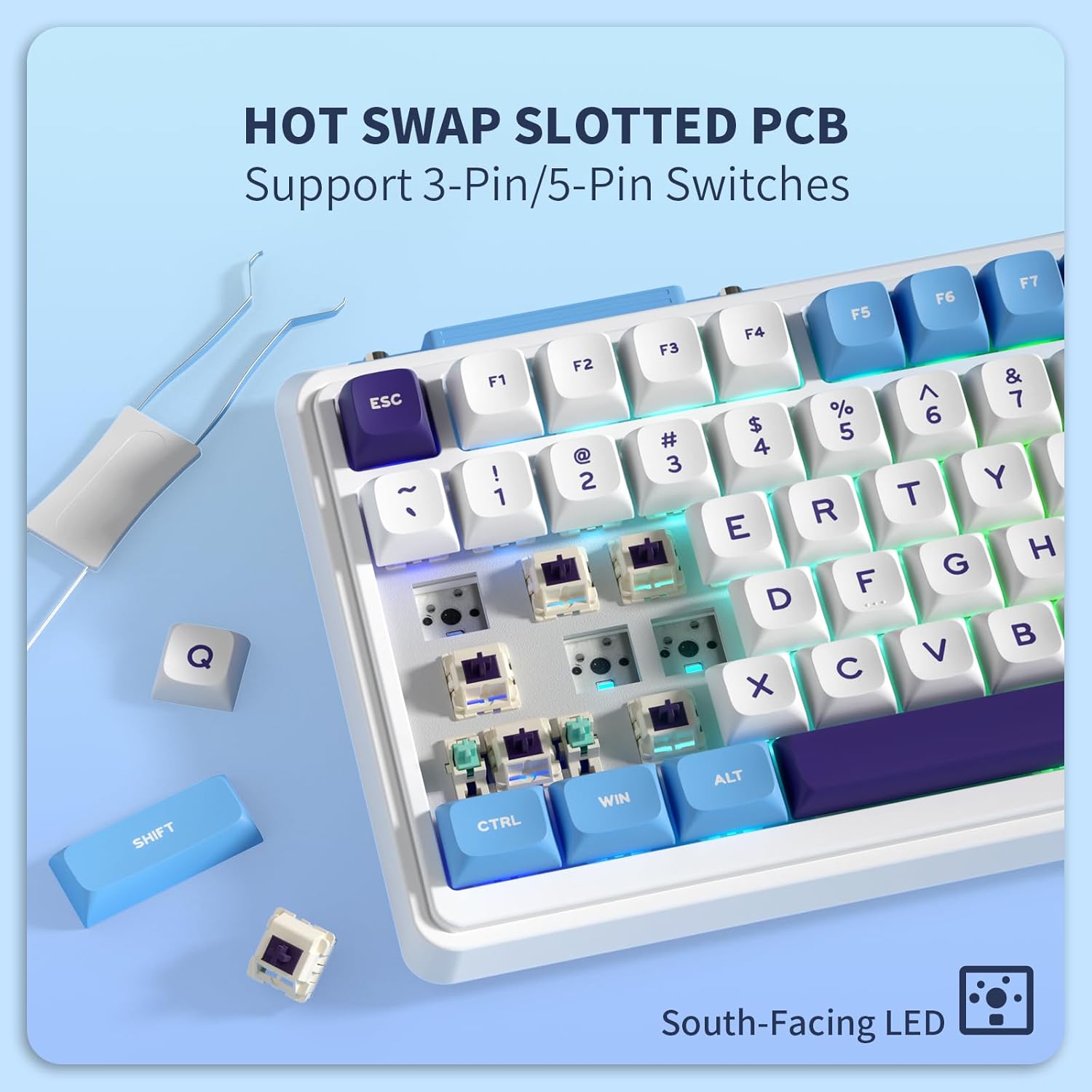
Imagem: Um close-up view of the K75 Lite keyboard's hot-swappable PCB, illustrating how switches can be easily removed and replaced using a switch puller, supporting both 3-pin and 5-pin switches.
2. Limpando o teclado
A limpeza regular ajuda a manter a aparência e a funcionalidade do teclado.
- Disconnect the keyboard from all devices before cleaning.
- Use um pano macio e sem fiapos dampened with a small amount of water or a mild cleaning solution to wipe down the keycaps and casing.
- Para remover poeira e detritos entre as teclas, use ar comprimido ou uma escova pequena.
- Evite usar produtos químicos agressivos ou materiais abrasivos.
Solução de problemas
If you encounter issues with your KZZI K75 Lite keyboard, please refer to the following common solutions:
- Teclado não responde:
- Certifique-se de que o teclado esteja carregado.
- Verifique a chave seletora do modo de conectividade (Com fio, 2.4G, BT) e certifique-se de que ela corresponde ao seu método de conexão.
- Para a rede 2.4G, certifique-se de que o dongle esteja firmemente conectado.
- For Bluetooth, re-pair the device or try a different Bluetooth channel (FN+Q/W/E).
- Tente conectar usando um cabo USB-C para descartar problemas com a conexão sem fio.
- Teclas não registradas ou digitadas duas vezes:
- This could indicate a faulty switch. Use the switch puller to replace the problematic switch with one of the backup switches provided.
- Certifique-se de que o interruptor esteja totalmente encaixado na placa de circuito impresso.
- RGB backlight not working or inconsistent:
- Verifique o nível da bateria; bateria fraca pode afetar o desempenho da luz de fundo.
- Cycle through backlight modes (FN + \|) and brightness levels (FN + ↑/↓).
- If using software, ensure settings are correctly applied.
- Conexão Bluetooth instável:
- Certifique-se de que nenhum outro dispositivo esteja interferindo no sinal Bluetooth.
- Aproxime-se do dispositivo conectado.
- Tente emparelhar o teclado novamente.
Especificações
Key technical specifications for the KZZI K75 Lite Wireless Mechanical Keyboard:
| Recurso | Detalhe |
|---|---|
| Modelo | K75 Lite |
| Dimensões (C x L x A) | 13.22 x 6.12 x 1.68 polegadas (335.8 x 155.5 x 42.7 mm) |
| Peso do item | 1.78 libras |
| Conectividade | Bluetooth 5.0, conexão sem fio de 2.4 GHz, conexão com fio USB-C |
| Bateria | Bateria de polímero de lítio de 3750 mAh (incluída) |
| Duração da bateria | Up to 200 hours (RGB off), 30 hours (RGB on) |
| Tipo de teclado | Teclado Mecânico Montado em Junta |
| Interruptores | Custom POM Linear Switches (Pre-lubed, Hot-Swappable 3/5-pin) |
| Keycaps | MDA Double-Shot PBT |
| Características especiais | RGB Backlit, Hot-Swappable, Rechargeable, 5-Layer Sound Padding |
| Dispositivos compatíveis | Notebook, PC, Tablet |

Image: A comprehensive diagram detailing various features of the K75 Lite keyboard, such as its 2-stage adjustable feet, MDA Double-Shot PBT keycaps, hot-swappable slotted PCB, south-facing RGB LEDs, well-tuned stabilizers, and pre-lubed switches, alongside its precise dimensions.

Image: An exploded diagram illustrating the internal construction of the K75 Lite keyboard, highlighting its gasket-mounted structure and the five layers of sound-dampening materials (Poron foam, IXPE switch pad, PET film, sound dampening foam, silicone dampener pad) designed for a soft typing feel and HIFI sound.
Garantia e Suporte
Informações de garantia
KZZI products are typically covered by a limited warranty against manufacturing defects. Please refer to the warranty card included in your package or visit the official KZZI webConsulte o site para obter os termos e condições específicos da garantia aplicáveis à sua região.
Suporte ao cliente
For technical assistance, troubleshooting not covered in this manual, or warranty claims, please contact KZZI customer support through their official website or the contact information provided with your product. When contacting support, please have your product model (K75 Lite) and purchase details ready.