1. Introdução
Thank you for choosing LOBKIN S16 Kids Bluetooth Headphones. These headphones are designed with children's safety and comfort in mind, featuring a volume limit of 94dB to protect young ears. Enjoy vibrant colorful LED lights, a comfortable over-ear design, and versatile connectivity options including Bluetooth 5.4 and a detachable AUX cable. The foldable design and included carrying case make them ideal for travel, school, and everyday use.

Image: LOBKIN S16 Kids Bluetooth Headphones in Pink Purple, showcasing o projeto geral.
2. O que está na caixa
Por favor, verifique o conteúdo da embalagem para garantir que todos os itens estejam presentes:
- 1 x LOBKIN S16 Kids Bluetooth Headphones
- Cabo auxiliar 1 x 3.5 mm
- 1 x cabo de carregamento USB
- 1 x Organiser with Cord (Cat-shaped carrying case)
- 1 x Instructions for Use (This manual)

Image: All items included in the LOBKIN S16 Kids Bluetooth Headphones package, including the headphones, cables, and carrying case.
3. Produto acabadoview
Familiarize yourself with the headphone's controls and features:

Imagem: Close-up view of the LOBKIN S16 Kids Bluetooth Headphones, highlighting the control buttons, charging port, and audio jack.
- Botão de aumentar o volume / próxima faixa: Pressione para aumentar o volume; pressione e segure para a próxima faixa.
- Botão de diminuir/diminuir o volume / faixa anterior: Pressione para diminuir o volume; pressione e segure para voltar à faixa anterior.
- Botão multifuncional (MFB): Ligar/Desligar, Reproduzir/Pausar, Atender/Encerrar chamada.
- Botão de controle de luz LED: Double-click to turn colorful LED lights on/off.
- Tipo-C Porta de Carregamento: Para carregar os fones de ouvido.
- Porta de áudio de 3.5 mm: Para conexão com fio usando o cabo AUX.
- Microfone: Built-in for calls and online communication.
- Luz indicadora: Exibe o status de energia, o modo de emparelhamento e o status de carregamento.
- Cat Ears with LED Lights: Decorative and functional colorful LED lights.
4. Configuração
4.1 Carregando os fones de ouvido
Antes da primeira utilização, carregue totalmente os fones de ouvido. Uma carga completa leva aproximadamente 1.5 horas.
- Connect the USB charging cable to the Type-C charging port on the headphones.
- Conecte a outra extremidade do cabo USB a uma fonte de alimentação USB compatível (por exemplo, porta USB do computador, adaptador de parede USB).
- The indicator light will show red during charging and turn off when fully charged.
4.2 Emparelhamento Bluetooth
Follow these steps to pair your LOBKIN S16 headphones with a Bluetooth-enabled device:
- Certifique-se de que os fones de ouvido estejam desligados.
- Press and hold the Multi-function Button (MFB) for approximately 3-5 seconds until the indicator light flashes red and blue alternately. This indicates pairing mode.
- No seu dispositivo (por exemplo, smartphone, tablet, laptop), ative o Bluetooth e procure por dispositivos disponíveis.
- Select "S16" from the list of found devices.
- Once successfully paired, the indicator light will flash blue slowly.
- If pairing fails, turn off the headphones and repeat the steps.

Image: Visual guide demonstrating Bluetooth 5.4 pairing with a mobile device for the LOBKIN S16 Kids Bluetooth Headphones.
4.3 Conexão com fio (modo AUX)
You can use the headphones with the included 3.5mm AUX cable for a wired connection, which does not require battery power.
- Plug one end of the 3.5mm AUX cable into the audio port on the headphones.
- Plug the other end of the 3.5mm AUX cable into the audio jack of your device.
- Os fones de ouvido mudarão automaticamente para o modo com fio.
5. Instruções de operação
5.1 Ligar/Desligar
- Ligar: Press and hold the Multi-function Button (MFB) for 3 seconds until the indicator light flashes blue.
- Desligar: Press and hold the Multi-function Button (MFB) for 3 seconds until the indicator light turns off.
5.2 Controle de volume
- Aumentar o volume: Pressione o botão Volume +.
- Diminuir o volume: Pressione o botão de diminuir o volume.
The LOBKIN S16 headphones feature a 94dB safe volume limit to protect children's hearing.
5.3 Reprodução de mídia
- Reproduzir/Pausar: Pressione o botão multifuncional (MFB) uma vez.
- Próxima faixa: Pressione e segure o botão Volume +.
- Faixa anterior: Pressione e segure o botão de diminuir o volume.
5.4 Gerenciamento de Chamadas
- Atender/encerrar chamada: Pressione o botão multifuncional (MFB) uma vez.
- Rejeitar chamada: Long press the Multi-function Button (MFB) for 2 seconds.
Controle de luzes LED 5.5
- Ligar/desligar as luzes: Double-click the LED Light Control Button.
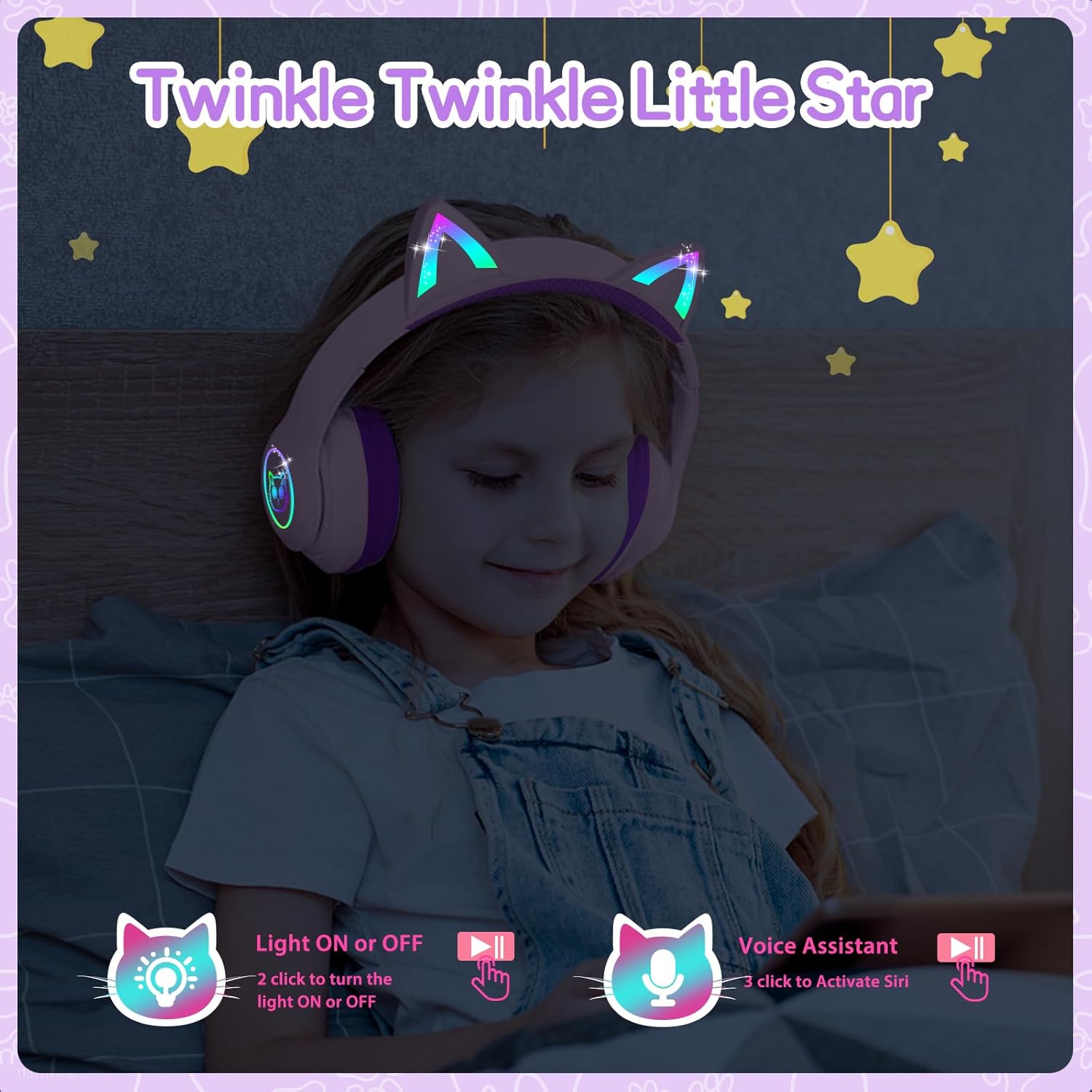
Image: A child wearing the LOBKIN S16 Kids Bluetooth Headphones, showcasing the colorful LED lights on the cat ears and earcups.
5.6 Assistente de Voz
- Ativar o assistente de voz (Siri): Triple-click the LED Light Control Button.
6. Manutenção
To ensure the longevity and optimal performance of your LOBKIN S16 headphones, follow these maintenance guidelines:
- Limpeza: Use um pano macio e seco para limpar os fones de ouvido. Não use produtos de limpeza abrasivos ou solventes.
- Armazenar: When not in use, store the headphones in the provided cat-shaped carrying case to protect them from dust, scratches, and accidental damage.
- Temperatura: Evite expor os fones de ouvido a temperaturas extremas (quentes ou frias) ou alta umidade.
- Resistência à água: These headphones are not water resistant. Avoid contact with liquids.
- Cuidados com os cabos: Handle the charging and AUX cables gently to prevent damage.
7. Solução De Problemas
Caso encontre algum problema com seus fones de ouvido, consulte os problemas e soluções comuns a seguir:
| Problema | Solução |
|---|---|
| Meus fones de ouvido não ligam. | Ensure the headphones are fully charged. Press and hold the MFB for 3 seconds. |
| Não é possível emparelhar via Bluetooth. | Ensure headphones are in pairing mode (red and blue flashing light). Turn off and restart both headphones and the device. Make sure the device is within 10 meters. |
| Sem som no modo Bluetooth | Verifique o volume do dispositivo e o volume dos fones de ouvido. Certifique-se de que os fones de ouvido estejam emparelhados corretamente. Tente emparelhar novamente. |
| No sound in wired (AUX) mode | Ensure the AUX cable is securely plugged into both the headphones and the device. Check device volume. |
| Luzes LED não funcionam | Double-click the LED Light Control Button to toggle lights on/off. Ensure headphones are charged. |
| Microfone não funciona | Ensure headphones are connected via Bluetooth. Check device settings to ensure the headphone microphone is selected as the input device. |
8. Especificações
| Recurso | Detalhe |
|---|---|
| Nome do modelo | S16 |
| Tecnologia de Conectividade | Com fio, sem fio (Bluetooth 5.4) |
| Alcance Bluetooth | Até 10 metros |
| Duração da bateria | 50 Hours (lights off) |
| Tempo de carregamento | 1.5 horas |
| Limite de volume seguro | 94 dB |
| Formato do fone de ouvido | Sobre a orelha |
| Material | Acrilonitrila Butadieno Estireno (ABS) |
| Peso do item | 240 gramas (8.5 onças) |
| Dimensões do produto | 6.3 x 3.1 x 7.6 polegadas |
| Características especiais | Colorful LED Lights, Microphone, Adjustable Headband, Detachable 3.5mm Audio Cable |
9. Garantia e suporte
LOBKIN provides an 18-month product quality service for these headphones. If you encounter any issues with the product itself during this period, please contact LOBKIN customer support for free repair or replacement services.
For further assistance or inquiries, please visit the LOBKIN store on Amazon or contact their customer service directly.
LOBKIN-US Customer Service: Contatar Vendedor
Video: Official LOBKIN S16 Cute Cat Ear Headphones product video, demonstrating features and design.
Video: Official LOBKIN video showcasing Kids Wireless Headphones with Bag, highlighting their suitability as gifts.