
Introdução
This manual provides detailed instructions for the setup, operation, maintenance, and troubleshooting of your ASTGMI Kids Camera Instant Print. Please read this manual thoroughly before using the camera to ensure proper function and longevity of the device.
The ASTGMI Kids Camera is designed to capture and instantly print memories, offering both digital photography and inkless printing capabilities. It features a 12-megapixel dual lens, 1080P HD video recording, and various creative functions suitable for children aged 3-12 years.
Conteúdo da embalagem
- 1 x ASTGMI Kids Instant Camera (Blue)
- 3 rolos de papel para impressão
- 1 x 32GB Memory Card (pre-installed)
- 1 x cabo de carregamento USB
- 5 canetas coloridas
- 1 x Cute Cartoon Stickers (randomized)
- 1 x Cordão de pescoço
- 1 x Manual do Usuário (este documento)
Note: The camera received may not be fully charged. The memory card is already in the camera.
Guia de configuração
1. Carregamento inicial
Before first use, fully charge the camera using the provided USB charging cable. Connect the cable to the camera's charging port and a compatible USB power source (e.g., computer USB port, wall adapter). The charging indicator will show the charging status.
2. Cartão de memória
The 32GB memory card is pre-installed in the camera. Ensure it is securely seated before operation. Do not insert or remove the card while the camera is in use (video/photo/music/playback mode) to prevent data corruption.
3. Installing Print Paper
Follow these steps to correctly install the thermal print paper:
- Open the paper compartment door.
- Insert a roll of print paper into the slot, ensuring the paper feeds in the correct direction as marked on the camera. The paper should feed from the bottom of the roll, over the top, and out towards the printing slot.
- Close the paper compartment door firmly until it clicks into place. Ensure the paper is flat to avoid jams.
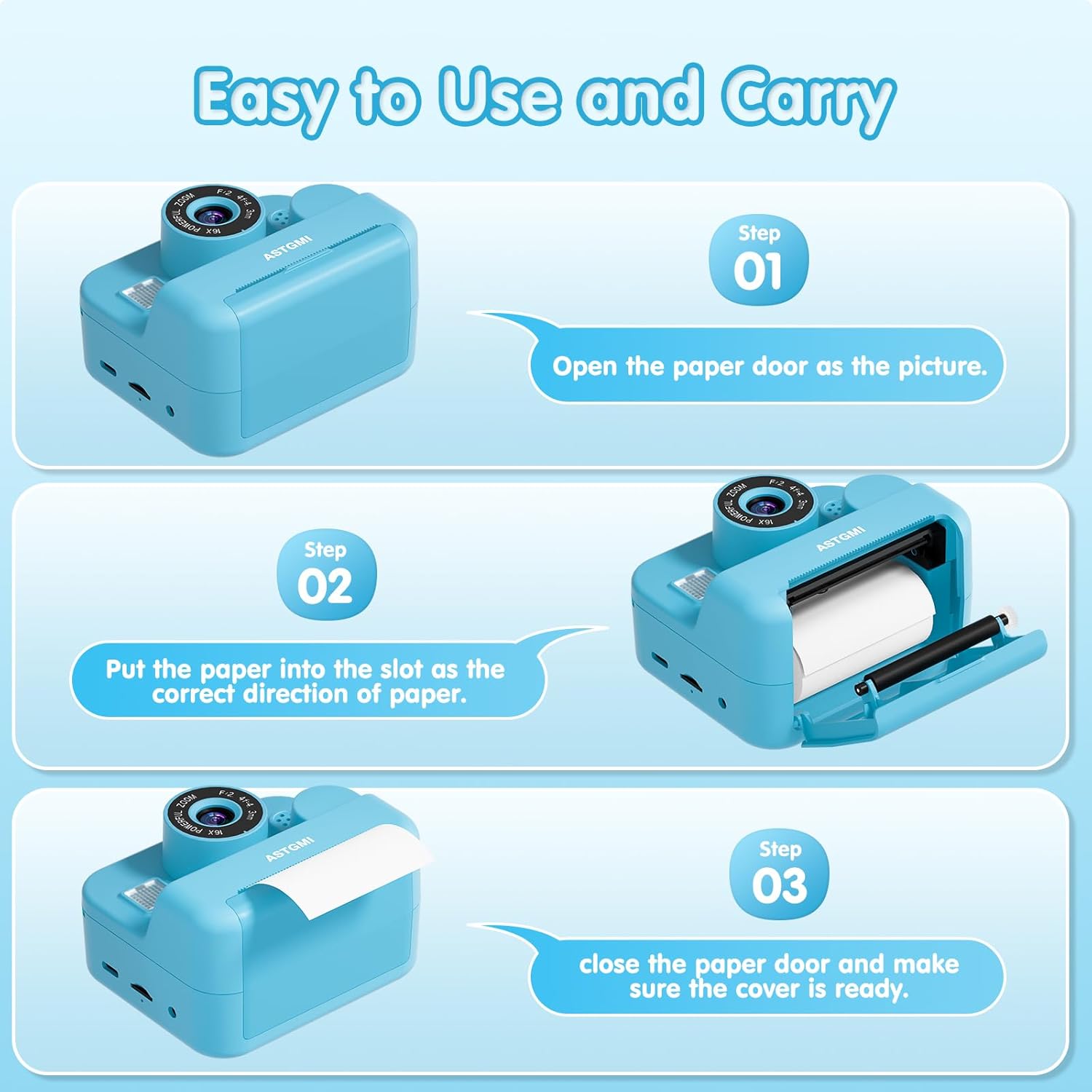
Image: Visual guide demonstrating the three steps for installing the print paper into the camera's designated slot.
Instruções de operação
1. Ligar/desligar
Press and hold the power button to turn the camera on or off. The camera features a simple interface designed for ease of use by children.
2. Tirando fotos
The camera is equipped with 12-megapixel front and rear dual lenses. Select the camera mode and press the shutter button to capture photos. You can take color photos and selfies.
3. Gravação de vídeo
Switch to video mode to record 1080P HD videos. Press the shutter button to start and stop recording.
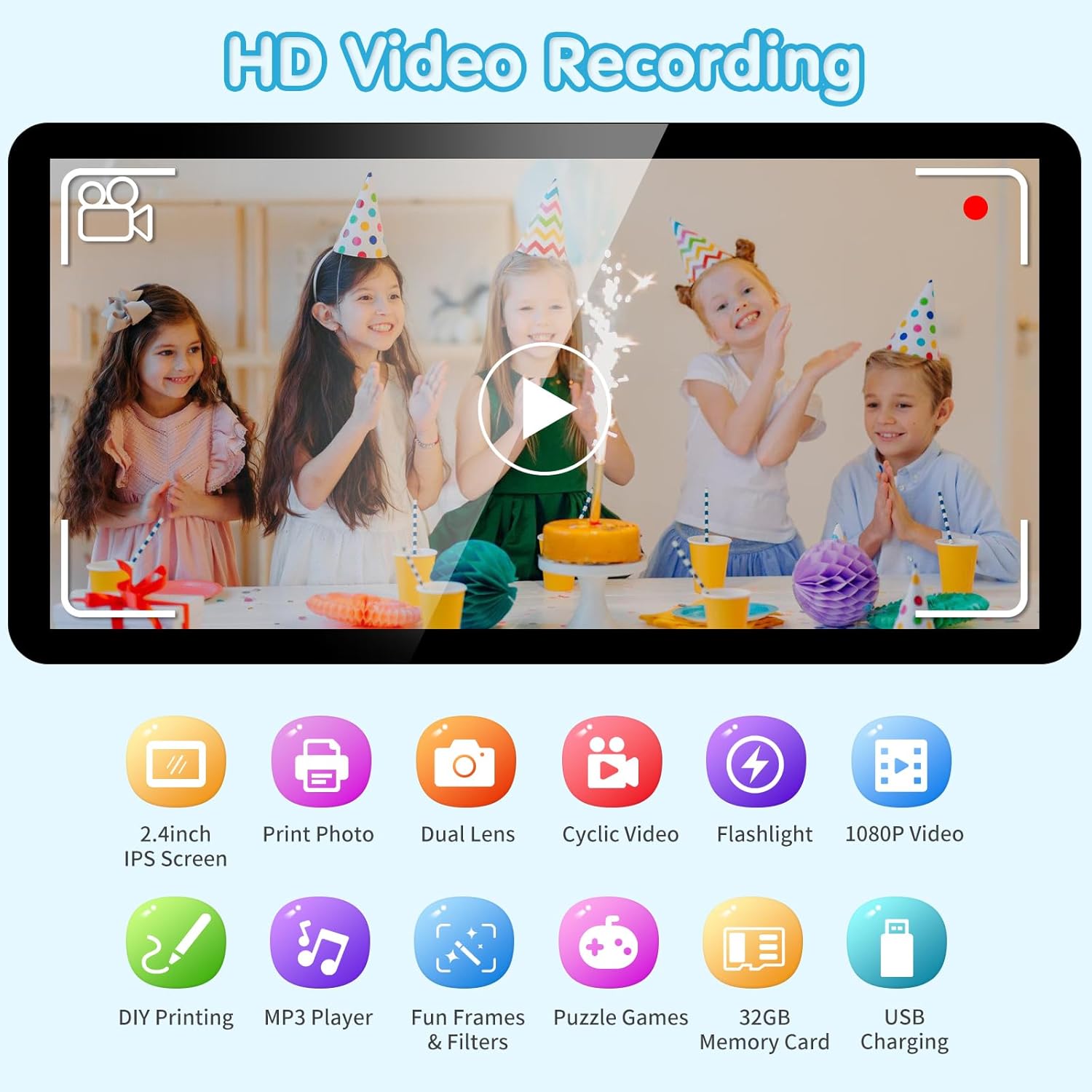
Image: The camera's screen displaying HD video recording mode, alongside icons representing features like 2.4-inch IPS screen, print photo, dual lens, cyclic video, flashlight, and 1080P video.
4. Impressão instantânea
The camera uses advanced inkless printing technology to print black and white photos instantly. You can choose between two print modes (grayscale and dot matrix) and adjust the printing density (0-4) to achieve different results.

Image: Illustration of the two photo modes: black and white instant print with adjustable densities and print modes, and color digital photo display on the camera screen.
5. Recursos Criativos
- Filtros e molduras para fotos: The camera includes 8 filters and 10 photo frames to add fun and creativity to your pictures.
- Explosão de tiro: Capture a series of photos quickly.
- Lapso de tempo: Set a delay for photos (2S, 5S, 10S).
- Reprodução: View captured photos and videos on the 2.4-inch IPS screen.
- Zoom digital: The camera supports up to 16X digital zoom.

Imagem: Examples of funny frames and filters that can be applied to photos, the camera's music player interface, and a visual representation of the 16X digital zoom capability.
6. Jogos e Música
The camera includes 5 puzzle games for entertainment. It also functions as an MP3 player; you can upload music files to the memory card for playback.
7. DIY Coloring
Use the included colored pens and stickers to decorate your instant prints, fostering creativity and personalization.

Image: A child engaged in coloring an instant print photo with the provided colored pens, demonstrating the DIY coloring feature.
Manutenção
- Limpeza: Use a soft, dry cloth to clean the camera body. For the lens, use a specialized lens cleaning cloth. Avoid using liquid cleaners directly on the camera.
- Armazenar: Guarde a câmera em um local fresco e seco, longe da luz solar direta e de temperaturas extremas.
- Exposição à água: Esta camera é não water resistant. Do not use it in water or wet environments to prevent damage.
- Duração da bateria: A full charge provides approximately 3.5 hours of continuous usage.
Solução de problemas
| Problema | Possível causa | Solução |
|---|---|---|
| Screen gets stuck/Camera unresponsive | Memory card full or system error. | Restart the camera by holding the restart button with a card pin for a few seconds. Check memory card storage and delete unnecessary files. |
| Paper jams during printing | Paper not placed flat or incorrect direction. | Ensure printing paper is placed flat and in the correct direction. Do not use force when replacing paper. |
| A câmera não liga. | Bateria fraca. | Carregue totalmente a câmera usando o cabo USB fornecido. |
| Qualidade de impressão ruim | Incorrect print density setting or low battery. | Adjust print density settings (0-4). Ensure camera is sufficiently charged. |
Especificações
| Recurso | Detalhe |
|---|---|
| Nome do modelo | D500 |
| Resolução Estática Efetiva | 12 MP |
| Resolução de vídeo | 1080P HD |
| Mostrar | Tela IPS de 2.4 polegadas |
| Armazenar | Cartão de memória de 32 GB (incluído) |
| Tecnologia de impressão | Impressão térmica sem tinta |
| Tipo de Bateria | Polímero de lítio (incluído) |
| Tempo de uso contínuo | Aproximadamente 3.5 horas (carga completa) |
| Tipo de zoom | Optical Zoom (16x digital zoom) |
| Nível de resistência à água | Não resistente à água |
| Dimensões da embalagem | 14.4 x 12.9 x 6.6 cm |
| Peso da embalagem | 0.42 quilos |
Garantia e Suporte
For warranty information or technical support, please refer to the contact details provided with your purchase documentation or visit the official ASTGMI webOs termos específicos da garantia podem variar conforme a região e o revendedor.