
1. Introdução
This manual provides essential information for the proper setup, operation, and maintenance of your sibolan 18.5-inch 1080P FHD Portable Monitor. This monitor is designed to extend your visual workspace, offering a vibrant 1080P Full HD display with a 100Hz refresh rate, suitable for various applications including work, entertainment, and gaming. Its portable design and versatile connectivity options make it an ideal companion for laptops, PCs, smartphones, and gaming consoles.
2. Conteúdo da embalagem
Verifique se todos os itens listados abaixo estão incluídos em seu pacote. Caso algum item esteja faltando ou danificado, entre em contato com o suporte ao cliente.
- sibolan 18.5-inch Portable Monitor
- Manual do usuário
- Adaptador de energia
- Cabo USB-C para USB-C (x2)
- Cabo HDMI

Figura 2.1: Conteúdo da embalagem do produto.
3. Produto acabadoview
3.1 Recursos do monitor
- Mostrar: 18.5-inch Full HD (1920x1080) IPS Panel with 72% sRGB color gamut.
- Taxa de atualização: 100Hz para imagens fluidas.
- Aprimoramentos visuais: HDR support, Low Blue Light, Flicker-Free technology.
- Áudio: Integrated dual speakers.
- Ficar em pé: Built-in 0-180° adjustable kickstand.
- Montagem: 75x75mm VESA wall mount compatible.
- Projeto: Lightweight aluminum alloy construction.
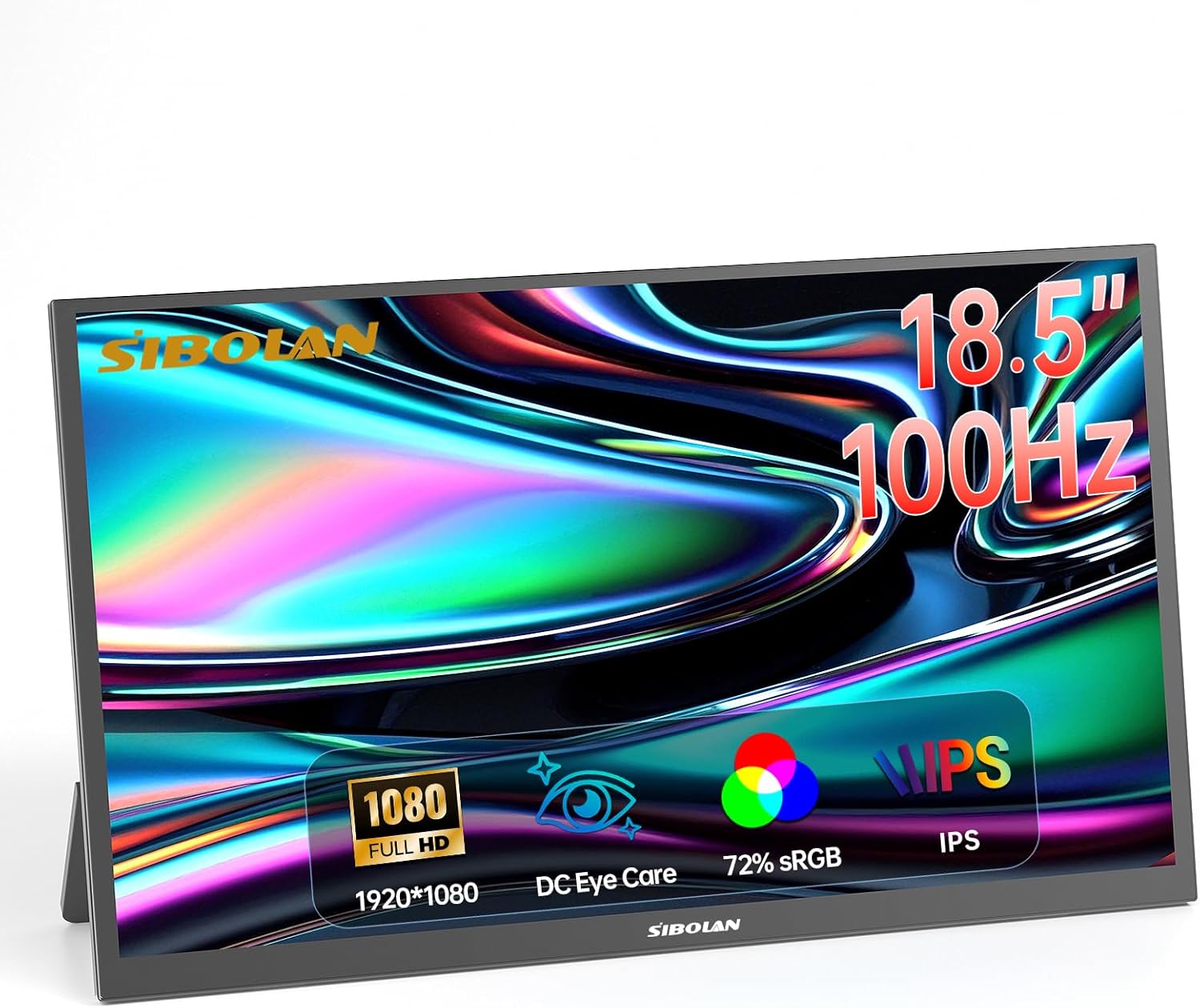
Figura 3.1: Frente view of the sibolan portable monitor.

Figure 3.2: Monitor dimensions and adjustable stand.
3.2 Portas e Controles
The monitor features a variety of ports for connectivity and controls for easy navigation:
- Miniporta HDMI: For video input from devices like PCs, game consoles, and cameras.
- Portas USB-C (x2): Full-featured USB-C ports for video, audio, and power delivery with compatible devices. One port can also be used for power input only.
- Conector de áudio de 3.5 mm: Para conectar fones de ouvido ou alto-falantes externos.
- Botão liga / desliga: Para ligar ou desligar o monitor.
- Roda de controle: Used to navigate the On-Screen Display (OSD) menu and adjust settings like brightness, volume, and input source.

Figure 3.3: Monitor ports and controls layout.

Figura 3.4: Lateral view de portas de monitor.
4. Configuração
4.1 Colocação Inicial
Place the monitor on a stable, flat surface. The built-in kickstand can be adjusted from 0 to 180 degrees to achieve your desired viewing angle. For alternative mounting, the monitor supports a 75x75mm VESA mount.

Figure 4.1: VESA mounting points on the monitor.
4.2 Conexão de Energia
Connect the provided power adapter to one of the USB-C ports on the monitor and then to a power outlet. The monitor requires external power to operate.
5. Instruções de operação
5.1 Connecting to a Laptop or PC
The monitor offers flexible connectivity options for laptops and PCs:
- Using a Single USB-C Cable (Full-Featured USB-C): If your laptop or PC has a full-featured USB-C port that supports video output and power delivery, you can connect it to the monitor using a single USB-C to USB-C cable. This cable will transmit video, audio, and power, simplifying your setup.

Figure 5.1: Connecting to a laptop via USB-C.
- Using HDMI and Power Cable: If your device does not have a full-featured USB-C port, connect the monitor to your device using the provided HDMI cable for video and audio. Additionally, connect the monitor to a power source using the power adapter and a USB-C cable.

Figure 5.2: Connecting to a laptop via HDMI and power.
5.2 Connecting to a Smartphone
For compatible smartphones with USB-C video output capabilities, connect your phone to the monitor using a USB-C to USB-C cable. The monitor will display your phone's screen, often enabling a desktop-like experience or screen mirroring.
Video 5.1: Demonstration of connecting a smartphone to the portable monitor via USB-C, showcasing screen mirroring and desktop mode functionality.
5.3 Connecting to a Game Console
Connect your game console (e.g., PS4/5, Xbox, Nintendo Switch) to the monitor using an HDMI cable for video and audio. Ensure the monitor is also connected to a power source. This setup provides an expanded display for an immersive gaming experience.

Figure 5.3: Connecting to a game console.
6. Configurações de exibição
The monitor's settings can be adjusted using the Control Wheel. Press the wheel to access the On-Screen Display (OSD) menu, and roll it to navigate options and adjust values.
6.1 Brilho e Contraste
Adjust the brightness and contrast levels to suit your viewing environment and preferences. These settings are typically found under the 'Picture' or 'Display' menu in the OSD.
6.2 HDR Mode
The monitor supports High Dynamic Range (HDR). You can enable HDR mode through the OSD menu to enhance image brightness, contrast, and color depth, providing a more realistic visual experience for compatible content.
6.3 Low Blue Light
To reduce eye strain during prolonged use, especially in low-light conditions, activate the Low Blue Light feature from the OSD menu. This mode filters out harmful blue light emissions without significantly affecting color accuracy.

Figure 6.1: Low Blue Light feature for eye protection.
7. Manutenção
7.1 Limpando o Monitor
Para limpar a tela do monitor, limpe-a suavemente com um pano macio e sem fiapos. Para manchas persistentes, esfregue levemente.ampen the cloth with water or a mild, non-abrasive screen cleaner. Avoid using harsh chemicals, alcohol, or ammonia-based cleaners, as these can damage the screen surface. Do not spray liquid directly onto the screen.
7.2 Cuidados Gerais
Keep the monitor away from direct sunlight, excessive heat, and moisture. Avoid placing heavy objects on the monitor or applying pressure to the screen. When transporting the monitor, use appropriate protective packaging to prevent damage.
8. Solução De Problemas
Se você encontrar problemas com seu monitor, consulte as seguintes soluções comuns:
| Problema | Possível causa | Solução |
|---|---|---|
| Sem energia/O monitor não liga | Adaptador de energia não está conectado ou está com defeito. | Ensure the power adapter is securely connected to the monitor and a working power outlet. Try a different outlet. |
| Sem sinal/Tela em branco | Incorrect input source selected; cable not connected properly; device not outputting signal. | Check all cable connections (USB-C, HDMI). Use the Control Wheel to select the correct input source in the OSD menu. Ensure your connected device is powered on and configured to output video. |
| Tela piscando | Loose cable connection; incompatible display settings. | Secure all cable connections. Adjust the refresh rate or resolution on your connected device. |
| Não há som nos alto-falantes | Volume too low or muted; incorrect audio output selected on device. | Increase monitor volume using the Control Wheel. Check audio settings on your connected device to ensure audio is routed to the monitor. |
9. Especificações
| Recurso | Detalhe |
|---|---|
| Marca | sibolan |
| Número do modelo | 185 BTS |
| Tamanho da tela | 18.5 polegadas |
| Resolução | FHD 1080p (1920 x 1080 pixels) |
| Taxa de atualização | 100 Hz |
| Tipo de exibição | LCD IPS |
| Proporção da tela | 16:9 |
| Viewângulo de engate | 178 graus |
| Tempo de resposta | 5 milissegundos |
| Tecnologia de Conectividade | HDMI, USB-C |
| Portos | 1x Mini HDMI, 2x USB-C, 1x 3.5mm Audio Jack |
| Dimensões do item (P x L x A) | 16.73" x 9.84" x 0.78" |
| Peso do item | 2.06 quilos (aprox. 4.54 libras) |
| Características adicionais | Blue Light Filter, Flicker-Free, High Dynamic Range (HDR), Portable, Built-in Kickstand, VESA Mount (75x75mm) |
| Dispositivos compatíveis | Laptops, PCs, Phones, Macs, PS4/5, Xbox, Switch |
10. Garantia e Suporte
10.1 Garantia do Fabricante
This sibolan portable monitor is covered by a Garantia do fabricante de 1 ano from the date of purchase. This warranty covers defects in materials and workmanship under normal use. It does not cover damage caused by misuse, accidents, unauthorized modifications, or external causes.
10.2 Suporte ao cliente
For technical assistance, warranty claims, or any questions regarding your sibolan portable monitor, please contact the manufacturer's customer support. Refer to the contact information provided on the product packaging or the official sibolan website.