
1. Introdução
Thank you for choosing the BTQILEYOO Q28-2X Motorcycle Helmet Bluetooth Headset with integrated camera. This device combines communication, entertainment, and recording capabilities for an enhanced riding experience. Please read this manual thoroughly before use to ensure proper operation and safety.
2. Informações de segurança
Para sua segurança e para evitar danos ao dispositivo, siga as seguintes orientações:
- Handle the battery with care. Avoid exposing the device to extreme temperatures (both high and low).
- Be cautious when operating near other wireless devices to prevent potential interference.
- Certifique-se de que o dispositivo esteja firmemente preso ao seu capacete antes de andar de bicicleta.
- Não tente desmontar ou modificar o dispositivo, pois isso anulará a garantia e poderá causar danos ou ferimentos.
- Always prioritize road safety. Do not operate device functions that distract you from riding.
3. Conteúdo da embalagem
Verifique se todos os itens estão presentes no seu pacote:
- BTQILEYOO Q28-2X Helmet Headset Unit
- Cartão TF de 32 GB (pré-instalado ou vendido separadamente)
- Helmet Speakers with Microphone
- Mounting Bracket (Clip-on and Adhesive options)
- Cabo de carregamento USB Tipo-C
- Manual do usuário
4. Produto acabadoview e Características
The Q28-2X unit integrates several key functionalities:

Figure 1: BTQILEYOO Q28-2X Helmet Headset Main Unit
4.1. Integrated 1080P HD Camera
The Q28-2X features a 1080P 120° ultra-wide-angle lens, capable of capturing clear and detailed high-definition videos at 30 frames per second (FPS) and crisp 2MP images. It supports up to 256GB TF cards for extended recording, with a complimentary 32GB TF card included.
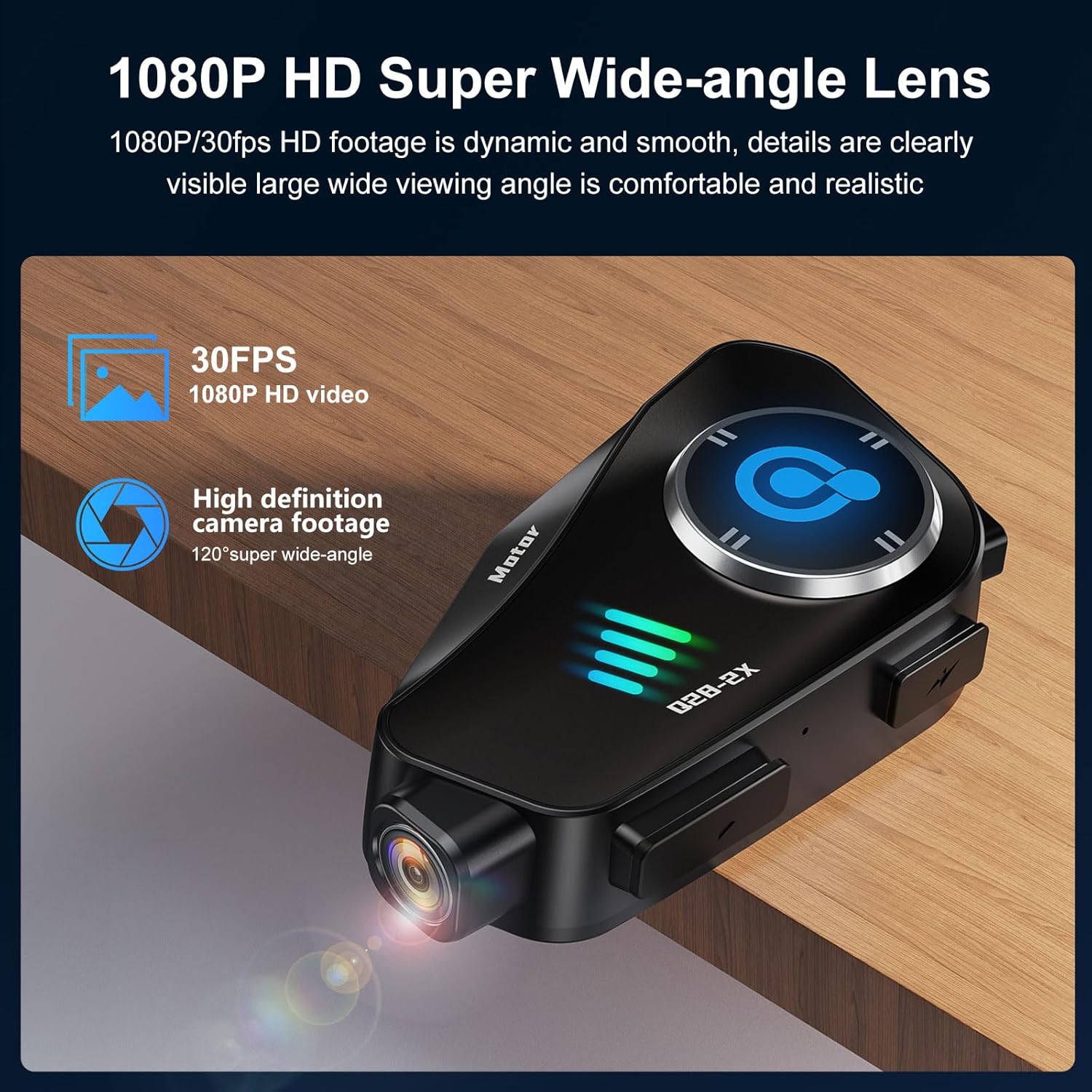
Figure 2: 1080P HD Super Wide-angle Lens for clear video capture.
4.2. Advanced Noise Reduction
Equipped with a high-sensitivity microphone and combining CVC algorithm with DSP hardware, the device effectively reduces environmental noise, ensuring clear human voice transmission during calls and recordings.

Figure 3: Intelligent Noise Reduction for clear communication in noisy environments.
4.3. Bateria de longa duração e carregamento rápido
The built-in 1500mAh battery provides approximately 50 hours of music playback and 6.5 hours of continuous video recording. It boasts a standby time of up to 18 months and supports Type-C fast charging. Battery status can be displayed on your connected phone.

Figure 4: Extended battery life for music and video recording.
4.4. Classificação de impermeabilidade IP66
The Q28-2X is IP66 waterproof, designed to withstand various weather conditions including dust, rain, storms, and snow, ensuring reliable performance even in challenging outdoor environments.
4.5. Intercom and Connectivity
Supports dual 1000m intercom functionality and is compatible with other third-party wireless headset intercom systems. It features Bluetooth 5.3 for stable audio streaming and Wi-Fi hotspot for direct phone connectivity to view e baixe o foo gravadotage.
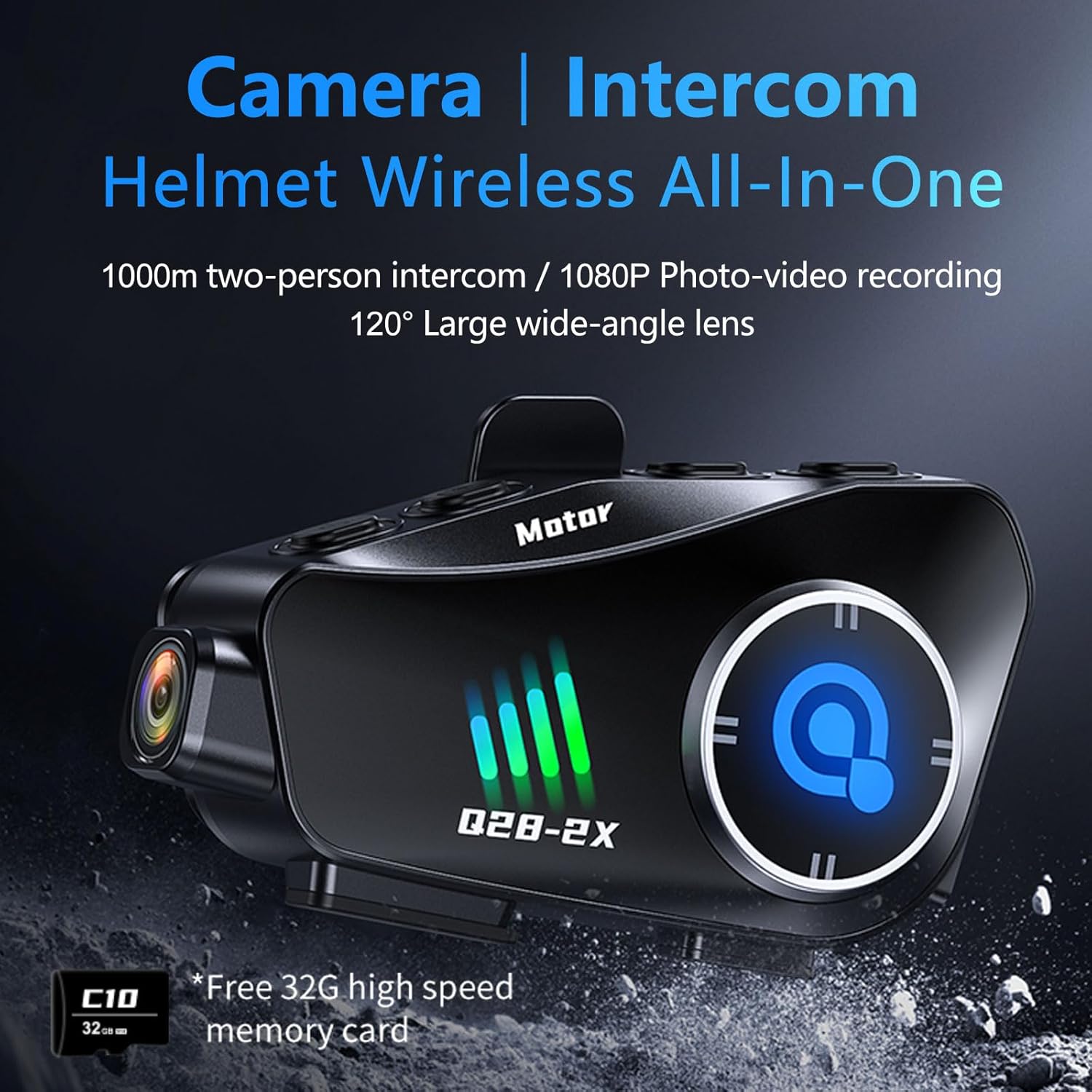
Figure 5: All-in-one Camera and Intercom system.

Figure 6: Wi-Fi Hotspot for seamless phone connectivity and media management.
4.6. 360° Body Adjustment
The camera body can be rotated 360 degrees, allowing for flexible adjustment of the shooting angle to capture panoramic video or adapt to horizontal/vertical shooting preferences.

Figure 7: Helmet Exclusive HD Recorder with 360° rotation capability.
5. Configuração e instalação
5.1. Montagem da Unidade
The Q28-2X unit can be mounted on the side of your helmet using either the clip-on bracket or the adhesive mount. Ensure the mount is securely fastened and the unit clicks firmly into place. The mount allows for adjustment to optimize the camera's viewângulo de engate.
5.2. Instalação de alto-falantes e microfones
Install the speakers inside your helmet's ear pockets. Route the microphone to a position near your mouth for optimal voice pickup. Ensure wires are tucked away neatly to avoid discomfort or interference.
5.3. Carregamento inicial
Before first use, fully charge the device using the provided USB Type-C cable. Connect the cable to the charging port on the unit and a compatible USB power source.
6. Instruções de operação

Figure 8: Function Buttons and their corresponding actions.
6.1. Ligar/desligar
To power on the device, press and hold the main power button (usually the central button or indicated as 'Motor' on the unit) until the indicator lights illuminate. To power off, press and hold the same button until the lights turn off.
6.2. Conectividade Bluetooth
- Certifique-se de que o Bluetooth esteja ativado em seu smartphone.
- On your phone, search for available Bluetooth devices. The device will appear as "Q28".
- Select "Q28" to pair. Once paired, you can stream music, make calls, and receive GPS voice prompts.

Figure 9: Incoming calls are automatically answered for convenience.
6.3. Operação da câmera
The camera has a separate power button. Press the camera power button to turn it on/off. Once on, press the record button to start/stop video recording. A short press of the photo button will capture a still image.
6.4. Wi-Fi Hotspot and App Usage
Activate the Wi-Fi hotspot on the device (refer to the function button diagram). Connect your smartphone to this Wi-Fi network. Download the dedicated app (check the manual for QR code or app store name). Through the app, you can:
- View real-time camera feed.
- Playback recorded videos and photos.
- Download media files para o seu telefone.
- Adjust camera settings (resolution, loop recording, etc.).
6.5. Função de intercomunicação
Refer to the specific intercom pairing instructions in the quick start guide for connecting with another Q28-2X unit or compatible third-party intercoms. The intercom button on the unit initiates and ends intercom conversations.
7. Manutenção
7.1. Limpeza
Limpe a unidade com um pano macio, damp cloth. Do not use harsh chemicals or abrasive cleaners. Ensure all ports are dry before charging.
7.2. TF Card Management
Regularly format the TF card to maintain optimal recording performance and prevent data corruption. This can typically be done through the companion app's settings. Back up important footage antes da formatação.
7.3. Cuidados com a bateria
Para prolongar a vida útil da bateria, evite descarregar completamente o dispositivo com frequência. Guarde o dispositivo em local fresco e seco quando não estiver em uso por longos períodos.
8. Solução De Problemas
- Dispositivo não liga: Verifique se a bateria está carregada. Conecte a uma fonte de energia e tente novamente.
- Problemas de emparelhamento Bluetooth: Ensure the device is in pairing mode. Turn off and on your phone's Bluetooth. Forget previous pairings and try again. Confirm you are connecting to "Q28".
- No audio from speakers: Check speaker connections to the main unit. Ensure volume is not muted on the device or your phone.
- Camera not recording/saving: Ensure a TF card is inserted and has sufficient free space. Format the TF card if issues persist.
- App display issues (e.g., untranslated text): While the device unit supports English, some parts of the companion app may not be fully translated. Refer to the manual's diagrams and common icons for navigation.
- Intercom not connecting: Ensure both units are within range and in intercom pairing mode. Refer to the specific pairing sequence in the quick start guide.
9. Especificações
| Recurso | Especificação |
|---|---|
| Modelo | Q28-2X |
| Resolução da câmera | 1080P HD (1920*1080) @ 30FPS |
| Ângulo da lente | Ângulo amplo de 120° |
| Resolução da foto | 2MP |
| Capacidade da bateria | 1500mAh |
| Tempo de reprodução de música | Até 50 horas |
| Tempo de Gravação de Vídeo | Até 6.5 horas |
| Tempo de espera | Até 18 meses |
| Porta de carregamento | USB Tipo C |
| Classificação à prova d'água | IP66 |
| Versão Bluetooth | 5.3 |
| Faixa de intercomunicação | Up to 1000m (dual intercom) |
| Cartão TF compatível | Até 256 GB |
| Peso do item | 11.5 onças |
| Material | Alumínio |
10. Garantia e Suporte
For warranty information and technical support, please refer to the documentation provided with your purchase or contact BTQILEYOO customer service directly. Keep your proof of purchase for warranty claims.