
1. Produto acabadoview
The Vieta Pro VM-BS1000WH is a portable, battery-powered Bluetooth speaker designed for high-quality audio playback. Its elegant design allows it to integrate seamlessly into various environments, while its robust features make it suitable for both indoor and outdoor use.
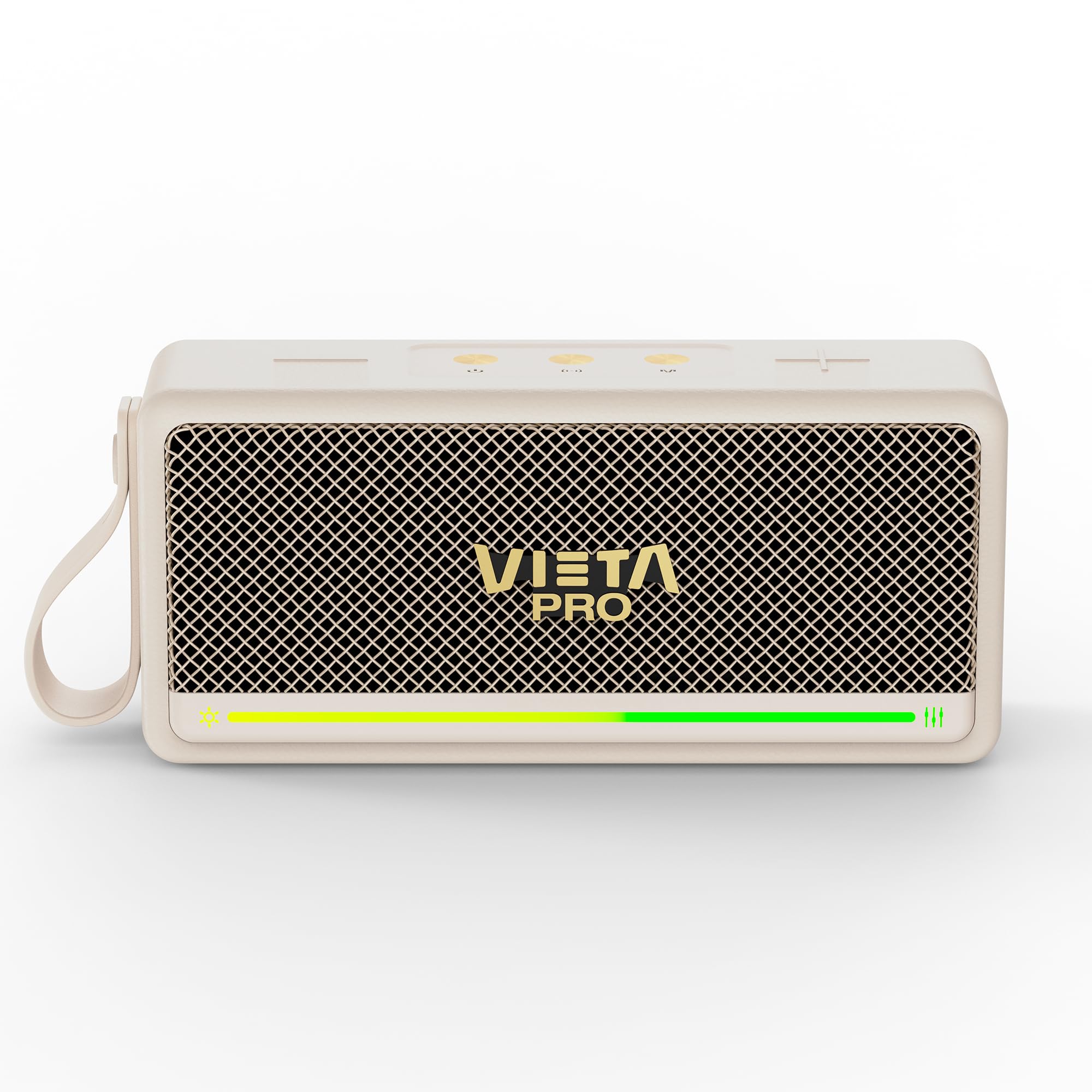
Figura 1: Frente view of the Vieta Pro VM-BS1000WH Portable Bluetooth Speaker.
2. Principais características
- Bluetooth 5.3: Advanced wireless technology for fast and stable connections.
- Modo TWS (True Wireless Stereo): Enables a true wireless stereo sound experience for immersive listening.
- Resistência à água IPX7: Certified to withstand splashes and brief immersion in water.
- Leitor USB: Allows direct music playback from a USB drive.
- Duração da bateria de 10 horas: Provides extended use without frequent recharging.
- Shock-resistant design: Enhanced durability for active lifestyles.
- Controle de toque: Intuitive control method for ease of use.
3. Guia de configuração
3.1. Carregando o alto-falante
Before initial use, fully charge the speaker. Connect the provided USB charging cable to the speaker's charging port and a compatible USB power adapter (not included). The charging indicator light will illuminate during charging and turn off when fully charged. A full charge provides up to 10 hours of playback.
3.2. Ligar / desligar
To power on the speaker, press and hold the power button located on the control panel until you hear an audible prompt and the indicator light turns on. To power off, press and hold the power button again until the indicator light turns off.

Figura 2: Lateral view of the speaker, highlighting the control panel and ports.
4. Instruções de operação
4.1. Emparelhamento Bluetooth
- Certifique-se de que a caixa de som esteja ligada e no modo de emparelhamento Bluetooth (indicado por um LED piscando).
- No seu dispositivo (smartphone, tablet, laptop), ative o Bluetooth e procure por dispositivos disponíveis.
- Select "Vieta Pro VM-BS1000WH" from the list of devices.
- Once paired, the speaker will emit an audible confirmation, and the LED indicator will become solid.
4.2. Modo TWS (True Wireless Stereo)
To achieve a true wireless stereo experience, you can pair two VM-BS1000WH speakers together:
- Certifique-se de que ambas as caixas de som estejam ligadas e não estejam conectadas a nenhum outro dispositivo Bluetooth.
- On one speaker, press and hold the TWS button (refer to the control panel diagram) until you hear a pairing tone.
- The two speakers will automatically connect to each other. Once connected, one speaker will act as the master and the other as the slave.
- Now, connect your device to the master speaker via Bluetooth as described in section 4.1. Audio will play in stereo through both speakers.
4.3. Reprodução USB
Insira um pen drive contendo arquivos de áudio MP3. files into the USB port on the speaker. The speaker will automatically detect the USB drive and begin playing music. Use the playback controls to navigate tracks.
4.4. Volume and Playback Control
The speaker features touch controls for volume adjustment and music playback:
- Aumentar o volume: Toque no botão '+'.
- Volume baixo: Toque no botão '-'.
- Reproduzir/Pausar: Toque no botão Reproduzir/Pausar.
- Próxima faixa: Pressione e mantenha pressionado o botão '+'.
- Faixa anterior: Pressione e mantenha pressionado o botão '-'.
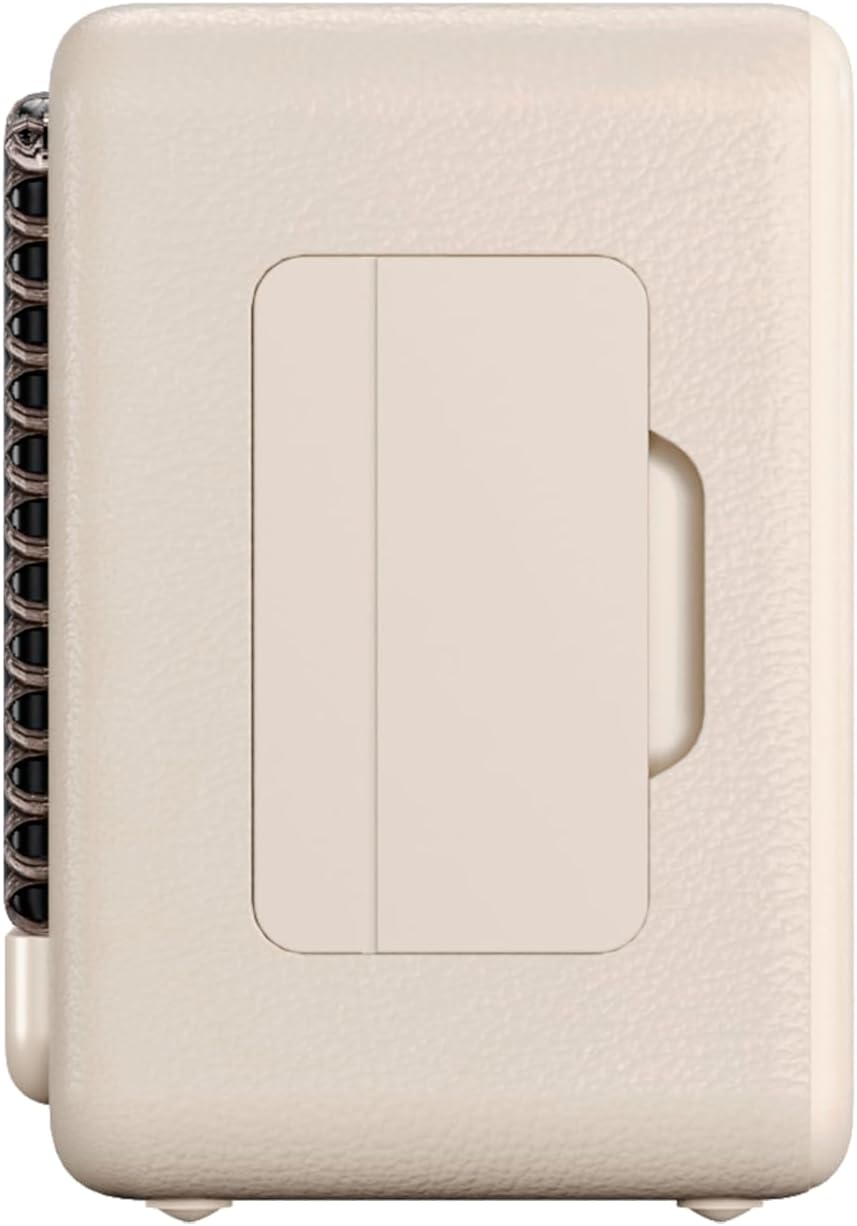
Figura 3: Lado profile of the speaker, illustrating its compact design.
5. Manutenção
5.1. Limpeza
Wipe the speaker with a soft, dry cloth. Do not use abrasive cleaners, alcohol, or chemical solvents, as these may damage the surface. Ensure all ports are dry before charging or connecting other devices.
5.2. Resistência à água (IPX7)
The VM-BS1000WH speaker is IPX7 water-resistant, meaning it can be immersed in water up to 1 meter for up to 30 minutes. However, it is not designed for continuous underwater use. Always ensure the charging port cover is securely closed before exposing the speaker to water. After exposure to water, dry the speaker thoroughly before charging.
6. Solução De Problemas
- Sem energia: Verifique se a caixa de som está carregada. Conecte-a a uma fonte de energia e tente novamente.
- Não foi possível emparelhar o Bluetooth: Make sure the speaker is in pairing mode and within range of your device. Disconnect from any previously paired devices. Try restarting both the speaker and your device.
- Sem som: Verifique os níveis de volume tanto na caixa de som quanto no dispositivo conectado. Certifique-se de que a caixa de som esteja devidamente emparelhada.
- Má qualidade de som: Aproxime a caixa de som do seu dispositivo Bluetooth para reduzir a interferência. Certifique-se de que não haja obstruções entre a caixa de som e o dispositivo.
- Reprodução via USB não funciona: Certifique-se de que a unidade USB esteja formatada corretamente (FAT32) e contenha áudio compatível. files (MP3). Tente um pen drive diferente.
7. Especificações técnicas
| Recurso | Especificação |
|---|---|
| Marca | Vieta Pro |
| Nome do modelo | VM-BS1000WH |
| Tipo de alto-falante | Alto-falante Bluetooth portátil |
| Potência máxima de saída do alto-falante | 25 Watts |
| Tecnologia de Conectividade | Bluetooth |
| Versão Bluetooth | 5.3 |
| Modo de saída de áudio | Estéreo |
| Nível de resistência à água | IPX7 (resistente à água) |
| Duração da bateria | Até 10 horas |
| Fonte de energia | Alimentado por bateria (1 pilha C incluída) |
| Método de controle | Tocar |
| Tamanho do alto-falante | 7.5 centímetros |
| Dimensões do produto (P x L x A) | 7.7 x 5.6 x 17.1 cm |
| Dispositivos compatíveis | Smartphone, tablet, laptop, reprodutor de MP3 |
| Características especiais | Shock-resistant, Wireless speakers, USB port |
8. Garantia e Suporte
8.1. Garantia limitada
This Vieta Pro VM-BS1000WH speaker comes with a Limited Warranty. Please refer to the warranty card included in the product packaging for detailed terms and conditions, including coverage period and limitations. Keep your proof of purchase for warranty claims.
8.2. Suporte ao cliente
For technical assistance, troubleshooting, or warranty inquiries, please contact FRAMASON AUDIO S.A., the manufacturer. Contact information can typically be found on the product packaging or the official Vieta Pro website. Please have your model number (VM-BS1000WH) and proof of purchase ready when contacting support.