
Introdução
This manual provides essential information for the proper setup, operation, and maintenance of your ONN 24-inch FHD Gaming Monitor, model 100027813. Please read this manual thoroughly before using the product to ensure optimal performance and safety. This monitor is designed to deliver a high-quality gaming experience with its 1080p resolution, 165Hz refresh rate, 1ms response time, and FreeSync technology.
Informações de segurança
Always observe the following safety precautions to prevent damage to the monitor and ensure user safety:
- Não exponha o monitor à chuva ou umidade para evitar riscos de incêndio ou choque elétrico.
- Não abra o monitor casing. Não existem peças que possam ser reparadas pelo usuário no interior. Encaminhe todos os serviços de manutenção para pessoal qualificado.
- Coloque o monitor em uma superfície estável e plana para evitar que ele caia.
- Assegure-se de que haja ventilação adequada ao redor do monitor. Não obstrua as aberturas de ventilação.
- Utilize apenas o adaptador de energia fornecido com o monitor.
- Desligue o monitor da tomada durante tempestades com raios ou quando não for utilizá-lo por longos períodos.
Conteúdo da embalagem
Verifique se todos os itens estão presentes na embalagem:
- ONN 24-inch FHD Gaming Monitor
- Suporte para monitor (base e braço)
- Adaptador de energia
- DisplayPort Cable (6 ft)
- Cabo HDMI (6 m)
- Manual do usuário (este documento)

Image: Retail box of the ONN 24-inch Gaming Monitor, highlighting key features like 165Hz, 1ms response time, DisplayPort, HDMI, and Adaptive-Sync.
Configurar
1. Montagem do suporte
- Retire cuidadosamente o monitor e o suporte da embalagem.
- Attach the stand neck to the stand base. Secure it with the provided screw, if applicable.
- Align the assembled stand with the mounting slot on the back of the monitor. Gently push until it clicks into place or secure with screws as per the design.
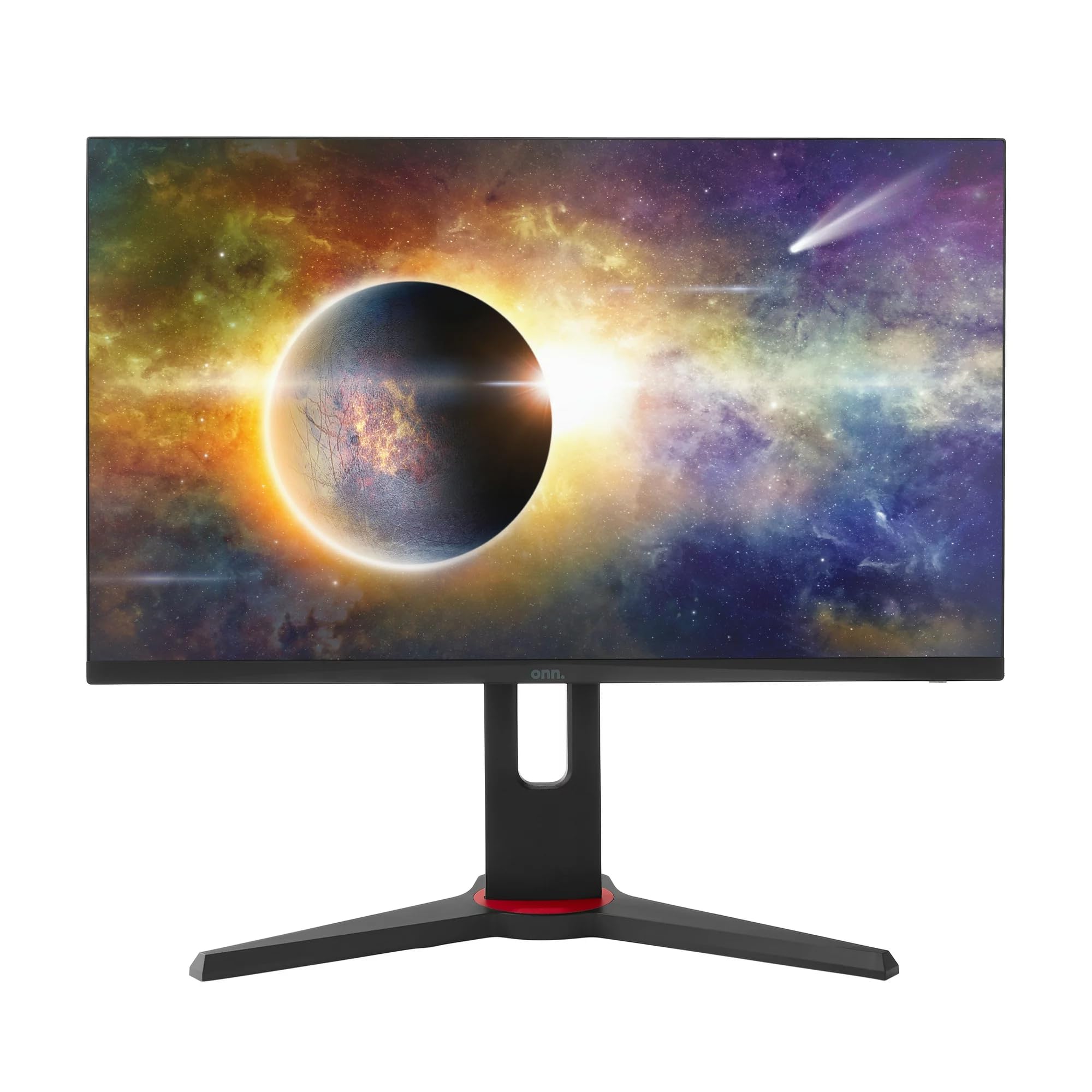
Imagem: Frente view of the ONN 24-inch Gaming Monitor, fully assembled with its stand.

Imagem: Traseira view of the ONN 24-inch Gaming Monitor, illustrating the stand attachment and cable management area.
2. Cabos de conexão
Locate the input ports on the back of your monitor:
- Poder: Conecte o adaptador de energia à entrada de energia do monitor e, em seguida, a uma tomada elétrica.
- Entrada de vídeo: Connect one end of the provided DisplayPort or HDMI cable to the corresponding port on your computer's graphics card and the other end to the monitor. The monitor supports 2 HDMI inputs and 1 DisplayPort input.
- Saída de áudio (opcional): If your monitor has a 3.5mm audio jack, you can connect external speakers or headphones.

Imagem: Close-up view of the monitor's rear ports, including HDMI 1, HDMI 2, DisplayPort (DP), and power input.
3. Inicialização da alimentação
- Certifique-se de que todos os cabos estejam conectados com segurança.
- Press the power button on the monitor (usually located on the back or bottom right).
- The monitor should display the ONN logo and then search for an input signal.
- If no image appears, ensure your computer is powered on and the correct input source is selected on the monitor (see Operating section).
Operacional
1. Ligar/desligar
Press the power button to turn the monitor on or off. The power indicator light will show the monitor's status (e.g., blue for on, amber for standby).
2. Navegação no menu de exibição na tela (OSD)
Your monitor features an OSD menu for adjusting various settings. Typically, buttons on the back or bottom of the monitor control the OSD:
- Botão de menu: Abre o menu OSD.
- Botões de navegação (para cima/para baixo/para a esquerda/para a direita): Utilizado para navegar pelas opções do menu.
- Botão Selecionar/Entrar: Confirma uma seleção ou entra em um submenu.
- Botão de saída: Sai do menu ou OSD atual.
3. Ajustando configurações
Key settings you can adjust via the OSD menu include:
- Brilho contraste: Ajuste a luminosidade geral e a diferença entre as áreas claras e escuras.
- Configurações de cores: Modifique a temperatura da cor, o gama e os níveis RGB individuais.
- Fonte de entrada: Selecione manualmente entre as entradas HDMI 1, HDMI 2 ou DisplayPort.
- Taxa de atualização: Ensure your graphics card and monitor are set to 165Hz for the smoothest experience. This is usually configured in your operating system's display settings.
- Tempo de resposta: Adjust the monitor's response time setting (e.g., 1ms) for reduced motion blur in fast-paced games.
- Tecnologia FreeSync: Enable FreeSync in the OSD menu and in your AMD graphics card settings to synchronize the monitor's refresh rate with your GPU's frame rate, eliminating screen tearing and stuttering.
- Modos de imagem: Selecione entre modos predefinidos otimizados para diferentes tipos de conteúdo (por exemplo, Padrão, Jogo, Filme, Texto).

Image: The ONN 24-inch Gaming Monitor displayed in a typical desk setup, connected to a laptop with gaming peripherals.
Manutenção
Limpando o monitor
- Sempre desconecte o monitor antes de limpá-lo.
- Use um pano macio e sem fiapos levemente dampFinalize com água ou um limpador de telas suave e não abrasivo.
- Não borrife o produto de limpeza diretamente na tela. Aplique-o primeiro no pano.
- Evite usar produtos químicos agressivos, esponjas abrasivas ou solventes.
Armazenar
Se for guardar o monitor por um período prolongado, desconecte todos os cabos, embale-o na embalagem original (se disponível) e guarde-o em local fresco e seco, longe da luz solar direta e de temperaturas extremas.
Solução de problemas
Se você encontrar problemas com seu monitor, consulte os problemas e soluções comuns a seguir:
| Problema | Solução possível |
|---|---|
| Sem imagem na tela |
|
| Image is flickering or distorted |
|
| Sem som (se estiver usando alto-falantes de monitor/saída de áudio) |
|
| O monitor não está atingindo 165Hz. |
|
Especificações
Detailed technical specifications for the ONN 24-inch FHD Gaming Monitor (Model 100027813):
| Recurso | Especificação |
|---|---|
| Número do modelo | 100027813 |
| Tamanho da tela | 24 polegadas |
| Resolução | FHD 1080p (1920x1080) |
| Taxa de atualização | 165 Hz |
| Tempo de resposta | 1 milissegundos |
| Tecnologia de exibição | IPS |
| Sincronização adaptável | Sincronização livre |
| Proporção da tela | 16:9 |
| Taxa de contraste | 2000:1 |
| Superfície da tela | Matte, Anti-glare with low blue light setting |
| Conectividade | 2 x HDMI, 1 x DisplayPort |
| Dimensões do produto (P x L x A) | 61.3 x 11.3 x 37.3 cm |
| Peso do item | 6.1 kg |
| Cor | Preto |
| Tipo de montagem | Suporte de mesa |
| Usos específicos | Entertainment, Gaming |
Garantia
This ONN 24-inch FHD Gaming Monitor is a renewed product. Warranty terms and conditions for renewed products may vary. Please refer to the specific warranty information provided by the seller or retailer at the time of purchase. It is recommended to retain your proof of purchase for any warranty claims.
Apoiar
For technical assistance, troubleshooting beyond this manual, or warranty inquiries, please contact the retailer or the Amazon Renewed support channel where the product was purchased. Have your model number (100027813) and proof of purchase ready when contacting support.