
1. Introdução
Thank you for choosing the MMK Mini Bluetooth Keyboard. This compact and versatile wireless keyboard is designed for enhanced productivity across various devices. It features a comfortable scissor-switch key structure for quiet and efficient typing, an AZERTY layout, and a long-lasting rechargeable battery. This manual provides detailed instructions for setup, operation, maintenance, and troubleshooting to ensure optimal performance.
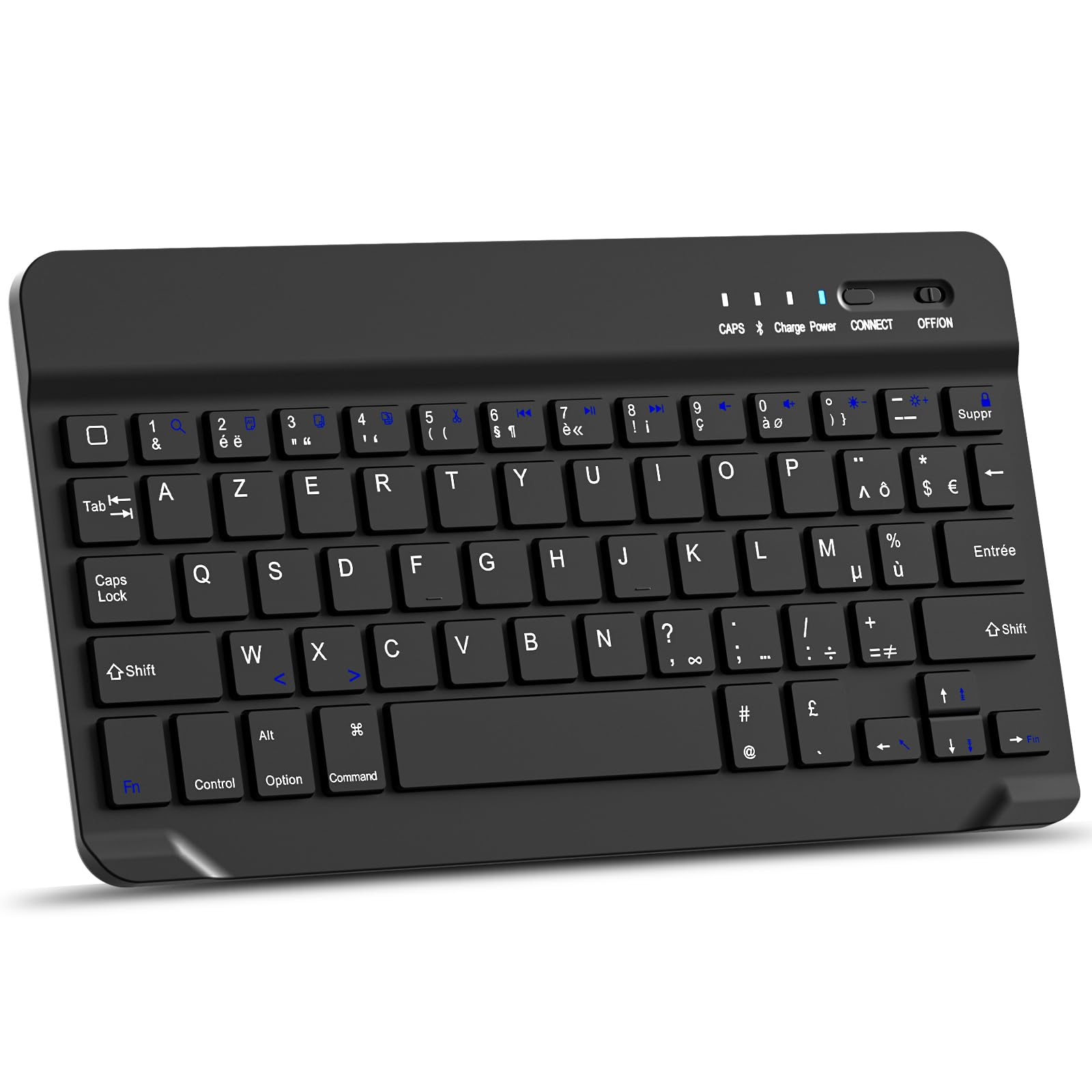
Imagem: Vista de cima para baixo view of the MMK Mini Bluetooth Keyboard, showcasing its compact design and AZERTY key layout.
2. Conteúdo da embalagem
- MMK Mini Bluetooth Keyboard
- Cabo de carregamento USB
- Manual do usuário (este documento)
3. Instruções de configuração
3.1 Carregando o teclado
Before first use, fully charge the keyboard.
- Localize a porta de carregamento no teclado.
- Connect the provided USB charging cable to the keyboard's charging port.
- Conecte a outra extremidade do cabo USB a uma fonte de alimentação USB (por exemplo, porta USB do computador, adaptador de parede USB).
- The "Charge" indicator light will illuminate during charging. It typically takes 2-3 hours for a full charge.
- Once fully charged, the "Charge" indicator light may turn off or change color, depending on the model.

Imagem: Close-up view of the MMK Mini Bluetooth Keyboard showing the charging port with a USB cable connected. Text indicates over 130 days standby time and 2 hours charging time.
3.2 Emparelhamento Bluetooth
The MMK Mini Bluetooth Keyboard is compatible with iOS, Android, and Windows devices.
- Ensure the keyboard is charged and turn on the keyboard by sliding the ON/OFF switch to the "ON" position. The "Power" indicator light will briefly illuminate.
- Pressione o CONECTAR button on the keyboard. The "CONNECT" indicator light will start blinking, indicating the keyboard is in pairing mode.
- On your device (iPad, iPhone, Android tablet/phone, Windows PC):
- Vá para Configurações.
- Navegar para Bluetooth.
- Ligue o Bluetooth.
- Your device will search for available Bluetooth devices. Look for "Bluetooth Keyboard" or a similar name in the list.
- Select the keyboard from the list to initiate pairing.
- If prompted, enter the pairing code displayed on your device using the MMK keyboard and press Digitar.
- Once successfully paired, the "CONNECT" indicator light on the keyboard will stop blinking and turn off. The keyboard is now ready for use.

Image: The MMK Mini Bluetooth Keyboard with icons indicating compatibility with Android, Windows, and iOS operating systems. It also highlights Fn key combinations (Fn+A, Fn+S, Fn+D) for selecting the appropriate system layout.
Importante: After pairing, select the correct operating system mode on the keyboard for optimal functionality:
- For Android: Press fn + A
- Para Windows: Pressione Fn + S
- For iOS (iPad/iPhone): Press Fn + D
4. Instruções de operação
4.1 Digitação Básica
The keyboard features a standard AZERTY layout. Simply open any text input application on your paired device and begin typing. The scissor-switch keys provide a comfortable and quiet typing experience.

Image: An overhead shot of hands typing on the MMK Mini Bluetooth Keyboard, demonstrating its use in a typical workspace setup.

Image: A close-up of a key on the MMK Mini Bluetooth Keyboard, illustrating the scissor-switch mechanism that provides a comfortable and silent typing experience.
4.2 Multimídia e Teclas de Atalho
The keyboard includes 14 shortcut keys for quick access to common functions. These keys are typically activated by pressing the Fn tecla em combinação com a tecla de função desejada.

Imagem: Uma imagem detalhada view of the MMK Mini Bluetooth Keyboard highlighting the multimedia function keys. Labels indicate functions such as Search, Copy, Cut, Play/Pause, Volume control, Brightness adjustment, and Screen Lock.
Common multimedia functions include:
- Volume Control (Up, Down, Mute)
- Media Playback (Play/Pause, Previous Track, Next Track)
- Ajuste de brilho da tela
- Função de pesquisa
- Copy, Cut, Paste
- Página inicial
- Selecionar tudo
- Bloqueio de tela
Refer to the specific key legends on your keyboard for exact functions.
5. Manutenção
To ensure the longevity and optimal performance of your MMK Mini Bluetooth Keyboard, follow these maintenance guidelines:
- Limpeza: Use um pano macio e sem fiapos levementeampLimpe a superfície do teclado com água ou uma solução de limpeza suave. Evite umidade excessiva. Não borrife produtos de limpeza diretamente no teclado.
- Remoção de poeira: Use ar comprimido para remover poeira e detritos entre as teclas.
- Armazenar: When not in use, store the keyboard in a cool, dry place away from direct sunlight and extreme temperatures. Its compact design makes it easy to store in a laptop bag.
- Evite líquidos: Do not expose the keyboard to liquids. Spills can cause permanent damage.
- Manuseie com cuidado: Evite deixar o teclado cair ou submetê-lo a impactos fortes, pois isso pode danificar os componentes internos.

Image: The MMK Mini Bluetooth Keyboard neatly tucked into a grey laptop sleeve, demonstrating its portability and ease of storage.
6. Solução De Problemas
If you encounter issues with your MMK Mini Bluetooth Keyboard, please refer to the following common problems and solutions:
| Problema | Possível causa/solução |
|---|---|
| Keyboard does not connect or frequently disconnects. |
|
| Keys are not responding or require multiple presses. |
|
| Incorrect character output (e.g., QWERTY instead of AZERTY, missing symbols). |
|
| O teclado não liga. |
|
7. Especificações
| Recurso | Detalhe |
|---|---|
| Marca | MMK |
| Tecnologia de Conectividade | Bluetooth 3.0 |
| Dispositivos compatíveis | iOS (iPad, iPhone), Android (Tablets, Smartphones), Windows (PCs, Tablets) |
| Descrição do teclado | Multi-functional, Mini Wireless Keyboard |
| Características especiais | Portable, Shortcut keys, Multimedia keys, Rechargeable, Silent typing (Scissor-switch mechanism) |
| Cor | Preto |
| Layout do teclado | AZERTY (French) |
| Número de Chaves | 78 |
| Fonte de energia | Alimentado por bateria (bateria de lítio recarregável) |
| Tempo de carregamento | 2-3 horas |
| Tempo de espera | ≥130 dias |
| Faixa de operação | Até 10 metros (33 pés) |
| Componentes incluídos | Cabo USB |
8. Informações de garantia
The MMK Mini Bluetooth Keyboard comes with a Garantia de 360 dias from the date of purchase. This warranty covers manufacturing defects and malfunctions under normal use. It does not cover damage caused by misuse, accidents, unauthorized modifications, or improper maintenance. Please retain your proof of purchase for warranty claims.
9. Suporte ao cliente
For any questions, technical assistance, or warranty claims, please contact MMK customer support through the retailer where you purchased the product or visit the official MMK brand store online.
Loja online: MMK Official Store on Amazon