
Dopesplay DR1563
Dopesplay 15.6" Portable Monitor User Manual
Modelo: DR1563
Marca: Dopesplay
Introdução
The Dopesplay 15.6-inch Portable Monitor is designed to enhance your productivity and entertainment on the go. Featuring a high-resolution, clear display in a compact and lightweight form factor, it's an ideal companion for laptops, gaming consoles, and other compatible devices. Its easy setup, adjustable stand, and anti-glare matte screen make it versatile for various environments, from travel to home office setups. The monitor operates efficiently with low power consumption, capable of being powered by a single Type-C cable from a compatible phone or power bank.
Principais características
- 15.6" FHD 1080P IPS Display: Experience crisp, vibrant visuals with excellent color accuracy and wide viewângulos de inclinação.
- Suporte HDR: Enjoy enhanced contrast and brilliant colors for an immersive viewexperiência.
- Conectividade plug-and-play: Simple setup with USB-C and Mini HDMI inputs.
- Adjustable Integrated Stand: Provides stable support and allows for comfortable viewângulos de inclinação.
- Superfície da tela fosca: Reduces glare and reflections for improved visibility.
- Design ultrafino e leve: Easy to carry, fitting conveniently into laptop bags.
- Baixo consumo de energia: Can be powered by a 5V USB source, including compatible smartphones.
- Alto-falantes embutidos: Integrated audio for convenience.
- Tecnologia FreeSync: Reduces input lag, stuttering, and screen tearing for smoother visuals.
- Compatível com VESA: Allows for flexible mounting options.
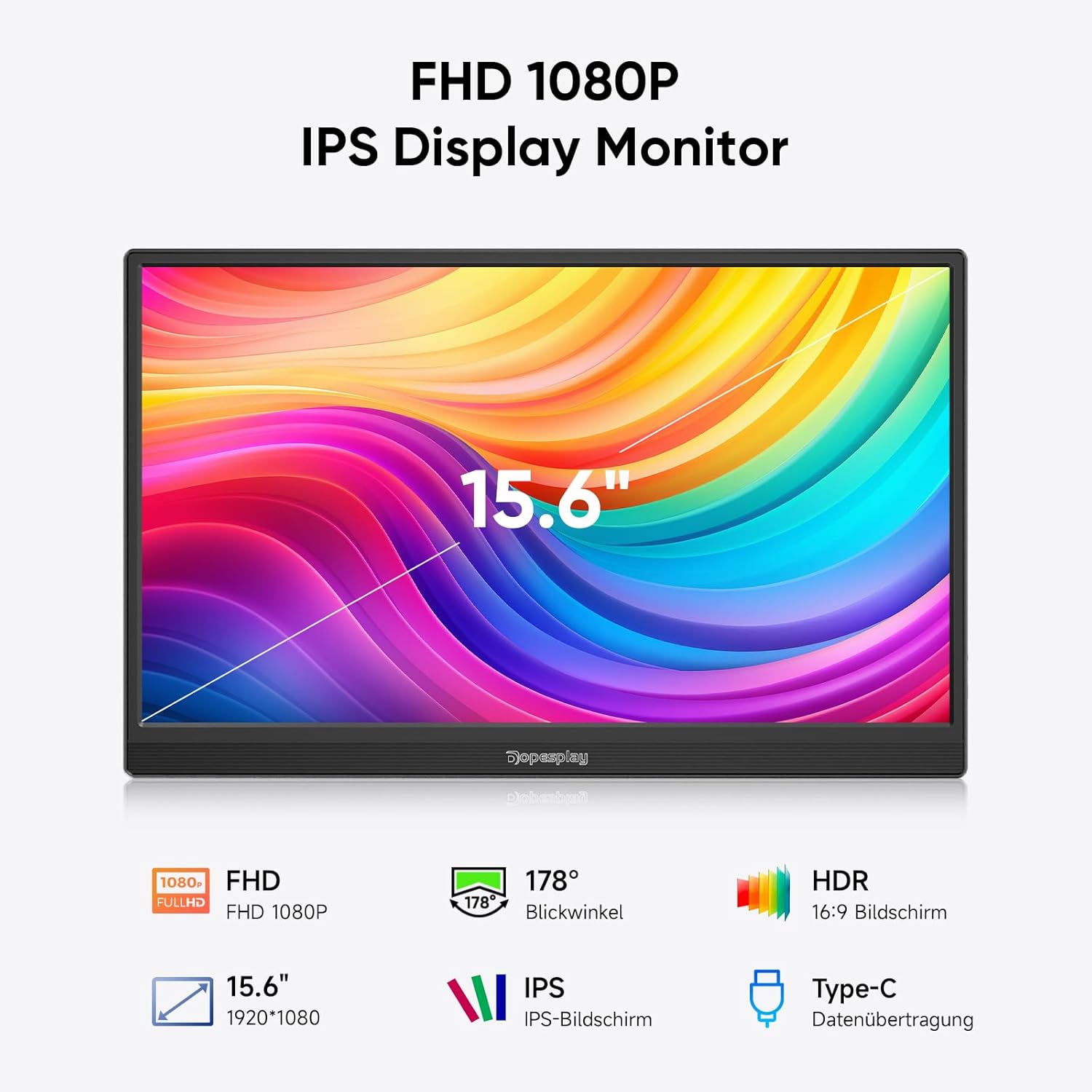
Figure 1: Key features of the Dopesplay 15.6" Portable Monitor.
Configurar
Conectando Seu Dispositivo
The Dopesplay portable monitor offers flexible connectivity options to suit various devices. Ensure your device's USB-C port supports full functionality (DisplayPort Alternate Mode and Power Delivery) for single-cable connection.
Option 1: Single USB-C Cable Connection (for compatible devices)
If your laptop or device has a full-featured USB-C port, you can connect the monitor using a single USB-C to USB-C cable. This cable will transmit both video signal and power to the monitor.

Figure 2: Connection options for the portable monitor. The top diagram illustrates a single USB-C connection, while the bottom shows HDMI and USB-A connections with external power.
Option 2: HDMI and USB-A Connection (for devices without full-featured USB-C)
For devices that do not support video output over USB-C or require separate power, use the Mini HDMI to HDMI cable for video signal and a USB-A to USB-C cable for power. An external power adapter (5V/3A or higher) may be required, especially if adjusting brightness above 80% or if the connected device cannot supply sufficient power.
Monitor Ports and Buttons
Familiarize yourself with the ports and buttons on the side of the monitor for optimal use.
- Mini HDMI Input: For video input from devices with HDMI output.
- USB-C Input (x2): For video, data, and power input from compatible devices.
- Plug do fone de ouvido: Para conectar dispositivos de áudio externos.
- Botão Girar: To adjust screen orientation.
- Power On/Off / Back Button: Controls power and navigates menus.
Note: If you wish to adjust the brightness above 80%, an external power supply of 5V/3A or higher is required.
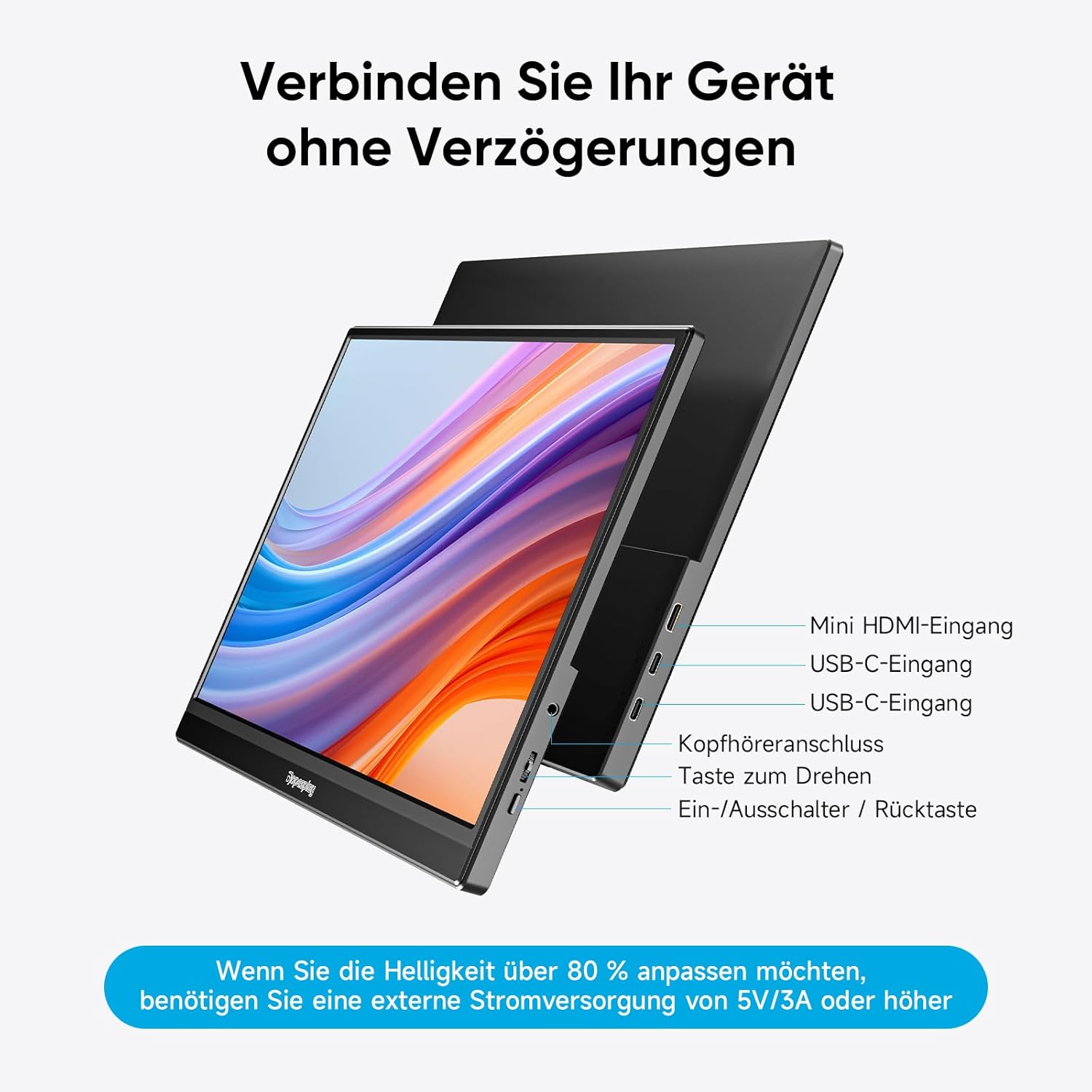
Figura 3: Overview of monitor ports and controls.
Instruções de operação
Display Modes (Mac & Windows)
The monitor supports both duplicate and extended display modes, allowing you to mirror your primary screen or expand your desktop workspace.
- Duplicate Display: Shows the same content on both your primary device and the portable monitor.
- Tela estendida: Expands your desktop across both screens, providing more space for multitasking.

Figure 4: Display modes for Mac and Windows devices.
Gaming Console Connection (e.g., Nintendo Switch)
Connect your gaming console directly to the monitor using a single USB-C cable (if supported by the console) or HDMI for video and a USB-C cable for power. The monitor can power both itself and the console simultaneously, eliminating the need for a separate dock.
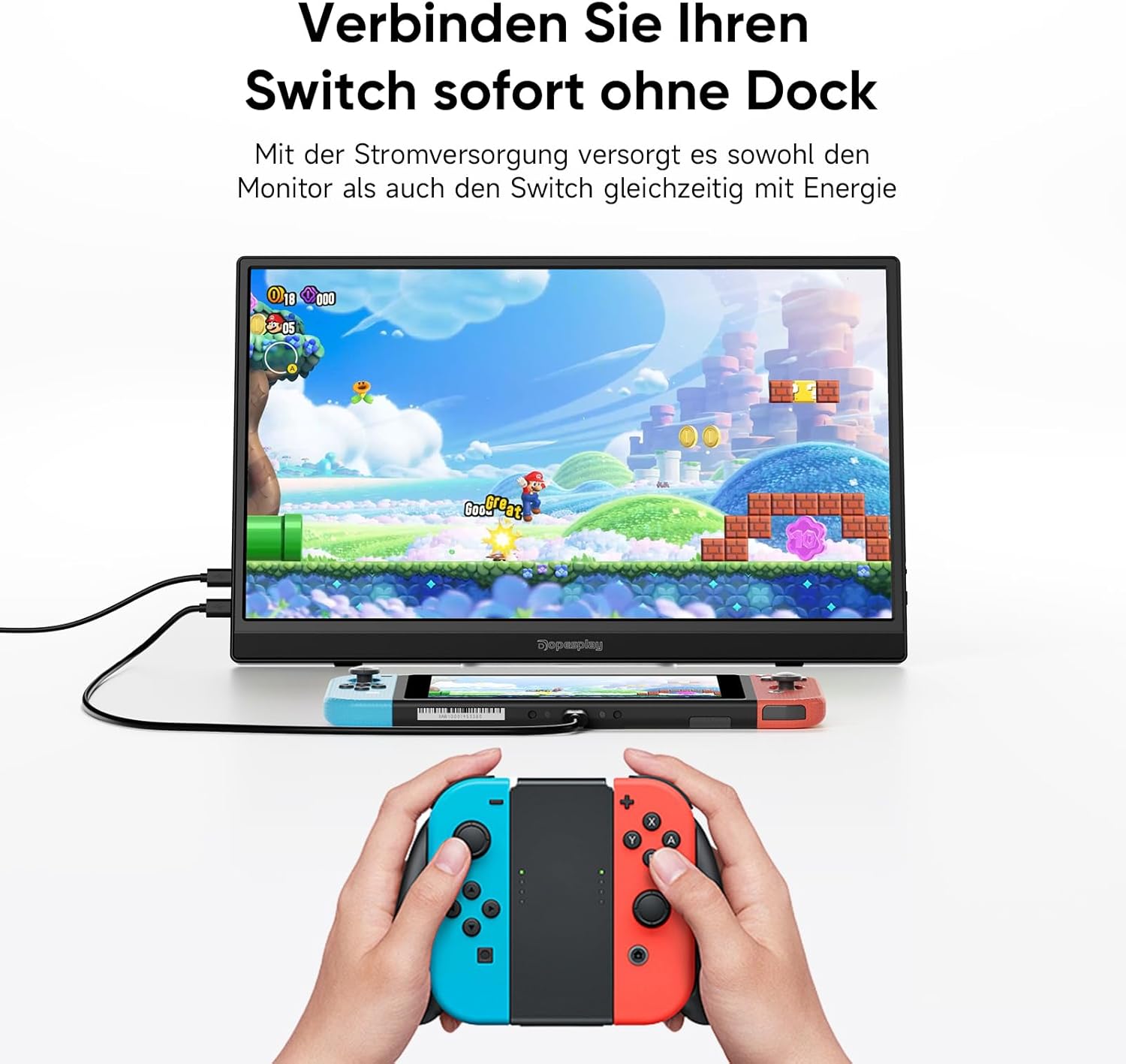
Figure 5: Connecting a Nintendo Switch to the portable monitor.
Suporte ajustável
The integrated stand allows you to adjust the monitor to your preferred viewing angle for maximum comfort and ergonomics.

Figure 6: Adjustable stand for optimal viewindo.
Compatibilidade VESA
The monitor is VESA compatible, allowing it to be easily mounted on compatible monitor arms or wall mounts in both landscape and portrait orientations.
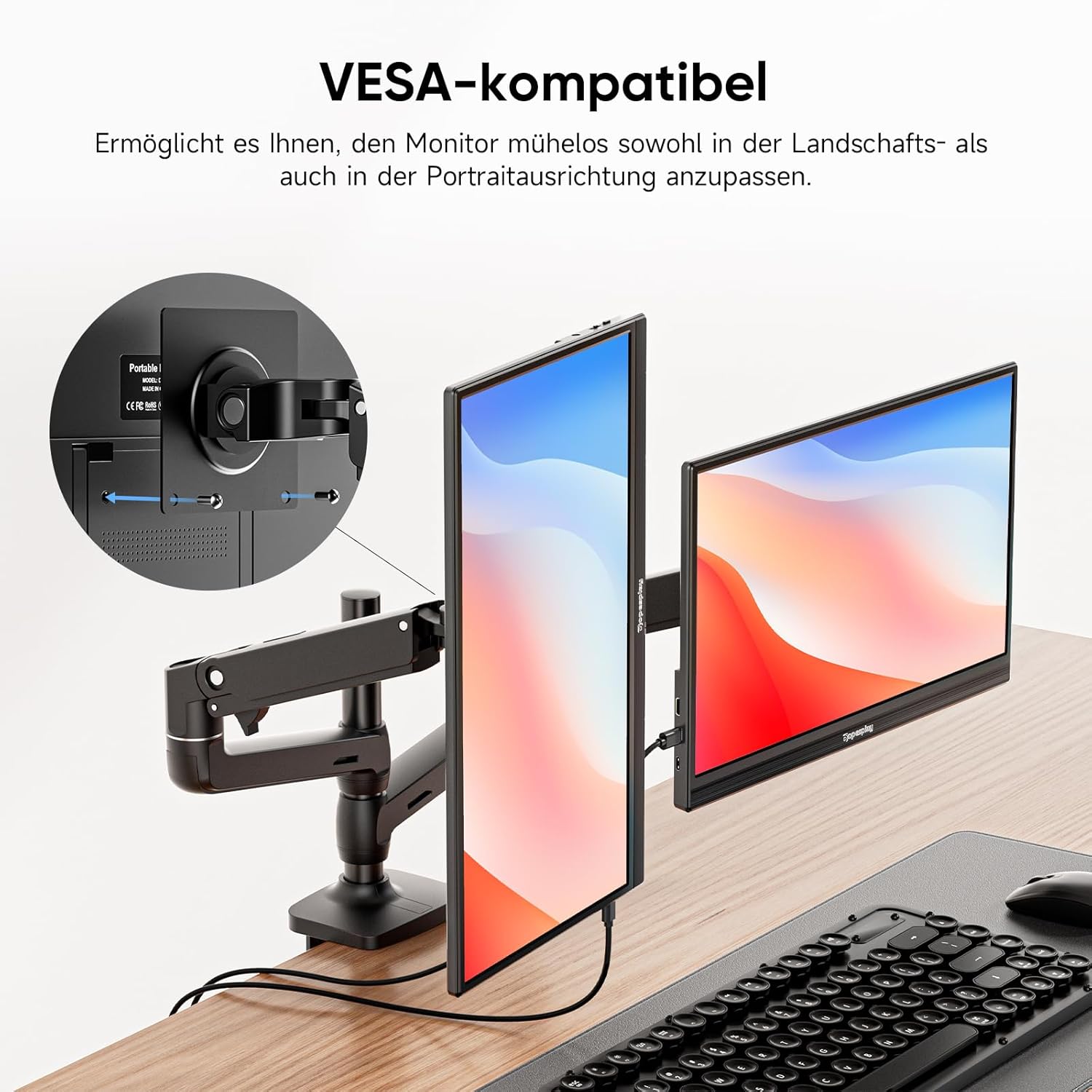
Figure 7: VESA mounting options.
Tecnologia FreeSync
For a smoother visual experience, especially during gaming or fast-paced video playback, the monitor features FreeSync technology. This helps to reduce input lag, stuttering, and screen tearing.

Figure 8: FreeSync technology in action.
Manutenção
To ensure the longevity and optimal performance of your Dopesplay portable monitor, follow these maintenance guidelines:
- Limpeza: Gently wipe the screen with a soft, lint-free cloth. For stubborn smudges, use a screen-specific cleaning solution applied to the cloth, not directly to the screen. Avoid abrasive cleaners or solvents.
- Armazenar: When not in use, store the monitor in a cool, dry place, preferably in its original packaging or a protective sleeve to prevent dust accumulation and scratches.
- Manuseio: Sempre manuseie o monitor pelas bordas. Evite pressionar a tela.
- Poder: Disconnect the power cable during electrical storms or when unused for extended periods.
Solução de problemas
If you encounter issues with your Dopesplay portable monitor, refer to the following common troubleshooting steps:
| Problema | Possível causa | Solução |
|---|---|---|
| Sem imagem/Sem sinal | Incorrect cable connection; Insufficient power; Device not outputting signal. |
|
| Tela piscando ou imagem instável | Loose cable connection; Power fluctuations; Incompatible resolution/refresh rate. |
|
| Não há som nos alto-falantes | Volume muito baixo; Silenciado; Saída de áudio incorreta selecionada no dispositivo. |
|
| Brightness cannot be adjusted above 80% | Fonte de alimentação insuficiente. |
|
Especificações
| Recurso | Detalhe |
|---|---|
| Marca | Dopesplay |
| Número do modelo | DR1563 |
| Tamanho da tela | 15.6 polegadas |
| Resolução | FHD 1080p (1920 x 1080) |
| Proporção da tela | 16:9 |
| Superfície da tela | Fosco |
| Taxa de contraste | 1000:1 |
| Tempo de resposta | 3 milissegundos |
| Taxa de atualização | 60 Hz |
| Conexões | 2x USB Type-C, 1x Mini HDMI |
| Características especiais | Portable, Built-in Speaker, Ultra Slim, HDR, FreeSync, VESA Compatible |
| Cor | Preto |
Garantia e Suporte
For warranty information and technical support, please refer to the documentation included with your product or visit the official Dopesplay website. Guarde o recibo de compra como comprovante para solicitações de garantia.
Informações Regulatórias
This product complies with relevant European Union regulations. For detailed product data and energy efficiency information, please refer to the EPREL database:

Figure 9: Product Data Sheet (EPREL).

Figura 10: Etiqueta de Eficiência Energética.
Ask a question about this manual
Ask about setup, troubleshooting, compatibility, parts, safety, or missing instructions. Manuals+ will review the question and use this page’s manual context to help answer it.