
MOOER GE150
MOOER GE150 Multi Effects Pedal and AIR P05 Wireless System User Manual
Model: GE150 | Brand: MOOER
Introdução
The MOOER GE150 is a portable multi-effects pedal designed for electric, acoustic, and bass guitars, offering a wide range of tones and features. It integrates 151 effects, 55 amplifier models, a looper, drum machine, and an expression pedal. This manual also covers the included AIR P05 2.4 GHz wireless system, providing high-quality, low-latency audio transmission for enhanced performance flexibility.
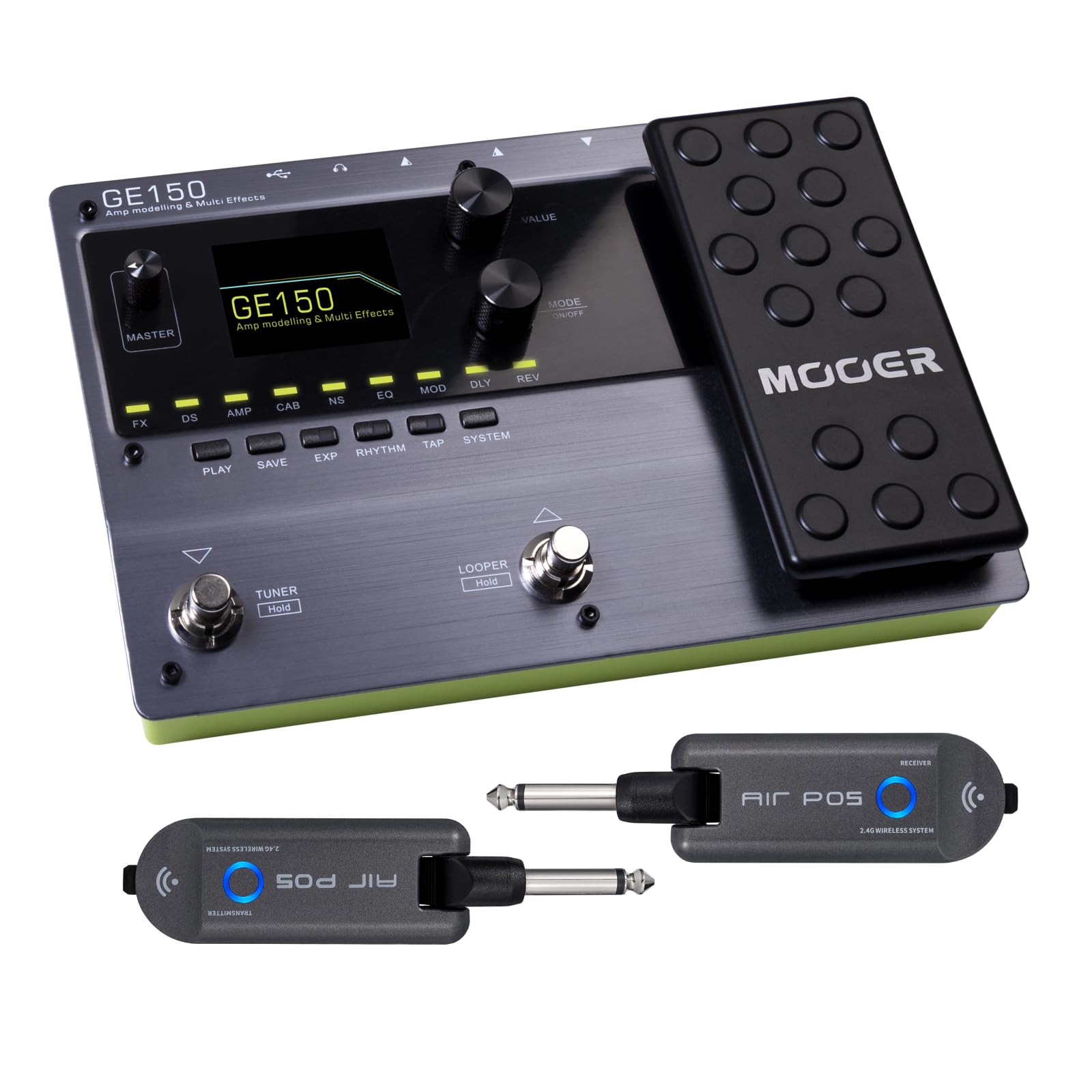
Frente view of the MOOER GE150 Multi Effects Pedal, showing the display, control knobs, footswitches, and expression pedal.
Configurar
GE150 Pedal Connection
- Conexão de energia: Connect the included DC 9V 300mA power adapter to the GE150's power input.
- Entrada de instrumento: Connect your guitar to the GE150's 1/4" mono input jack.
- Saída de áudio: Connect the GE150's 1/4" mono output jacks (L/R) to your ampamplificador, mixer ou interface de áudio.
- Fones de ouvido: For silent practice, connect headphones to the 1/8" stereo headphone jack.
- Entrada AUX: Use the 1/8" stereo AUX IN to connect external audio sources like an MP3 player for jamming.
- Conexão USB: Connect the GE150 to a computer via the USB port for firmware updates, software editing, or USB audio recording.

The GE150 connected in a home studio setup, demonstrating connections to a laptop and headphones.

Lado view of the GE150 showing input, output, and power connections.
AIR P05 Wireless System Setup
- Cobrar: Ensure both the transmitter and receiver units are fully charged using the included USB cable. The built-in 400mAh rechargeable battery provides up to 8 hours of operation.
- Conectar o transmissor: Plug the AIR P05 transmitter into your guitar's output jack.
- Conectar o receptor: Plug the AIR P05 receiver into the GE150's input jack or directly into your ampmais vivo.
- Emparelhamento: The units should automatically pair. If not, press the pairing button on both units to establish a connection.
- Selecione o canal: The AIR P05 offers 4 selectable channels. Press the channel button to cycle through available channels and find the optimal one for interference-free performance.
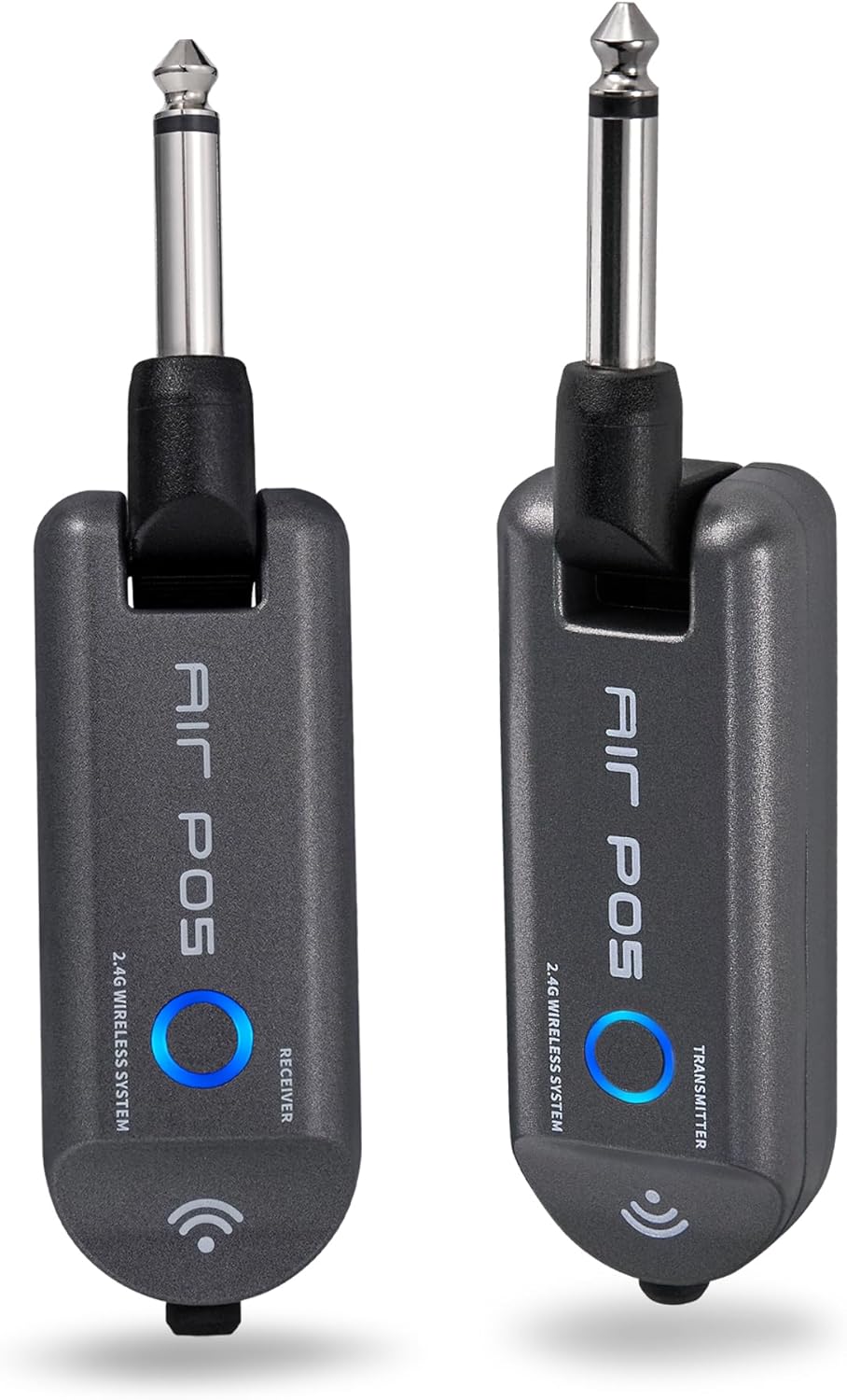
The MOOER AIR P05 wireless system, showing the transmitter and receiver units.

The AIR P05 wireless system highlighting its 4 selectable channels for optimal signal.

Diagram illustrating the wireless connection from guitar to pedal and amplifier using the AIR P05 system.
Instruções de operação
GE150 Multi-Effects Pedal
- Ligar/desligar: Pressione e segure o botão liga/desliga para ligar ou desligar a unidade.
- Navegação: Use the main display and control knobs to navigate through menus and adjust parameters.
- Efeitos: The GE150 features 151 different effects. Use the dedicated FX, DS, AMP, CAB, NS, EQ, MOD, DLY, REV buttons to access and edit effect blocks.
- AMP Modelos: Access 55 high-quality AMP models utilizing MNRS technology. These models simulate the dynamics and feel of real tube amplificadores.
- IR Files: The pedal supports 26 user slots for loading third-party Impulse Response (IR) files, allowing for custom cabinet simulations.
- Pedal de Expressão: Utilize the built-in expression pedal to control various effects parameters or volume levels in real-time.
- Repetidor: The 80-second looper allows for recording and overdubbing phrases. Activate it using the dedicated footswitch.
- Drum Rhythms & Metronome: Access 40 types of drum rhythms and 10 metronome settings for practice or songwriting.
- Sintonizador: Engage the built-in tuner by holding the designated footswitch.
- Salvando predefinições: After adjusting effects and settings, save your custom tones to user presets for quick recall.

The GE150 display showing a selected preset and the active effect modules.
AIR P05 Wireless System
- Modo de suspensão automático: The AIR P05 features an automatic sleep mode to conserve battery life when not in use. It will reactivate upon detecting signal.
- 2.4GHz ISM Technology: The system uses 2.4GHz ISM worldwide technology for low-distortion and low-signal-loss audio transmission.
- Compatibilidade: The wireless system is suitable for electric guitar, bass guitar, acoustic guitar, and other instruments with a 1/4" output.

The AIR P05 wireless system demonstrating its plug-and-play functionality with various instruments and a multi-effects pedal.
Manutenção
- Limpeza: Use a soft, dry cloth to clean the pedal and wireless units. Avoid abrasive cleaners or solvents.
- Armazenar: Guarde o dispositivo em local fresco e seco, longe da luz solar direta e de temperaturas extremas.
- Battery Care (AIR P05): For optimal battery life, avoid fully discharging the AIR P05 units frequently. Recharge regularly.
- Atualizações de firmware: Periodically check the MOOER official website for firmware updates to ensure optimal performance and access new features.
Solução de problemas
- Sem saída de som:
-
- Verifique todas as conexões dos cabos (instrumento, saída, alimentação).
- Ensure the GE150 is powered on and not in bypass mode.
- Verify volume levels on the GE150, your amplifier, and instrument.
- For the AIR P05, ensure both transmitter and receiver are charged, paired, and on the same channel.
- Wireless Signal Interference:
-
- Change the channel on the AIR P05 wireless system to avoid interference from other 2.4GHz devices.
- Ensure there are no large metal objects or other wireless transmitters directly between the AIR P05 units.
- Pedal não responde:
-
- Desconecte e reconecte a fonte de alimentação.
- Perform a factory reset if necessary (refer to the full manual for specific instructions).
Especificações
| Marca | MOOER |
| Nome do modelo | GE150 |
| Efeitos de saída de áudio | Distortion, Delay, Chorus, Reverb, Modulation, Preamp, Pitch-Shifting, Overdrive, Flanger, Multi-Effect |
| Tipo de controle | Footswitch, Expression Pedal |
| Fonte de energia | Battery Powered (AIR P05), DC 9V 300mA (GE150) |
| interface de hardware | HP-HSC, USB |
| Formato do sinal | Analógico |
| Tipo de conector | USB, 1/4" Mono Jack, 1/8" Stereo Jack |
| Componentes incluídos | AIR P05 Wireless System |
| SampTaxa de ling | 44.1 kHz |
| SampPrecisão | 24 bits |
| Faixa dinâmica | 98 dB |
| IR Format | WAV |
| IR SampTaxa de ling | 44.1 mil |
| IR SampPrecisão | 24 bits |
| IR SampPontos de espera | 512 |
| Dimensões | 230 x 155.99 x 32.8 mm |
| Peso | 1 kg |

Detailed specifications for the MOOER GE150 and AIR P05 wireless system.
Informações de garantia
MOOER products typically come with a manufacturer's warranty. Please refer to the warranty card included with your product or visit the official MOOER webConsulte o site para obter os termos e condições detalhados da garantia específicos para sua região e data de compra. Guarde seu comprovante de compra para eventuais solicitações de garantia.
Apoiar
For further assistance, technical support, or to download the latest firmware and software, please visit the official MOOER website:
You may also contact MOOER customer service through the contact information provided on their website.
Documentos relacionados - GE150
 |
MOOER GE150 Plus / GE150 Plus Li: manual de instruções para múltiplos efeitos inteligentes Manual de uso completo para MOOER GE150 Plus e GE150 Plus Li. Zjistěte vše o funkcích, ovládání, zapojení, nastavení e specifikacích těchto inteligenteních kytarových multi-efektů. |
 |
Manual do Proprietário do Multiefeitos Inteligente MOOER GE150 Plus / GE150 Plus Li Manual do proprietário completo para os pedais de guitarra multiefeitos inteligentes MOOER GE150 Plus e GE150 Plus Li, detalhando recursos, controles, conexões, operação, configurações do sistema, integração de software, solução de problemas e especificações técnicas. |
 |
Manual do usuário do MOOER GE150 Plus / GE150 Plus Li Um fassendes Benutzerhandbuch para o MOOER GE150 Plus e GE150 Plus Li inteligente Multi-Effektgeräte. Enthält Anleitungen zu Funktionen, Bedienung, Anschlüssen, System-Einstellungen und Fehlerbehebung. |
 |
Manual do Proprietário do Multiefeitos Inteligente Mooer GE150 Pro / GE150 Pro Li Este manual fornece instruções detalhadas para operar os pedais multiefeitos inteligentes Mooer GE150 Pro e GE150 Pro Li, abrangendo recursos, controles, conexões, operação, configurações do sistema, solução de problemas, especificações e descrições dos módulos de efeito. |
 |
MOOER GE150 Plus/GE150 Plus Li Manual de utilização Manual de utilização detalhado para o processo de efeitos de guitarra inteligente MOOER GE150 Plus e GE150 Plus Li. Descubra características, controles, conexões, funcionamento, lógica e expansão. |
 |
MOOER GE150 Pro / GE150 Pro Li: Посібник користувача з моделювання підсилювачів та мульти-ефектів Детальний посібник користувача для процесора гітарних ефектів MOOER GE150 Pro та GE150 Pro Li. Дізнайтеся про функції, підключення, налаштування, ефекти, програмне забезпечення та усунення несправностей. |
Ask a question about this manual
Ask about setup, troubleshooting, compatibility, parts, safety, or missing instructions. Manuals+ will review the question and use this page’s manual context to help answer it.