
Introdução
This manual provides essential instructions for the safe and effective use of your Sony PXW-Z200 4K XDCAM Camcorder. The PXW-Z200 is designed for professional video production, offering UHD 4K60 HDR capture, advanced autofocus, and versatile recording and streaming capabilities. Please read this manual thoroughly before operating the camcorder and retain it for future reference.
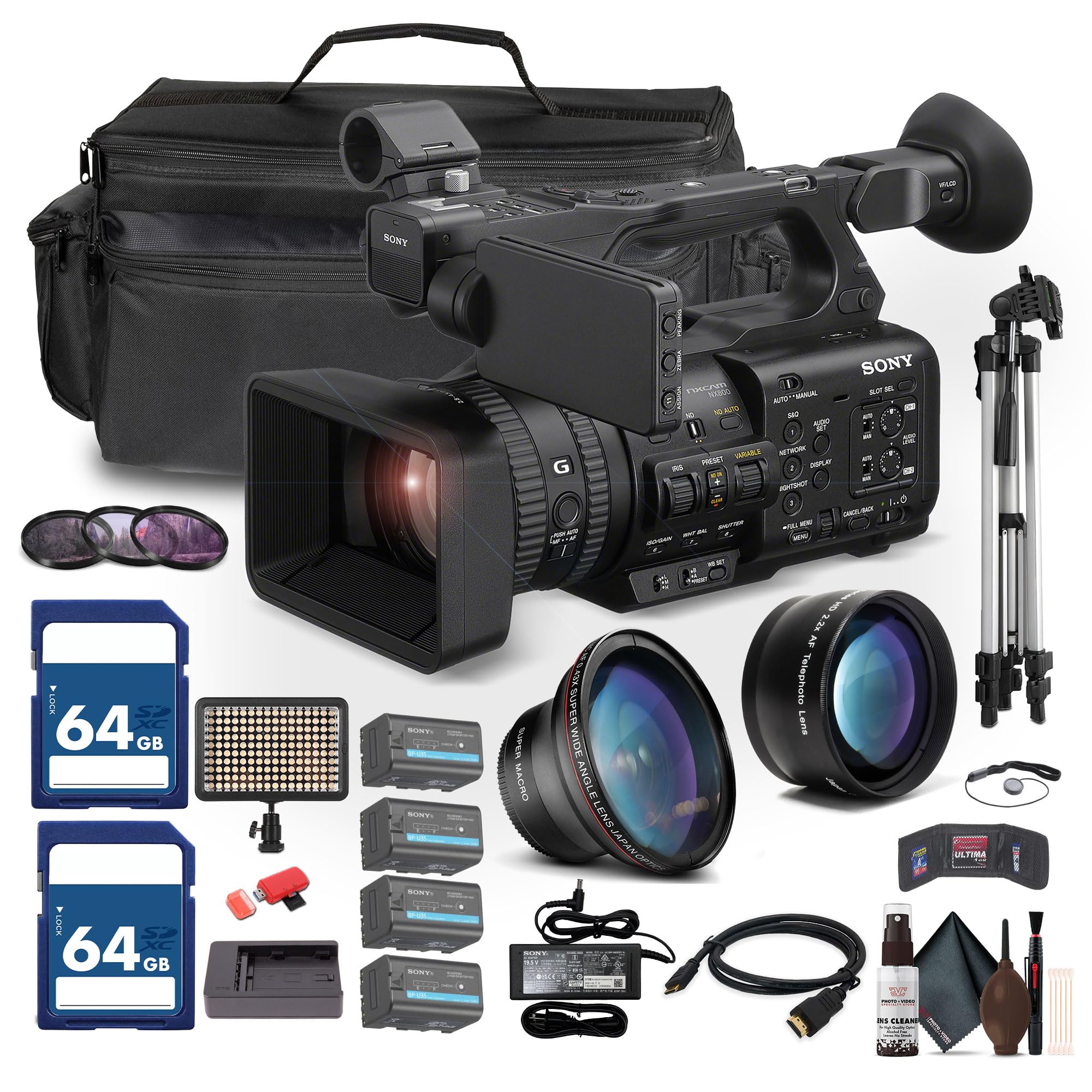
Figure 1: Sony PXW-Z200 4K XDCAM Camcorder, showing the lens, handle, and main body.
Configurar
1. Desembalando e verificando o conteúdo
Carefully unpack all items and ensure the following components are present. If any item is missing or damaged, contact your dealer.
- Sony PXW-Z200 4K 1" CMOS Sensor XDCAM Camcorder
- Adaptador CA
- Cabo de alimentação
- Carregador de bateria
- Battery Pack (BP-U35 or similar)
- LCD Hood
- Para-sol da lente
- Ocular
- Suporte para microfone
- Cold Shoe Kit
2. Fixação do para-sol da lente
Align the lens hood with the front of the lens and twist gently until it locks into place. The lens hood helps to reduce flare and protect the lens.
3. Instalação da bateria
- Certifique-se de que a câmera de vídeo esteja desligada.
- Localize o compartimento da bateria na parte traseira da filmadora.
- Slide the battery pack (e.g., BP-U35) into the compartment until it clicks securely into place.
- Para remover, pressione o botão de liberação da bateria e deslize a bateria para fora.

Figura 2: Lado esquerdo view of the camcorder, showing the battery compartment area.
4. Inserindo cartões de memória
The PXW-Z200 supports dual CFexpress Type-A/SD card slots.
- Abra a tampa do slot do cartão de memória.
- Insert the CFexpress Type-A or SD card into the appropriate slot with the correct orientation until it clicks.
- Feche a tampa do slot do cartão de memória.
- Format new memory cards in the camcorder before first use to ensure optimal performance. Refer to the "Operating" section for formatting instructions.
5. Connecting the AC Adapter
Connect the supplied AC adapter to the camcorder's DC IN jack and then to a wall outlet to power the camcorder or charge the battery while installed.
Operando a filmadora
1. Ligar / desligar
To power on the camcorder, slide the POWER switch to the ON position. To power off, slide it to the OFF position.
2. Gravação Básica
- Ensure a formatted memory card is inserted.
- Set the desired shooting mode (e.g., Automatic, Manual) using the mode dial or menu settings.
- Enquadre sua foto usando o viewfinder or the flip-out LCD monitor.
- Pressione o INICIAR/PARAR GRAVAÇÃO Pressione o botão para iniciar a gravação. O indicador de gravação acenderá.
- Pressione o INICIAR/PARAR GRAVAÇÃO botão novamente para parar a gravação.

Figure 3: The PXW-Z200 camcorder being used to record an event, demonstrating its operational context.
3. Controle de foco
The PXW-Z200 offers both automatic and manual focus options.
- Auto-foco: The camcorder features AI-powered autofocus. Ensure the AUTO/MANUAL switch for focus is set to AUTO.
- Foco manual: To manually adjust focus, set the AUTO/MANUAL switch to MANUAL and rotate the focus ring on the lens.

Figure 4: Detail of the camcorder's control panel, showing the AUTO/MANUAL switch for focus and other settings.
4. Operação de Zoom
Use the zoom rocker on the handle or the zoom ring on the lens to adjust the focal length. The camcorder features a 20x optical zoom and a 30x Clear Image Zoom in 4K.
5. Recording Formats and Settings
The PXW-Z200 supports various recording formats including XAVC S-I, HS-L, S-L, and HD/QFHD. Access the menu system to select your desired format, frame rate (up to 4K120 and 1080p240), and color profiles (S-Cinetone, ITU709, 709tone, HLG).
6. Audio Input and Monitoring
The camcorder features 4-channel audio input. Connect external microphones via the XLR inputs. Monitor audio levels on the LCD screen and through headphones connected to the headphone jack.
7. Conectividade e Streaming
The PXW-Z200 offers multiple connectivity options:
- Saída 12G-SDI: For high-quality video output to professional monitors or switchers.
- Saída HDMI: For connecting to consumer displays or recorders.
- Wi-Fi/Ethernet: Utilize the integrated 2.4/5 GHz Wi-Fi or Ethernet port for live streaming via RTMP/RTMPS, SRT, and FTP.
- Sony Monitor & Control App: Use the dedicated app for remote monitoring and control of the camcorder via a compatible smartphone or tablet.
Manutenção
A manutenção adequada garante a longevidade e o desempenho ideal da sua filmadora.
- Limpeza de lentes: Use a soft, lint-free cloth and a specialized lens cleaning solution to gently clean the lens surface. Avoid touching the lens with bare fingers.
- Limpeza Corporal: Limpe o corpo da filmadora com um pano seco e macio. Para sujeira persistente, umedeça levemente a parte externa.ampen the cloth with water. Do not use strong detergents or solvents.
- Limpeza do sensor: Sensor cleaning should ideally be performed by authorized service personnel. Avoid attempting to clean the sensor yourself unless you are experienced.
- Cuidados com a bateria: Store batteries in a cool, dry place. Avoid fully discharging or overcharging batteries frequently to prolong their lifespan.
- Armazenar: When not in use, store the camcorder in a dry, dust-free environment, preferably in a padded case to protect it from impacts.
Solução de problemas
If you encounter issues with your PXW-Z200, refer to the following common troubleshooting steps:
| Problema | Possível causa/solução |
|---|---|
| A filmadora não liga. |
|
| Não é possível gravar vídeo. |
|
| Image is out of focus. |
|
| Sem gravação de áudio. |
|
For more detailed troubleshooting or persistent issues, please refer to the official Sony support webou entre em contato com o serviço de atendimento ao cliente da Sony.
Especificações
Key technical specifications for the Sony PXW-Z200 Camcorder:
| Recurso | Detalhe |
|---|---|
| Marca | Sony |
| Nome do modelo | PXW-Z200 |
| Tecnologia de sensor fotográfico | CMOS |
| Resolução de captura de vídeo | 4K, 720p, 480p |
| Distância focal máxima | 154.21 milímetros |
| Abertura Máxima | 1.8 pés |
| Formato de captura de vídeo | XAVC S-I |
| Formato de áudio suportado | Dolby Digital/AC-3 |
| Tecnologia de Conectividade | HDMI |
| Zoom óptico | 20 x |
| Tipo de sensor | CMOS |
| Nível de resistência à água | Não resistente à água |
| Estabilização de Imagem | Não |
| Peso do item | 4.32 libras |
| Tipo de lente | Grande angular, zoom |
| Tipo de foco | Foco automático |
| Modos de disparo | Automatic, Landscape, Low Light, Manual, Night, Portrait, Slow Motion, Sports |
| Proporção da imagem | 16:9 |
| File Formatar | XAVC S-I, HS-L, S-L, HD/QFHD |
| Resolução de vídeo eficaz | 3840 pixels |
| Dispositivos compatíveis | Smartphone, Laptop, Personal Computer, Tablet, Devices with SDI input, Devices with HDMI input |
| Tipo de filmadora | Câmera de vídeo |
| Resolução máxima da tela | 4K UHD |
| Ampliar | Óptico, Digital |
Garantia e Suporte
The Sony PXW-Z200 Camcorder is manufactured by Sony. For detailed warranty information, product registration, software updates, and technical support, please visit the official Sony support website. Guarde o recibo de compra como comprovante para solicitações de garantia.
Suporte oficial da Sony Website: https://www.sony.com/electronics/support
For video tutorials and additional resources, please check the official Sony Professional YouTube channel or their product pages.