
Introdução
Thank you for choosing the Vieta Pro Silence 3 Bluetooth 5.4 Active Noise Cancelling Headphones. These headphones are designed to provide a superior audio experience with advanced features for comfort and convenience. Please read this manual carefully before using your headphones to ensure proper operation and to maximize their lifespan.
Conteúdo da embalagem
- Vieta Pro Silence 3 Headphones
- Cabo de carregamento USB-C
- Cabo de áudio de 3.5 mm
- Manual do usuário
Produto acimaview
Familiarize yourself with the various parts and controls of your Vieta Pro Silence 3 headphones.
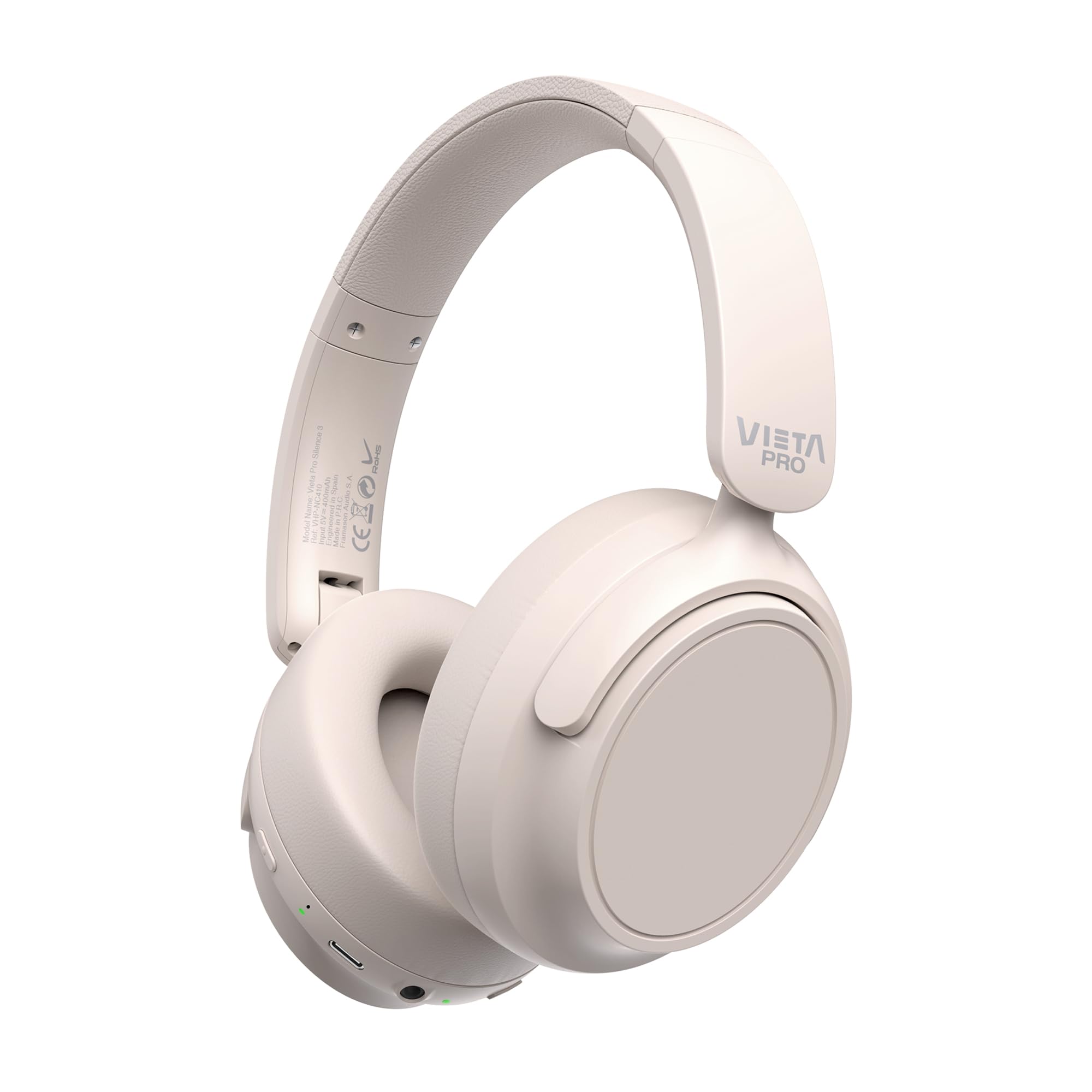
Imagem: Frente view of the Vieta Pro Silence 3 headphones, showcasinseu design geral.

Imagem: Lado view of the Vieta Pro Silence 3 headphones, highlighting the earcups and adjustable headband.

Image: Close-up of a Vieta Pro Silence 3 earcup, illustrating the control buttons, charging port, and 3.5mm audio jack.
The headphones feature a foldable design for easy portability.

Image: Vieta Pro Silence 3 headphones in their folded state, demonstrating their compact design for travel and storage.
Configurar
1. Carregando os fones de ouvido
Before first use, fully charge your headphones. Connect the supplied USB-C cable to the charging port on the headphones and the other end to a USB power source (e.g., wall adapter, computer USB port).
- The LED indicator will show charging status (e.g., red for charging, blue/off for fully charged).
- Uma carga completa proporciona até 50 horas de reprodução.
- Fast charging via USB-C allows for quick power-ups.
2. Ligar / desligar
- Para ligar: Pressione e mantenha pressionado o botão Liga/Desliga por aproximadamente 3 segundos até que o indicador LED acenda e você ouça um aviso sonoro.
- Para desligar: Pressione e mantenha pressionado o botão Liga/Desliga por aproximadamente 3 segundos até que o indicador LED se apague e você ouça um aviso sonoro.
3. Emparelhamento Bluetooth
- Certifique-se de que os fones de ouvido estejam desligados.
- Press and hold the Power button for 5-7 seconds until the LED indicator flashes blue and red alternately, indicating pairing mode.
- No seu dispositivo (smartphone, tablet, computador), ative o Bluetooth e procure por dispositivos disponíveis.
- Select "Vieta Pro Silence 3" from the list of found devices.
- Após o emparelhamento, o indicador LED piscará em azul lentamente e você ouvirá um sinal sonoro de confirmação.
Os fones de ouvido tentarão se reconectar automaticamente ao último dispositivo emparelhado ao serem ligados.
4. Conexão com fio (entrada auxiliar)
You can use the headphones with a wired connection when Bluetooth is not available or preferred. Connect one end of the 3.5mm audio cable to the auxiliary input port on the headphones and the other end to your audio source's 3.5mm jack.
- When using the wired connection, Bluetooth functionality is disabled.
- Active Noise Cancellation (ANC) can still be used in wired mode.
Instruções de operação
1. Reprodução de música
- Reproduzir/Pausar: Pressione o botão multifuncional uma vez.
- Próxima faixa: Pressione e mantenha pressionado o botão de aumentar o volume.
- Faixa anterior: Pressione e segure o botão Diminuir volume.
- Aumentar o volume: Pressione rapidamente o botão Aumentar Volume.
- Volume baixo: Pressione rapidamente o botão Diminuir Volume.
2. Gerenciamento de chamadas
- Atender/encerrar chamada: Pressione o botão multifuncional uma vez.
- Rejeitar chamada: Pressione e segure o botão multifuncional por 2 segundos.
- Assistente de voz: Pressione duas vezes o botão multifuncional para ativar o assistente de voz do seu dispositivo (Siri, Google Assistente, etc.).
3. Cancelamento Ativo de Ruído (ANC)
The ANC feature reduces ambient noise, allowing for a more immersive listening experience.
- Ativar/Desativar ANC: Press the dedicated ANC button once. The LED indicator for ANC will light up (e.g., green) when active.
- ANC can be used independently or with Bluetooth/wired audio.
4. Dual Pairing Function
The Dual Pairing feature allows you to connect your headphones to two Bluetooth devices simultaneously.
- Emparelhe os fones de ouvido com o primeiro dispositivo conforme descrito na seção "Emparelhamento Bluetooth".
- Desative o Bluetooth no primeiro dispositivo.
- Coloque os fones de ouvido de volta no modo de emparelhamento e emparelhe-os com o segundo dispositivo.
- Enable Bluetooth on the first device. The headphones should now be connected to both devices.
- O áudio será reproduzido a partir do dispositivo que estiver transmitindo ativamente.
Manutenção
- Limpe os fones de ouvido com um pano macio e seco. Não utilize produtos de limpeza abrasivos ou solventes.
- Evite expor os fones de ouvido a temperaturas extremas, umidade ou luz solar direta.
- Store the headphones in a cool, dry place when not in use, preferably in their folded state to protect them.
- Não tente desmontar ou modificar os fones de ouvido, pois isso anulará a garantia.
Solução de problemas
| Problema | Solução possível |
|---|---|
| Os fones de ouvido não ligam. | Certifique-se de que os fones de ouvido estejam carregados. Conecte-os a uma fonte de energia usando o cabo USB-C. |
| Não foi possível emparelhar via Bluetooth. |
|
| Sem som ou volume muito baixo. |
|
| O ANC não está funcionando de forma eficaz. |
|
Especificações
| Recurso | Detalhe |
|---|---|
| Nome do modelo | Silêncio 3 |
| Número do modelo | RM |
| Tecnologia de Conectividade | Bluetooth 5.4, com fio (conector de 3.5 mm) |
| Cancelamento de ruído | Cancelamento de ruído ativo (ANC) |
| Duração da bateria | Até 50 horas |
| Porta de carregamento | USB-C (carregamento rápido) |
| Microfone | Integrado para chamadas em modo mãos-livres |
| Fator de forma | Circum-Auricular (Over-Ear) |
| Impedância | 32 Ohms |
| Características especiais | Dual Pairing, Foldable Design, Low Latency Mode |
Informações de segurança
- Não utilize os fones de ouvido em volume alto por períodos prolongados para evitar danos à audição.
- Não utilize os fones de ouvido em situações em que a incapacidade de ouvir os sons ambientes possa ser perigosa (por exemplo, dirigir, andar de bicicleta, caminhar no trânsito).
- Mantenha fora do alcance de crianças.
- Elimine o produto de forma responsável de acordo com os regulamentos locais.
Garantia e Suporte
For warranty information and technical support, please refer to the documentation provided with your purchase or visit the official Vieta Pro website. Guarde o comprovante de compra para solicitações de garantia.
Note: Information regarding specific warranty duration or direct support contacts was not available in the provided product data.