
HUNTVISION E3-E3Z
HUNTVISION E3-Z Security Camera User Manual
Model: E3-Z (E3-E3Z)
1. Introdução
This user manual provides comprehensive instructions for the installation, operation, and maintenance of your HUNTVISION E3-Z Security Camera. Please read this manual thoroughly before using the product to ensure proper function and safety. Keep this manual for future reference.
2. Informações de segurança
Siga sempre as seguintes diretrizes de segurança para evitar danos ao dispositivo ou ferimentos:
- Certifique-se de que a fonte de alimentação seja compatível com os requisitos da câmera.
- Não exponha a câmera a temperaturas extremas ou à luz solar direta por períodos prolongados.
- Avoid placing the camera near strong magnetic fields.
- Não tente desmontar ou modificar a câmera. Encaminhe todos os serviços de manutenção a pessoal qualificado.
- Mantenha a câmera e seus acessórios fora do alcance de crianças.
- Ensure proper mounting to prevent the camera from falling.
3. Conteúdo da embalagem
Verifique se todos os itens estão presentes na embalagem:
- HUNTVISION E3-Z Security Camera (1)
- Adaptador de energia (1)
- Data Line (1)
- Auxiliary Package (1)
- User Guide (This manual)
Note: If any items are missing or damaged, please contact customer support.
4. Produto acabadoview
The HUNTVISION E3-Z is a 3MP PTZ (Pan-Tilt-Zoom) outdoor security camera designed for comprehensive surveillance. It features AI motion tracking, full-color night vision, and two-way audio communication.

Figura 4.1: Frente view of the HUNTVISION E3-Z Security Camera, showing the lens, IR LEDs, and dual antennas.
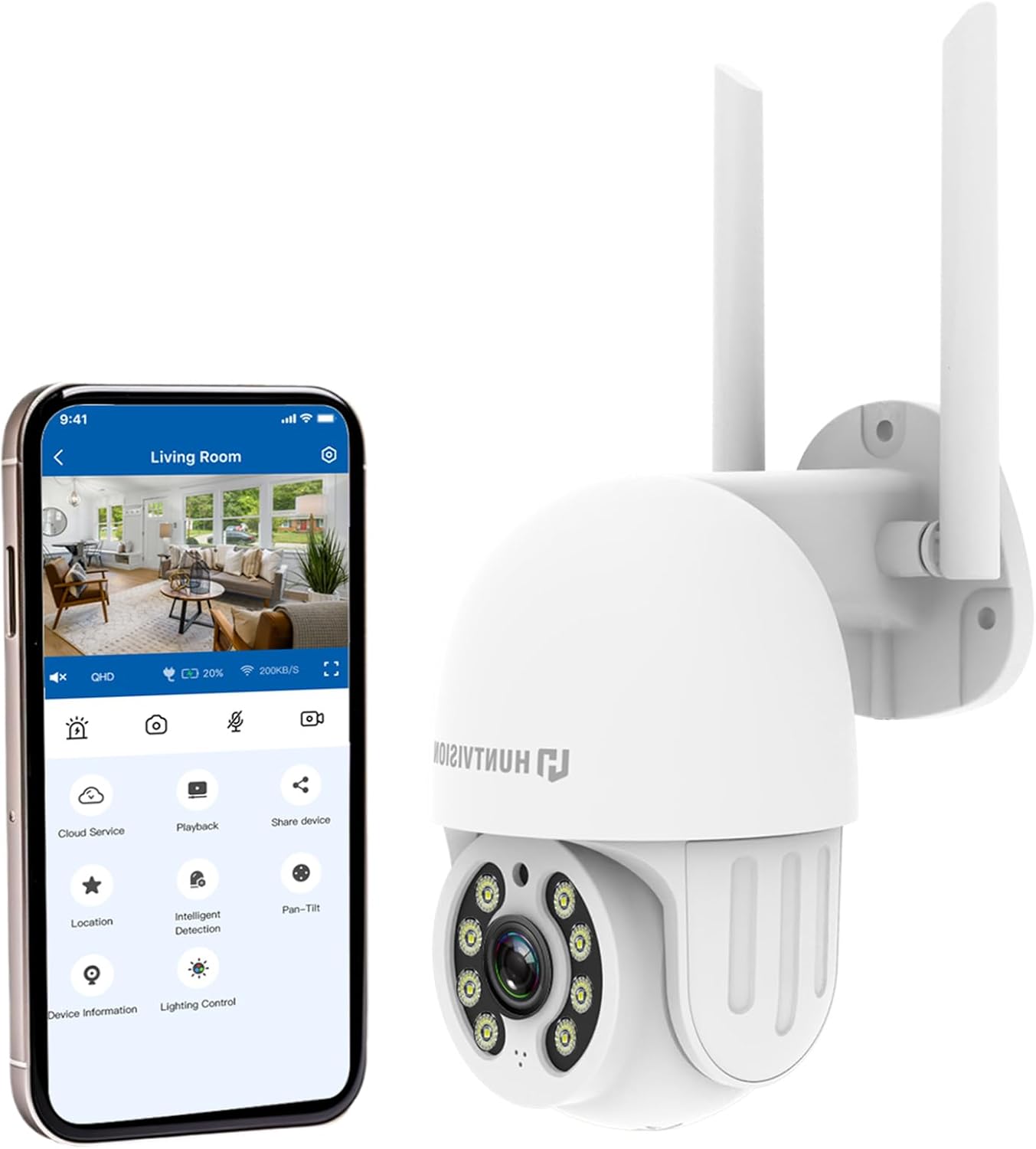
Figura 4.2: The HUNTVISION E3-Z camera alongside a smartphone displaying the companion mobile application interface, illustrating remote control capabilities.
Principais características:
- Resolução Full HD de 3MP: Captures clear 2304×1296 footage.
- 24/7 Color Night Vision: Advanced starlight technology for full-color monitoring in low light.
- Detecção inteligente de IA: Distinguishes people, vehicles, and animals with AI-powered motion tracking.
- 360° PTZ Control: Remote pan, tilt, and zoom via the Huntvision app.
- Áudio bidirecional: Microfone e alto-falante integrados para comunicação.
- IP65 à prova de intempéries: Designed to withstand outdoor conditions (rain, snow, dust).
- Armazenamento duplo: Supports up to 128GB TF card and cloud storage options.
- Fácil configuração: 2.4G WiFi and Bluetooth 4.2 for quick installation.
5. Configuração e instalação
5.1 Escolhendo um local
Selecione um local externo adequado que proporcione o desejado. viewing angle and is within range of your 2.4G WiFi network. The camera is IP65 weatherproof, making it suitable for various outdoor environments.

Figura 5.1: Examples of suitable installation environments, including residential homes, farms, construction sites, and commercial properties.
5.2 Montagem da câmera
The camera supports wall mounting. Use the provided auxiliary package for secure installation.
- Marque os pontos de perfuração na parede usando o suporte de montagem como gabarito.
- Faça furos e insira buchas de parede, se necessário.
- Prenda o suporte de montagem na parede usando parafusos.
- Fixe a câmera ao suporte de montagem, certificando-se de que esteja firmemente no lugar.
5.3 Ligar e configuração inicial
- Conecte o adaptador de energia à câmera e ligue-o a uma tomada elétrica.
- Download the "Huntvision" app from your mobile app store (available for iOS).
- Open the app and follow the on-screen instructions to add your camera. The camera uses Bluetooth 4.2 for initial configuration, simplifying the WiFi connection process.
- Ensure your mobile device is connected to a 2.4G WiFi network during setup.
6. Operando a câmera
6.1 Ao vivo View e controle PTZ
Once connected, access the live view through the Huntvision app. You can remotely control the camera's pan (355°) and tilt (85°) functions to adjust the viewângulo de engate.

Figura 6.1: Illustration of the camera's remote pan (355°) and tilt (85°) capabilities, controlled via the mobile application, along with 6X digital zoom.
6.2 Detecção de Movimento e Alertas
The camera features smart AI detection to distinguish between people, vehicles, and animals. Configure alert settings in the app to receive instant notifications on your mobile device when motion is detected.

Figura 6.2: Depiction of motion detection triggering a siren alert, spotlight alarm, and app notification push, alongside the two-way audio function.
6.3 Modos de Visão Noturna
The E3-Z offers multiple night vision modes:
- Visão noturna em cores: Utilizes advanced starlight technology to provide color images in low-light conditions.
- Visão nocturna do IR: Standard black and white infrared vision for complete darkness.
- Visão noturna inteligente: Alterna automaticamente entre visão noturna infravermelha e colorida com base no movimento detectado ou nas condições de luminosidade.
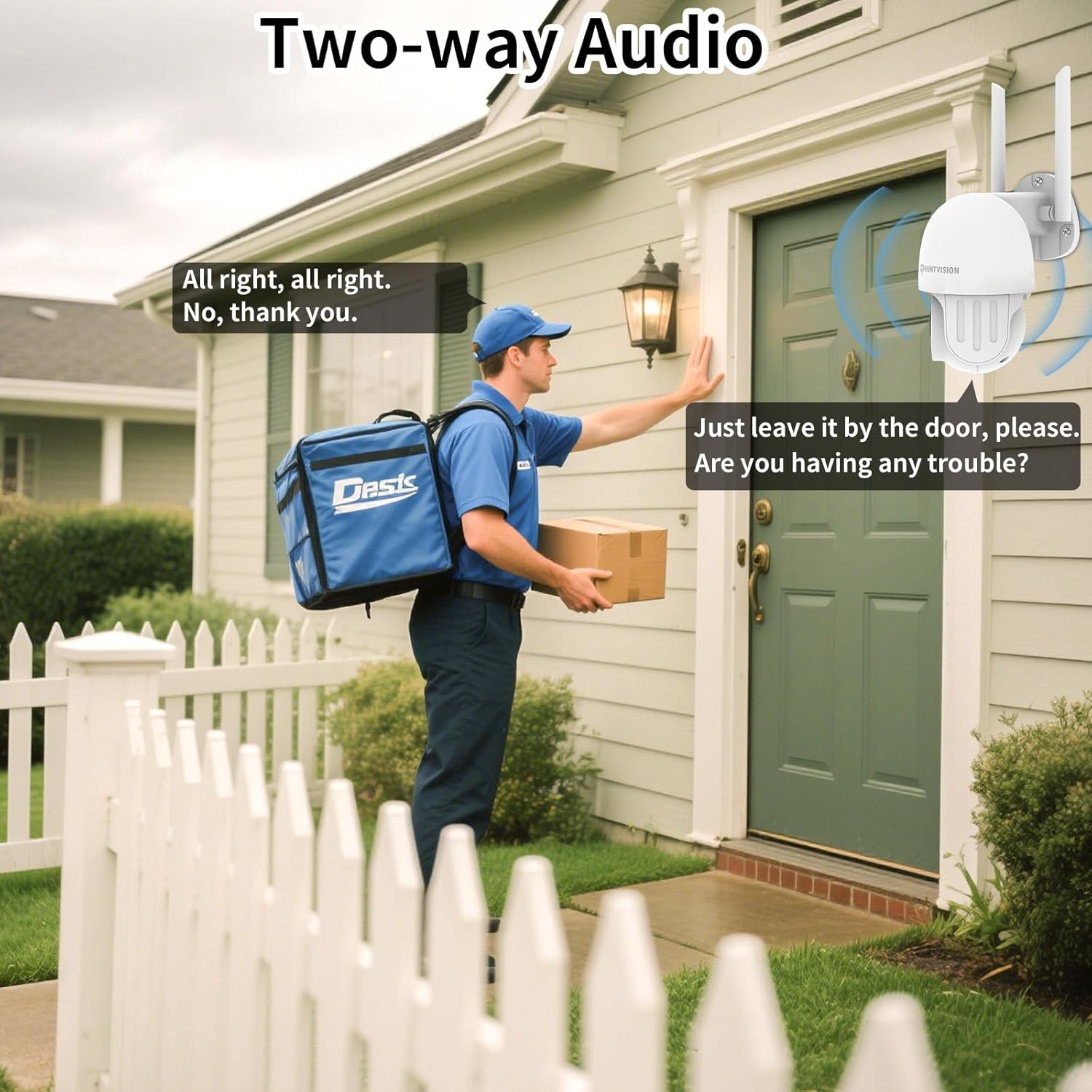
Figura 6.3: Visual comparison of Color Night Vision, IR Night Vision, and Smart Night Vision modes, demonstrating clear visibility in various nighttime scenarios.
Áudio bidirecional 6.4
Use the two-way audio feature to communicate with individuals near the camera. This is useful for deterring intruders or speaking with delivery personnel.

Figura 6.4: Um example of two-way audio in use, showing a user communicating with a delivery person through the camera.
6.5 Opções de armazenamento
The camera supports local storage via a TF (microSD) card up to 128GB and cloud storage services. Insert the TF card into the designated slot on the camera.
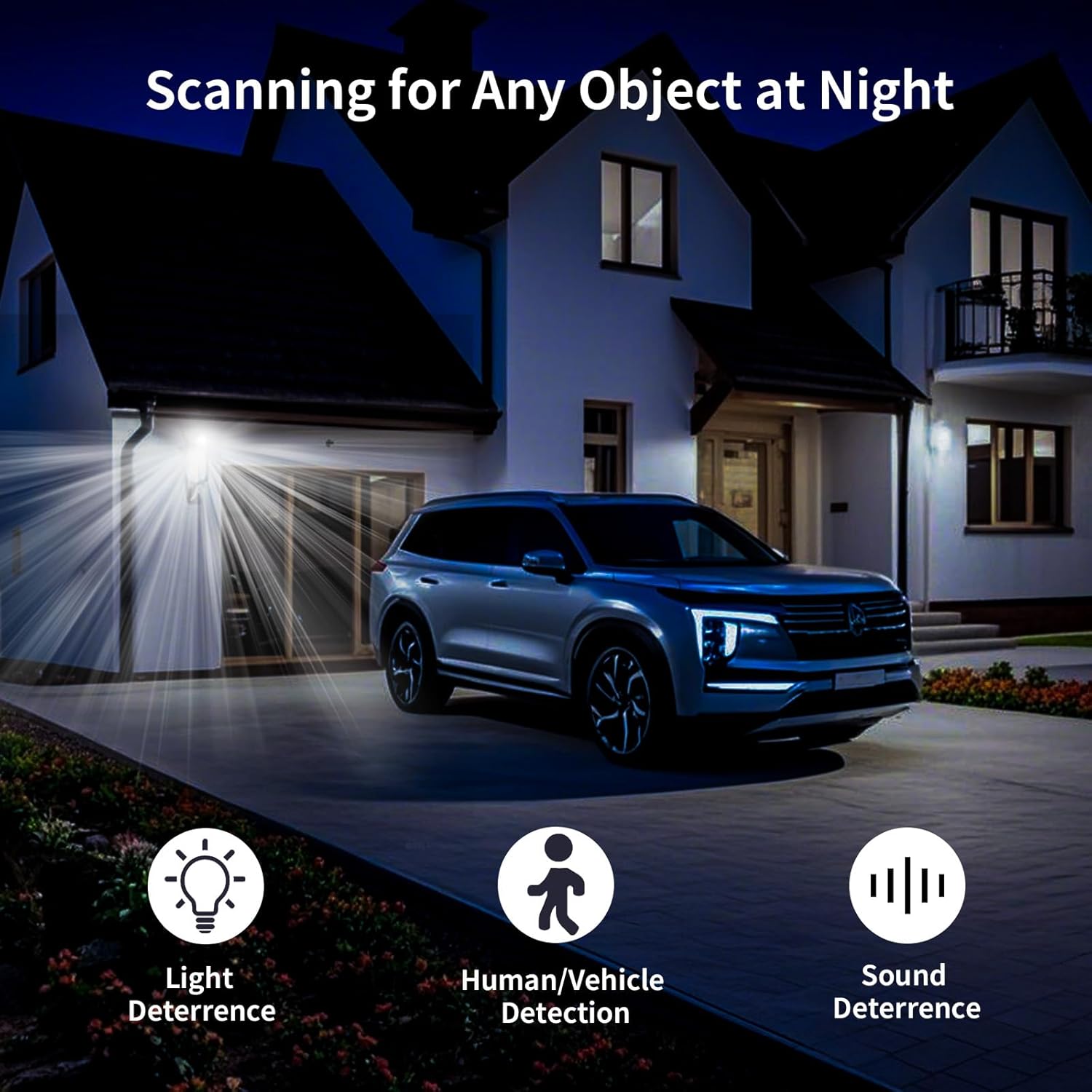
Figura 6.5: Fechar-se view of the TF card slot on the camera and a list of compatible memory card brands (Kingston, SanDisk, PNY) with supported capacities.
7. Manutenção
Regular maintenance ensures optimal performance and longevity of your security camera:
- Limpeza: Limpe delicadamente a lente e o corpo da câmera com um pano macio e seco. Não use produtos químicos agressivos ou abrasivos.
- Atualizações de firmware: Check the Huntvision app regularly for firmware updates. Keeping your camera's firmware up-to-date ensures access to the latest features and security enhancements.
- Ciclo de energia: Se a câmera parar de responder, tente desconectá-la da fonte de alimentação por alguns segundos e, em seguida, conectá-la novamente.
- Gerenciamento de armazenamento: Reavaliar periodicamenteview e gerencie seu foo gravadotage. If using a TF card, ensure it has sufficient space or consider setting up automatic overwriting.
8. Solução De Problemas
If you encounter issues with your HUNTVISION E3-Z camera, refer to the following common problems and solutions:
| Problema | Possível causa | Solução |
|---|---|---|
| Câmera offline no aplicativo | No power; WiFi disconnected; Router issues | Check power connection; Verify WiFi signal strength; Restart router and camera; Re-add camera to app if necessary. |
| Baixa qualidade de imagem | Lente suja; Pouca luz; Problemas de largura de banda da rede | Clean the lens; Ensure adequate lighting or proper night vision mode; Check network speed. |
| Não recebi alertas de movimento. | App notifications disabled; Detection sensitivity too low; Incorrect detection zone settings | Enable app notifications; Adjust detection sensitivity; Configure detection zones in the app. |
| Áudio bidirecional não funciona | Microphone/speaker muted in app; Network latency | Check audio settings in the app; Ensure stable network connection. |
| TF card not recording | Card full; Card not formatted; Incompatible card | Format the TF card via the app; Replace with a compatible card (up to 128GB); Check recording settings. |
For further assistance, please contact HUNTVISION customer support.
9. Especificações
| Recurso | Detalhe |
|---|---|
| Nome do modelo | 3MP Outdoor PTZ Camera (E3-Z) |
| Resolução | 3MP (2304 x 1296p) |
| Tecnologia de Conectividade | Wireless (2.4G WiFi, Bluetooth 4.2 for setup) |
| Faixa de Pan/Tilt | Pan 355 °, inclinação 85 ° |
| Visão noturna | Full-Color Night Vision, IR Night Vision, Smart Night Vision |
| Áudio | Áudio bidirecional |
| Opções de armazenamento | Cartão TF (até 128 GB), armazenamento em nuvem |
| Classificação à prova de intempéries | IP65 |
| Fonte de energia | Elétrico com fio |
| Tipo de montagem | Montagem na parede |
| Dimensões (C x L x A) | 6.36 x 5.31 x 3.62 polegadas |
| Peso do item | 1 libra |
| Componentes incluídos | Camera, Power adapter, Data line, Auxiliary package, User guide |
10. Garantia e Suporte
HUNTVISION products come with a standard manufacturer's warranty. Please refer to the warranty card included in your package or visit the official HUNTVISION website para obter termos e condições detalhados da garantia.
Suporte ao cliente:
If you require technical assistance or have questions regarding your HUNTVISION E3-Z Security Camera, please contact our customer support team. For the most up-to-date contact information, please visit the official HUNTVISION webou consulte os detalhes de contato fornecidos na embalagem do seu produto.
Please have your model number (E3-Z) and purchase information ready when contacting support.
Ask a question about this manual
Ask about setup, troubleshooting, compatibility, parts, safety, or missing instructions. Manuals+ will review the question and use this page’s manual context to help answer it.