1. Introdução
1.1. O que está na caixa
Por favor, verifique o conteúdo da embalagem ao desembalar:
- 1 x artfone G6 Mobile Phone
- Bateria de 1 x 1300 mAh
- 1 x cabo de carregamento USB
- 1 x base de carregamento
- 1 x Manual do Usuário
1.2. Instalação da bateria
Para instalar a bateria:
- Remova a tampa traseira do telefone.
- Alinhe os contatos da bateria com os terminais do telefone.
- Pressione a bateria suavemente até encaixá-la no lugar.
- Recoloque a tampa traseira, certificando-se de que ela se encaixe firmemente.
1.3. Instalação do cartão SIM
The artfone G6 supports Nano SIM cards (2G, 3G, or 4G). To install your SIM card:
- Certifique-se de que o telefone esteja desligado.
- Remova a tampa traseira e a bateria.
- Locate the SIM card slot(s). The phone supports dual SIM.
- Insert the Nano SIM card(s) into the slot(s) with the gold contacts facing down, following the diagram near the slot.
- Reinstale a bateria e a tampa traseira.
1.4. Carregando o telefone
Antes da primeira utilização, carregue totalmente a bateria do telefone.
- Utilizando a base de carregamento: Place the phone into the charging dock. Connect the USB charging cable to the dock and then to a power adapter.
- Carregamento direto via USB-C: Conecte o cabo USB-C diretamente à porta USB-C do telefone e, em seguida, a um adaptador de energia.
The charging indicator will show the charging status. A full charge typically takes a few hours.
1.5. Ligar / desligar
- Para ligar: Pressione e mantenha pressionado o botão vermelho "Encerrar chamada" até que a tela acenda.
- Para desligar: Pressione e mantenha pressionado o botão vermelho "Encerrar chamada" até que as opções de desligamento apareçam e, em seguida, selecione "Desligar".
2. Operações básicas
2.1. Teclado sobrepostoview
The artfone G6 features a large, backlit keypad for easy dialing and navigation, especially in low-light conditions.

Image: The artfone G6 phone open, displaying its large, easy-to-read keypad.
2.2. Dual Display Functionality
The phone features a 2.4-inch main HD screen and a 1.8-inch external display. The external screen allows you to quickly check the time, date, battery status, and incoming call notifications without opening the phone.

Image: The artfone G6 demonstrating its dual display feature, showing the external screen and the internal screen.
2.3. Fazendo e recebendo chamadas
- Fazer uma ligação: Open the phone, dial the number using the keypad, and press the green 'Call' button.
- Para receber uma chamada: When the phone rings, open the phone and press the green 'Call' button. You can also answer by opening the flip.
- Para encerrar uma chamada: Press the red 'End Call' button or close the flip.
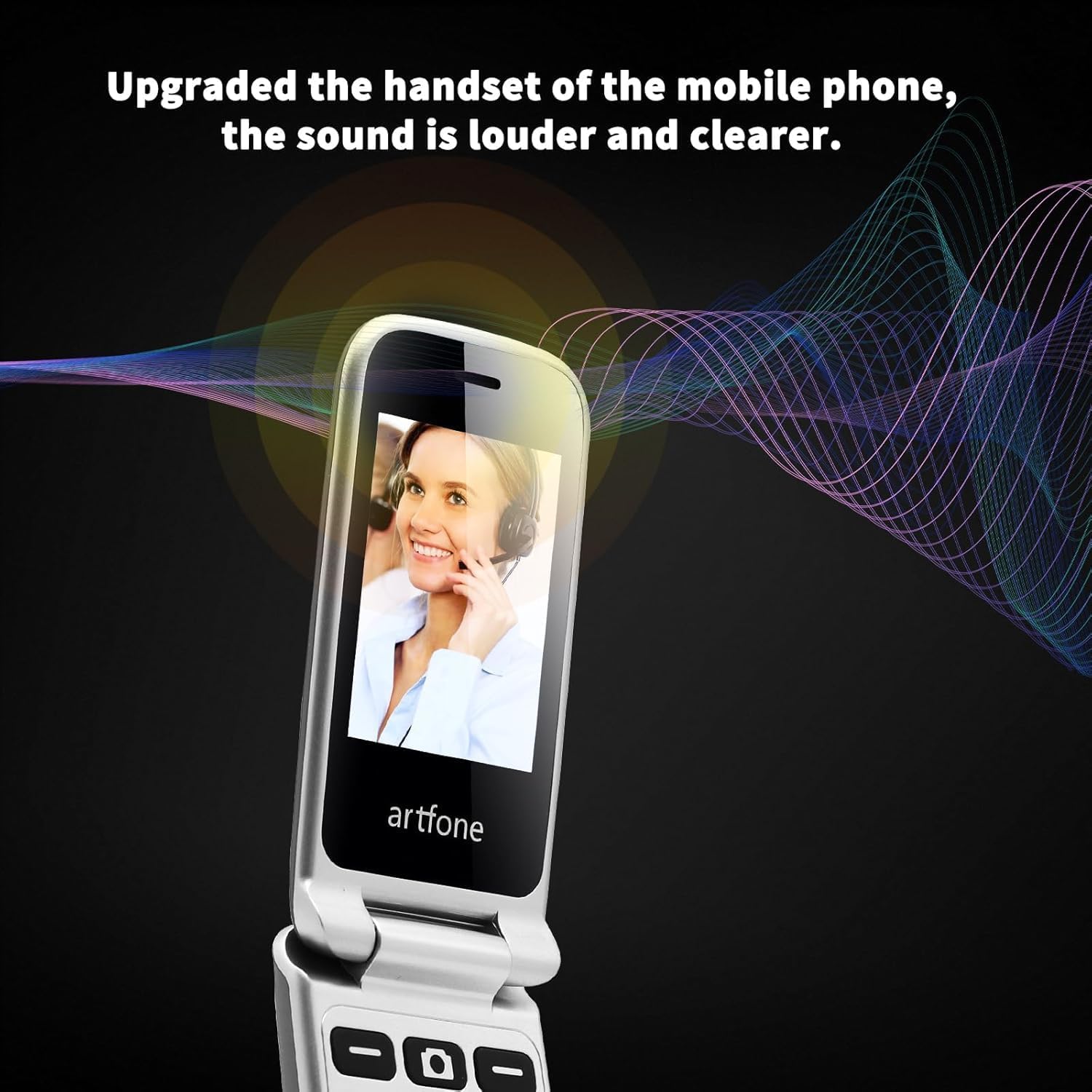
Image: The artfone G6 in use during a call, highlighting its clear audio quality.
2.4. Envio e recebimento de mensagens
Navigate to the 'Messages' menu to compose new messages or read incoming ones. Use the keypad to type your message.
2.5. Usando a Discagem Rápida
The artfone G6 allows you to set up speed dial contacts for quick access to important numbers.
- Go to 'Settings' or 'Contacts' to assign numbers to speed dial keys (e.g., keys 2-9, A, B).
- To use, simply press and hold the assigned speed dial key.
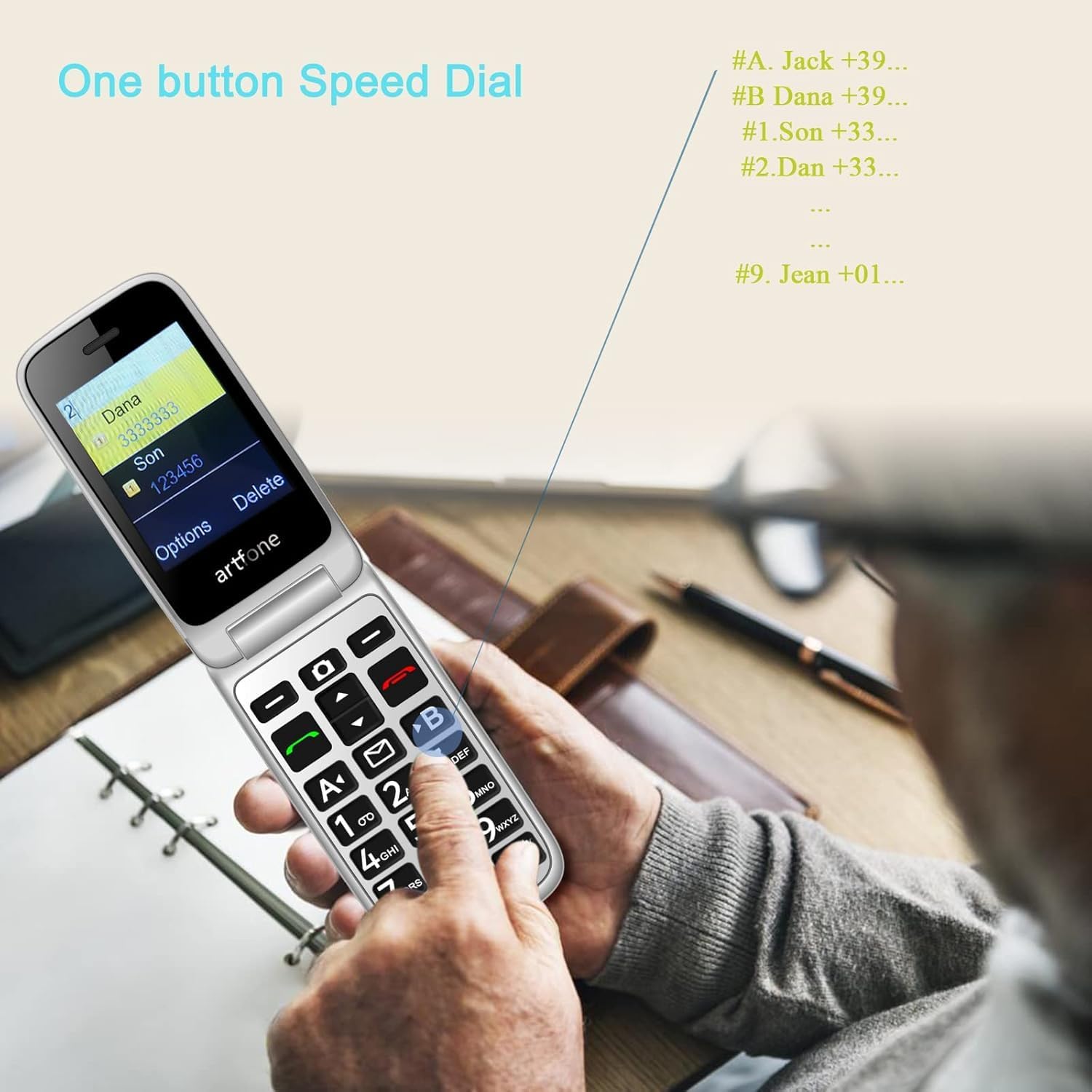
Image: A user activating the speed dial feature on the artfone G6.
2.6. Botão de emergência SOS
For enhanced safety, the artfone G6 includes a dedicated SOS button.
- Configurar: In the 'SOS Settings' menu, you can configure up to five emergency contacts.
- Uso: In an emergency, press and hold the SOS button on the back of the phone. The phone will automatically call these numbers in sequence until one answers. It will also send an emergency SMS to these contacts.

Imagem: A parte traseira view of the artfone G6, showing the SOS emergency button and side controls.
2.7. Time Reporting Feature
The phone offers a multilingual voice time announcement feature, beneficial for users with visual impairments.
- Press the dedicated time reporting button (often located on the side or keypad) to hear the current time announced aloud.

Image: Activating the time reporting feature on the artfone G6.
2.8. Ajustando o Volume
Use the dedicated volume buttons located on the side of the phone to adjust call volume, ringtone volume, and media volume.
2.9. Blacklist Feature
To block unwanted calls, the artfone G6 includes a blacklist feature. You can add up to 50 numbers to this list, preventing them from contacting you.
- Navigate to 'Call Settings' or 'Security Settings' to access and manage the blacklist.
3. Manutenção
3.1. Cuidados Gerais
- Mantenha o telefone seco. A umidade pode danificar os circuitos eletrônicos.
- Evite temperaturas extremas. Temperaturas elevadas podem reduzir a vida útil de aparelhos eletrônicos e danificar as baterias.
- Do not drop, knock, or shake the phone. Rough handling can break internal circuit boards.
- Não use produtos químicos agressivos, solventes de limpeza ou detergentes fortes para limpar o telefone.
3.2. Limpeza
Use a soft, dry cloth to wipe the phone's surface. For stubborn dirt, a slightly damp Pode-se usar um pano, garantindo que nenhum líquido entre nas aberturas.
3.3. Cuidados com a bateria
The 1300 mAh battery provides extended talk and standby times. To maximize battery life:
- Avoid overcharging; disconnect the charger once the battery is full.
- If not using the phone for an extended period, store it with a partial charge (around 50%).
4. Solução De Problemas
If you encounter issues with your artfone G6, please refer to the following common problems and solutions:
| Problema | Solução possível |
|---|---|
| O telefone não liga | Verifique se a bateria está instalada corretamente e carregada. Tente carregar o telefone por pelo menos 30 minutos. |
| Não consigo fazer nem receber chamadas. | Check if the SIM card is properly inserted and activated. Ensure you have network coverage. Verify that the number is not on the blacklist. |
| Má qualidade de chamada | Move to an area with better network reception. Check the volume settings. |
| Bateria não carrega | Check the charging cable and adapter for damage. Ensure the phone is correctly placed in the charging dock or the USB-C cable is fully inserted. |
| O botão SOS não está funcionando. | Verifique se os contatos de emergência estão configurados corretamente nas configurações de SOS. |
Se o problema persistir, entre em contato com o suporte ao cliente.
5. Especificações
Detailed technical specifications for the artfone G6:
| Recurso | Detalhe |
|---|---|
| Marca | artfone |
| Nome do modelo | G6 |
| Sistema operacional | artfone Mocor RTOS |
| Tamanho da tela principal | 2.4 polegadas |
| External Screen Size | 1.8 polegadas |
| Resolução da tela | 480 x 320 |
| BATER | 48 MB |
| Capacidade de armazenamento | 128 MB |
| Modelo de CPU | MTK 8121 |
| Velocidade da CPU | 1000 MHz |
| Capacidade da bateria | 1300 mAh |
| Conectividade | Bluetooth, USB Type C, 3.5 mm Jack |
| Características especiais | Dual SIM, Dual Display, SOS Button, Speed Dial, Blacklist |
6. Informações de garantia
The artfone G6 comes with a manufacturer's warranty of 2 anosGuarde o comprovante de compra para eventuais solicitações de garantia. A garantia cobre defeitos de materiais e de fabricação em condições normais de uso.
For specific terms and conditions, please refer to the warranty card included in your product packaging or contact artfone customer service.
7. Suporte
For further assistance, technical support, or inquiries regarding your artfone G6 phone, please visit the official artfone webou entre em contato com o departamento de atendimento ao cliente. Os detalhes de contato geralmente podem ser encontrados no site do fabricante. website ou na embalagem do produto.
Always ensure you have your product model number (G6) and purchase details ready when contacting support.