
1. Introdução
The MiBOXER K3S Rotating Wheel Remote provides intuitive control over LED lighting systems, allowing for precise adjustment of both color temperature and brightness. Utilizing 2.4GHz wireless technology, this remote ensures stable and responsive operation. Its ergonomic design facilitates easy handling and accurate adjustments, making it suitable for various lighting applications.
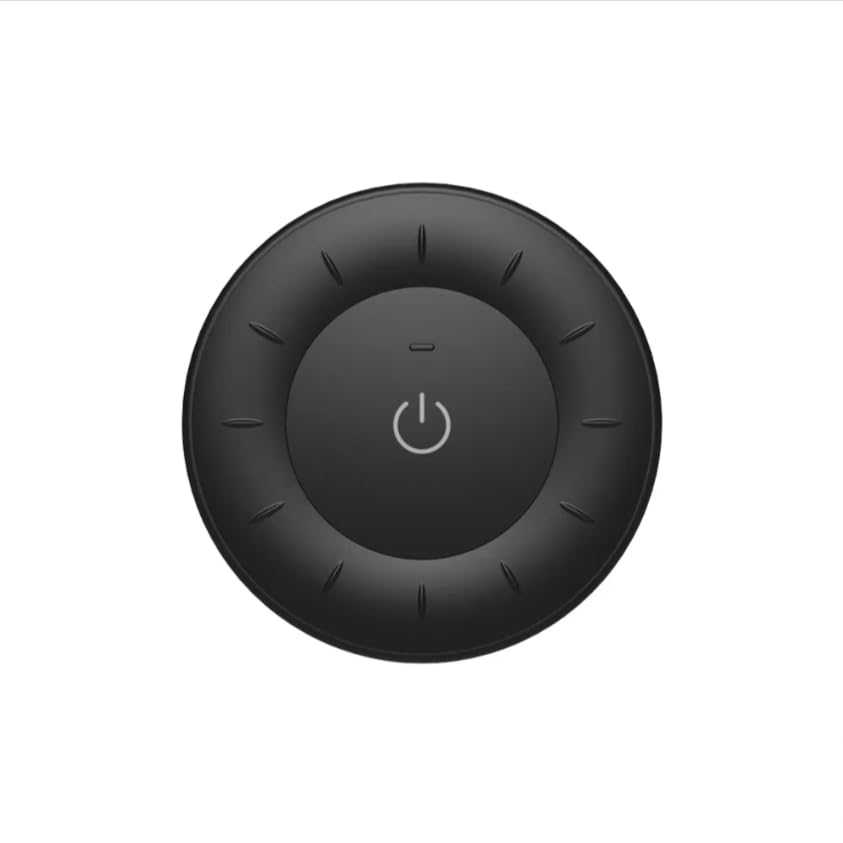
Image 1.1: MiBOXER K3S Rotating Wheel Remote (Black)
This image displays the MiBOXER K3S remote control in black, highlighting its circular design and central power button.
2. Recursos do Produto
- Ajuste de brilho e temperatura de cor: Allows fine-tuning of lighting intensity and warmth.
- Rotating Wheel Design: Provides smooth and intuitive control for easy adjustments.
- Tecnologia sem fio de 2.4 GHz: Ensures stable, interference-free connectivity with compatible devices.
- Design ergonômico: Confortável de segurar e operar.
- Multi-Environment Compatibility: Adequado para diversos ambientes, incluindo residências, escritórios e espaços comerciais.
3. Conteúdo da embalagem
Ao abrir a embalagem, verifique se todos os componentes estão presentes:
- Controle remoto de roda giratória MiBOXER K3S
- Manual do usuário
Note: CR2032 battery is purchased separately and is not included in the package.
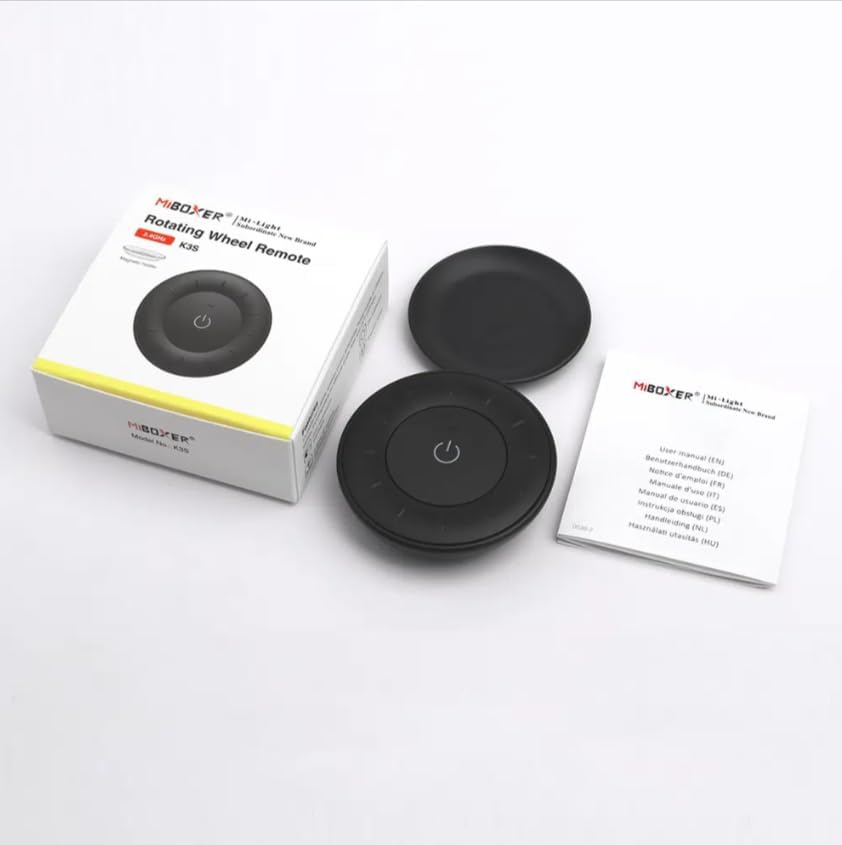
Image 3.1: Package Contents Overview
This image shows the MiBOXER K3S remote, its packaging box, and the included user manual, laid out on a surface.
4. Diagrama do Produto

Image 4.1: Remote Control Components
This diagram illustrates the main components of the MiBOXER K3S remote, including the ON/OFF button, brightness/color temperature rotating wheel, and the battery compartment with Link/Unlink button.
- Botão ON/OFF: Central button to power the connected light on or off.
- Brightness / Color Temperature Rotating Wheel: The outer ring used to adjust brightness by default. Long press the ON/OFF button for 3 seconds to switch to color temperature adjustment mode.
- Link / Unlink Button: Located inside the battery compartment, used for pairing the remote with compatible lighting devices.
5. Configuração
5.1 Instalação da bateria
- Localize o compartimento da bateria na parte traseira do controle remoto.
- Abra a tampa do compartimento da bateria.
- Insira uma bateria CR2032, certificando-se da polaridade correta (+/-).
- Feche bem a tampa do compartimento da bateria.
Image 5.1: Battery Installation Area
This image shows the underside of the remote, indicating the location for the CR2032 battery and the Link/Unlink button.
5.2 Linking / Unlinking the Remote
The K3S remote uses 2.4GHz RF wireless technology to communicate with compatible MiBOXER lighting devices.
Linking Procedure:
- Ensure the light fixture you wish to control is powered off.
- Power on the light fixture.
- Within 3 seconds of powering on the light, press the "Link/Unlink" button (located inside the battery compartment) on the K3S remote três vezes.
- A luz deve piscar três vezes lentamente, indicando que a conexão foi bem-sucedida.
Unlinking Procedure:
- Ensure the light fixture you wish to unlink is powered off.
- Power on the light fixture.
- Within 3 seconds of powering on the light, press the "Link/Unlink" button (located inside the battery compartment) on the K3S remote cinco vezes.
- The light should flash ten times quickly, indicating successful unlinking.
6. Instruções de operação
6.1 Ligar/desligar
- Pressione o botão central ⏻ (ON/OFF) button once to turn the connected light on or off.
6.2 Ajustando o brilho
- By default, rotating the outer wheel adjusts the brightness of the light.
- Gire no sentido horário para aumentar o brilho.
- Gire no sentido anti-horário para diminuir o brilho.
6.3 Ajustando a temperatura da cor
- To switch to color temperature adjustment mode, pressão longa the central ⏻ (ON/OFF) button for 3 seconds.
- Once in color temperature mode, rotate the outer wheel to adjust the color temperature.
- Rotate clockwise for cooler (bluer) light.
- Rotate counter-clockwise for warmer (yellower) light.
- To switch back to brightness adjustment, long press the ⏻ (ON/OFF) button for another 3 seconds.
7. Especificações
| Nome do modelo | K3S |
| Marca | MiBOXER |
| Tecnologia de Conectividade | Sem fio RF 2.4G |
| Tipo de controle | Brilho, Temperatura de Cor |
| Alcance máximo | 30 metros |
| Tipo de Bateria | CR2032 (purchased separately) |
| Dimensões (Diâmetro x Altura) | Ø60mm x 15mm (approx.) |
| Weight (Gross Weight per box) | 0.05 KGS (approx.) |

Image 7.1: Remote Control Dimensions
This diagram provides the physical dimensions of the MiBOXER K3S remote, showing a diameter of 60mm and a thickness of 15mm (or 19.5mm with the base).
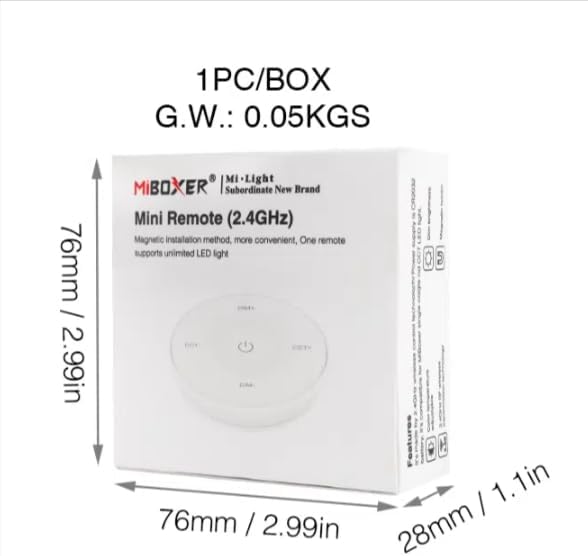
Image 7.2: Packaging Dimensions
This image displays the dimensions of the product packaging, indicating it is 76mm x 76mm x 28mm with a gross weight of 0.05 KGS.
8. Manutenção
- Mantenha o controle remoto limpo, passando um pano macio e seco.
- Avoid exposing the remote to moisture, extreme temperatures, or direct sunlight.
- If the remote is not used for an extended period, remove the battery to prevent leakage.
- Replace the battery when the remote's performance degrades or it stops responding.
9. Solução De Problemas
| Problema | Possível causa | Solução |
|---|---|---|
| Remoto não está respondendo | Bateria fraca ou esgotada | Substitua a bateria CR2032. |
| Light not linking | Incorrect linking procedure or light not compatible | Ensure the light is powered on within 3 seconds of pressing the link button. Verify light compatibility with MiBOXER 2.4G RF remotes. |
| Alcance limitado | Obstruções ou interferências | Reduce distance between remote and light. Remove obstructions. Avoid areas with strong 2.4GHz interference. |
| Brightness/Color Temp adjustment not working | Controle remoto no modo errado | Long press the ON/OFF button for 3 seconds to switch between brightness and color temperature adjustment modes. |
10. Garantia e Suporte
The product comes with a manufacturer's warranty. For specific warranty details and duration, please refer to the documentation included with your purchase or contact MiBOXER customer support.
For technical support or inquiries, please visit the official MiBOXER website ou entre em contato com o departamento de atendimento ao cliente.
Fabricante: MiboxerName