
Introdução
Thank you for choosing the Phomemo M836 A4 Portable Thermal Printer. This device offers convenient, inkless printing for various document types, making it ideal for business, travel, and personal use. This manual will guide you through the setup, operation, and maintenance of your printer to ensure optimal performance.
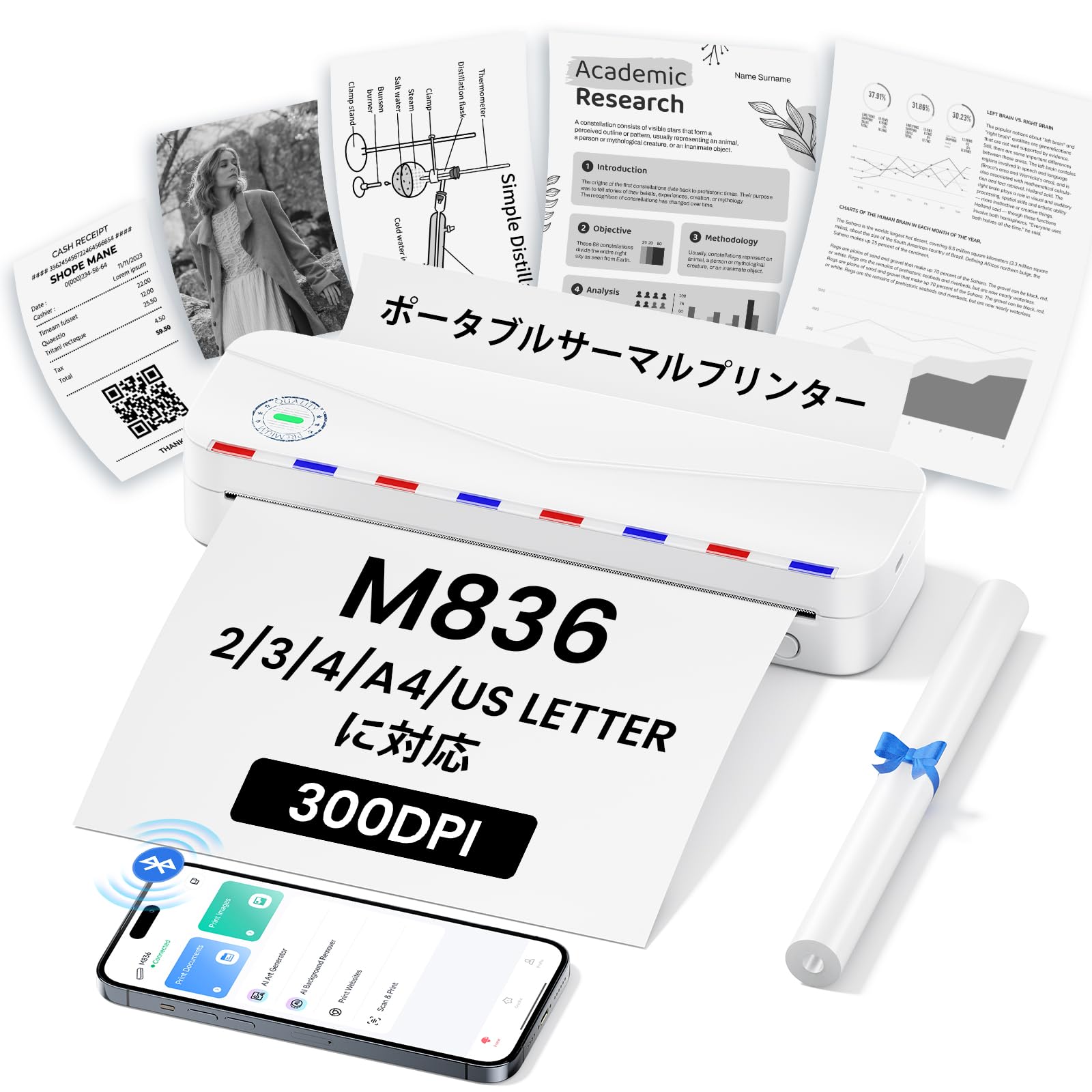
Image: The Phomemo M836 A4 Portable Thermal Printer, showcasingraças ao seu design compacto e portabilidade.
Produto acimaview
Principais características
- Impressão térmica sem tinta: Utilizes advanced thermal printing technology, eliminating the need for ink cartridges or toner.
- Compacto e portátil: Weighing approximately 750g, it is designed for easy transport in a bag, perfect for on-the-go printing.
- Suporte para papel de vários tamanhos: Compatible with A4 (8.27 x 11.69 inches) and other thermal paper sizes including 53mm, 80mm, and 110mm. Supports standard thermal sheets, roll paper, and fanfold thermal paper.
- Alta resolução: Delivers clear and vivid prints at 304dpi resolution.
- Ampla compatibilidade: Connects via Bluetooth to iPhones, Android phones, and iPads, and via USB cable to laptops and computers (Windows, macOS).
- Bateria de longa duração: Equipped with an upgraded 2600mAh battery, ensuring extended use throughout the day.
- Impressão versátil: Capable of printing PDF, Word, image (JPG), web pages, TXT, office documents, receipts, contracts, resumes, invoices, drawings, and school notes.

Image: The Phomemo M836 printer highlighting its compact dimensions (264mm length, 78mm width, 45mm height) and light weight (715g).

Image: The printer demonstrating compatibility with single sheets, fanfold paper, and roll paper. Note: Only thermal paper is supported, not ordinary copy paper.
Instruções de configuração
1. Carregando o papel térmico
- Abra a tampa de papel da impressora.
- Insert the thermal paper with the printable side facing up. Ensure the paper is aligned correctly.
- Close the paper cover. The printer will automatically adjust the paper.

Image: Illustration of how to load thermal paper into the printer, showing the adjustable snaps for different paper widths.
2. Mobile Device Connection (Bluetooth)
- Download the "Phomemo" app from the Apple App Store or Google Play Store.
- Turn on your mobile phone's Bluetooth.
- Press and hold the power button on the M836 printer to turn it on.
- Open the "Phomemo" app and connect to the printer via Bluetooth within the app.

Image: Step-by-step guide for connecting the Phomemo M836 to a smartphone via the Phomemo app and Bluetooth.
3. PC Connection (USB)
- Turn on the printer by pressing and holding the power button. Ensure thermal paper is loaded.
- Connect the printer to your computer using the provided Type-C USB cable.
- Download and install the printer driver from M836.phomemo.com.
- After driver installation, select "[M836] Printer" from your computer's print options to begin printing.

Image: Instructions for connecting the Phomemo M836 to a PC via USB, including driver download and print selection.
Instruções de operação
General Printing Steps
- Ensure the printer is powered on and connected to your device (mobile or PC) as described in the Setup section.
- Abra o documento ou imagem que deseja imprimir no seu dispositivo.
- Initiate the print function from your application (e.g., "Print" in the Phomemo app, or "File" > "Print" on PC).
- Select the "M836 Printer" from the list of available printers.
- Ajuste as configurações de impressão, como tamanho do papel, orientação e número de cópias, conforme necessário.
- Confirm and send the print job to the printer.

Image: The Phomemo app interface, showing options to print various file types like Word, TXT, PDF, Excel, Web pages, and images, along with scanning functionality.
Manutenção
Limpando a cabeça da impressora
- Desligue a impressora e desconecte-a de qualquer fonte de energia.
- Abra a tampa do papel.
- Limpe delicadamente a cabeça de impressão térmica com um cotonete levemente úmido.ampenriquecido com álcool isopropílico.
- Deixe a cabeça de impressão secar completamente antes de fechar a tampa e retomar o uso.
- Do not touch the print head with bare hands to avoid damage or residue transfer.
Cuidados com a bateria
- Charge the printer regularly, especially if it will not be used for an extended period, to maintain battery health.
- Use the provided Type-C USB cable for charging.
- Avoid exposing the printer to extreme temperatures, which can affect battery life.
Solução de problemas
| Problema | Possível causa | Solução |
|---|---|---|
| A impressora não liga. | Bateria fraca ou problema de energia. | Charge the printer using the Type-C USB cable. Ensure the power adapter is working. |
| Não consigo conectar via Bluetooth. | O Bluetooth está desligado, o emparelhamento está incorreto ou há um problema com o aplicativo. | Ensure Bluetooth is enabled on your device. Restart the printer and your device. Try pairing again through the Phomemo app. |
| Poor print quality (faint or blank). | Incorrect paper loading, non-thermal paper, or dirty print head. | Ensure thermal paper is loaded correctly with the printable side up. Verify you are using thermal paper. Clean the print head as described in the Maintenance section. |
| Printer not recognized by PC. | Driver não instalado ou problema com o cabo USB. | Instale o driver correto a partir de M836.phomemo.comTente usar uma porta USB ou um cabo diferente. |
| Atolamento de papel. | Carregamento incorreto do papel ou objeto estranho. | Turn off the printer. Carefully open the paper cover and remove any jammed paper or obstructions. Reload paper correctly. |
Especificações
| Recurso | Detalhe |
|---|---|
| Marca | Phomemo |
| Nome do modelo | M836 |
| Tecnologia de Conectividade | Bluetooth, USB |
| Tecnologia de impressão | Térmico |
| Recurso especial | Portátil |
| Cor | Branco |
| Saída da impressora | Monocromático |
| Velocidade máxima de impressão (monocromática) | 20 páginas / minuto |
| Dimensões do produto (P x L x A) | 210 mm x 47 mm x 65 mm |
| Tamanho máximo da mídia (papel) | 8.5 x 11 polegadas (A4) |
| Tipo de mídia impressa | Papel térmico |
| Funções adicionais da impressora | Somente impressão |
| Resolução | 304 dpi |
| Capacidade máxima de entrada de folhas | 10 folhas |
| interface de hardware | USB-C |
| Impressão Duplex | Não (Simplex) |
| Capacidade da bateria | 2600mAh |
Garantia e Suporte
The Phomemo M836 A4 Portable Thermal Printer comes with a Garantia do fabricante de 1 anos a partir da data da compra. Esta garantia cobre defeitos em materiais e mão de obra sob uso normal.
For technical support, warranty claims, or any questions regarding your product, please contact Phomemo customer service through their official website ou revendedor onde você comprou o produto. Tenha em mãos o número do modelo (M836) e o comprovante de compra ao entrar em contato com o suporte.