
Ezlo EZL-B-2700-6W-A19-US
Ezlo Z-Wave LED Bulb User Manual
Model: EZL-B-2700-6W-A19-US
1. Introdução
The Ezlo Z-Wave LED Bulb is a smart lighting solution designed for seamless integration into your Z-Wave smart home system. This bulb offers remote control capabilities, adjustable brightness, and the ability to create customized lighting scenes, all while being energy-efficient and long-lasting.

Imagem 1.1: Frente view of the Ezlo Z-Wave LED Bulb.

Image 1.2: The Ezlo Z-Wave LED Bulb shown with its product packaging.
2. Compatibilidade
This Z-Wave LED Bulb is designed to work with major Z-Wave smart home hubs, including EzloPlus, HomeAssistant, and SmartThings. A Z-Wave compatible hub is required for control and automation.
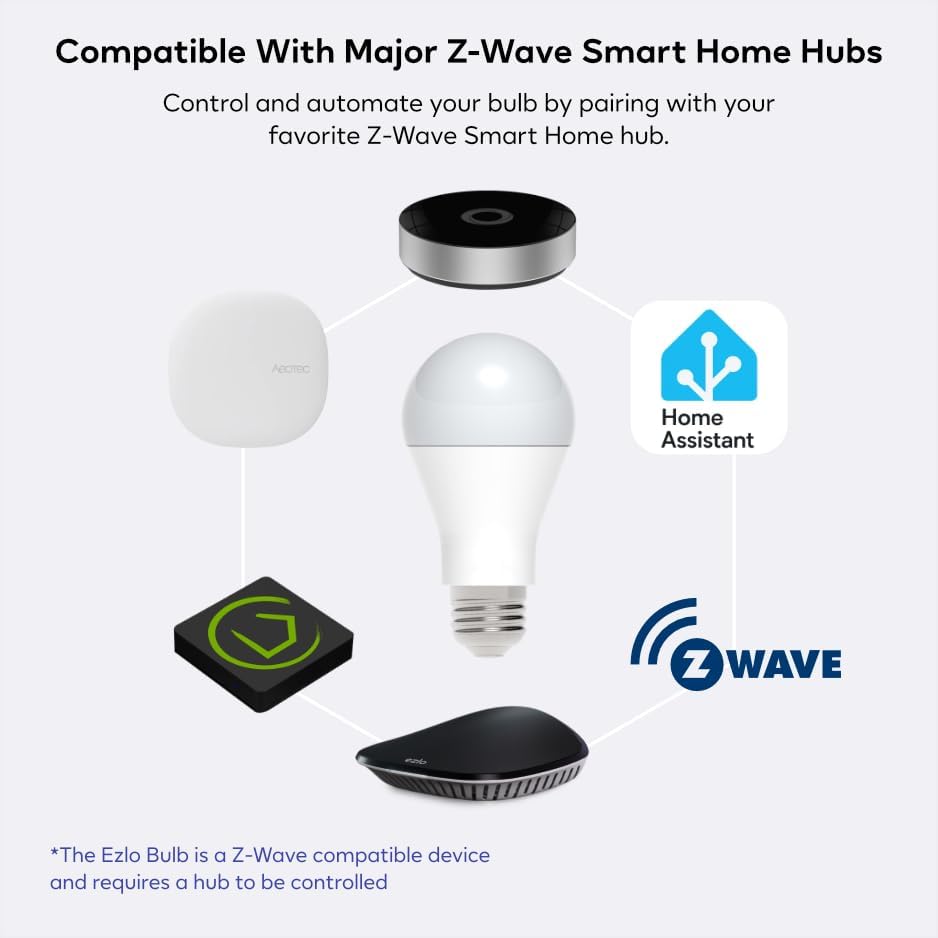
Image 2.1: Diagram illustrating the compatibility of the Ezlo Z-Wave LED Bulb with various Z-Wave smart home hubs.
3. Configuração e instalação
The Ezlo Z-Wave LED Bulb is designed for simple installation into standard bulb sockets, requiring no electrician. Follow these steps to set up your bulb:
- Enrosque a lâmpada: Screw your Ezlo Z-Wave Bulb into the desired light fixture. Ensure the light fixture is turned off before installation.
- Prepare Your Z-Wave Hub: Put your Z-Wave hub or controller into pairing (inclusion) mode. Refer to your specific hub's instructions for details on how to initiate pairing.
- Initiate Pairing Sequence: With your Ezlo Bulb turned off, perform the following sequence on the wall switch: ON > OFF > ON > OFF > ON. The bulb will blink to confirm it has been detected and is in pairing mode.
- Confirmar pareamento: Once the bulb blinks, your Z-Wave hub should detect and add the bulb to your network. Follow any on-screen prompts on your hub's application to complete the pairing process.

Image 3.1: Visual guide for the easy setup and pairing process of the Ezlo Z-Wave LED Bulb.
4. Instruções de operação
Once paired with your Z-Wave hub, the Ezlo Z-Wave LED Bulb offers a range of functionalities:
- Controle remoto: Control your lighting from any location using your smartphone or tablet through your Z-Wave hub's application.
- Brilho ajustável: Easily dim the bulb from 5% to 100% to set the desired ambiance or reduce glare.
- Customized Light Scenes: Create personalized lighting scenes and automate timers to fit your daily routine, such as gradual brightness for morning wake-ups.
- Eficiência Energética: Benefit from significant energy savings, up to 84% compared to traditional incandescent bulbs.
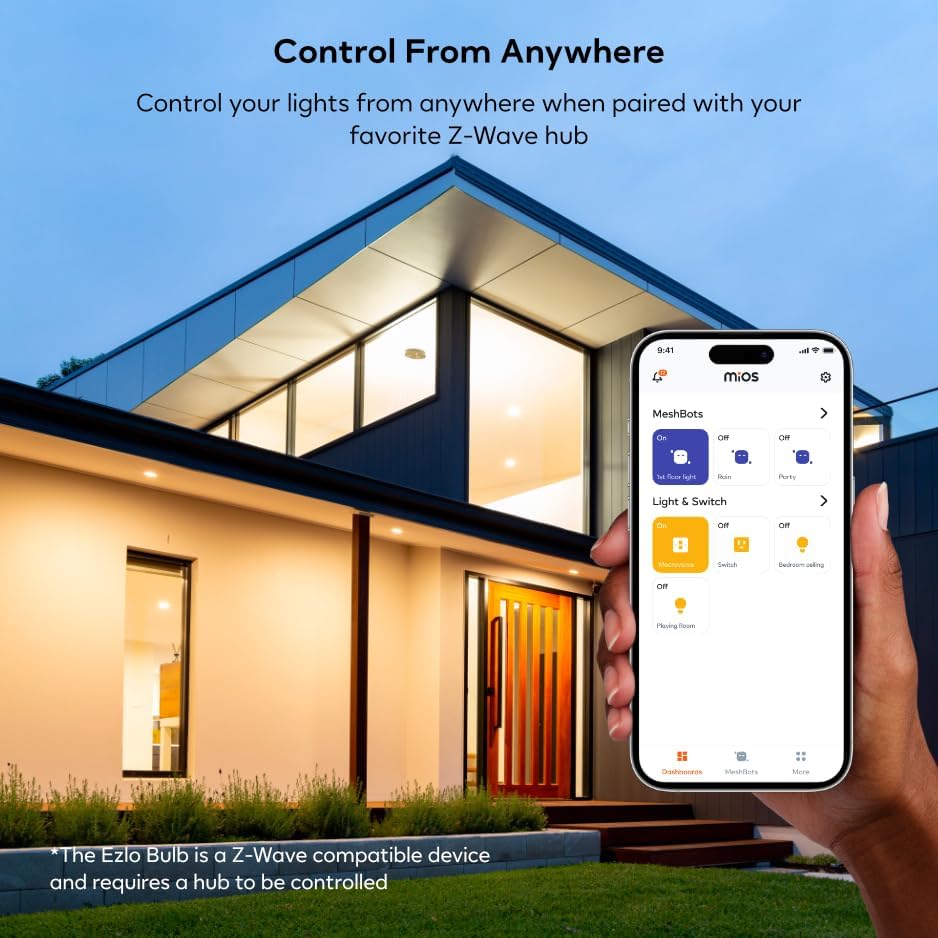
Image 4.1: Controlling the Ezlo Z-Wave LED Bulb remotely via a smartphone application.

Image 4.2: The Ezlo Z-Wave LED Bulb integrated with other Ezlo smart home devices, controllable via the Ezlo app.
5. Manutenção
The Ezlo Z-Wave LED Bulb is designed for long-term reliability with minimal maintenance. With an average life of up to 20,000 hours, regular replacement is not frequently required.
- Limpeza: Certifique-se de que a lâmpada esteja fria e desligada da tomada antes de limpá-la. Limpe a lâmpada com um pano macio e seco. Não use produtos de limpeza líquidos ou materiais abrasivos.
- Armazenar: Ao guardar a lâmpada, mantenha-a em local fresco e seco, longe da luz solar direta e de temperaturas extremas.
6. Solução De Problemas
| Problema | Possível causa | Solução |
|---|---|---|
| A lâmpada não acende. | No power to the fixture; bulb not screwed in properly; bulb is faulty. | Check power supply to the fixture. Ensure the bulb is securely screwed into the socket. Test the bulb in another working fixture. |
| Bulb does not pair with Z-Wave hub. | Hub not in pairing mode; incorrect pairing sequence; interference; bulb too far from hub. | Ensure your Z-Wave hub is actively in pairing (inclusion) mode. Repeat the ON > OFF > ON > OFF > ON sequence carefully. Move the bulb closer to the hub during pairing. Check for other Z-Wave devices causing interference. |
| Bulb is unresponsive after pairing. | Network issue; hub communication problem; bulb is out of range. | Verify your Z-Wave network is functioning correctly. Try re-pairing the bulb. Ensure the bulb is within range of your Z-Wave hub or a Z-Wave repeater. |
| Dimming functionality is not working. | Hub or app settings incorrect; incompatible dimmer switch. | Check the dimming settings within your Z-Wave hub's application. Ensure the bulb is not connected to a non-compatible dimmer switch (this bulb is designed for smart dimming via Z-Wave, not traditional wall dimmers). |
7. Especificações do produto
| Marca | Ezlo |
| Nome do modelo | EZL-B-2700-6W-A19-US |
| Tipo de luz | LIDERADO |
| O quetage | 9 Watts |
| Equivalente incandescente | 40 Watts |
| Tamanho do formato do bulbo | A15 |
| Base de lâmpada | E26 |
| Brilho | 500 Lúmens |
| Temperatura de cor | 2700 Kelvin (branco quente) |
| Volumetage | 100 to 120 Volts (50 Hertz) |
| Vida média | 20,000 horas |
| Uso interno/externo | Interior |
| Peso do item | 5.3 onças |
| Dimensões da embalagem | 4.92 x 2.52 x 2.48 polegadas |
| UPC | 850010803081 |
8. Informações de garantia
Os detalhes específicos da garantia geralmente são fornecidos na embalagem do produto ou no manual do fabricante. website. For information regarding the warranty period and terms for your Ezlo Z-Wave LED Bulb, please refer to the documentation included with your purchase or visit the official Ezlo support page.
The product's return policy through Amazon is 30 days for refund/replacement, as per the buybox winner information.
9. Suporte e Contato
For further assistance, technical support, or inquiries regarding your Ezlo Z-Wave LED Bulb, please contact Ezlo customer support. You can typically find contact information on the official Ezlo website ou na documentação do produto.
For general inquiries related to your purchase, you may also refer to the seller, Centralite, on Amazon.
Note: Always refer to the latest information available on the official Ezlo website for the most up-to-date support resources and product information.
Ask a question about this manual
Ask about setup, troubleshooting, compatibility, parts, safety, or missing instructions. Manuals+ will review the question and use this page’s manual context to help answer it.