
1. Informações importantes de segurança
Please read all safety instructions carefully before using your COLORROOM A30 tablet. Keep this manual for future reference.
- Não exponha o dispositivo a temperaturas extremas, luz solar direta ou alta umidade.
- Evite deixar cair ou submeter o tablet a impactos fortes.
- Utilize apenas carregadores e acessórios aprovados para evitar danos e garantir a segurança.
- Não tente desmontar ou reparar o dispositivo sozinho. Entre em contato com o suporte ao cliente para obter assistência.
- Keep the tablet away from children and pets to prevent accidental ingestion of small parts.
2. Conteúdo da embalagem
Verifique se todos os itens estão presentes na embalagem:
- COLORROOM A30 Tablet
- Cabo USB tipo C
- Power Adapter (18W PD compatible)
- Manual do usuário
- Estojo protetor
- Protetor de tela (pré-aplicado ou incluído)
- SIM Ejector Tool (SD pin)

Image: The COLORROOM A30 tablet and its included accessories, such as the USB-C cable, power adapter, and documentation, neatly arranged in the product box.
3. Dispositivo acabadoview
Familiarize yourself with the physical components of your COLORROOM A30 tablet.
- Câmera frontal: Located at the top center when held horizontally, used for video calls and selfies.
- Mostrar: 10.1-inch IPS screen for clear visuals.
- Botão de energia: Normalmente localizado na lateral, é usado para ligar/desligar o dispositivo ou ativar/desativar a tela.
- Botões de volume: Ao lado do botão liga/desliga, para ajustar os níveis de áudio.
- Porta USB Tipo-C: Para carregamento e transferência de dados.
- Slot para cartão MicroSD: Para expandir o armazenamento até 2 TB.
- Câmera traseira: Localizado na parte traseira, usado para tirar fotos e gravar vídeos.
- Palestrantes: Dual speakers for enhanced audio experience.
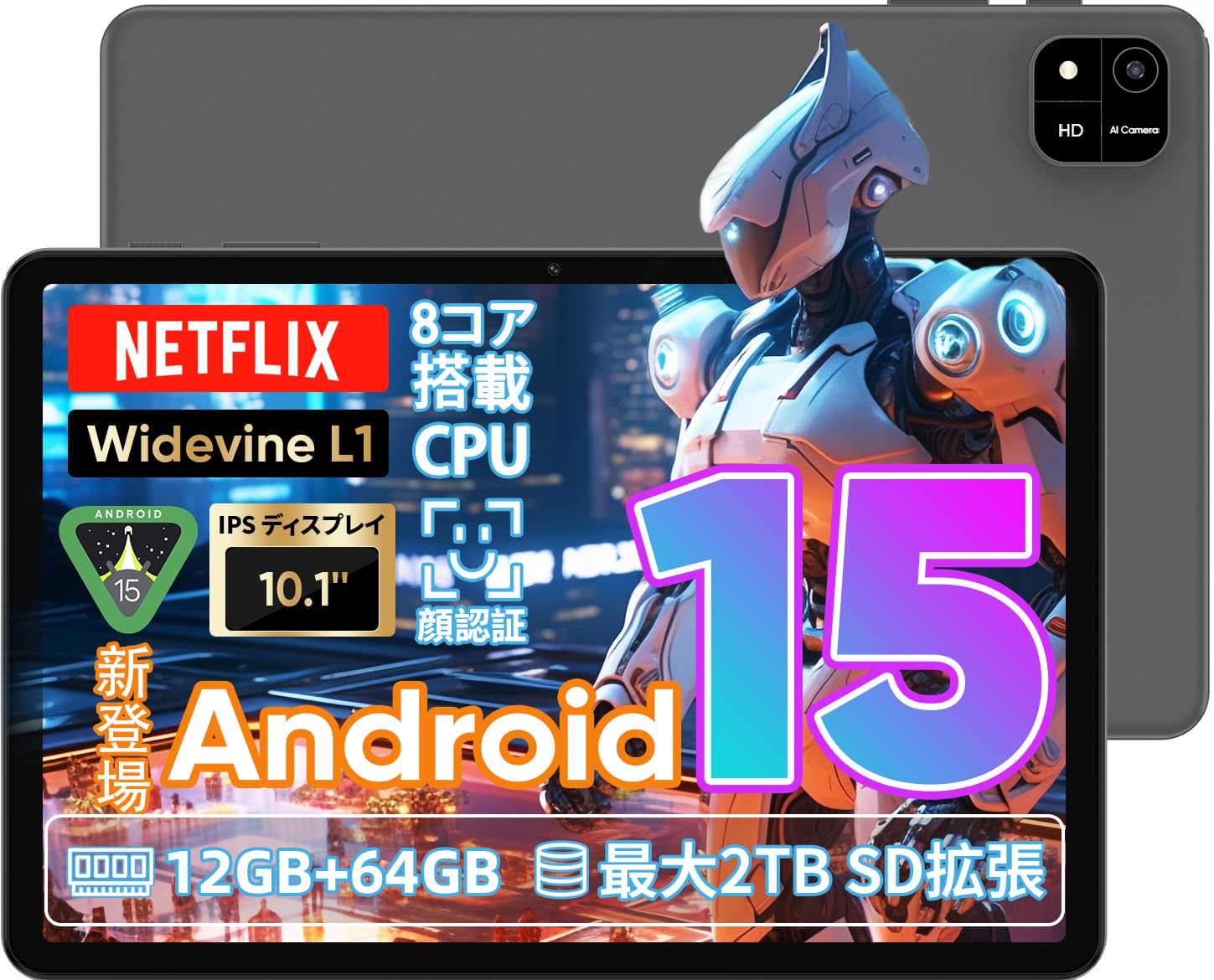
Image: A visual representation of the COLORROOM A30 tablet, highlighting its 10.1-inch display, Android 15 OS, T606 8-core CPU, 12GB RAM, 64GB ROM, 6000mAh battery, 5MP front camera, 8MP rear camera, 2.4G/5G WiFi, Bluetooth 5.0, GPS, and Widevine L1 support.
4. Configuração
4.1 Inicialização do sistema e seleção de idioma
- Press and hold the Power button until the COLORROOM logo appears.
- Follow the on-screen prompts to select your preferred language (e.g., Japanese).
- Tap 'Start' or 'Next' to proceed.
4.2 Conexão Wi-Fi
- Selecione a rede Wi-Fi desejada na lista.
- Digite a senha do Wi-Fi, se solicitado.
- Tap 'Connect'.
4.3 Configuração da conta do Google
- Inicie sessão com a sua conta Google ou crie uma nova. Isso é necessário para baixar aplicativos da Google Play Store.
- Review and accept the Google Terms of Service and Privacy Policy.
4.4 Set Screen Lock (PIN/Pattern/Password)
- For security, set a screen lock method (PIN, pattern, or password). A 6-digit PIN is recommended.
- You may choose to skip this step, but it is not recommended for device security.
Video: This video demonstrates the initial setup process for an Android 15 tablet, including language selection, Wi-Fi connection, Google account setup, and setting a screen lock. While the video features an M30 tablet, the setup steps are generally applicable to the COLORROOM A30.
5. Instruções de operação
5.1 Operações básicas
- Widgets: Long-press on an empty area of the home screen to add widgets like a clock or calendar for quick access to information.
- Tela ligada/desligada: The tablet can be configured to turn on the screen automatically when lifted, allowing you to quickly check notifications. This setting can be found under System > Gestures.
Video: This video illustrates basic Android tablet functions, including adding and removing widgets from the home screen, and enabling the 'lift to wake' feature for notifications. Although shown on an M30 tablet, these features are common to Android 15 devices like the COLORROOM A30.
5.2 Recursos de exibição
The COLORROOM A30 features a 10.1-inch IPS display with 1280x800 resolution, offering clear and vibrant visuals for all your content. It supports Widevine L1, enabling high-definition streaming from platforms like Netflix and Hulu.

Image: The COLORROOM A30 tablet showcasing its 10.1-inch IPS display with vivid colors and sharp details, ideal for watching movies and reading e-books.
5.3 Desempenho
Powered by an 8-core T606 CPU, the COLORROOM A30 delivers smooth performance for multitasking, gaming, and media consumption. It comes with 12GB (virtual) RAM and 64GB of internal storage, expandable up to 2TB via a TF (MicroSD) card.

Imagem: Uma imagem detalhada view of the COLORROOM A30 tablet's internal components, emphasizing the T606 8-core CPU and the 6000mAh large-capacity battery, indicating high performance and extended usage.
5.4 Câmera
The tablet is equipped with an 8MP rear camera for capturing photos and videos, and a 5MP front camera for video calls and selfies. Face recognition is supported for convenient unlocking.

Image: The COLORROOM A30 tablet displayed from the front and back, showcasing its 8MP rear camera and 5MP front camera, designed for capturing moments and facilitating video communication.
5.5 Conectividade
Enjoy seamless connectivity with 2.4G/5G dual-band Wi-Fi, Bluetooth 5.0, and built-in GPS for navigation and location services.
5.6 Gerenciamento de bateria
The 6000mAh battery provides extended usage, and with Type-C and 18W PD fast charging, you can quickly recharge your device.
5.7 Kids Space
The tablet includes a Kids Space feature, offering a safe and curated environment for children. Parents can manage content, set usage limits, and monitor activities remotely.
Video: This video demonstrates the Kids Space feature on a tablet, showing how children can access age-appropriate content and how parents can manage settings like usage time and content restrictions remotely. While shown on a T10 tablet, the functionality is similar for the COLORROOM A30.
5.8 Multitarefa e Tela Dividida
Android 15 enhances multitasking capabilities. You can use the split-screen feature to run two applications simultaneously, improving productivity. For example, watch a video while browsing the web.
Video: This video showcases the unboxing of an Android 15 tablet and demonstrates various features including reading comics, watching videos, using split-screen mode for multitasking, and taking screenshots. While the video features an AvidPad S60, the demonstrated features are applicable to the COLORROOM A30.
6. Manutenção
- Limpeza: Use um pano macio e sem fiapos para limpar a tela e a estrutura do tablet. Evite usar produtos químicos agressivos ou materiais abrasivos.
- Atualizações de software: Verifique e instale regularmente as atualizações do sistema para garantir o melhor desempenho, segurança e acesso a novos recursos. Acesse Configurações > Sistema > Atualização do sistema.
- Gerenciamento de armazenamento: Limpe periodicamente o desnecessário files e aplicativos para liberar espaço de armazenamento e manter a velocidade do dispositivo.
7. Solução De Problemas
| Problema | Solução |
|---|---|
| O tablet não liga. | Certifique-se de que a bateria esteja carregada. Conecte o carregador e aguarde alguns minutos antes de tentar ligar novamente. Se não responder, force a reinicialização mantendo o botão liga/desliga pressionado por 10 a 15 segundos. |
| Problemas de conexão Wi-Fi | Verifique se o Wi-Fi está ativado nas configurações. Reinicie o roteador e o tablet. Certifique-se de estar dentro do alcance do sinal Wi-Fi. |
| Os aplicativos estão travando ou congelando. | Close and reopen the app. Clear the app's cache (Settings > Apps > [App Name] > Storage > Clear cache). Ensure the app is updated to the latest version. Restart the tablet. |
| Desempenho lento | Feche os aplicativos que não estiver usando. Limpe o cache e os arquivos temporários. files. Check for system updates. Consider a factory reset if the issue persists (backup data first). |
8. Especificações
| Recurso | Detalhe |
|---|---|
| Marca | SALA DE CORES |
| Modelo | A30 |
| Sistema operacional | Androide 15 |
| Processador | Unisoc T606 8-core CPU |
| BATER | 12GB (Virtual) |
| ROM | 64 GB |
| Armazenamento expansível | Up to 2TB via TF (MicroSD) card |
| Mostrar | 10.1-inch IPS, 1280x800 resolution, Widevine L1 support |
| Capacidade da bateria | 6000mAh |
| Carregando | Type-C, 18W PD |
| Câmera Traseira | 8MP |
| Câmera Frontal | 5MP |
| Conectividade | 2.4G/5G WiFi, Bluetooth 5.0, GPS |
| Dimensões | 32.29 x 19.8 x 3.7 cm (Dimensões da embalagem) |
| Peso | 1.04 kg (Peso da embalagem) |
9. Garantia e Suporte
Your COLORROOM A30 tablet comes with a manufacturer's warranty. Please refer to the warranty card included in your package for specific terms and conditions.
For technical support, troubleshooting, or warranty claims, please contact COLORROOM customer service through the retailer where you purchased the product or visit the official COLORROOM website para informações de contato.
Always provide your product model (A30) and purchase details when seeking support.