
1. Introdução
Thank you for choosing the Codnida 5.5" LCD Baby Monitor Camera. This device is designed to provide a secure and reliable way to monitor your baby, offering high-definition video, two-way audio, and various smart features to ensure peace of mind. Please read this manual thoroughly before use to ensure proper operation and to maximize the lifespan of your product.
2. Informações importantes de segurança
Please keep this manual for future reference. Failure to follow these safety instructions could result in fire, electric shock, or other injury or damage.
- Risco de estrangulamento: Keep the camera and monitor cords out of reach of children (at least 3 feet / 1 meter away). Never place the camera or cords within the crib or playpen.
- Risco de choque elétrico: Do not expose the product to rain or moisture. Do not open the casing of the product. There are no user-serviceable parts inside.
- Superaquecimento: Do not place the product in direct sunlight or near heat sources. Ensure adequate ventilation around the camera and monitor.
- Interferência: Keep the product away from other electronic devices that may cause interference, such as microwaves or Wi-Fi routers.
- Segurança da bateria: The monitor contains a rechargeable lithium-ion battery. Do not disassemble, crush, or expose the battery to extreme temperatures. Dispose of batteries properly according to local regulations.
- Colocação: Place the camera on a flat, stable surface or mount it securely to a wall, ensuring a clear view do bebê.
3. Conteúdo da embalagem
Desembale a caixa com cuidado e verifique se todos os itens listados abaixo estão presentes e em boas condições. Caso algum item esteja faltando ou danificado, entre em contato com o suporte ao cliente.
- 5.5" LCD Baby Monitor (Parent Unit)
- 2K 3MP Baby Camera (Baby Unit)
- Adaptador de energia para monitor
- Adaptador de energia para câmera
- Cabos de carregamento USB (2)
- Wall Mounting Kit (Screws and Anchors)
- Manual do usuário

4. Produto acabadoview
4.1 Unidade dos Pais (Monitor)
The parent unit features a 5.5-inch LCD screen for clear viewing of your baby. It includes control buttons for navigation, volume, zoom, and two-way audio. The built-in rechargeable battery allows for portable use.
- Tela LCD de 5.5"
- Botão liga / desliga / menu
- Navigation Buttons (Up/Down/Left/Right/OK)
- Controle de volume
- Botão de zoom
- Two-Way Audio Button
- Microfone e alto-falante
- Antena
- Porta de carregamento
4.2 Unidade do bebê (câmera)
The baby unit is equipped with a 2K 3MP HD camera, infrared LEDs for night vision, and a microphone and speaker for two-way audio. It also features pan, tilt, and zoom (PTZ) capabilities for comprehensive room coverage.
- 2K 3MP HD Camera Lens
- Infrared LEDs (for Night Vision)
- Microfone e alto-falante
- Sensor de temperatura/humidade
- Botão de Emparelhamento
- Porta de alimentação
- Furo de montagem
5. Configuração
5.1 Carregamento Inicial
Before first use, fully charge the parent unit for approximately 8 hours. Connect the power adapter to the parent unit and a power outlet. The charging indicator will show the charging status.

5.2 Posicionamento da câmera
Coloque a unidade do bebê (câmera) em um local que proporcione uma visão desobstruída. view of your baby, but always keep it at least 3 feet (1 meter) away from the crib or playpen to avoid strangulation hazards from the power cord. You can place it on a flat surface or mount it to a wall using the provided kit.
5.3 Ligando
- Connect the power adapter to the baby unit (camera) and a power outlet. The camera will power on automatically.
- Press and hold the Power button on the parent unit (monitor) for a few seconds to turn it on.
- The parent unit and baby unit are pre-paired at the factory. If they do not connect automatically, refer to the "Pairing Camera and Monitor" section.
5.4 Pairing Camera and Monitor
If the monitor displays "No Signal" or you wish to add another camera (sold separately), follow these steps:
- On the parent unit, press the Menu button.
- Navigate to the "Camera" or "Add Camera" option and select it.
- Select an empty camera channel (e.g., CAM 2, CAM 3).
- The monitor will display a message to press the pairing button on the camera.
- Within 10 seconds, press the Pairing button on the back or bottom of the baby unit (camera).
- Após o emparelhamento, a imagem da câmera aparecerá no monitor.
5.5 App Installation and Connection (Optional)
The Codnida baby monitor also supports connection via the "Tuya" application for remote monitoring. This feature requires a Wi-Fi connection.
- Download the "Tuya Smart" or "Smart Life" app from your smartphone's app store (iOS App Store or Google Play Store).
- Crie uma nova conta ou faça login se já tiver uma.
- Follow the in-app instructions to add a new device. Select "Security & Video Surveillance" and then "Smart Camera (Wi-Fi)".
- Ensure your camera is powered on and in pairing mode (usually indicated by a flashing light).
- Conecte seu telefone a uma rede Wi-Fi de 2.4 GHz.
- Scan the QR code displayed on your phone with the baby unit camera, or follow alternative pairing methods if prompted.
- Uma vez conectado, você pode view the live feed, control PTZ, and access other features via the app.
6. Operação
6.1 Monitoramento Básico
Once the camera and monitor are connected, the live video feed of your baby's room will be displayed on the 5.5" LCD screen.

6.2 Modo VOX (Central Operada por Voz)
VOX mode is an energy-saving feature. When enabled, the monitor screen will turn off to conserve battery. It will automatically activate and display the video feed when a sound (like crying) is detected in the baby's room.
- To activate/deactivate VOX mode: Press the Menu button, navigate to "VOX" or "Sound Activation", and select your desired sensitivity level (Low, Medium, High) or turn it off.

Áudio bidirecional 6.3
Communicate with your baby remotely using the two-way audio feature.
- Press and hold the Talk button (microphone icon) on the parent unit to speak. Release the button to hear your baby.

6.4 Panorâmica, inclinação e zoom (PTZ)
Controle a câmera viewing angle and zoom level directly from the parent unit.
- Use the Navigation buttons (Up/Down/Left/Right) to pan and tilt the camera.
- Press the Zoom button (magnifying glass icon) to zoom in (up to 4X digital zoom). Press again to zoom out.

6.5 Visão noturna
A câmera alterna automaticamente para visão noturna infravermelha em condições de pouca luz, fornecendo uma imagem nítida em preto e branco do seu bebê.

6.6 canções de ninar
Soothe your baby with built-in lullabies played directly from the baby unit.
- To play lullabies: Press the Menu button, navigate to "Lullabies", and select a melody or play all.
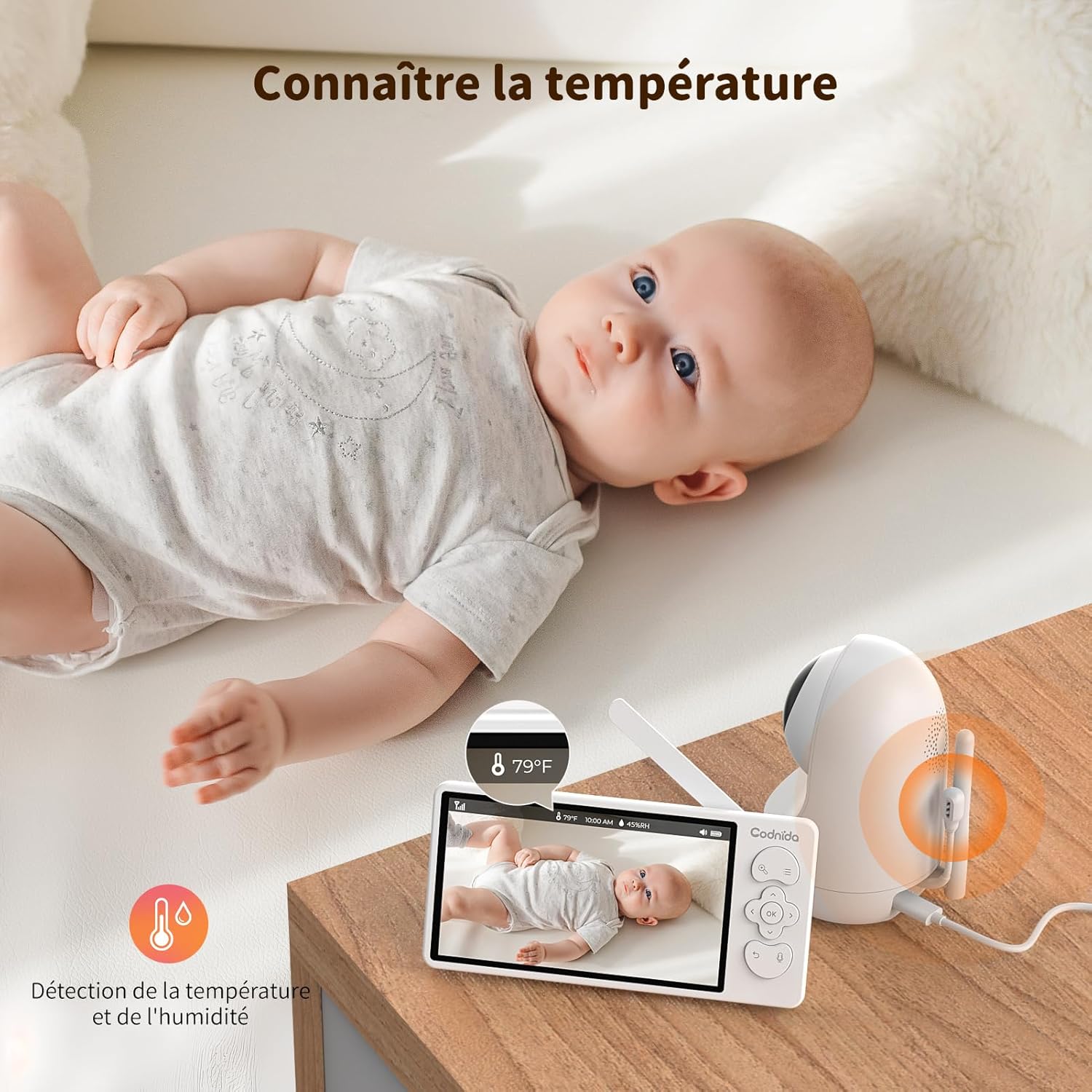
6.7 Monitoramento de temperatura e umidade
The baby unit includes sensors to monitor the room's temperature and humidity, displayed on the parent unit screen. You can set alerts for out-of-range conditions.
6.8 Lembrete de alimentação
Set reminders for feeding times to help maintain your baby's schedule.
- To set a feeding reminder: Press the Menu button, navigate to "Feeding Reminder", and set the desired interval.

7. Manutenção
7.1 Limpeza
To keep your baby monitor clean and functioning properly:
- Desligue ambas as unidades da tomada antes de limpar.
- Wipe the surfaces of the camera and monitor with a soft, dry, lint-free cloth.
- Do not use cleaning sprays or liquid cleaners directly on the units.
- Para manchas persistentes, aplique levementeampen the cloth with water and wipe gently, then dry immediately.
- Não utilize produtos de limpeza abrasivos ou solventes.
7.2 Armazenamento
If you do not plan to use the baby monitor for an extended period:
- Fully charge the parent unit before storing.
- Armazene as unidades em local fresco e seco, longe da luz solar direta e de temperaturas extremas.
- Keep all components, including cables and adapters, neatly organized to prevent damage.
8. Solução De Problemas
If you encounter issues with your Codnida baby monitor, please refer to the following common problems and solutions:
| Problema | Possível causa | Solução |
|---|---|---|
| No signal on monitor / Screen is black |
|
|
| Imagem de má qualidade / Imagem desfocada |
|
|
| Sem som ou som distorcido |
|
|
| Bateria sem carga |
|
|
9. Especificações
| Recurso | Detalhe |
|---|---|
| Número do modelo | MWM553+MWZ553C |
| Tamanho da tela | LCD de 5.5 polegadas |
| Resolução da câmera | 2K 3MP (1296p recording, 1440 effective video resolution) |
| Alcance de visão noturna | Até 5 metros |
| Controle PTZ | Pan (350°), Tilt (90°), 4X Digital Zoom |
| Tecnologia de Conectividade | Wireless (Wi-Fi for App) |
| Áudio bidirecional | Sim |
| Modo VOX | Sim |
| Sensor de temperatura/humidade | Sim |
| Lullabies | Sim |
| Lembrete de alimentação | Sim |
| Entrada de energia | 5 volts, 3.8 watts |
| Material | Plástico |
| Dimensões (C x L x A) | 10 x 5 x 10 cm (aproximadamente) |
| Peso | 850 gramas (aproximadamente) |
| Tipo de Bateria | Íon de lítio |
10. Garantia e Suporte
10.1 Informações de garantia
The Codnida 5.5" LCD Baby Monitor Camera comes with a Garantia de 1 ano A garantia é válida a partir da data da compra. Esta garantia cobre defeitos de fabricação e mau funcionamento em condições normais de uso. Não cobre danos causados por uso indevido, acidentes, reparos não autorizados ou desgaste normal.
Além disso, um Política de devolução de 30 dias is offered. Please refer to your retailer's return policy for specific details.
10.2 Suporte ao cliente
If you have any questions, concerns, or require technical assistance with your Codnida baby monitor, please contact our customer support team. For Amazon purchases, you can typically reach support by navigating to "Your account - Choose your order - Ask us your question" on the Amazon platform.
Please have your model number (MWM553+MWZ553C) and purchase date ready when contacting support to expedite the process.
11. Vídeos oficiais do produto
No official product videos from the seller were found in the provided product data. For visual demonstrations or additional information, please refer to the product page or contact Codnida customer support.