
Introdução
The powkey S99 Portable Power Station is a versatile and compact power solution designed to keep your electronic devices charged on the go. Featuring a high-capacity 96Wh LiFePO4 battery and multiple fast-charging ports, it is ideal for travel, camping, office use, and emergency backup. This manual provides essential information for safe and efficient operation of your device.

Image: The powkey S99 Portable Power Station is shown on an airplane tray table, charging a laptop and a phone, highlighting its flight-ready design and portability for long adventures.
Conteúdo da embalagem
- 1 x powkey S99 Portable Power Station
- 1 x USB-C Charging Cable (with detachable lanyard)
- 1 x Manual do Usuário
Produto acimaview
The powkey S99 is designed for convenience and efficiency. It features a compact and lightweight design, making it easy to carry. The device includes multiple output ports and a clear display to monitor its status.

Imagem: Uma frente detalhada view of the powkey S99 Portable Power Station, highlighting its power button, digital display, LED light, and the USB-C (In/Out), USB-C (24W Max), and USB-A (18W Max) ports.
Principais características:
- Alta capacidade: 96Wh / 30000mAh LiFePO4 battery.
- Múltiplas saídas: 1x USB-C1 (100W Max In/Out), 1x USB-C2 (24W Max Out), 1x USB-A (18W Max Out).
- Carregamento sem fio: Integrated wireless charging pad on top.
- Luz LED: Built-in LED light with multiple modes (brightness, strobe, SOS).
- Tela inteligente: LCD screen shows battery level, input, and total output wattage.
- Durável e seguro: LiFePO4 battery cells offer over 3000 charge cycles and advanced BMS protection.
Real-Time Smart Display:
The integrated LCD display provides real-time information about the power station's status. It shows the current battery percentage, entrada wattage (when recharging), and total output wattage (when charging devices.
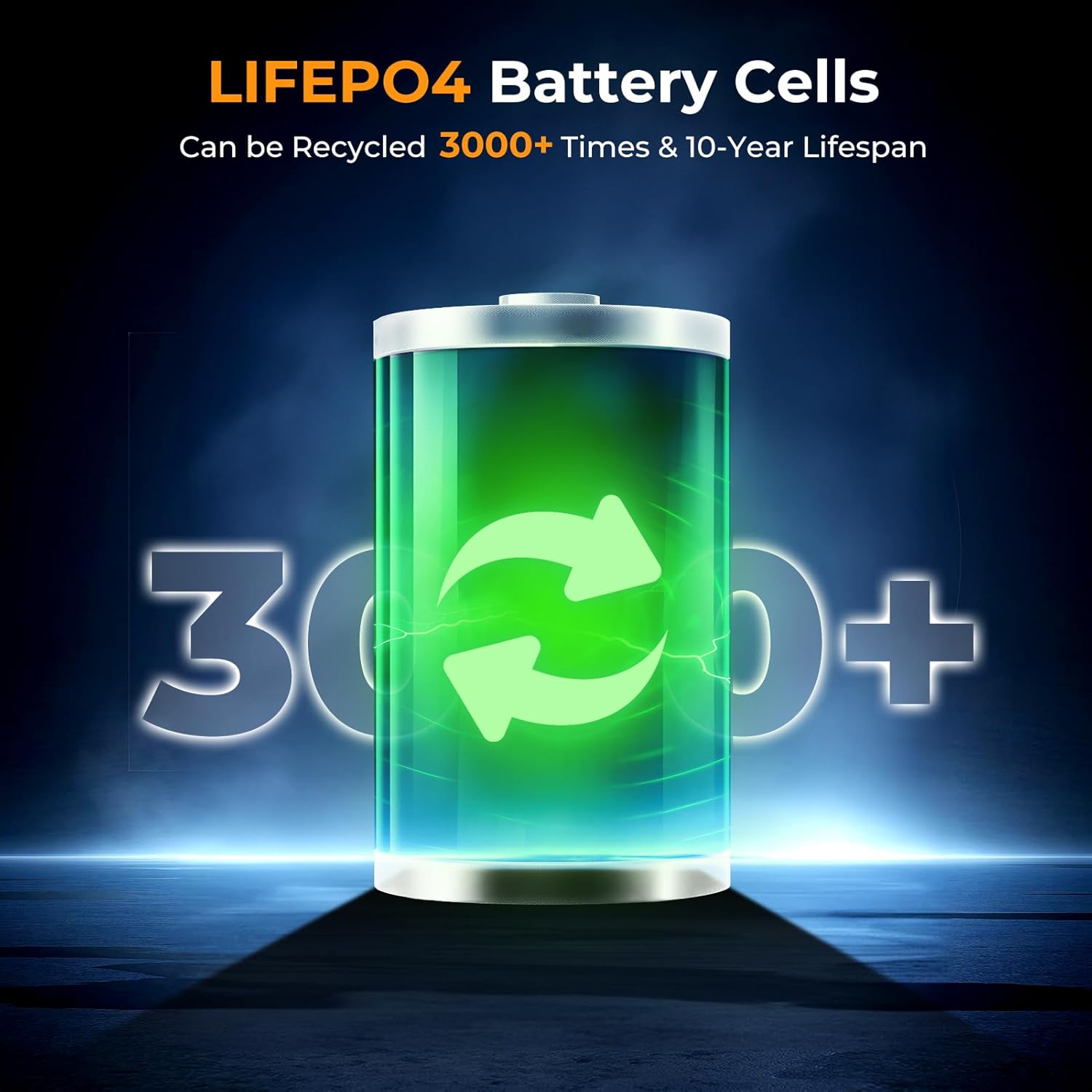
Imagem: Um close-up view of the powkey S99's smart display, indicating power input, battery level, and USB output, with a charging cable connected to a wall adapter.
Configurar
Carregamento inicial:
- Before first use, fully charge the power station using a compatible USB-C PD charger (not included) connected to the USB-C1 (In/Out) port.
- O visor LCD mostrará a potência de entrada.tage e porcentagem da bateriatage as it charges.
Fixação do cordão:
The included USB-C cable doubles as a detachable lanyard for easy carrying. Connect the lanyard to the designated attachment point on the power station.

Image: The powkey S99 Portable Power Station is shown with its detachable USB-C lanyard, illustrating its lightweight and portable design for convenient transport.
Instruções de operação
Ligar/desligar:
- Para ligar, pressione e segure o PODER button for a few seconds until the LCD display illuminates.
- Para desligar, pressione e segure o PODER botão novamente até que o display desligue.
Dispositivos de carregamento:
The power station supports charging up to four devices simultaneously using its various ports and wireless charging pad.
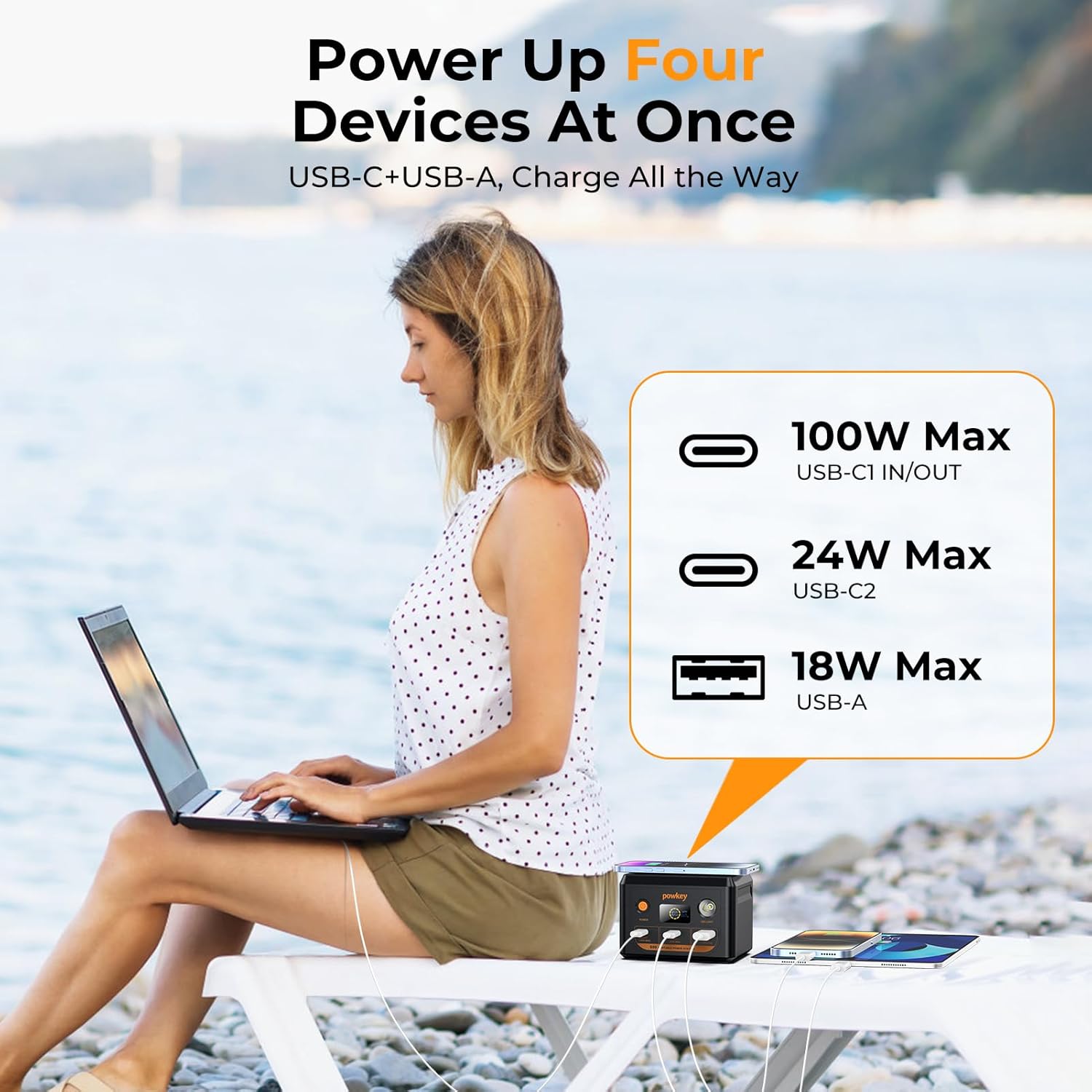
Image: The powkey S99 Portable Power Station is depicted charging four devices concurrently, including a laptop, two smartphones, and an earphone case, demonstrating its multi-device charging capability.
- USB-C1 (In/Out - 100W Max): Connect your laptop or other high-power devices for fast charging. This port also supports recharging the power station.
- USB-C2 (24W Max): Ideal for charging smartphones, tablets, and other USB-C compatible devices.
- USB-A (18W Max): Use this port for devices requiring a standard USB-A connection.
- Carregamento sem fio: Place your Qi-compatible smartphone on the top surface of the power station to initiate wireless charging. Ensure the phone is centered for optimal performance.
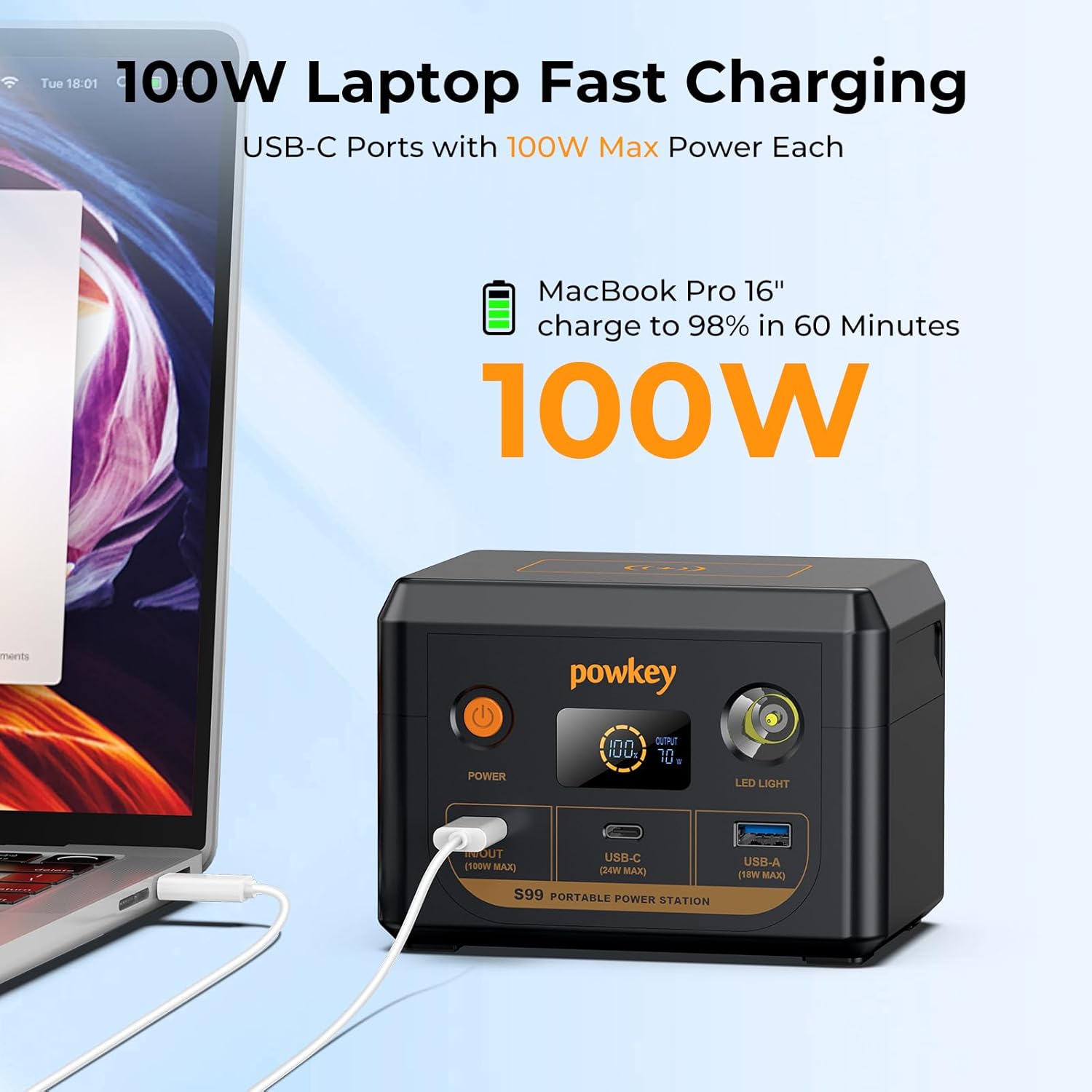
Image: The powkey S99 Portable Power Station is shown connected to a MacBook Pro 16-inch, illustrating its 100W fast charging capability for laptops.
Recarregando a Estação de Energia:
To recharge the powkey S99, connect a compatible PD 100W charger (not included) to the USB-C1 (In/Out) port. The power station can reach 90% charge in approximately 1 hour with a 100W charger.
Funções da luz LED:
The built-in LED light offers multiple modes for various situations:
- Para ativar: Press and hold the LED Light button for a few seconds.
- To cycle modes: Short press the LED Light button to switch between 50% brightness, 100% brightness, Strobe mode, and SOS mode.
- Para desligar: Press and hold the LED Light button again.

Image: The powkey S99 Portable Power Station is shown with its LED light activated, illustrating the four available lighting modes for different needs.
Informações de segurança
The powkey S99 is equipped with a LiFePO4 battery and an advanced Battery Management System (BMS) for enhanced safety and longevity. The BMS monitors voltage, current, and temperature to prevent overcharging, over-discharging, and overheating.
- Não exponha o dispositivo a temperaturas extremas ou à luz solar direta.
- Evite deixar cair ou submeter o dispositivo a impactos fortes.
- Mantenha longe de água e umidade.
- Não tente desmontar ou modificar a estação de energia.
- Use somente cabos e adaptadores de carregamento compatíveis.
- This 96Wh portable laptop charger complies with airline regulations for carry-on batteries under 100Wh and must be placed in your carry-on luggage.

Image: An illustration highlighting the durability and safety of LiFePO4 battery cells, indicating a lifespan of over 3000 cycles.
Manutenção
- Armazene a estação de energia em local fresco e seco, longe da luz solar direta.
- If the portable charger is not used for an extended period, it is recommended to charge the battery every three months to help extend its lifespan.
- Limpe o dispositivo com um pano macio e seco. Não utilize produtos químicos agressivos ou materiais abrasivos.
Solução de problemas
- Dispositivo não carrega: Ensure the power station is turned on and has sufficient battery charge. Check that the charging cable is securely connected to both the power station and the device. Try a different cable or port.
- Estação de energia não está recarregando: Verify that the charging adapter is functioning correctly and is connected to the USB-C1 (In/Out) port. Ensure the adapter meets the required power specifications (e.g., PD 100W).
- O visor LED não está funcionando: Press the power button to wake the display. If the issue persists, ensure the power station has charge.
Especificações
| Número do modelo | S99 |
| Capacidade da bateria | 30000mAh / 96Wh |
| Tipo de célula da bateria | LiFePO4 |
| USB-C1 (In/Out) | 100W Max |
| USB-C2 (Output) | 24W Max |
| USB-A (saída) | 18W Max |
| Dimensões | 3.62 x 3.58 x 5.03 polegadas |
| Peso do item | 2.46 libras |
| Fonte de energia | Alimentado por bateria |
Garantia e Suporte
The powkey S99 Portable Power Station comes with a 30-day free return policy and 1 year technical support. For any questions or assistance, please contact powkey customer service.
For further support, visit the official powkey store: powkey Store