
Introdução
Welcome to your Xmenha JM21 True Wireless Earbuds. These earbuds feature Bluetooth 5.4 connectivity, a smart touchscreen charging case, and IPX7 waterproofing, designed for a superior audio experience. Please read this manual carefully to ensure proper use and optimal performance.
Conteúdo da embalagem
The following items are included in your Xmenha JM21 True Wireless Earbuds package:
- 1 x par de fones de ouvido sem fio verdadeiros
- 1 x Smart Touchscreen Charging Case
- 1 x cabo de carregamento USB
- 1 x Manual do Usuário
Configurar
1. Carregamento inicial
Before first use, fully charge the earbuds and the charging case. Connect the provided USB cable to the charging port on the case and a power source.

Image: The charging case with a USB cable connected, indicating the charging process.
The charging case display will show the battery level. A full charge takes approximately 1 hour. The earbuds provide up to 6 hours of playtime, and the charging case extends this to a combined total of 60 hours.

Image: The charging case screen showing battery percentages and estimated usage times for single endurance, combined range, and standby time.
2. Emparelhamento com seu dispositivo
- Abra a tampa do estojo de carregamento. Os fones de ouvido serão ligados automaticamente e entrarão no modo de emparelhamento.
- On your mobile device (smartphone, tablet, etc.), go to the Bluetooth settings.
- Procurar available devices and select "JM21" (or similar) from the list.
- Após a conexão, você ouvirá um tom de confirmação e os fones de ouvido estarão prontos para uso.
The earbuds utilize Bluetooth 5.4 for a fast, stable, and low-latency connection.
Instruções de operação
Controles de toque nos fones de ouvido
The earbuds feature sensitive touch controls for various functions:
- Reproduzir/Pausar Música: Toque uma vez em qualquer um dos fones de ouvido.
- Próxima faixa: Toque duas vezes no fone de ouvido direito.
- Faixa anterior: Toque duas vezes no fone de ouvido esquerdo.
- Atender/encerrar chamada: Toque uma vez em qualquer um dos fones de ouvido.
- Rejeitar chamada: Pressione e segure um dos fones de ouvido por 2 segundos.
- Ative o Voice Assistant: Toque três vezes em qualquer um dos fones de ouvido.
- Ajuste de volume: Use the touchscreen case or your connected device.
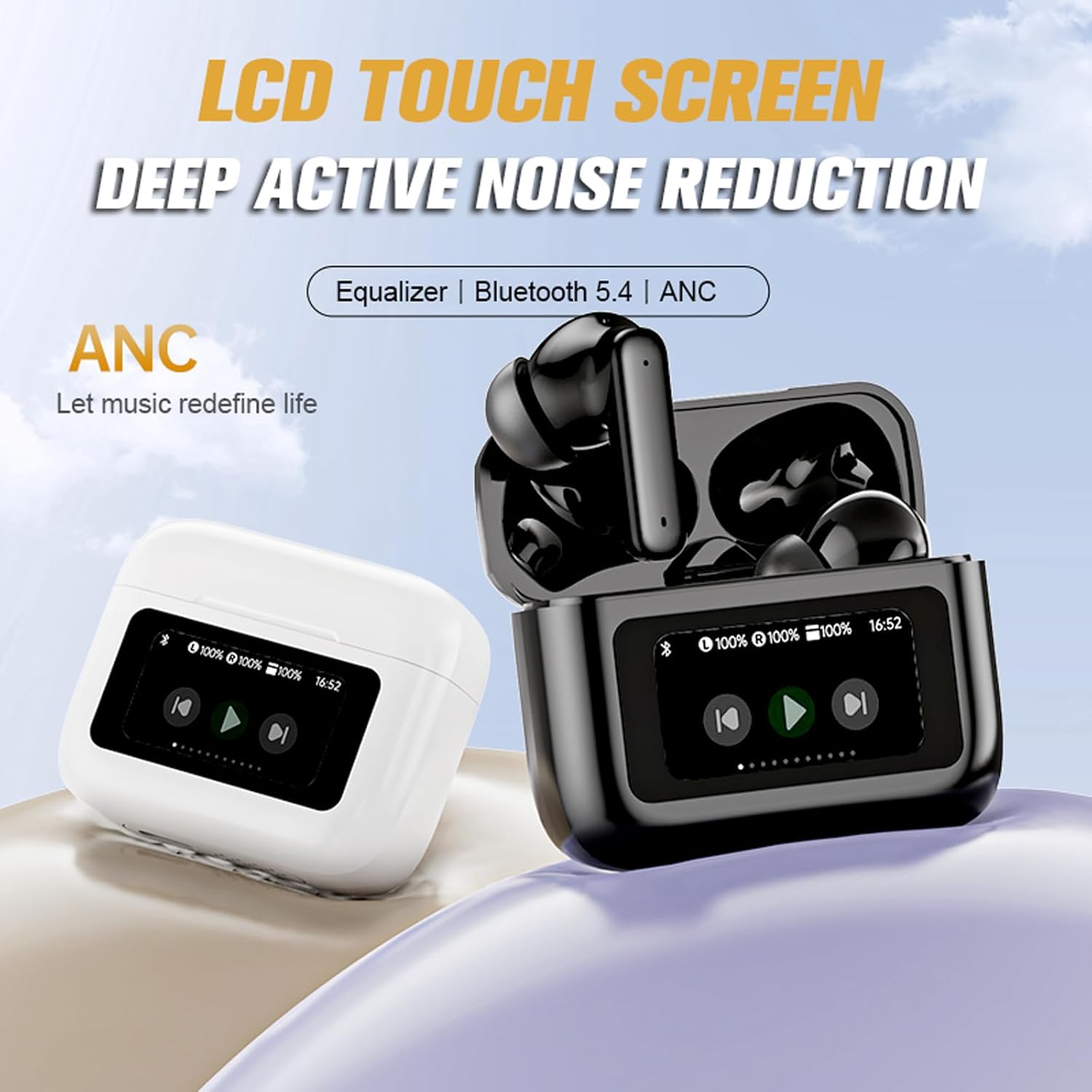
Image: A hand demonstrating the touch control on an earbud, highlighting the ease of fingertip operation for music and call management.
Smart Touchscreen Charging Case Functions
The innovative touchscreen on the charging case allows for direct control without needing your phone:
- Controle de volume: Adjust playback volume directly from the case screen.
- Modos de equalização: Select from various equalizer presets (e.g., Studio, Vocals, Jazz) to customize your audio experience.
- Nível da bateria: View the current battery status of both earbuds and the case.
- Exibição de tempo: Check the current time.
- Configurações de alarme: Configure alarmes diretamente a partir do dispositivo.
- Controle remoto da câmera: Connect the case via Bluetooth to your phone to use it as a remote shutter for taking photos.

Image: The touchscreen charging case displaying options for volume adjustment and a camera icon, illustrating its remote control capabilities for photography.

Image: The touchscreen charging case displaying various equalizer modes such as 'Studio', 'Vocals', 'Clubs', and 'Jazz', allowing users to adjust audio style.
Qualidade de áudio e cancelamento de ruído
The earbuds are equipped with 13mm graphene diaphragm drivers for high-fidelity stereo sound, offering clear and powerful audio. CVC8.0 noise cancellation technology with dual HD microphones ensures clear calls even in noisy environments. The earbuds also feature Deep Active Noise Reduction (ANC) for an immersive listening experience.
Conforto e ajuste
Designed for extended wear, the earbuds offer a secure and comfortable fit, making them suitable for various activities.

Image: A woman wearing the Xmenha JM21 earbuds, illustrating their comfortable and secure fit, described as 'Zero Gravity Cloud Comfort'.
Manutenção
To ensure the longevity and optimal performance of your Xmenha JM21 earbuds, follow these maintenance guidelines:
- Limpeza: Limpe regularmente os fones de ouvido e o estojo de carregamento com um pano macio, seco e sem fiapos. Evite usar materiais abrasivos ou produtos químicos agressivos.
- Resistência à água: The earbuds are IPX7 waterproof, meaning they can withstand immersion in water up to 1 meter for 30 minutes. However, the charging case is not waterproof. Do not expose the charging case to liquids. Always ensure earbuds are dry before placing them back in the charging case.
- Armazenar: Guarde os fones de ouvido no estojo de carregamento quando não estiverem em uso para protegê-los contra poeira e danos. Mantenha-os em local fresco e seco, longe de temperaturas extremas.
- Carregamento: Utilize apenas o cabo USB fornecido ou um equivalente certificado para carregar o dispositivo.
Solução de problemas
Caso encontre algum problema com seus fones de ouvido, consulte as seguintes soluções comuns:
- Os fones de ouvido não estão emparelhando: Ensure both earbuds are charged. Place them back in the case, close the lid, then open it again to re-initiate pairing mode. Check your device's Bluetooth settings to ensure Bluetooth is enabled and try reconnecting.
- Sem som em um dos fones de ouvido: Try resetting the earbuds by placing them in the case and then taking them out. Ensure both earbuds are charged.
- Problemas de carregamento: Verify the USB cable is securely connected to both the case and the power source. Ensure the charging contacts on the earbuds and inside the case are clean and free of debris.
- Controles de toque não respondem: Ensure your fingers are clean and dry. A light, firm touch is usually sufficient.
- Má qualidade de som: Ensure the earbuds are properly seated in your ears. Try adjusting the EQ settings via the charging case.
Se o problema persistir, entre em contato com o suporte ao cliente.
Especificações
| Recurso | Especificação |
|---|---|
| Número do modelo | JM21 |
| Versão Bluetooth | 5.4 |
| Distância de transmissão | Aproximadamente 10 metros (33 pés) |
| Tempo de reprodução com fones de ouvido | Até 6 horas |
| Tempo total de jogo (com estojo) | Até 60 horas |
| Tempo de carregamento do fone de ouvido | Aproximadamente 1 hora |
| Resistência à água | IPX7 (somente fones de ouvido) |
| Tamanho do alto-falante | 13 mm |
| Cancelamento de ruído | CVC8.0 (for calls), Deep Active Noise Reduction (ANC) |
| Impedância | 10 Ohms |
| Tipo de controle | Touch, Volume Control (via case) |
| Material | Plástico |
| Peso | 3.8 Ounces (total product) |
Garantia e Suporte
Your Xmenha JM21 True Wireless Earbuds come with a standard manufacturer's warranty. For specific warranty details, please refer to the documentation provided at the time of purchase or contact your retailer.
If you encounter any issues, receive a defective product, or have questions regarding the use or functionality of your earbuds, please do not hesitate to contact Xmenha customer support. Our team is ready to assist you.
Contact information can typically be found on the product packaging, the official Xmenha website, ou através da sua plataforma de compra.