
1. Introdução e maisview
The LEICEX Portable Sound Machine W34 is a compact and versatile device designed to create a peaceful and sleep-friendly environment wherever you are. Measuring only 1.6 x 1.6 x 1.7 inches and weighing 3.53 ounces, its pocket-sized design makes it ideal for travel, business trips, stroller walks, or office use. It features 15 non-looping soothing sounds, multiple timer options, memory function, and USB-C rechargeability, delivering powerful sound quality despite its mini size.
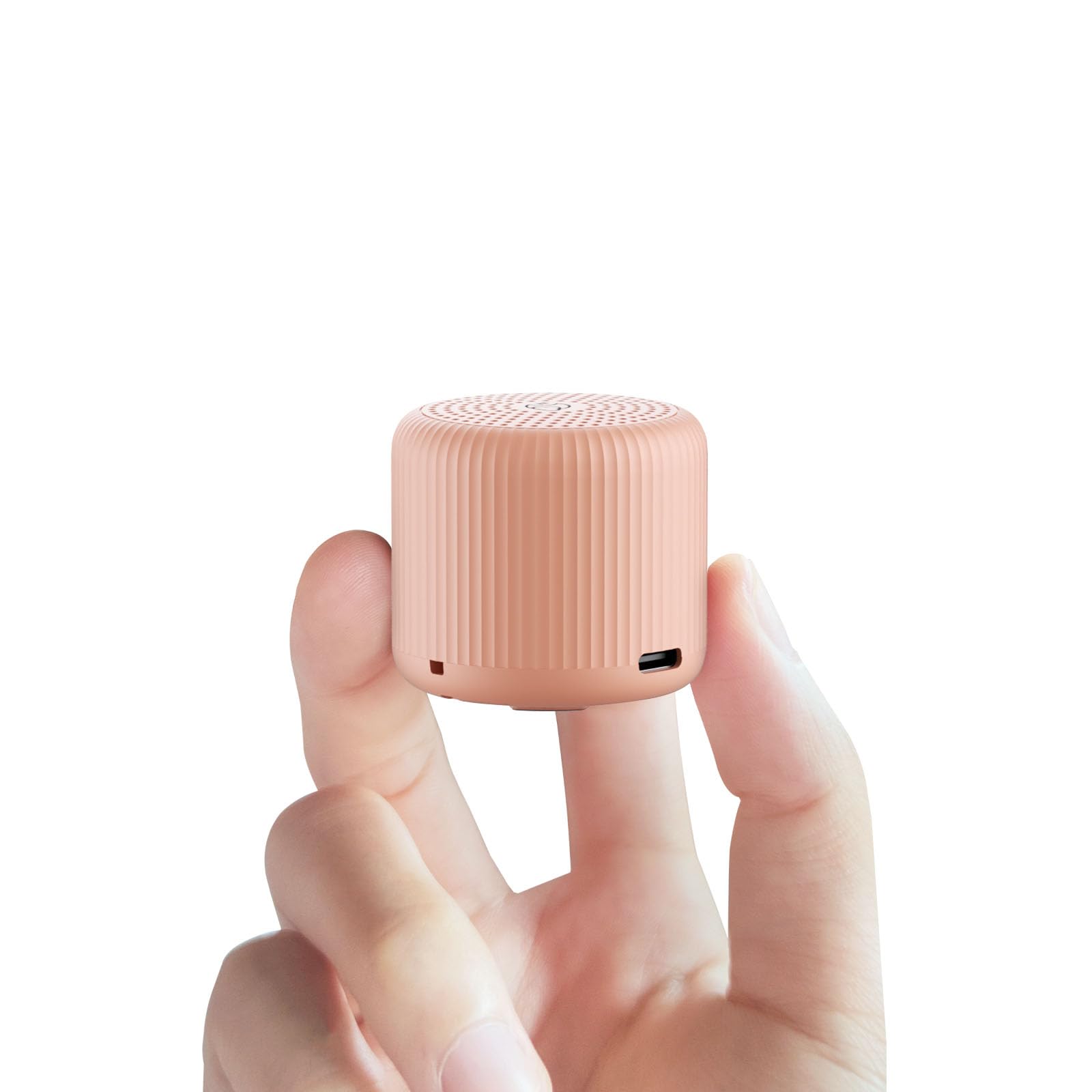
Figure 1: LEICEX Portable Sound Machine (Peach)
2. Recursos do Produto
- Design ultracompacto: Smallest on the market, measuring 1.6*1.6*1.7 inches, perfect for portability.
- 15 sons que não se repetem em loop: Offers a variety of soothing natural sounds including white noise, pink noise, brown noise, fan sounds, rain sounds, ocean waves, summer nights, crackling campfire, bird sounds, and babbling brook.
- Funcionalidade completa: Includes 5 shutdown timers, memory function, 32 volume levels, USB-C rechargeability, and a hanging rope.
- Som poderoso: Delivers uncompromising sound quality, effectively blocking out external noises.
- Vida útil da bateria estendida: Equipped with a large battery, providing up to 22 hours of continuous play at maximum volume, and even longer at moderate volume.

Figure 2: Visual representation of the 15 non-looping sounds.

Figure 3: The compact size allows for easy portability in a pocket.
3. Conteúdo da embalagem
Por favor, verifique se todos os itens estão presentes ao abrir a caixa:
- LEICEX Portable Sound Machine W34
- Cabo de carregamento USB-C
- Corda pendurada
- Manual do usuário (este documento)
4. Produto acabadoview
Familiarize-se com os botões e portas do dispositivo:

Figura 4: parte superior view do painel de controle.
- Power Button (Center Bottom): Long press to turn the device ON or OFF.
- Timer Button (Center Left): Single press to cycle through timer options (0.5H, 1H, 2H, 3H, continuous play).
- Volume Up / Next Sound Button (Center Right): Single press for Volume Up. Long press for Next Sound.
- Volume Down / Previous Sound Button (Center Top): Single press for Volume Down. Long press for Previous Sound.
- Porta de carregamento USB-C: Located on the side for recharging the device.
- Grade do alto-falante: Localizado na superfície superior para saída de som.
- Hanging Rope Slot: Located on the side for attaching the included hanging rope.
5. Configuração
Before first use, fully charge the device using the provided USB-C cable. Connect the USB-C cable to the charging port on the device and the other end to a compatible USB power source (e.g., wall adapter, computer USB port). The charging indicator light will show charging status.

Figure 5: Charging the device via USB-C.
6. Instruções de operação
6.1 Ligar/Desligar
- To turn ON: Long press the Power Button (center bottom).
- To turn OFF: Long press the Power Button (center bottom).
6.2 Seleção de som
- To select the Next Sound: Long press the Volume Up / Next Sound Button (center right).
- To select the Previous Sound: Long press the Volume Down / Previous Sound Button (center top).
6.3 Ajuste de volume
- To increase Volume: Single press the Volume Up / Next Sound Button (center right).
- To decrease Volume: Single press the Volume Down / Previous Sound Button (center top).
6.4 Função do temporizador
- To set a timer: Single press the Timer Button (center left) to cycle through the available durations: 0.5 hours, 1 hour, 2 hours, 3 hours, or continuous play. The corresponding indicator light will illuminate.
6.5 Função de Memória
The device automatically remembers your last selected sound and volume level when powered off. It will resume these settings upon the next power-on.
7. Carregamento
The LEICEX Portable Sound Machine is equipped with a USB-C charging port. Use the provided USB-C cable to recharge the device. A full charge provides up to 22 hours of continuous playback at maximum volume. The battery life may vary depending on volume level and sound type.
8. Manutenção
- Keep the USB-C charging port dry.
- Do not use the device in the bath or near water.
- Limpe o dispositivo com um pano macio e seco. Não utilize produtos químicos agressivos ou abrasivos.
- Armazene em local fresco e seco, longe da luz solar direta e de temperaturas extremas.
9. Solução De Problemas
- Dispositivo não liga: Ensure the device is fully charged. Long press the power button.
- Sem som: Check the volume level. Ensure a sound is selected.
- Problemas com a qualidade do som: Ensure the device is not obstructed. Try a different sound.
- Bateria não segura carga: Ensure the USB-C cable is properly connected and the power source is functional.
10. Especificações
| Especificação | Detalhe |
|---|---|
| Dimensões do produto | 1.6 x 1.6 x 1.7 polegadas |
| Peso do item | 3.53 onças (0.1 quilogramas) |
| Número do modelo | W34 |
| Tipo de Bateria | 1 bateria de polímero de lítio (incluída) |
| Fonte de energia | Alimentado por bateria |
| Cor | Pêssego |
| Tipo de material | Plástico |
| Fabricante | Dongguan Haolisheng Electronic Technology Co.,Ltd. |
11. Informações de segurança
- Do not use in the bath or near water.
- Keep the USB-C charging port dry.
- Not intended for use by children. Keep out of reach of children.
- Não exponha a temperaturas extremas ou luz solar direta.
- Não use como brinquedo.
- Sempre supervisione as crianças ao usar este produto.
12. Garantia e Suporte
For warranty information or product support, please refer to the contact details provided on the product packaging or visit the official LEICEX website. Guarde o recibo de compra para reclamações de garantia.