
Introdução
Thank you for choosing the CREATE Speaker Retro. This portable Bluetooth speaker combines a classic retro design with modern audio technology, offering versatile connectivity and powerful sound. This manual will guide you through the setup, operation, and maintenance of your new speaker to ensure optimal performance and longevity.

Image: The CREATE Speaker Retro, highlighting its elegant retro aesthetic and compact form factor.
Instruções importantes de segurança
- Leia atentamente todas as instruções antes de usar o produto.
- Guarde este manual para referência futura.
- Do not expose the speaker to water or excessive moisture. This product is não é à prova d'água.
- Não coloque perto de fontes de calor, como radiadores, aquecedores, fogões ou outros aparelhos (incluindo amplificadores) que produzem calor.
- Utilize somente acessórios/anexos especificados pelo fabricante.
- Desligue este aparelho durante tempestades com raios ou quando não for utilizado por longos períodos.
- Deixe toda a manutenção a cargo de pessoal qualificado.
Conteúdo da embalagem
The CREATE Speaker Retro package includes:
- CREATE Speaker Retro Portable Bluetooth Speaker (1 unit)
- Cabo de carregamento USB-C
- Manual do usuário (este documento)
Controls and Ports Overview
Familiarize-se com os controles e as portas de conexão da caixa de som:

Imagem: Detalhada view of the speaker's top control panel.
- Botão de volume: Ajusta o volume geral do som.
- Botão de baixo: Ajusta o nível de graves.
- Botão de agudos: Ajusta o nível de agudos.
- Chave seletora de entrada: Toggles between AUX, Bluetooth (BT), and USB input modes.
- Interruptor de alimentação: Liga/desliga o alto-falante.
- Entrada AUX (3.5 mm): Para conectar dispositivos de áudio externos através de um cabo de áudio.
- Porta USB: Para reprodução a partir de unidade USB.
- Porta DC-IN 5V: Para carregar o alto-falante.
- Luz indicadora: Exibe o status de energia, o status de carregamento e o status de emparelhamento Bluetooth.
Configurar
1. Carregando o alto-falante
Before first use, fully charge the speaker. Connect the provided USB-C charging cable to the DC-IN 5V port on the speaker and the other end to a compatible USB power adapter (not included) or a computer's USB port. The indicator light will show the charging status. A full charge takes approximately 4-5 hours.
- Carregamento: Indicator light glows (color may vary).
- Totalmente carregado: Indicator light turns off or changes color.
2. Ligar / desligar
To power on the speaker, flip the Interruptor de energia to the "ON" position. To power off, flip the switch to the "OFF" position.
Instruções de operação
1. Modo Bluetooth
The speaker features Bluetooth 5.2 for wireless audio streaming with a range of up to 10 meters.
- Ligue o alto-falante.
- Defina o Chave seletora de entrada to "BT/AUX" and then ensure it's in Bluetooth mode (indicator light will blink, indicating pairing mode).
- No seu smartphone, tablet ou outro dispositivo com Bluetooth, ative o Bluetooth e procure por dispositivos disponíveis.
- Select "CREATE Speaker Retro" from the list.
- Once paired, the indicator light will stop blinking and remain solid. You can now play music wirelessly.
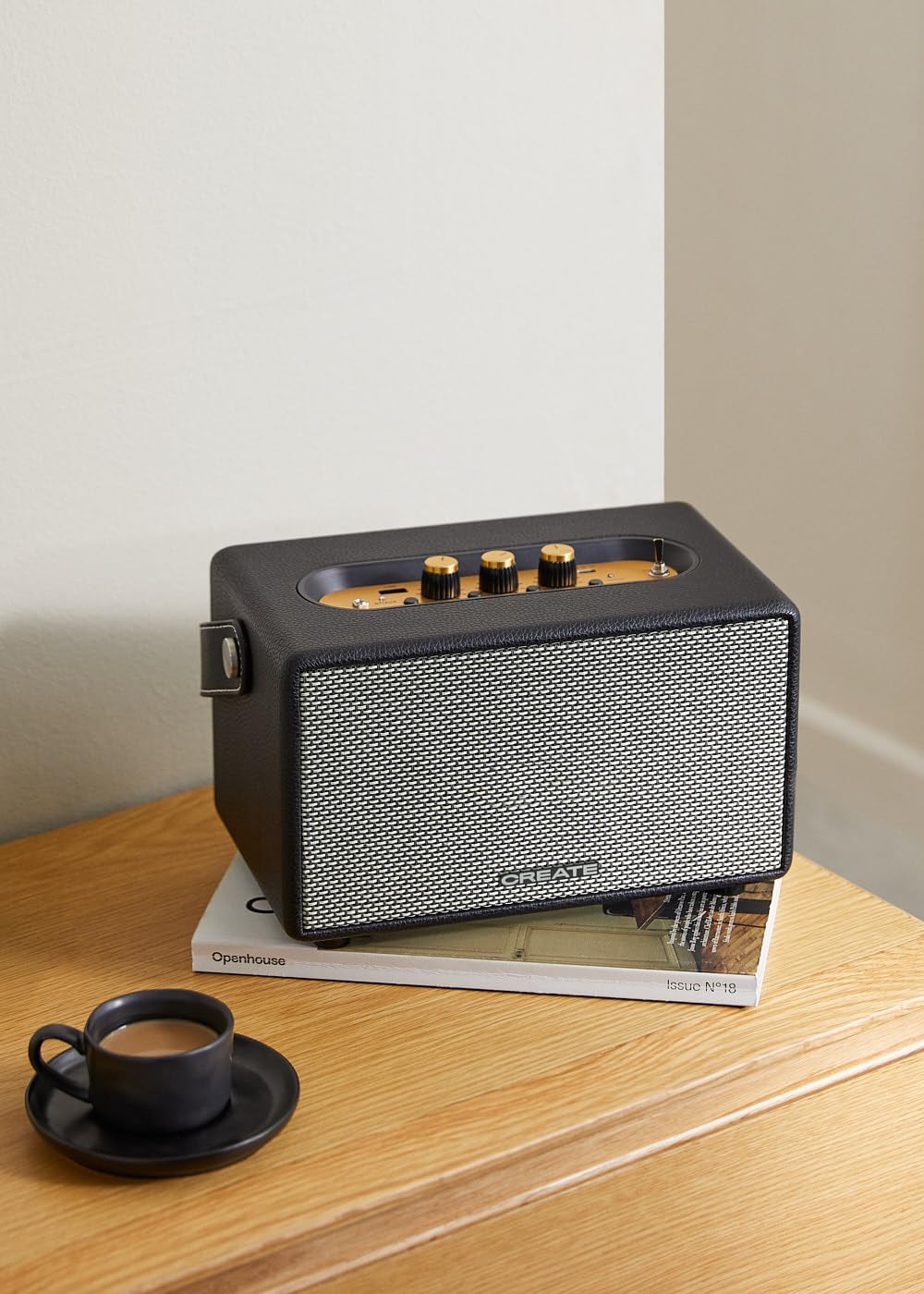
Image: Connecting to the speaker via Bluetooth from a mobile device.
2. Modo de reprodução USB
Reproduzir áudio files diretamente de uma unidade flash USB.
- Ligue o alto-falante.
- Insira uma unidade flash USB contendo áudio files para dentro do Porta USB.
- Defina o Chave seletora de entrada to "USB". The speaker will automatically begin playing music from the USB drive.

Image: Inserting a USB drive for direct audio playback.
3. Modo de entrada AUX
Conecte dispositivos de áudio externos usando um cabo de áudio de 3.5 mm.
- Ligue o alto-falante.
- Conecte uma extremidade de um cabo de áudio de 3.5 mm (não incluído) ao Entrada AUX porta no alto-falante.
- Conecte a outra extremidade do cabo à entrada de fone de ouvido ou à saída de áudio do seu dispositivo externo (por exemplo, reprodutor de MP3, laptop).
- Defina o Chave seletora de entrada to "AUX". The speaker will now play audio from your connected device.
4. Ajustando o som
Use the dedicated knobs on the control panel to fine-tune your audio experience:
- Gire o Botão de Volume to increase or decrease the overall sound level.
- Gire o Botão de baixo to adjust the low-frequency sounds.
- Gire o Botão de agudos to adjust the high-frequency sounds.
Manutenção
Limpeza
To clean the speaker, use a soft, dry cloth. Do not use abrasive cleaners, waxes, or solvents as they may damage the finish. Avoid spraying liquids directly onto the speaker.
Armazenar
When not in use for extended periods, store the speaker in a cool, dry place away from direct sunlight and extreme temperatures. Ensure the speaker is fully charged before storing to preserve battery health.
Cuidados com a bateria
The speaker is equipped with a built-in rechargeable battery. To maximize battery life:
- Evite descarregar completamente a bateria com frequência.
- Recharge the battery regularly, even if the speaker is not used often.
- Do not expose the speaker to temperatures above 45°C (113°F) or below 0°C (32°F).
Solução de problemas
If you encounter any issues with your CREATE Speaker Retro, please refer to the following common problems and solutions:
| Problema | Possível causa | Solução |
|---|---|---|
| A caixa de som não liga. | A bateria está esgotada. | Charge the speaker for 4-5 hours using the USB-C cable. |
| Sem som no alto-falante. | O volume está muito baixo; modo de entrada incorreto; dispositivo não está conectado corretamente. | Increase volume. Ensure the correct input mode (BT, USB, AUX) is selected. Reconnect Bluetooth device or AUX cable. |
| O emparelhamento Bluetooth falha. | Speaker is not in pairing mode; device is out of range; interference. | Ensure speaker is in Bluetooth pairing mode (blinking indicator). Move device closer to speaker (within 10m). Turn off other Bluetooth devices. |
| A reprodução via USB não está funcionando. | Incorrect input mode; USB drive not formatted correctly or no compatible files. | Ensure "USB" input mode is selected. Check USB drive for compatible audio file(Ex.: MP3). Tente usar um pen drive diferente. |
| Play/Pause button not responding. | Potential hardware issue or software glitch. | Restart the speaker. If the issue persists, contact customer support. (Nota: Um usuário review mentioned this issue.) |
Especificações
| Nome do modelo | SPEAKER RETRO |
| Número do modelo | 181643_452174 |
| Dimensões (D x L x A) | 17 x 26 x 15 cm |
| Peso | 2.5 kg |
| Max. Speaker Output Power | 40 W |
| Modo de saída de áudio | Estéreo (2.0 canais) |
| Tecnologia de Conectividade | Bluetooth 5.2, USB, AUX (3.5 mm) |
| Alcance Bluetooth | Até 10 metros |
| Capacidade da bateria | 3000 mAh |
| Duração da bateria | Até 5 horas (dependendo do uso) |
| Tempo de carregamento | Aproximadamente 4-5 horas |
| Método de controle | Touch (knobs and switches) |
| Cor | Preto |
| Impermeável | Não |
Garantia e Suporte
Informações de garantia
The CREATE Speaker Retro comes with a standard manufacturer's warranty. Please retain your proof of purchase for warranty claims. The warranty covers defects in materials and workmanship under normal use. It does not cover damage caused by misuse, accidents, unauthorized modifications, or exposure to water.
For specific warranty terms and conditions, please refer to the warranty card included with your product or contact CREATE customer service.
Suporte ao cliente
If you have any questions, require technical assistance, or need to report an issue that cannot be resolved using the troubleshooting guide, please contact CREATE customer support.
Você pode encontrar mais informações e detalhes de contato no site oficial da CREATE. website ou através da loja da marca na Amazon: