
1. Introdução
The TYLT Crest is a versatile 15W fast wireless charger designed for both home and office environments. This device features a convertible design, allowing it to function as a flat charging pad or an upright stand. It is compatible with various wireless charging enabled devices, including smartphones and wireless headphones, providing efficient power delivery.
2. Informações de segurança
- Não exponha o dispositivo a líquidos, umidade ou temperaturas extremas.
- Evite deixar o dispositivo cair ou submetê-lo a impactos fortes.
- Do not attempt to disassemble, repair, or modify the charger. This may void the warranty and pose safety risks.
- Use only certified power adapters and cables with the device.
- Mantenha fora do alcance de crianças.
- Garanta ventilação adequada durante o uso para evitar superaquecimento.
3. Conteúdo da embalagem
Verifique se todos os itens estão presentes na embalagem:
- TYLT Crest 15W Wireless Charging Convertible Stand
- 1 USB Type-C to USB Type-C cable (power adapter not included)
4. Configuração
- Connect one end of the provided USB Type-C cable to the USB-C port on the TYLT Crest charger.
- Connect the other end of the USB Type-C cable to a compatible USB power adapter (not included). For optimal 15W charging, use a power adapter that supports Power Delivery (PD) with at least 15W output.
- Plug the power adapter into a wall outlet. The charger is now ready for use.
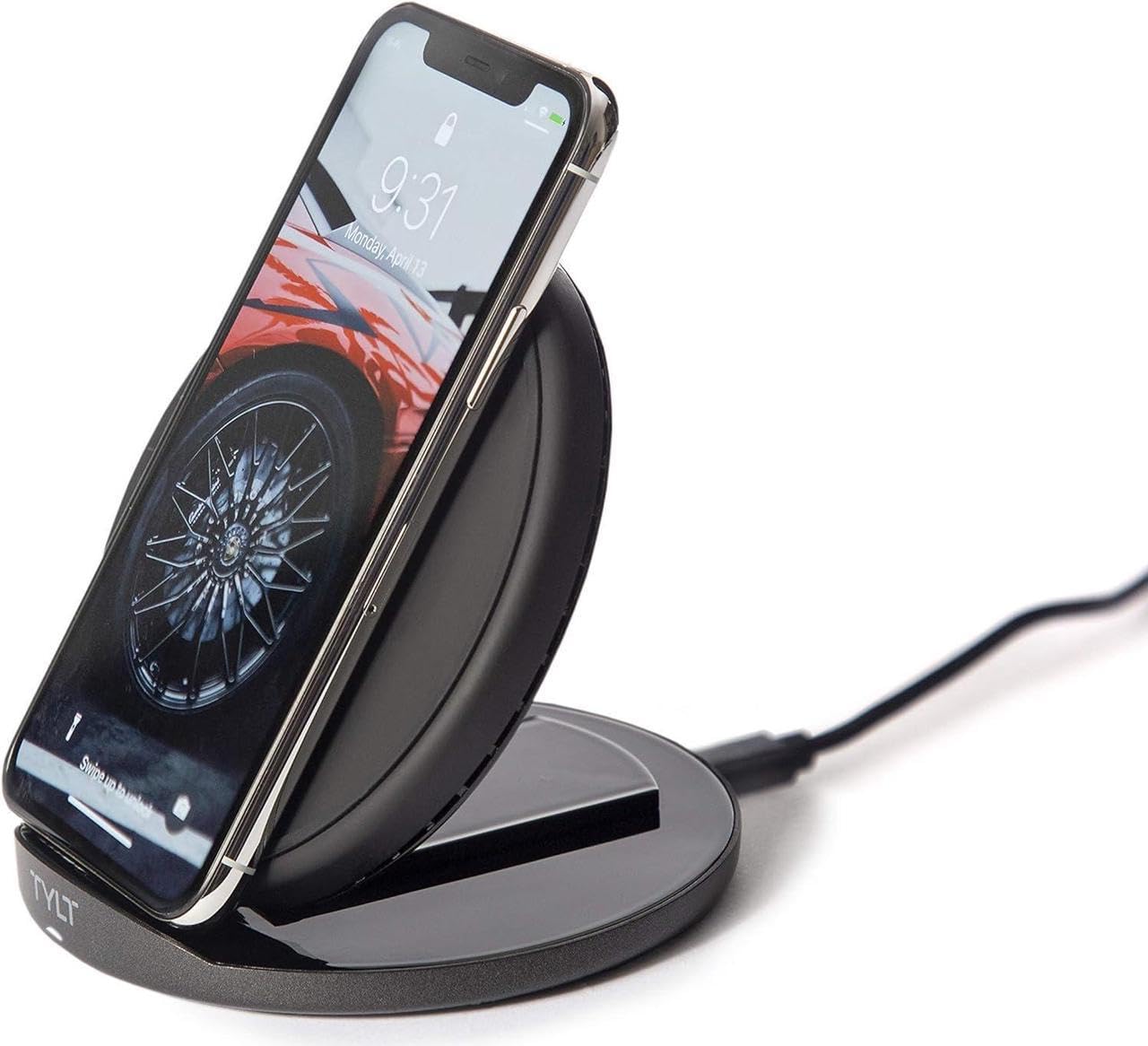
Image: The TYLT Crest charger shown in its upright stand configuration, actively charging a smartphone. This illustrates the device's primary function as a phone stand and charger.
5. Instruções de operação
5.1. Charging in Stand Mode
- Ensure the TYLT Crest is in its upright stand configuration.
- Place your wireless charging compatible smartphone onto the stand. Align the center of your phone with the charging coil area on the stand.
- The charging indicator on your phone should activate, confirming that charging has begun.
5.2. Charging in Flat Pad Mode
- Gently convert the TYLT Crest from stand mode to its flat pad configuration.
- Place your wireless charging compatible device, such as wireless headphones or a smaller smartphone, onto the flat charging surface. Ensure the device is centered on the pad.
- O indicador de carregamento do dispositivo deve acender, confirmando que o carregamento foi iniciado.
Observação: For optimal 15W fast wireless charging, ensure your device supports 15W wireless charging and is properly aligned with the charging coil.
6. Manutenção
- To clean the charger, disconnect it from the power source.
- Limpe a superfície com um pano macio, seco ou levemente umedecido.amp pano.
- Não utilize produtos químicos agressivos, produtos de limpeza abrasivos ou solventes.
- Ensure the charger is completely dry before reconnecting it to power.
7. Solução De Problemas
| Problema | Possível causa | Solução |
|---|---|---|
| Dispositivo não carrega | Not connected to power; device not wireless charging compatible; improper alignment; phone case too thick. | Ensure charger is plugged in; verify device compatibility; reposition device on charger; remove thick phone case. |
| Carregamento lento | Incompatible power adapter; background apps running; device overheating. | Use a 15W PD compatible power adapter; close unnecessary apps; ensure proper ventilation. |
| Charger indicator not lighting up | No power; faulty cable/adapter. | Check power connection; try a different USB-C cable or power adapter. |
8. Especificações
- Modelo: Crista
- Marca: TILT
- O quetage: 15 Watts
- Corrente de saída: 3 Amps
- Volume de saídatage: 5 Volts
- Tipo de conector: USB Tipo C
- Dispositivos compatíveis: Celulares, Fones de ouvido
- Modelos de telefone compatíveis: Most modern smartphones with USB-C and wireless charging capabilities
- Componentes incluídos: 1 adapter (USB Type-C cable)
- Cor: Preto
- Peso do item: 12.8 onças
- Dimensões da embalagem: 7 x 5 x 1.5 polegadas
9. Garantia e Suporte
TYLT products are designed for reliability and performance. For specific warranty details, please refer to the warranty card included with your purchase or visit the official TYLT website. For technical support, product inquiries, or assistance, please contact TYLT customer service through their official website ou as informações de contato fornecidas na embalagem do seu produto.
Official TYLT Website: www.tylt.com