
1. Produto acabadoview
This manual provides instructions for the Hikity Android Car Stereo, Model 4 Core 2+64G, designed for Honda CRV vehicles manufactured between 2002 and 2006. This unit features a 9-inch touchscreen, Android operating system, Wireless Carplay, Android Auto, GPS navigation, Bluetooth, DSP, FM RDS radio, and includes a backup camera.
Principais características:
- Sistema operacional: Latest Android System with 4-core CPU, 2GB RAM + 64GB ROM for smooth performance.
- Conectividade: Wireless/Wired Carplay & Android Auto, WiFi, Bluetooth.
- Navegação: GPS with support for online and offline maps.
- Áudio: Built-in DSP (Digital Sound Processor) for audio tuning, FM/RDS radio.
- Mostrar: 9-inch Touchscreen with Split Screen Function and customizable UI Themes.
- Segurança: AHD Backup Camera with 170-degree night vision.
2. Conteúdo da embalagem
Verifique se todos os componentes estão presentes na embalagem:
- 1 x Aparelho de Som Automotivo Android
- 1 x Câmera de Ré AHD
- 1 x microfone externo
- 1 x Cabo de alimentação
- Ferramenta de Instalação 1 x
- 1 x Antena GPS
- 2 x Cabo USB
- 1 x cabo RCA
- 1 x Cabo de Entrada da Câmera Traseira
- 1 x Manual do Usuário
3. Configuração e instalação
This car stereo is specifically designed for Honda CRV models from 2002 to 2006. Ensure your vehicle's dashboard configuration matches the compatible models before proceeding with installation. Refer to the included wiring harness for proper connections.
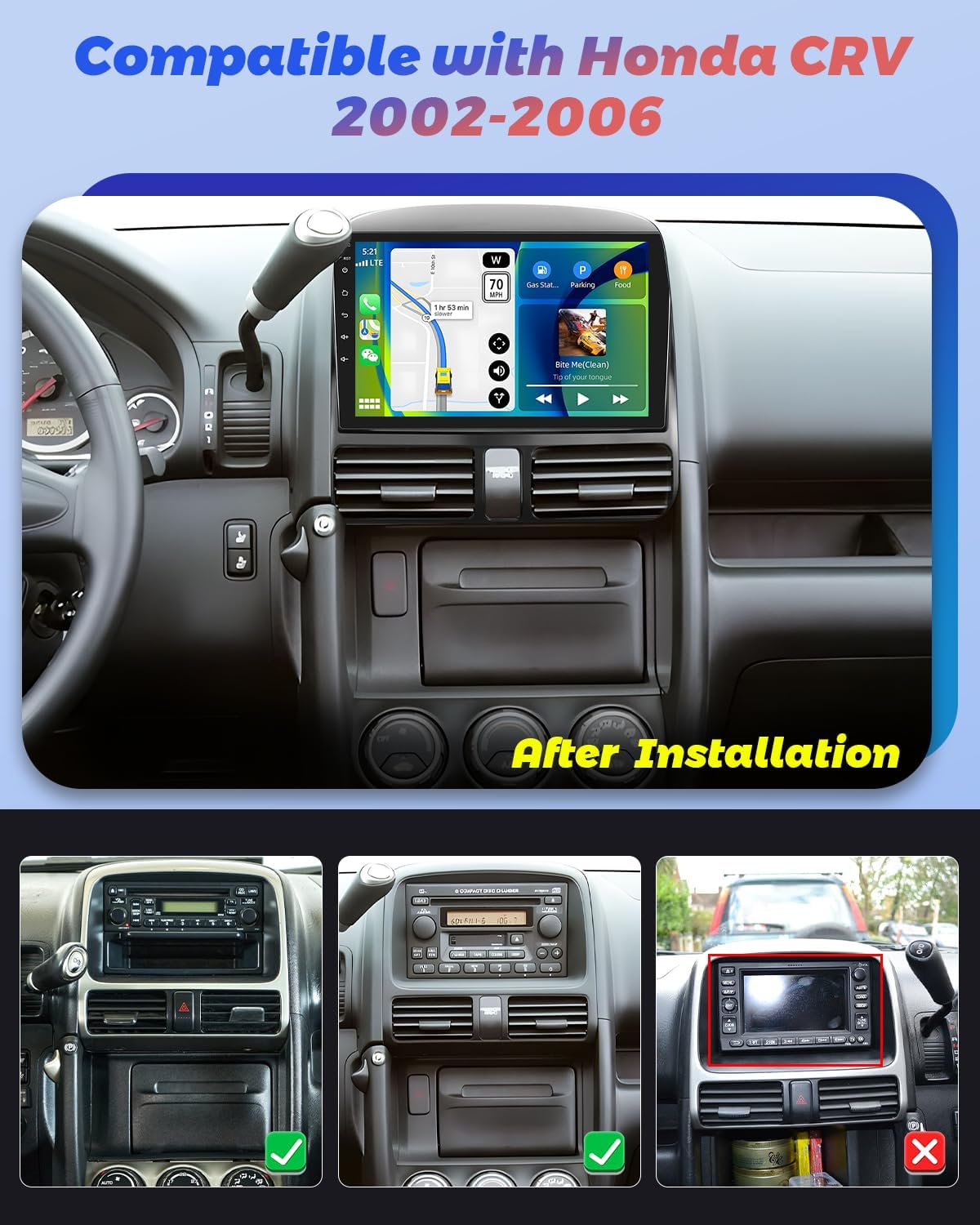
Image: The Hikity Android Car Stereo after installation in a compatible Honda CRV (2002-2006) dashboard. The image also illustrates compatible and incompatible original car stereo setups.
3.1 Diagrama de fiação
Consult the detailed wiring diagram provided in the separate installation guide for specific connections. Ensure all cables are securely connected to prevent malfunctions.
3.2 Inicialização
After installation, turn on your vehicle's ignition. The stereo should power on automatically. Follow any on-screen prompts for initial setup, such as language selection and time zone.
4. Instruções de operação
4.1 Android System Navigation
The unit runs on an Android operating system. Navigate through menus and applications using the 9-inch capacitive touchscreen. Swipe gestures and taps are used for interaction. You can download additional applications from the pre-installed app market.
4.2 CarPlay sem fio e Android Auto
Connect your smartphone wirelessly or via USB to access Carplay or Android Auto. This allows seamless integration of your phone's apps, navigation, music, and voice assistants (Siri or Google Assistant) directly on the car stereo display.

Image: Visual representation of Wireless Carplay, Android Auto, and Mirror Link functionalities, showing connectivity options via Bluetooth, USB, and WiFi.
4.3 Navegação GPS e conectividade Wi-Fi
The stereo supports both online and offline GPS navigation. Connect to a WiFi hotspot (e.g., from your smartphone) to access online maps, real-time traffic updates, and browse the internet. You can also download offline maps for navigation without an internet connection.
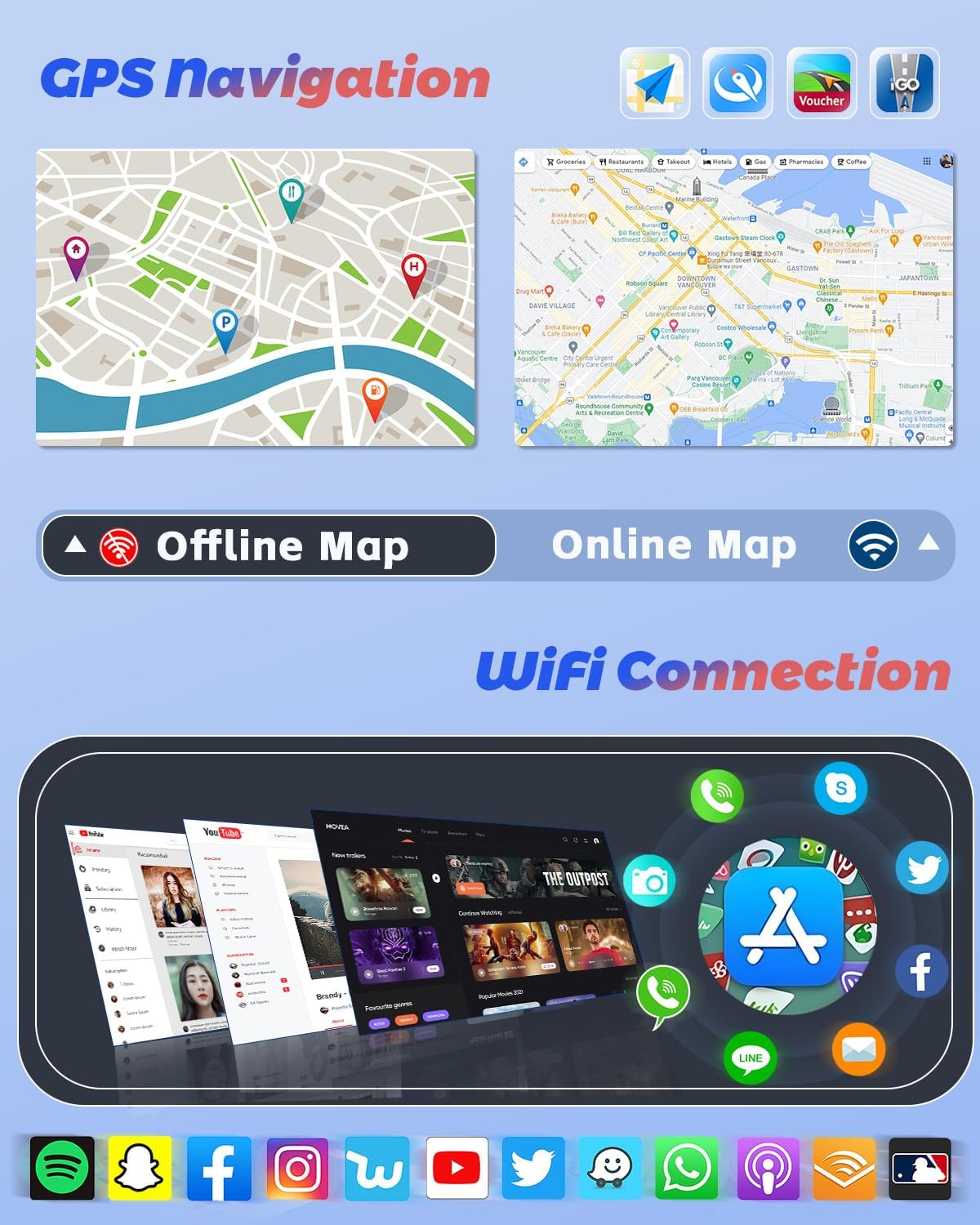
Image: GPS navigation interface displaying online and offline map capabilities, alongside a selection of applications accessible through WiFi connectivity.
4.4 Funções Bluetooth
Pair your mobile phone via Bluetooth for hands-free calling, phonebook synchronization, and audio streaming. Access your music library directly from your phone through the stereo.
4.5 DSP, FM & RDS Radio
The built-in Digital Sound Processor (DSP) allows for precise audio tuning. Adjust frequencies and sound effects to customize your listening experience. The FM/RDS radio provides access to local stations, displaying station information, traffic updates, and weather forecasts where available.
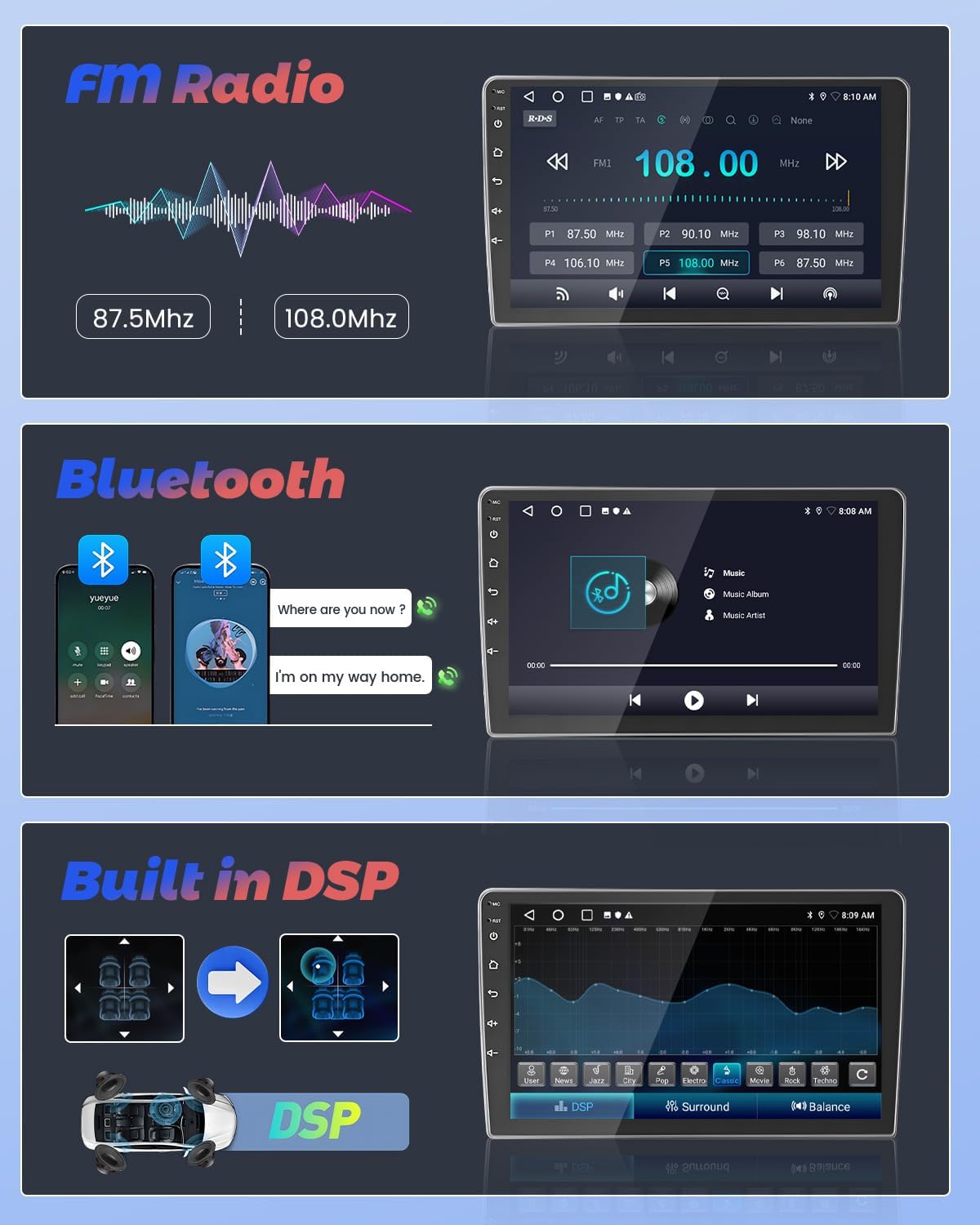
Image: User interfaces for FM Radio tuning, Bluetooth music streaming, and the Digital Sound Processor (DSP) for audio customization.
4.6 Controle do volante
The unit supports steering wheel controls, allowing you to manage audio playback, volume, and other functions without taking your hands off the wheel. Configuration may be required in the system settings.
Câmera de ré AHD de 4.7 polegadas
When reversing your vehicle, the included AHD backup camera automatically displays a 170-degree wide-angle view on the stereo screen. This feature enhances parking safety, even in low-light conditions.
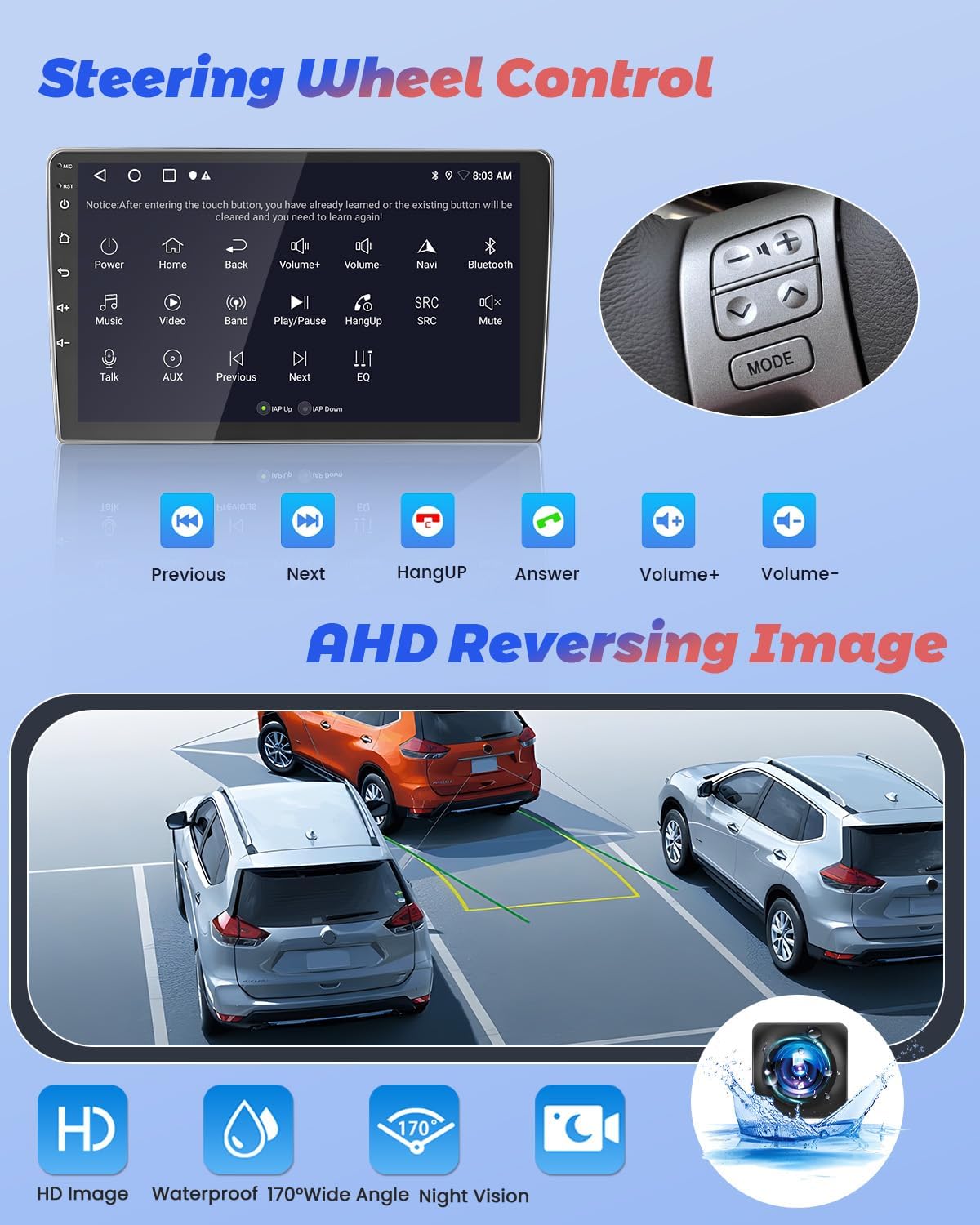
Image: Display of steering wheel control functions on the car stereo and the clear, wide-angle view provided by the AHD reversing camera.
4.8 Split Screen Function & UI Themes
Utilize the split-screen function to run two applications simultaneously, such as navigation and music playback. Customize the stereo's appearance with various pre-installed UI themes to match your preference.
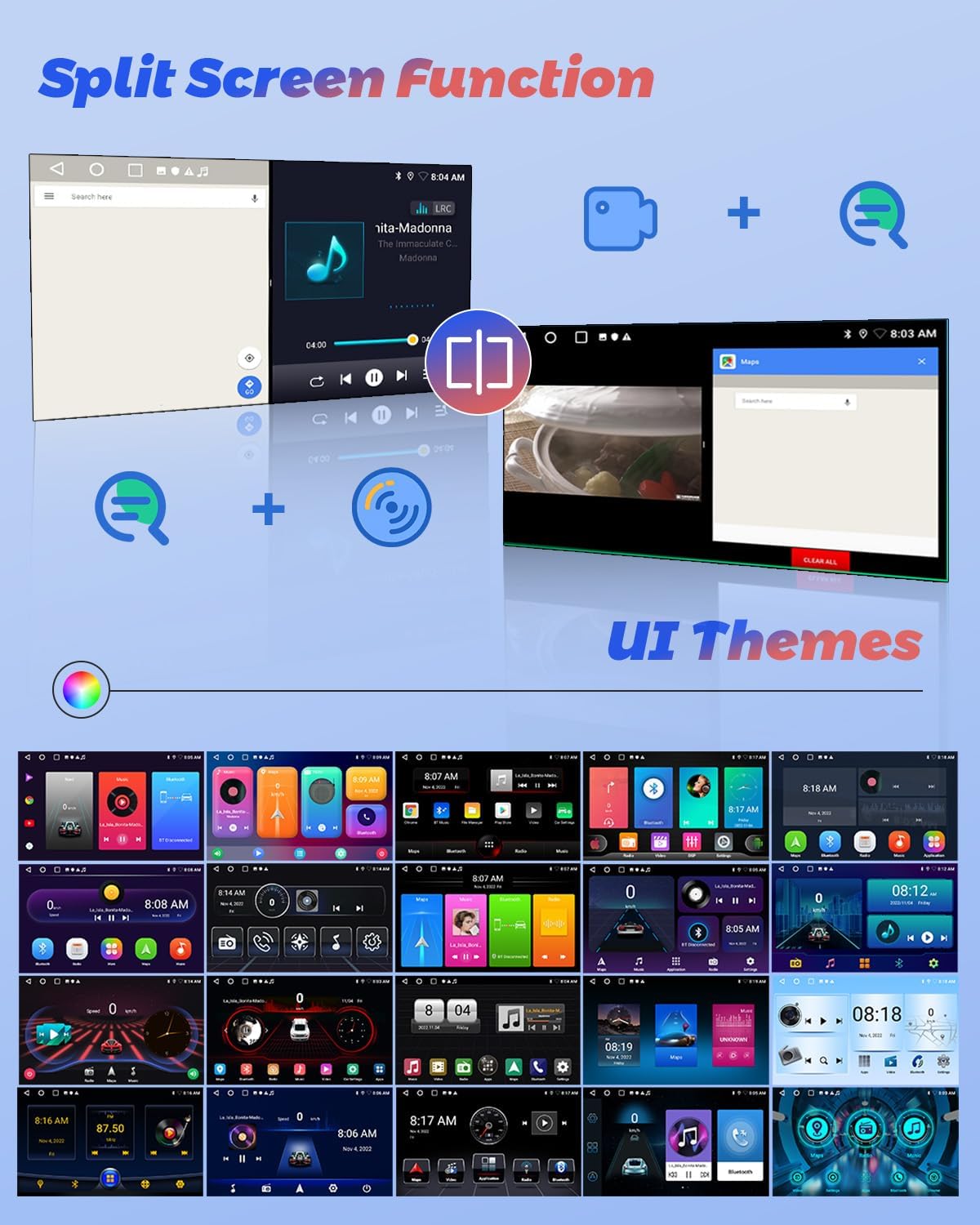
Image: Illustration of the split-screen feature, allowing simultaneous use of two applications, and a selection of customizable user interface themes.
4.9 Vídeo do produtoview
For a visual guide on the Hikity Android Car Stereo's features and operation, please watch the official product video below.
Vídeo: Um oficial sobreview of the Hikity Android Car Stereo, demonstrating its key features including Carplay, Android Auto, and the MT8163 processor.
5. Manutenção
Para garantir a longevidade e o desempenho ideal do seu aparelho de som automotivo Hikity com Android, siga estas orientações de manutenção:
- Limpeza: Use um pano macio e seco para limpar a tela sensível ao toque e a parte externa. Evite produtos de limpeza abrasivos ou solventes.
- Atualizações de software: Periodically check for system software updates through the unit's settings menu to ensure you have the latest features and bug fixes.
- Temperatura: Evite expor a unidade a temperaturas extremas.
- Poder: Ensure stable power supply to prevent electrical damage.
6. Solução De Problemas
Se você tiver problemas com o som do seu carro, consulte as etapas comuns de solução de problemas a seguir:
- Sem energia: Verifique todas as conexões elétricas e fusíveis. Certifique-se de que a ignição do veículo esteja ligada.
- Sem som: Verify speaker connections, volume levels, and audio settings (EQ, DSP).
- Tela sensível ao toque não responde: Try restarting the unit. If the issue persists, a factory reset might be necessary (refer to system settings).
- Perda de sinal GPS: Certifique-se de que a antena GPS esteja instalada corretamente e com uma conexão desobstruída. view do céu.
- Problemas de emparelhamento Bluetooth: Delete previous pairings on both the stereo and your phone, then attempt to pair again.
- A câmera de ré não está sendo exibida: Check the camera's power and video input connections.
Para problemas persistentes, entre em contato com o suporte ao cliente.
7. Especificações
| Recurso | Especificação |
|---|---|
| Marca | Caminhada |
| Nome do modelo | 4 Core 2+64G(DSP) |
| Sistema operacional | Andróide |
| Tamanho da tela | 9 polegadas |
| Capacidade de armazenamento de memória | 64 GB |
| Tecnologia de Conectividade | Bluetooth, USB, FM, AUX, Wireless, WiFi |
| Características especiais | Touchscreen, Carplay, Android Auto, GPS Navigation, DSP, FM RDS, Mirror Link, Split Screen |
| Sistema de navegação por satélite suportado | GPS |
| Modo de saída de áudio | Estéreo |
| Tipo de veículo compatível | Honda CRV 2002-2006 |
| Dimensões do item C x L x A | 9.3"C x 9.1"L x 4.2"A |
8. Garantia e Suporte
Hikity offers a 15-day Money-Back guarantee, 12-month Replacement warranty, and life-time Technical Support for this product.
For technical assistance or warranty claims, please contact Hikity electronic directly through their seller page on Amazon or via the contact information provided with your purchase.
Vendedor: Hikity electronic