
1. Introdução
Obrigado pela compra.asing the HelloBaby HB6351Plus-2 Video Baby Monitor. This monitor is designed to provide a secure and reliable way to keep an eye on your baby, offering advanced features such as a large IPS screen, split-screen viewing, two-way audio, and night vision. This manual will guide you through the setup, operation, and maintenance of your new baby monitor.
Para um desempenho e segurança ideais, leia este manual atentamente antes de usar o produto e guarde-o para futuras consultas.
2. Informações importantes de segurança
- Risco de estrangulamento: Keep all cords out of reach of children. Never place the camera or cords within 3 feet (1 meter) of the crib or playpen.
- Risco de asfixia: Este produto contém peças pequenas. Mantenha fora do alcance de crianças.
- Exposição ao calor: Não coloque o monitor ou a câmera perto de fontes de calor, como radiadores, aquecedores, fogões ou outros aparelhos que produzam calor.
- Água e Umidade: Não exponha o produto à chuva ou umidade. Não utilize próximo à água (ex.: banheira, pia).
- Fonte de energia: Use only the AC power adapters provided. Using other adapters may damage the product.
- Ventilação: Não obstrua nenhuma abertura de ventilação. Garanta a circulação adequada de ar ao redor dos equipamentos.
- Interferência: This product operates on 2.4GHz frequency. Keep away from other 2.4GHz devices (e.g., Wi-Fi routers, microwaves) to avoid interference.
3. Conteúdo da embalagem
Por favor, verifique o conteúdo da embalagem para garantir que todos os itens estejam presentes:
- Unidade dos Pais (Monitor)
- Baby Units (Cameras) x 2
- Power Adapters x 3 (one for monitor, two for cameras)
- Manual do usuário
4. Produto acabadoview
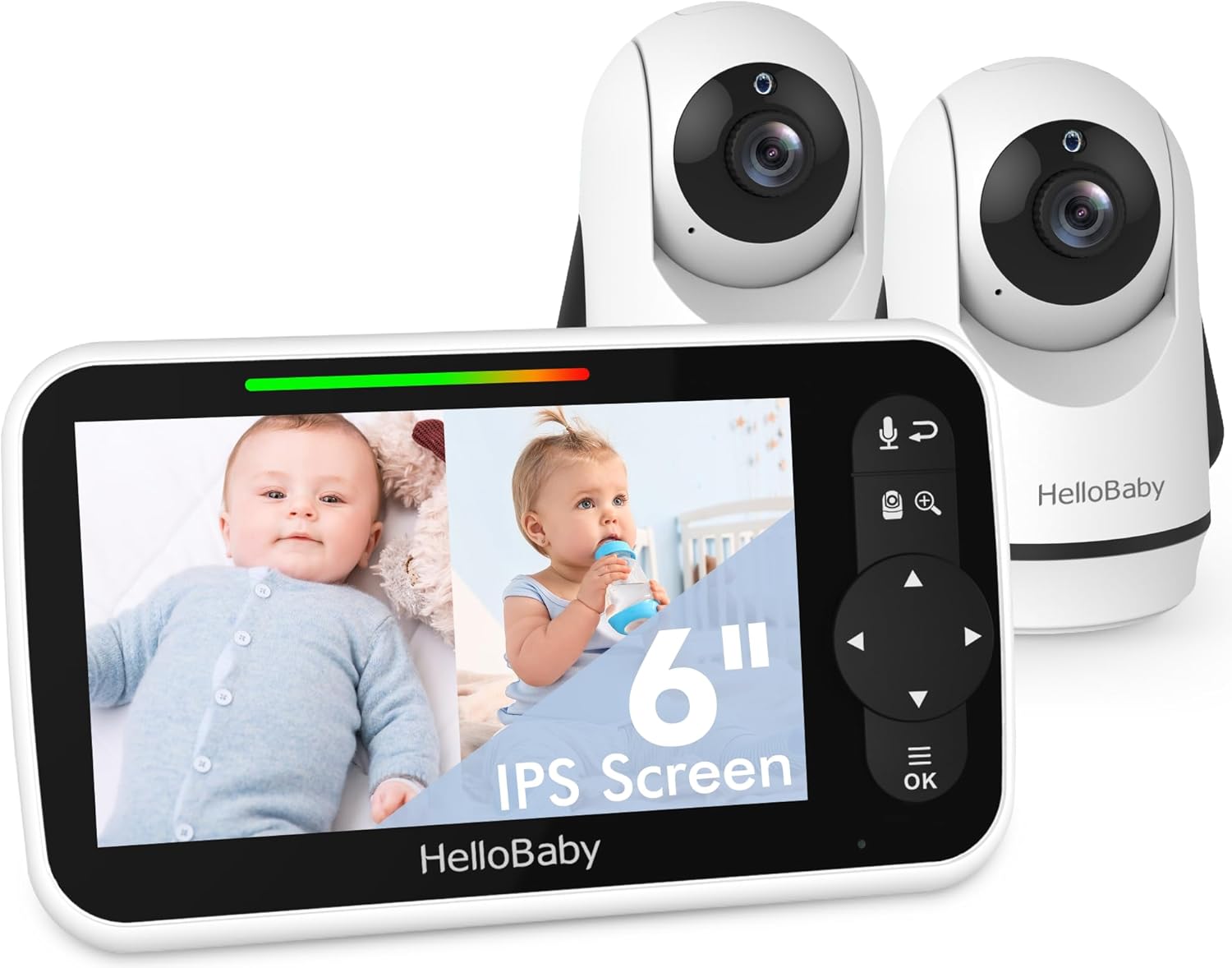
The HelloBaby HB6351Plus-2 Video Baby Monitor system, featuring the parent unit (monitor) and two baby units (cameras).
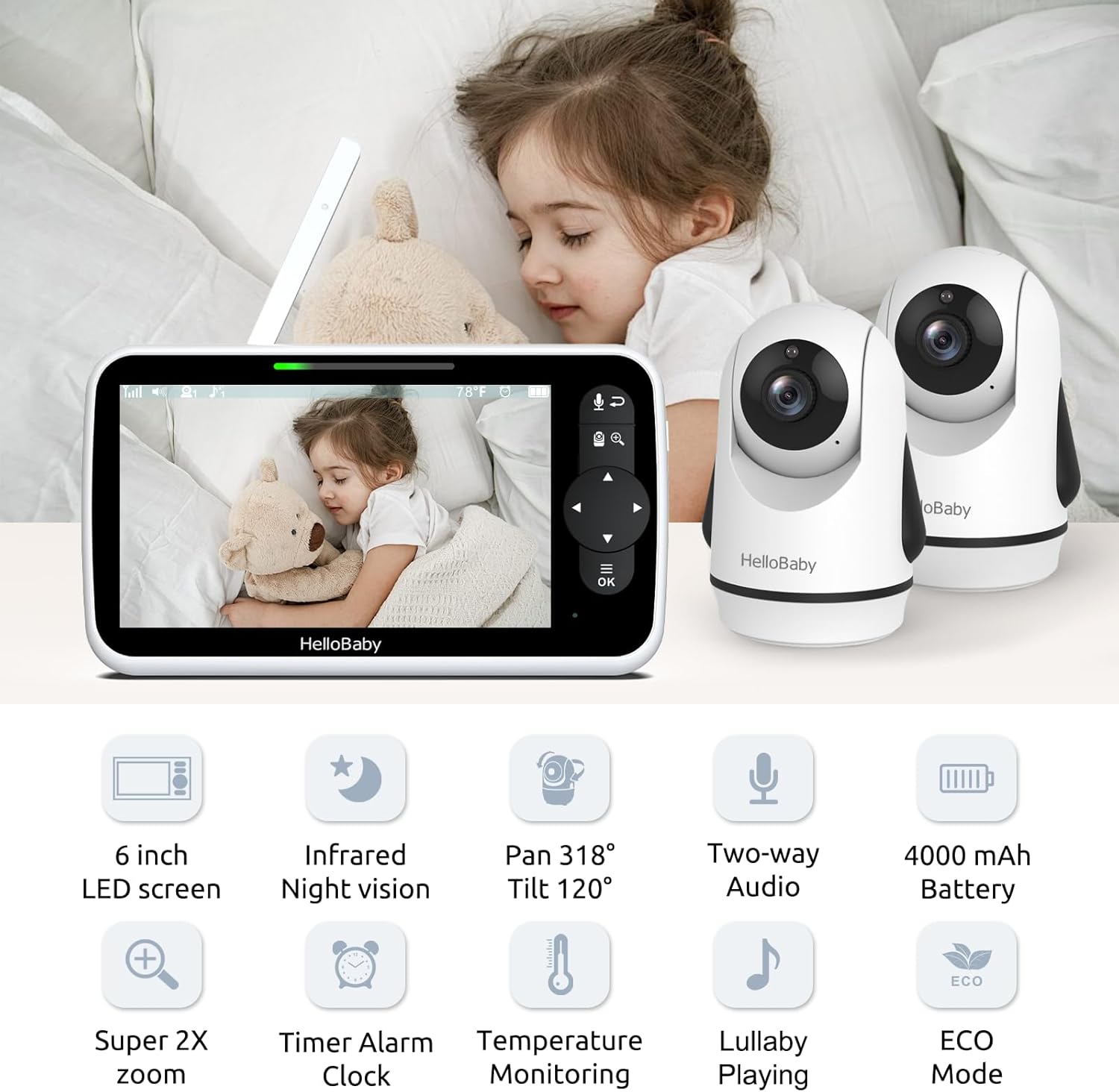
Sobreview of the monitor and camera features, including the 6-inch IPS screen, infrared night vision, pan/tilt/zoom capabilities, two-way audio, and 4000mAh battery.
4.1 Unidade dos Pais (Monitor)
- Tela IPS de 6 polegadas: Proporciona uma visão clara e ampla. viewângulo de engate.
- Botões de controle: For navigation, menu access, zoom, and two-way talk.
- Antena: Para recepção de sinal sem fio.
- Microfone e alto-falante: Para comunicação de áudio bidirecional.
- Indicador de bateria: Mostra o nível atual da bateria.
4.2 Unidade do bebê (câmera)
- Lente da câmera: Captura o fluxo de vídeo.
- LEDs infravermelhos: Para funcionalidade de visão noturna.
- Microfone e alto-falante: For two-way audio and lullaby playback.
- Sensor de temperatura: Monitora a temperatura ambiente.
- Pan/Tilt Motor: Allows remote adjustment of camera angle.
5. Configuração
5.1 Carregando a unidade dos pais
Before first use, fully charge the parent unit for approximately 8 hours. Connect the small end of the power adapter to the parent unit's charging port and the other end to a power outlet. The battery indicator will show charging status.
5.2 Powering the Baby Units
Connect the small end of each camera's power adapter to the camera's power port and the other end to a power outlet. The camera will automatically power on.
5.3 Posicionamento da câmera
Position the baby unit(s) in a location that provides the best view of your baby. Ensure the camera is at least 3 feet (1 meter) away from the crib to prevent cord entanglement. The cameras can be placed on a flat surface, mounted on a wall, or attached using a bracket.

Flexible camera placement options: on a wall, on a table, or using a bracket for optimal viewindo.
5.4 Pairing (Pre-paired)
Your HelloBaby monitor and cameras are pre-paired at the factory. Simply power on both units, and they should connect automatically. If you need to re-pair or add additional cameras, refer to the 'Add Camera' section in the monitor's menu.
6. Instruções de operação
6.1 Ligar/Desligar
- Unidade dos pais: Press and hold the Power button until the screen turns on/off.
- Unidade do bebê: A câmera liga automaticamente quando conectada à energia. Desconecte-a da energia para desligá-la.
Recursos da tela de 6.2 polegadas

The 6-inch IPS large screen provides a spacious and clear view for monitoring your baby.
The 6-inch IPS screen offers a wide viewing angle and clear image quality. Navigate through menus and options using the directional pad and OK button on the parent unit.
6.3 Função de tela dividida
Com duas câmeras você pode view both feeds simultaneously on the parent unit's screen. This feature is ideal for monitoring multiple children or different areas of a room.

The split screen function allows simultaneous viewing of two camera feeds on the monitor.
To activate split screen, access the menu and select the split screen option. You can also switch between cameras in single-view mode or use the loop mode to cycle through camera views.

Visual representation of split screen and loop modes for multi-camera monitoring.
6.4 Comunicação Bidirecional
The two-way talk feature allows you to communicate with your baby remotely. Press and hold the microphone button on the parent unit to speak, and release it to listen.

Engage with your baby using the two-way talk feature, allowing for remote communication.
Visão noturna infravermelha de 6.5 polegadas
A câmera ativa automaticamente a visão noturna infravermelha em condições de pouca luz, proporcionando uma imagem nítida em preto e branco do seu bebê, mesmo na escuridão total.

Day and night vision capabilities ensure clear monitoring in all lighting conditions.
6.6 Pan-Tilt-Zoom Remoto (PTZ)
Use the directional buttons on the parent unit to remotely pan (318° horizontally) and tilt (120° vertically) the camera lens. The zoom function allows you to get a closer look at your baby.

The camera offers an all-round field of view with 318° pan and 120° tilt functionality.
6.7 Monitoramento de temperatura
A unidade do bebê inclui um sensor de temperatura que exibe a temperatura ambiente na unidade dos pais. Você pode configurar alertas para temperaturas fora da faixa desejada.

Monitor room temperature and play lullabies to soothe your baby.
6.8 canções de ninar
Select from a variety of pre-programmed lullabies to soothe your baby to sleep. Access this feature through the parent unit's menu.
6.9 Timer Alarm Clock
Set reminders for feeding times, diaper changes, or naps using the built-in timer alarm clock feature.

The timer alarm clock helps you manage feeding and nap schedules.
6.10 Modo ECO e duração da bateria
The monitor features an ECO mode to conserve battery life. In ECO mode, the screen turns off and audio is muted when no sound is detected, reactivating when sound is picked up. The 4000mAh battery provides up to 18 hours in screen-on mode and 35 hours in ECO mode.

Energy-efficient design with 4000mAh battery, offering extended battery life in ECO mode.
7. Manutenção
- Limpeza: Use a soft, dry cloth to clean the surfaces of the monitor and cameras. Do not use abrasive cleaners or solvents.
- Armazenar: If storing the product for an extended period, ensure both units are fully charged and then powered off. Store in a cool, dry place.
- Cuidados com a bateria: Para prolongar a vida útil da bateria, evite descarregar completamente a unidade principal com frequência. Carregue-a regularmente.
8. Solução De Problemas
| Problema | Possível causa | Solução |
|---|---|---|
| Sem imagem/som na unidade principal | Units are not powered on or connected. Out of range. Battery low. | Ensure both units are powered and connected to adapters. Move parent unit closer to baby unit. Charge parent unit. |
| Picture frozen or signal loss (shows 'X') | Out of range. Interference from other devices. | Move parent unit closer to baby unit. Relocate units away from other 2.4GHz devices (Wi-Fi routers, microwaves). Restart both units. |
| Nenhum som ou som intermitente | Volume too low. ECO mode active. Out of range. | Increase parent unit volume. Adjust ECO mode sensitivity or disable it. Move units closer. |
| Poor picture quality/Night vision unclear | Lens is dirty. Insufficient light for color mode. | Clean camera lens with a soft cloth. Ensure room is dark enough for night vision to activate properly. |
| A bateria da unidade dos pais descarrega rapidamente. | Constant screen-on use. Old battery. | Utilize ECO mode. Ensure full charge before use. If battery life significantly degrades, consider battery replacement. |
9. Especificações
- Modelo: HB6351Plus-2
- Tamanho da tela: IPS de 6 polegadas
- Tecnologia de comunicação sem fio: 2.4 GHz FHSS
- Battery (Parent Unit): 4000mAh (P76 batteries included)
- Peso do item: 2.31 libras (1.05 kg)
- Dimensões da embalagem: 9.61 x 5.31 x 4.37 polegadas
- Cor: Branco
- Características especiais: 2-Way Audio, Cry Detection, Night Vision, PTZ Technology, Portable
- Uso interno/externo: Interior, Exterior
- Código UPC: 190282014908
10. Garantia e Suporte
HelloBaby products are designed and manufactured to the highest quality standards. For warranty information or technical support, please refer to the warranty card included with your product or visit the official HelloBaby webVocê também pode entrar em contato com o serviço de atendimento ao cliente através da loja onde o produto foi adquirido.
Para obter mais assistência, visite o Loja HelloBaby na Amazon.