Introdução
This manual provides essential information for setting up, operating, maintaining, and troubleshooting your Gezoon 15.6 inch Laptop. This device is equipped with a 12th Gen Intel Alder Lake N100 processor, 12GB LPDDR5 RAM, and a 512GB SSD, designed for efficient performance in various tasks.
O que está na caixa
Por favor, verifique o conteúdo da sua encomenda. Se algum item estiver faltando ou danificado, entre em contato com o suporte ao cliente.
- Gezoon 15.6 inch Laptop
- Adaptador de energia
- Capa de teclado
- Manual do usuário (este documento)
- Cartão de garantia
Produto acimaview
Familiarize yourself with the key components and ports of your laptop.

Imagem: Geral view of the Gezoon 15.6 inch Laptop, detailing its 12th Gen Intel Alder Lake-N100 Processor, 12GB DDR5 RAM, 512GB M.2 SSD, 200W Front Camera, Dual WiFi, 38Wh Battery, Full-featured Type-C port, and Windows 11 Pro operating system.
Detalhes do processador

Imagem: Detailed specifications of the 12th Gen Intel Alder Lake-N100 Processor, highlighting its 4 cores, 4 threads, 6MB cache, and Turbo Boost frequency of 3.4GHz.
The laptop is powered by a 12th Generation Intel Alder Lake-N100 processor, featuring 4 cores and 4 threads, with a 6MB cache and a turbo boost frequency of up to 3.4GHz. This processor is designed for efficient multitasking and smooth operation.
Portas e Conectores

Imagem: Lado view of the Gezoon laptop illustrating its multiple ports. On one side, it features a Micro SD card slot, an earphone hole, and a USB 3.0 port. On the other side, it includes a DC power input, an HDMI port, a Full-Featured Type-C port, and another USB 3.0 port.
- USB 3.2 Gen1 Type-A Ports (x2): For connecting USB devices such as external hard drives, mice, and keyboards.
- Full-Featured Type-C Port: Suporta transferência de dados, saída de vídeo e fornecimento de energia.
- Miniporta HDMI: Para conexão a monitores ou projetores externos.
- Leitor de cartão TF: For reading and writing data from microSD cards.
- Headphone and Mic Combo Jack: Para conectar fones de ouvido ou microfones externos.
- Conector de alimentação CC: Para conectar o adaptador de energia para carregar o laptop.
Configurar
- Desembale o laptop: Retire cuidadosamente o laptop e todos os acessórios da embalagem.
- Carregue a bateria: Before initial use, connect the power adapter to the DC power jack on the laptop and plug it into a power outlet. Allow the battery to charge fully. The charging indicator light will typically change color or turn off when fully charged.
- Ligar: Open the laptop lid and press the power button, usually located on the top right of the keyboard area.
- Configuração inicial do Windows: Follow the on-screen instructions to complete the Windows 11 Pro setup. This includes selecting your language, region, connecting to a Wi-Fi network, and creating a user account.
- Conecte periféricos: Connect any external devices such as a mouse, keyboard, or external monitor to the appropriate ports.
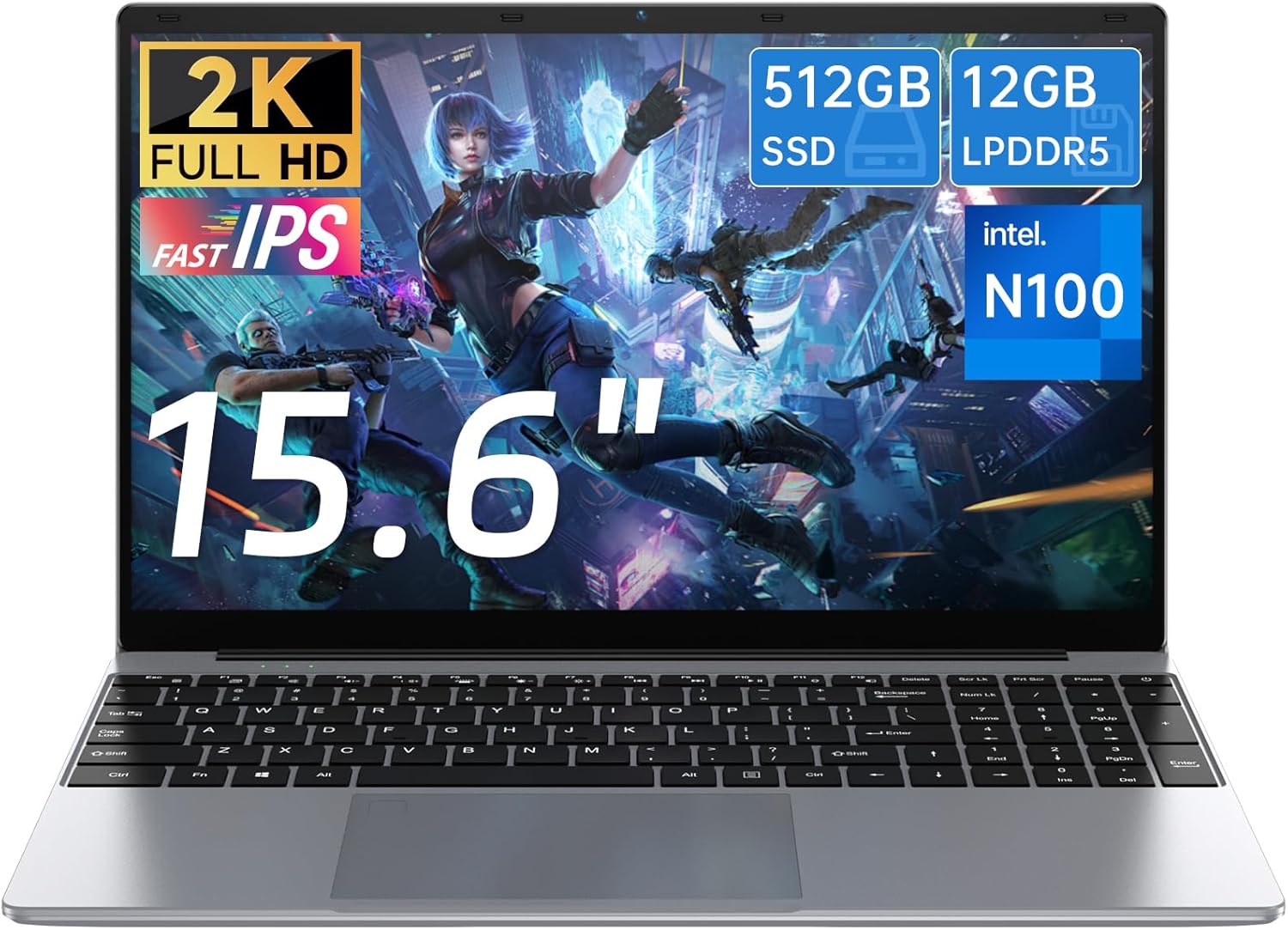
Imagem: The Gezoon 15.6 inch Laptop, showcasing its sleek design and open display, ready for initial setup and use.
Instruções de operação
Teclado e Touchpad

Imagem: The Gezoon laptop featuring a full-size keyboard and its 180-degree flip capability, allowing for flexible viewângulos de inclinação.
- Teclado de tamanho normal: The laptop features a full-size keyboard for comfortable typing.
- Painel tátil: Use the integrated touchpad for cursor control. It supports multi-touch gestures for scrolling, zooming, and other functions. Refer to Windows settings for touchpad customization.
- Teclas de função: The function keys (F1-F12) often have secondary functions (e.g., volume control, screen brightness) accessible by pressing them alone or in combination with the Fn chave.
Exibição e elementos visuais

Imagem: The Gezoon laptop's 15.6-inch Full HD display, showcasing its 1920x1080 resolution, 100% sRGB, 72% NTSC color gamut, and eye protection features for an immersive visual experience.
- 15.6-inch FHD IPS Display: Enjoy clear visuals with the 1920x1080 resolution display.
- Display Externo: Connect an external monitor via the Mini HDMI or Full-Featured Type-C port for extended or mirrored display options.
Áudio e Webcâmera

Imagem: The Gezoon laptop highlighting its audio and video capabilities, including high-quality stereo speakers, a dual microphone system, and an HD webcam for clear communication and entertainment.
- Alto-falantes estéreo duplos: Provides audio output for multimedia and system sounds.
- Dual Array Microphones: For clear audio input during video calls or recordings.
- HD Webcâmera: Integrado webcam for video conferencing and capturing images.
Manutenção
- Limpeza:
- Use a soft, lint-free cloth to clean the screen. For stubborn smudges, dampUmedeça levemente o pano com água ou com uma solução de limpeza de telas.
- Limpe o teclado e o chassi com um pano macio e seco. Evite produtos químicos agressivos.
- Cuidados com a bateria:

Imagem: A user working on the Gezoon laptop, emphasizing its large-capacity 7.6V/6500mAh battery, which provides up to 12 hours of battery life.
- Evite descarregar completamente a bateria com frequência.
- Guarde o laptop em local fresco e seco se não for utilizá-lo por longos períodos.
- Use only the original power adapter provided with the laptop.
- Atualizações de software: Atualize regularmente o sistema operacional Windows e os drivers para garantir desempenho e segurança ideais.
- Backup de dados: Faça backups periódicos de dados importantes em um disco rígido externo ou armazenamento em nuvem para evitar a perda de dados.
Solução de problemas
Esta seção aborda problemas comuns que você pode encontrar com seu laptop.
| Problema | Solução possível |
|---|---|
| O laptop não liga. |
|
| A tela está em branco ou preta. |
|
| Problemas de conexão Wi-Fi. |
|
| O touchpad não responde. |
|
For further assistance, please refer to the support section or contact Gezoon customer service.
Especificações
| Recurso | Detalhe |
|---|---|
| Marca | Gezoon |
| Nome do modelo | intel N100 12GB RAM 512GB SSD LAPTOP |
| Tamanho da tela | 15.6 polegadas |
| Modelo de CPU | Intel Processor N100 (12th Gen Alder Lake-N100) |
| Velocidade do processador | Up to 3.4 GHz (Turbo Boost) |
| Tamanho da memória RAM instalada | 12 GB LPDDR5 |
| Tamanho do disco rígido | 512 GB SSD (M.2 2280 SATA) |
| Sistema operacional | Windows 11 Pro |
| Coprocessador gráfico | Gráficos Intel UHD 730 |
| Resolução | 1920 x 1080 pixels (FHD) |
| Taxa de atualização | 120 Hz |
| Capacidade da bateria | 6500 mAh (7.6 Volts) |
| Duração da bateria (média) | 10-12 horas |
| Conectividade | 2.4G/5G Wi-Fi, Bluetooth 5, Ethernet (via adapter), HDMI, USB, Type-C |
| Portos | 2x USB 3.2 Gen1 Type-A, 1x Full-Featured Type-C, 1x Mini HDMI, 1x TF Card Reader, 1x Headphone/Mic Combo Jack, 1x DC Power Jack |
| Webcâmera | Yes (Front, 3 MP) |
| Peso do item | 1690 gramas |
| Dimensões (C x L x E) | 12.6"C x 8.2"L x 0.7"E |
Garantia e Suporte
Informações de garantia
Your Gezoon laptop comes with a Two-year product and accessories warranty a partir da data da compra. Esta garantia cobre defeitos de fabricação e mau funcionamento sob condições normais de uso. Guarde o comprovante de compra para solicitações de garantia.
A garantia não cobre danos causados por:
- Danos acidentais, mau uso ou abuso.
- Reparos ou modificações não autorizadas.
- Operating the device outside the specified environmental conditions.
Suporte ao cliente
If you encounter any issues not covered in the troubleshooting section or require further assistance, please contact Gezoon customer support. You can find contact information on the official Gezoon website ou através da sua plataforma de compra.
For the latest drivers, software updates, and FAQs, please visit the official Gezoon support page.