
1. Introdução
This manual provides essential information for the setup, operation, maintenance, and troubleshooting of your ViewSonic IFP55G1 55-inch 4K UHD ViewBoard Interactive Display. Please read this manual thoroughly before using the product to ensure proper and safe operation.
O ViewSonic IFP55G1 is a 55-inch 4K Ultra HD (3840x2160p) interactive display designed for educational and business environments. It features multi-point touch recognition, an OPS slot for external PCs, 10W dual speakers, and versatile connectivity options including HDMI, VGA, USB Hub, and USB-C inputs. Its OS-free design allows flexibility with various computing solutions.
Principais características:
- Ultra HD Resolution: 55 Inch 4K Ultra HD (3840x2160p) interactive display for crisp visuals.
- Advanced Multi-Touch: Allows multiple users to write and interact simultaneously with fingers and passive pens.
- Conectividade flexível: Equipped with a powerful quad-core processor and versatile ports including HDMI, VGA, RJ45, and USB.
- OS-Free Design: Provides enhanced security and flexibility to integrate with your preferred operating system via external PC or OPS device.
- Write-Away Technology: Enables instant writing with the stylus without extended setup.
2. O que está na caixa
Verifique se todos os itens listados abaixo estão incluídos em seu pacote. Caso algum item esteja faltando ou danificado, entre em contato com seu revendedor imediatamente.
- ViewSonic IFP55G1 Interactive Display
- 3m USB 2.0 touch cable x 1
- Touch pen (Passive pen) x 2 (VB-PEN-002)
- Cabo de alimentação de 3 m
- HDMI 2.0 cable 3m x 1
- Guia de início rápido + declaração de conformidade
- Adaptador RS232
- Screw (wall mount 4)
- Placa da câmera
- Remote control with AAA battery (Optional)
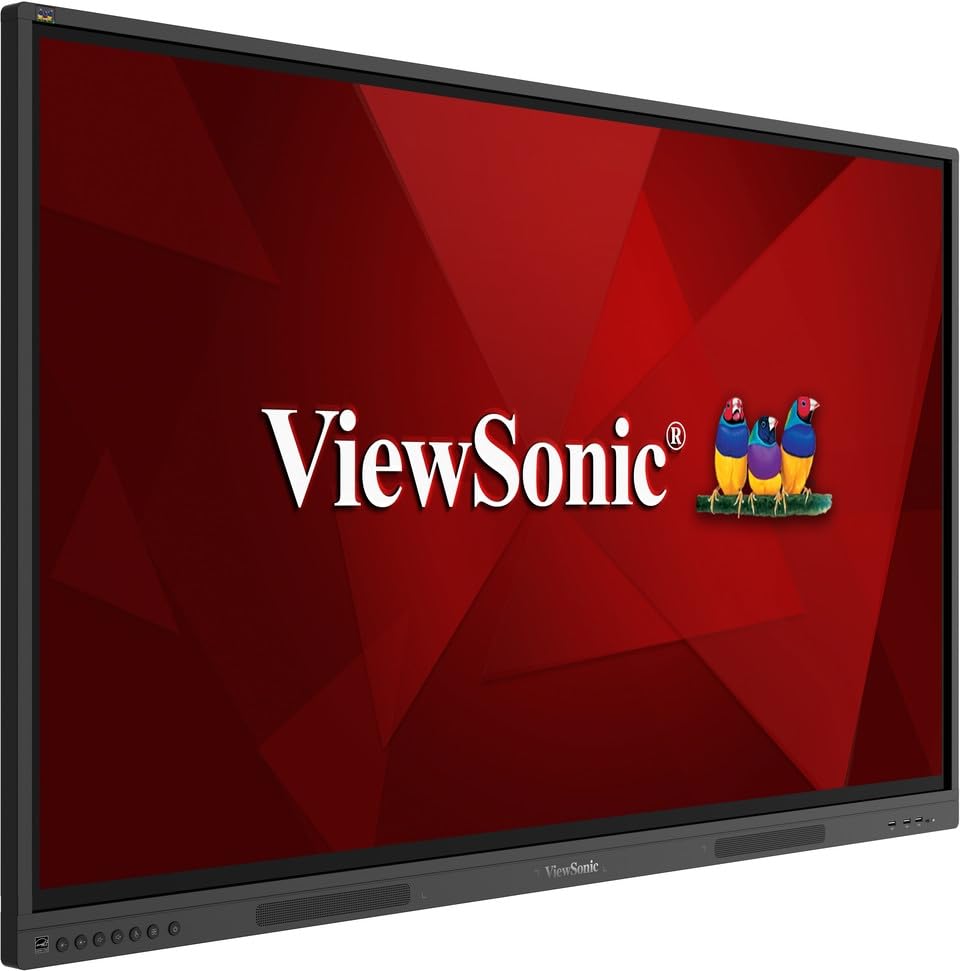
Imagem: ViewSonic IFP55G1 55-inch ViewBoard Interactive Display, front view.
3. Instruções de configuração
3.1 Montagem do monitor
The IFP55G1 can be wall-mounted or installed on a compatible mobile cart (sold separately). Ensure the mounting solution supports the display's weight (approximately 59.3 lbs / 26.9 kg) and dimensions (3.37 x 49.7 x 30.3 inches).
- For wall mounting, use the provided wall mount screws and ensure the wall structure is robust enough.
- Follow the instructions provided with your specific wall mount or mobile cart.
3.2 Conectando Periféricos
The display offers various ports for connecting external devices. Refer to the image below for port locations.

Imagem: Lado view do ViewSonic IFP55G1 interactive display showing various input ports including HDMI, VGA, and USB.
- Conexão de energia: Connect the 3m power cable to the display and a grounded power outlet.
- Entrada de vídeo: Connect your external PC or media player to the display using an HDMI 2.0 cable (provided), VGA cable, or USB-C cable. The display has 3 HDMI ports, 1 VGA port, and USB-C connectivity.
- Funcionalidade de toque: For interactive touch features with an external PC, connect the 3m USB 2.0 touch cable from the display's USB-B (Touch) port to a USB-A port on your PC.
- OPS Slot: If using an optional ViewSonic Slot-in PC (OPS device), insert it into the dedicated OPS slot on the rear of the display. This provides an integrated computing solution.
- Rede: Connect an Ethernet cable to the RJ45 port for wired network access.
- Dispositivos USB: Use the available USB-A ports to connect USB drives, keyboards, mice, or other peripherals.

Imagem: A ViewSonic IFP55G1 display demonstrating connectivity with various external devices, including laptops and mini PCs, highlighting its 'Bring Your Own Devices' capability.
4. Instruções de operação
4.1 Ligar/Desligar
- Ligar: Press the power button located on the display's front or side panel, or use the remote control. The display will power on and show the input source.
- Desligar: Press the power button again. A confirmation message may appear; select 'Power Off'. For complete power disconnection, unplug the power cable.
4.2 Selecionando a fonte de entrada
Use the 'Source' button on the display or remote control to cycle through available input sources (HDMI 1, HDMI 2, HDMI 3, VGA, USB-C, OPS).
4.3 Using Touch Functionality
Once the USB touch cable is connected to your external PC, the display will function as a multi-touch input device. You can use your fingers or the provided passive pens for interaction.
- Toque com os dedos: Use gestures similar to a tablet or smartphone for navigation, zooming, and drawing.
- Passive Pens: The two included passive pens (VB-PEN-002) allow for precise writing and drawing on the screen. The display's Write-Away technology enables instant use of the pens.

Image: A group of individuals collaborating around a ViewSonic IFP55G1 interactive display in a modern meeting room, demonstrating its multi-touch capabilities for instantaneous collaboration.
4.4 Controle de Áudio
The display features integrated 10W dual speakers. Adjust volume using the remote control or the buttons on the display panel.
5. Manutenção
5.1 Limpando a tela
- Tela: Limpe suavemente a tela com um pano macio e sem fiapos. Para manchas persistentes, esfregue levemente.ampen the cloth with water or a non-abrasive, ammonia-free screen cleaner. Do not spray cleaner directly onto the screen.
- Casing: Limpe o casinLimpe com um pano macio e seco. Evite usar produtos químicos agressivos ou materiais abrasivos.
5.2 Cuidados Gerais
- Avoid placing heavy objects on the display.
- Do not block ventilation openings on the rear of the display.
- Keep the display away from direct sunlight, heat sources, and excessive moisture.
6. Solução De Problemas
Se você encontrar problemas com seu ViewSonic IFP55G1, refer to the following common problems and solutions.
6.1 No Display / Black Screen
- Ensure the power cable is securely connected to both the display and a working power outlet.
- Verify that the display is powered on (power indicator light should be active).
- Check that the video cable (HDMI, VGA, USB-C) is securely connected to both the display and the source device (PC, OPS).
- Select the correct input source using the 'Source' button on the display or remote control.
- Ensure the source device (PC, OPS) is powered on and outputting a video signal.
6.2 Touch Functionality Not Working
- Confirm the USB touch cable is securely connected from the display's USB-B (Touch) port to a USB-A port on your external PC.
- Ensure your external PC's operating system has the necessary drivers installed for touch input.
- Restart both the display and the connected PC.
6.3 Sem som
- Check the volume level on the display and the connected source device.
- Ensure the audio output from your source device is routed correctly to the display (e.g., via HDMI).
- If using an external audio system, ensure it is properly connected and powered on.
7. Especificações
Below are the technical specifications for the ViewSonic IFP55G1 interactive display.
| Recurso | Especificação |
|---|---|
| Marca | ViewSônico |
| Nome do modelo | IFP55G1 |
| Tamanho da tela | 55 polegadas |
| Resolução máxima da tela | 3840x2160 pixels (4K UHD) |
| Resolução Nativa | 3840 x 2160 |
| Tipo de exibição | LCD |
| Proporção da tela | 16:9 |
| Entrada de Interface Humana | Tela sensível ao toque |
| Tecnologia de Conectividade | Ethernet, HDMI, USB Type C, VGA |
| Total Number of HDMI Ports | 3 |
| Total de portas USB | 9 |
| Interface de saída de vídeo | Porta de exibição |
| Saída de áudio | Integrated 10W Dual Speakers |
| Dimensões do item (CxLxA) | 3.37 x 49.7 x 30.3 polegadas |
| Peso do item | 59.3 libras |
| Cor | Preto |
| Características especiais | All-in-one USB port, Anti Glare Display, Light Sensor, Speakers, Touchscreen |
| Dispositivos compatíveis | Computador de mesa, laptop |
| UPC | 766907024654 |
8. Garantia e Suporte
8.1 Informações de garantia
O ViewSonic IFP55G1 interactive display comes with an industry-leading Garantia limitada de 3 ano on parts, labor, and backlight. Onsite warranty service may also be available. Please refer to the warranty card included in your package or visit the official ViewSônico website for detailed terms and conditions, and information on optional warranty extensions.
8.2 Suporte ao cliente
Para assistência técnica, dúvidas sobre produtos ou solicitações de garantia, entre em contato. ViewSonic's award-winning customer service team. Contact information can be found on the official ViewSônico website ou no Guia de Início Rápido fornecido com o seu produto.