
1. Introdução
Thank you for choosing the HUNTVISION 5MP Smart Light Bulb Camera. This device integrates a high-definition security camera into a standard light bulb socket, offering convenient installation and comprehensive surveillance capabilities. It features 5MP HD clarity, smart night vision, two-way audio, and advanced AI algorithms for enhanced security monitoring.
This manual provides detailed instructions for setting up, operating, and maintaining your camera to ensure optimal performance and security for your home or office.

Image: The HUNTVISION Smart Light Bulb Camera, designed for versatile use in various environments including residential and commercial settings.
2. Informações de segurança
- Ensure the power is off before installing or removing the camera from the light bulb socket.
- This device is designed for indoor and outdoor use. Ensure proper weather protection if used outdoors.
- Não exponha a câmera a temperaturas extremas, umidade ou imersão direta em água.
- Use only standard E27/E26 light bulb sockets for installation.
- Mantenha a câmera fora do alcance de crianças e animais de estimação.
- Não tente desmontar ou reparar a câmera por conta própria. Entre em contato com o suporte ao cliente para obter assistência.
3. Conteúdo da embalagem
Verifique se todos os itens estão presentes na embalagem:
- HUNTVISION 5MP Smart Light Bulb Camera (Model: A5M10)
- Mounting Stand (if applicable)
- Parafusos de montagem (se aplicável)
- Manual de Instruções (este documento)
4. Guia de configuração
4.1. Instalação Física
- Locate a standard E27/E26 light bulb socket where you wish to install the camera.
- Ensure the power to the socket is turned off at the circuit breaker before proceeding.
- Carefully screw the HUNTVISION Smart Light Bulb Camera into the socket until it is securely fastened. Do not overtighten.
- Turn on the power to the socket. The camera will power on and initiate its startup sequence.
4.2. Download do aplicativo e criação de conta
- Download the "IVY IoT" application from your smartphone's app store (App Store for iOS or Google Play Store for Android).
- Open the IVY IoT app and follow the on-screen instructions to create a new account or log in if you already have one.
4.3. Connecting the Camera to Wi-Fi
The camera supports various network connection methods:
- Leitura de código QR: In the IVY IoT app, select "Add Device" and choose the QR code scanning option. Position your phone's screen with the generated QR code in front of the camera lens until you hear a confirmation sound.
- Emparelhamento Bluetooth: Some models support Bluetooth for initial setup. Follow the app's prompts to pair via Bluetooth.
- Sound Wave Pairing: The app can generate a sound wave to transmit Wi-Fi credentials. Ensure your phone's volume is up and place it near the camera.
- Conexão LAN: For wired setup, connect an Ethernet cable to the camera's LAN port (if available) and your router.
Follow the specific instructions within the IVY IoT app for your chosen connection method. Ensure your Wi-Fi network is 2.4GHz, as 5GHz networks may not be supported by the camera for initial setup.

Image: The camera and its accompanying mobile application, illustrating the Wi-Fi connection process.
5. Instruções de operação
5.1. Transmissão ao vivo e gravação
Once connected, open the IVY IoT app and select your camera from the device list to view the live feed. You can:
- View Transmissão ao vivo: Access real-time video from your camera.
- Gravar vídeo: Manually start and stop video recording.
- Take Snapshots: Capture imagens estáticas da transmissão ao vivo.
- Reprodução: Acesse foo gravadotage from cloud storage or a local TF card.
5.2. Remote Control (Pan/Tilt & Digital Zoom)
The camera features a 355° horizontal pan and 85° vertical tilt, allowing you to adjust the viewing angle remotely through the app. It also supports 6X digital zoom for closer inspection of details.

Image: Demonstrating the camera's remote pan, tilt, and digital zoom capabilities for comprehensive area coverage.
5.3. Modos de visão noturna inteligentes
The camera offers multiple night vision options for clear monitoring in low-light conditions:
- Visão noturna em cores: Utilizes ambient light or the camera's built-in light to provide color images at night.
- Visão Noturna Infravermelha: Uses infrared LEDs for clear black-and-white images in complete darkness.
- Custom Night Vision: Allows you to configure specific settings based on your preferences.
The camera can automatically switch between modes based on lighting conditions.
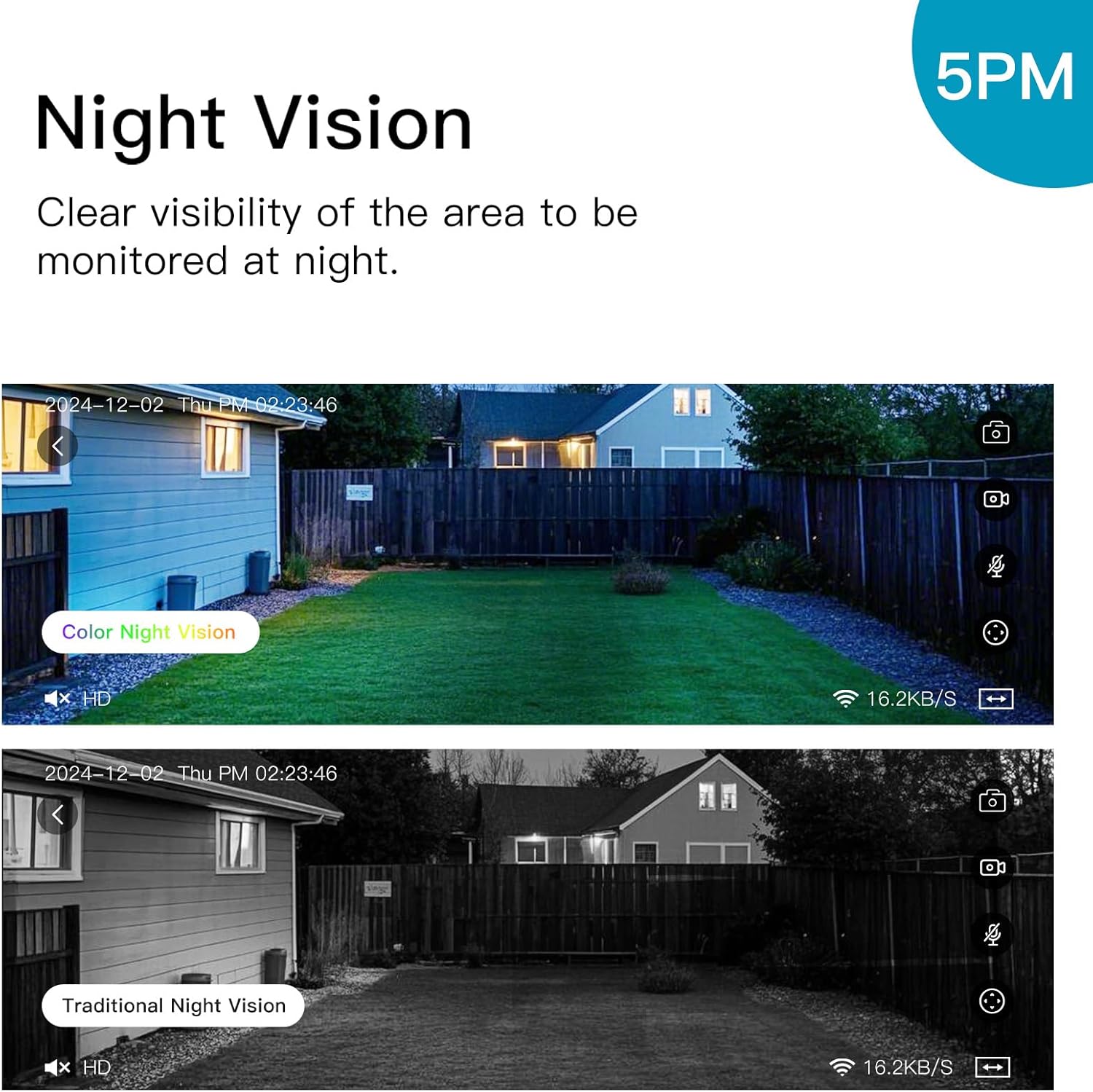
Image: Illustrating the difference between color and traditional infrared night vision capabilities.
5.4. Áudio bidirecional
The built-in microphone and speaker enable two-way communication. You can listen to the environment around the camera and speak through the camera using the IVY IoT app. This feature is useful for communicating with visitors or deterring intruders.
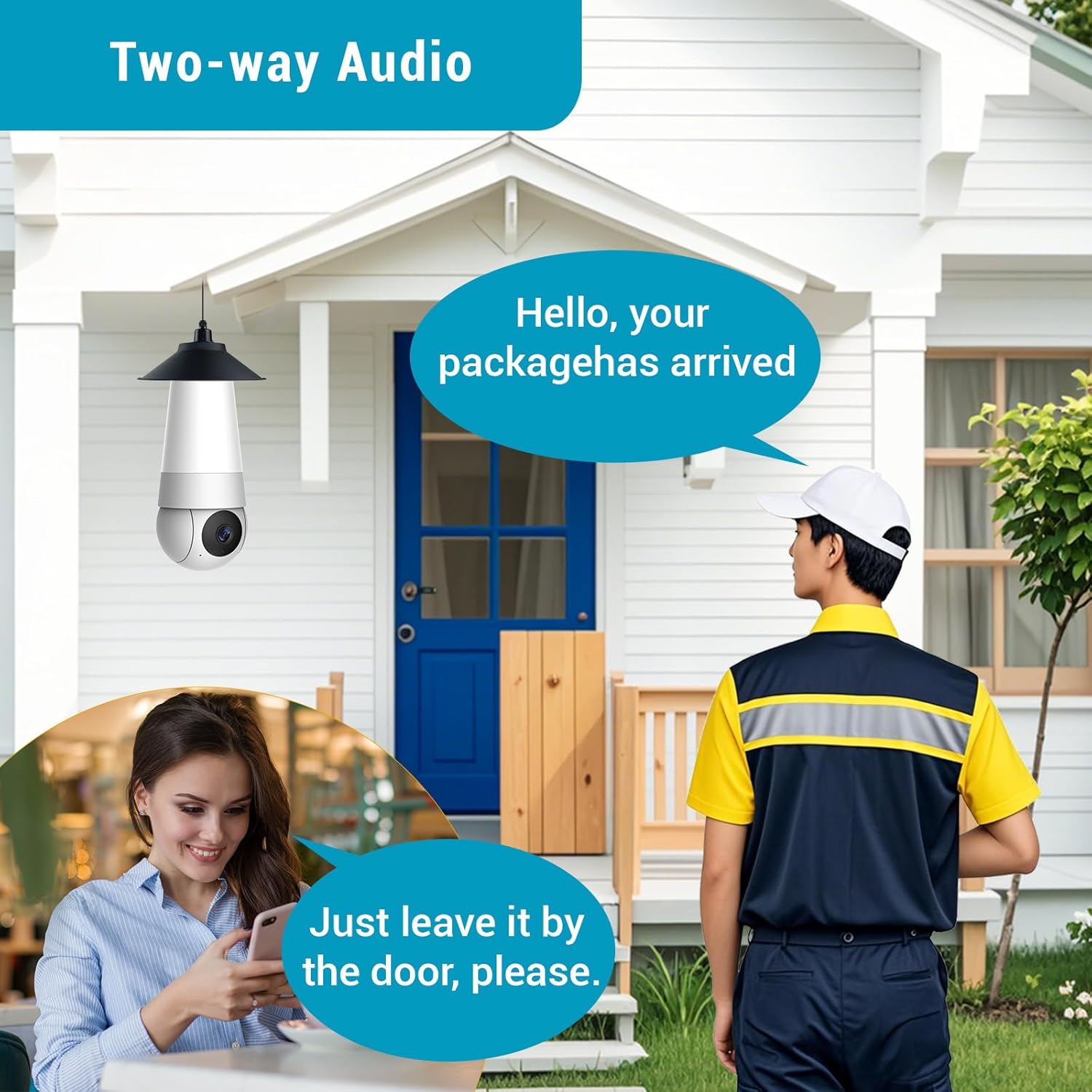
Image: Demonstrating the two-way audio feature for communication.
5.5. AI Smart Algorithms
The camera is equipped with advanced AI algorithms to provide intelligent alerts and monitoring:
- Detecção Humana: Identifies human shapes, reducing false alarms from pets or inanimate objects.
- Detecção de movimento: Aciona a gravação e envia alertas ao detectar qualquer movimento.
- Flame Recognition: Detects the presence of flames and sends immediate alerts.
- Personality Tracking: Follows detected human movement within the camera's field of view.
- Detecção de choro: Alerts you to the sound of crying, useful for baby monitoring.
Configure these settings within the IVY IoT app to receive real-time push notifications and alert messages.

Imagem: Acimaview of the camera's multiple device-side AI algorithms for intelligent monitoring.
5.6. Cloud Storage & Multi-User Sharing
- Opções de armazenamento: Supports both local TF (microSD) card storage (card not included) and cloud storage subscriptions for recorded footage.
- Reprodução: Facilmente review recorded events from either storage option through the app.
- Compartilhamento multiusuário: Share access to your camera with up to 10 authorized users, allowing family members or colleagues to view Acompanhe a transmissão ao vivo e receba alertas.
6. Manutenção
- Limpeza: Limpe delicadamente a lente e o corpo da câmera com um pano macio e seco. Não use produtos de limpeza líquidos ou materiais abrasivos.
- Atualizações de firmware: Regularly check the IVY IoT app for available firmware updates. Keeping your camera's firmware updated ensures optimal performance, new features, and security enhancements.
- Gerenciamento de armazenamento: If using a TF card, periodically check its status and consider formatting it through the app to maintain performance. Manage cloud storage settings as needed.
7. Solução De Problemas
| Problema | Possível causa/solução |
|---|---|
| A câmera não liga. |
|
| Não é possível conectar ao Wi-Fi. |
|
| Qualidade de vídeo ruim ou atraso. |
|
| Os alertas de detecção de movimento são muito frequentes/pouco frequentes. |
|
8. Especificações
| Recurso | Detalhe |
|---|---|
| Marca | VISÃO DE CAÇA |
| Nome do modelo | A5M10 |
| Resolução de captura de vídeo | 1920p (5MP HD) |
| Tecnologia de Conectividade | Sem fio (Wi-Fi) |
| Protocolo de conectividade | Wi-fi |
| Fonte de energia | Corded Electric (Light Bulb Socket) |
| Tipo de controlador | IVY IoT App |
| Tipo de montagem | Ceiling Mount (via light socket) |
| Dimensões do item (C x L x A) | 7.87 x 2.83 x 2.95 polegadas |
| Peso do item | 10.4 onças |
| Uso interno/externo | Exterior, Interior |
| Usos recomendados | Monitoramento de bebês, Monitoramento de animais de estimação, Segurança interna, Segurança externa |
| Componentes incluídos | Stand, Mounting Screw, Instruction Manual |
9. Suporte ao cliente
For technical support, warranty information, or any inquiries regarding your HUNTVISION Smart Light Bulb Camera, please contact our customer service team. Refer to the product packaging or the official HUNTVISION webAcesse o site para obter as informações de contato mais atualizadas.
We are committed to providing you with the best possible experience.