
AIRHOT 3001
AIRHOT Walking Pad Treadmill, 3 in 1 Under Desk Treadmill with Remote Control, 2.5HP Folding Portable Treadmill
Modelo: 3001
1. Introdução
Thank you for choosing the AIRHOT Walking Pad Treadmill. This manual provides essential information for the safe and effective operation, setup, maintenance, and troubleshooting of your new 3-in-1 under-desk treadmill. Designed for compact spaces, this portable treadmill features a 2.5HP motor, remote control, and a 265 lbs capacity, offering a versatile solution for your fitness needs.
Leia este manual atentamente antes da primeira utilização e guarde-o para futuras consultas.
2. Instruções importantes de segurança
Para reduzir o risco de lesões graves, siga sempre as precauções básicas ao usar este aparelho, incluindo as seguintes:
- Leia todas as instruções antes de usar a esteira.
- Mantenha crianças e animais de estimação longe da esteira durante a operação.
- Place the treadmill on a solid, level surface with adequate clearance around it.
- Verifique se o cabo de alimentação não está dobrado ou danificado. Não use extensões.
- Use calçado e roupa adequados para a prática de desporto.
- Não utilize a esteira se o cabo ou a ficha estiverem danificados, ou se não estiver a funcionar corretamente.
- Always attach the safety tether clip to your clothing before starting the treadmill. In case of emergency or loss of balance, the safety tether will automatically stop the machine.
- Não tente consertar a esteira por conta própria. Contate pessoal de serviço qualificado para reparos.
- Desligue a esteira da tomada quando não estiver em uso, antes de limpá-la e antes de realizar qualquer manutenção.
3. Conteúdo da embalagem
Verifique se todos os itens listados abaixo estão incluídos em seu pacote:
- AIRHOT Walking Pad Treadmill
- Controle remoto
- Suporte do telefone móvel
- Chave inglesa
- Manual do usuário
- Óleo lubrificante

A visual representation of the complete package contents, including the treadmill, remote control, mobile phone stand, wrench, user manual, and lubricating oil.
4. Configuração
4.1 Desembalagem e Colocação
- Retire cuidadosamente a esteira e todos os acessórios da embalagem.
- Place the treadmill on a flat, stable surface. Ensure there is at least 2 feet of clear space behind the treadmill and 1 foot on each side.
4.2 Handlebar Assembly and Folding
The treadmill features a foldable handlebar for compact storage. To raise the handlebar for use:
- Lift the handlebar into the upright position until it clicks into place.
- Secure the handlebar using the provided locking wingnuts on both sides to prevent movement during use.
To fold the handlebar for storage:
- Remove the locking wingnuts.
- Gently lower the handlebar until it rests flat against the treadmill deck.

Step-by-step visual guide on how to easily fold the treadmill for space-saving storage.
4.3 Ajuste de inclinação
The treadmill offers a manual incline adjustment up to 6% for varied workout intensity. To adjust the incline:
- Ensure the treadmill is off and unplugged.
- Locate the incline adjustment mechanism at the rear of the treadmill.
- Pull out the securing bolt.
- Turn the slope block to the desired position (flat or inclined).
- Re-insert the securing bolt to lock the incline in place.

Instructions for adjusting the treadmill's incline: pull out the bolt, turn the slope block, and re-insert the bolt.
5. Instruções de operação
5.1 Ligar/Desligar
- Conecte o cabo de alimentação a uma tomada elétrica aterrada.
- Locate the main power switch (usually near the power cord input) and turn it to the 'ON' position.
- Press the 'Start' button on the control panel or remote control to begin your workout.
- To stop, press the 'Stop' button. For emergency stops, pull the safety tether.
5.2 Painel de controle e controle remoto
The treadmill features an integrated LED display and a remote control for convenient operation.
- Telão LED: Tracks essential workout metrics including Time, Calories Burned, Speed, and Distance. These metrics cycle automatically during your workout.
- Botões do painel de controle: Located on the handlebar, these buttons allow for direct control of speed and other functions.
- Controle remoto: Provides wireless control over the treadmill's functions, including start/stop and speed adjustments. It can be stored in the designated bay on the handlebar.

The LED display shows time, calories, speed, and distance. The remote control provides convenient operation.
5.3 Speed Adjustment and Usage Modes
The treadmill offers a speed range from 0.6 MPH to 7.6 MPH, accommodating various workout intensities:
- Walking Mode (1-2.5 MPH): Ideal for casual strolls or walking meetings.
- Jogging Mode (3-4 MPH): Suitable for a brisk walk or light jog.
- Running Mode (4.5-7.6 MPH): For more intense cardio workouts.
Adjust the speed using the '+' and '-' buttons on the control panel or remote control.

Sobreview of the treadmill's adjustable speed settings, from 1 MPH for walking to 7.6 MPH for running.
5.4 Safety Tether Usage
The safety tether is a critical safety feature. Always attach the red clip to your clothing before starting the treadmill. If the tether is detached from the console, the treadmill will immediately stop, preventing potential injury.
5.5 Phone/Tablet Holder
The integrated phone/tablet holder allows you to conveniently place your device for entertainment or productivity during your workout.
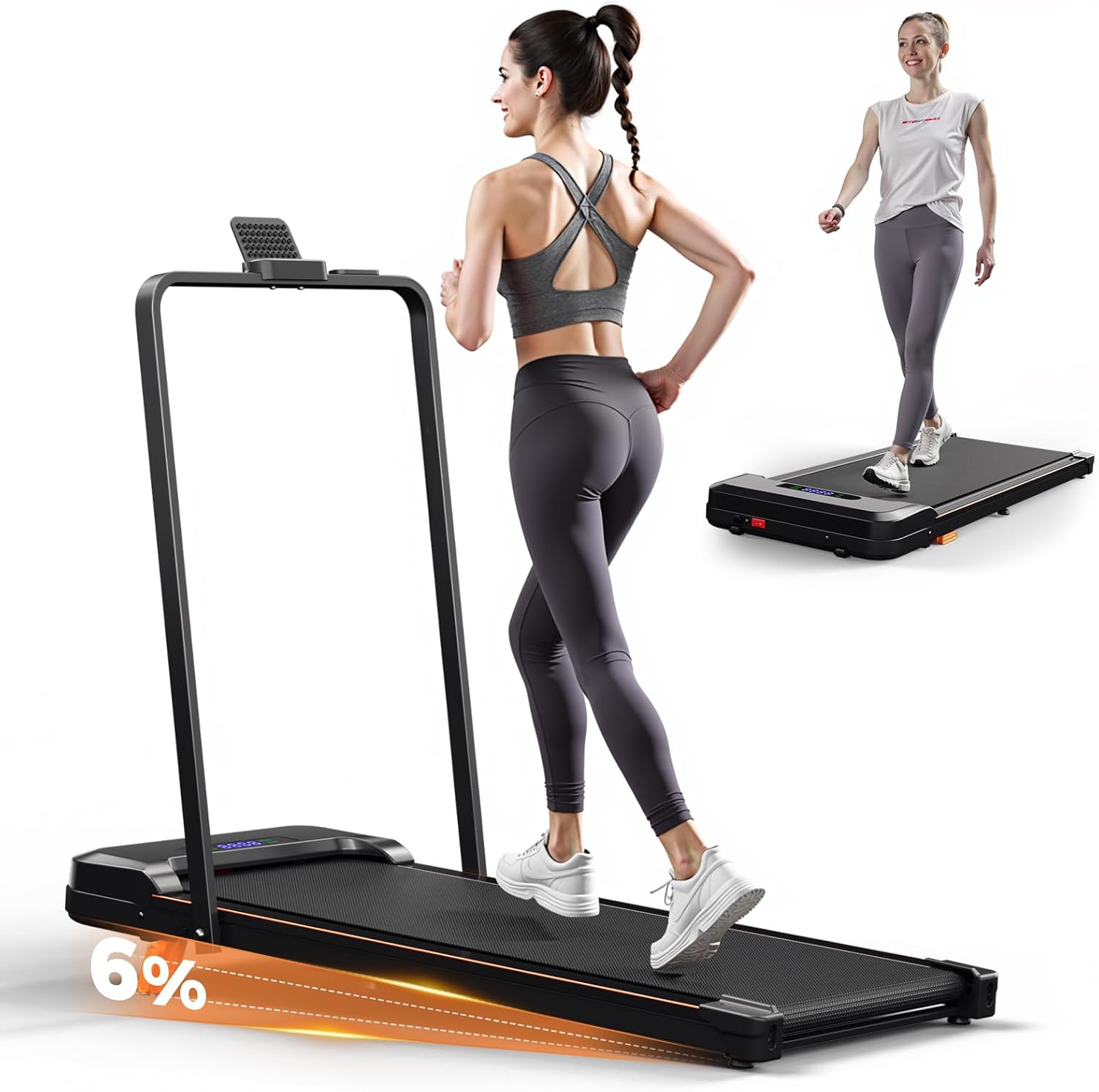
The AIRHOT Walking Pad Treadmill in use, highlighting its 6% incline capability for enhanced workouts.
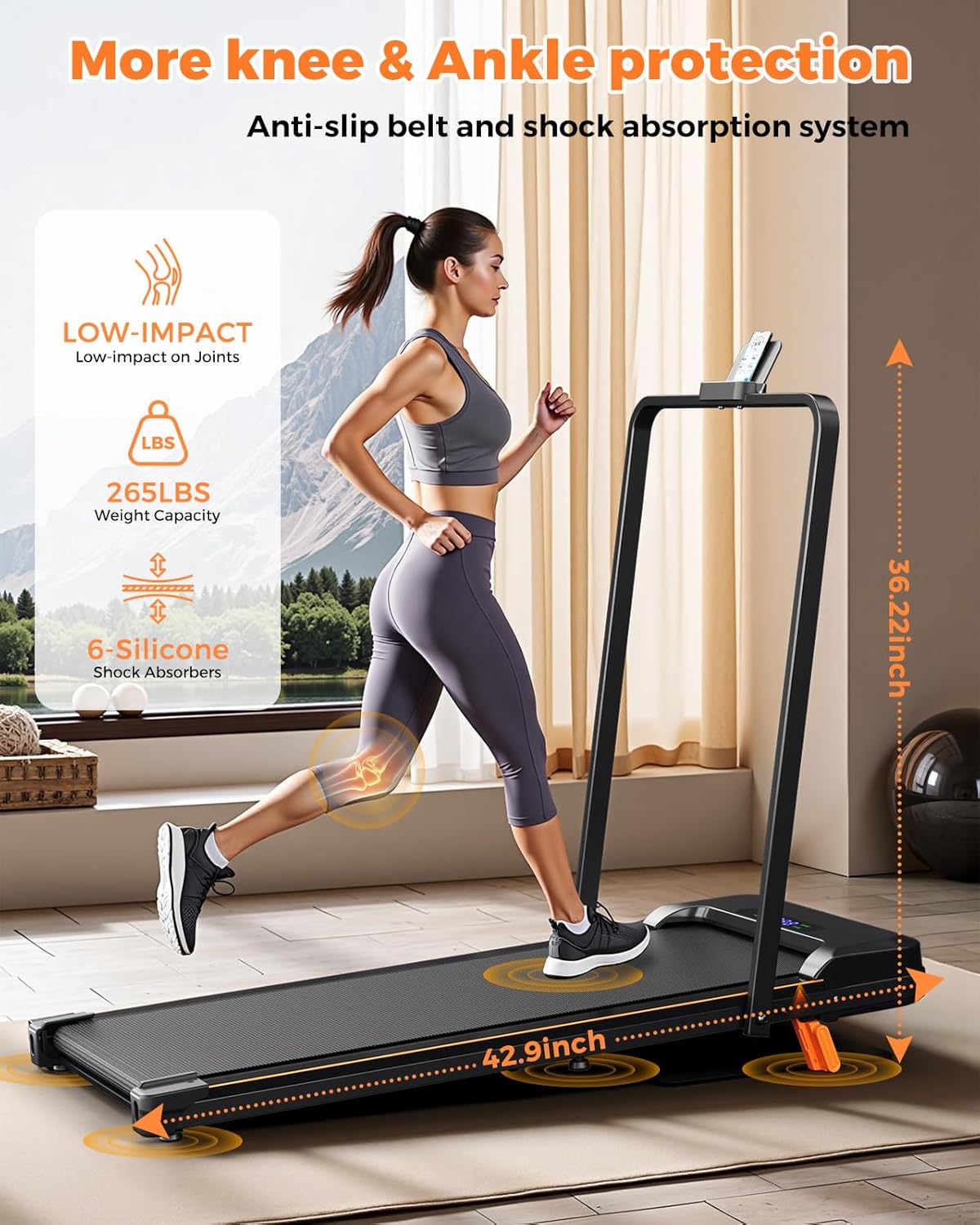
Demonstration of the treadmill's ergonomic shock absorption system and 265 lbs weight capacity, designed for joint protection.

Illustration of the treadmill's quiet operation (below 45dB) and powerful 2.5HP brushless motor.

The lightweight design of the treadmill (46 lbs) makes it easy to carry and move.
6. Manutenção
A manutenção regular garante a longevidade e o desempenho ideal da sua esteira.
- Lubrificação: The running belt requires periodic lubrication to reduce friction and wear. Use the provided lubricating oil as instructed in the separate user manual or when the belt feels dry.
- Limpeza: Limpe as superfícies da esteira com um pano úmido.amp Limpe com um pano após cada uso. Evite usar produtos de limpeza abrasivos.
- Ajuste do cinto: If the running belt becomes off-center or slips, refer to the detailed instructions in the main user manual for proper adjustment.

Detalhado view of the 5-layer cushioned running belt, designed for anti-slip, enhanced support, shock absorption, and durability.
7. Solução De Problemas
If you encounter any issues with your treadmill, please refer to the following common problems and solutions:
- A esteira não liga: Check if the power cord is securely plugged in and the main power switch is in the 'ON' position. Ensure the safety tether is correctly attached.
- Deslizamento do cinto de corrida: This may indicate the belt needs adjustment or lubrication. Refer to the maintenance section or the full user manual for detailed instructions.
- Ruído incomum durante o funcionamento: Ensure the treadmill is on a level surface. Check for any loose parts or foreign objects under the belt. If the noise persists, contact customer support.
- Display not working correctly: Try turning the treadmill off and on again. If the issue continues, contact customer support.
For problems not listed here, or if solutions do not resolve the issue, please contact AIRHOT customer support.
8. Especificações
| Recurso | Detalhe |
|---|---|
| Marca | AR QUENTE |
| Número do modelo | 3001 |
| Dimensões do produto | 121.5 x 11 x 56 cm (47.8 x 4.3 x 22 polegadas) |
| Peso do item | 20.7 kg (45.6 libras) |
| Potência do motor | 2.5 HP |
| Velocidade máxima | 7.6 milhas por hora |
| Capacidade de peso | 265 libras |
| Material | Alloy Steel (Frame: Iron) |
| Tipo de exibição | LED (Time, Calories Burned, Distance, Speed) |
| Características especiais | Portable, Folding, Incline Adjustment |
| Fonte de energia | Elétrico com fio |
9. Garantia e Suporte
The AIRHOT Walking Pad Treadmill includes a 1-year full repair warranty. This warranty covers manufacturing defects and ensures dedicated support from the AIRHOT team.
For warranty claims, technical assistance, or any questions regarding your product, please contact AIRHOT customer support through your purchase platform or the contact information provided in your original packaging.