
1. Introdução
Thank you for choosing the Kinglucky ClipFree Open-Ear Headphones Model A8. These innovative headphones combine high-quality audio with a unique jewelry-inspired design, featuring detachable butterfly earrings. Designed for comfort and awareness, they provide a secure fit without blocking your ear canal, allowing you to enjoy your audio while staying connected to your surroundings. This manual will guide you through the setup, operation, and maintenance of your new headphones.
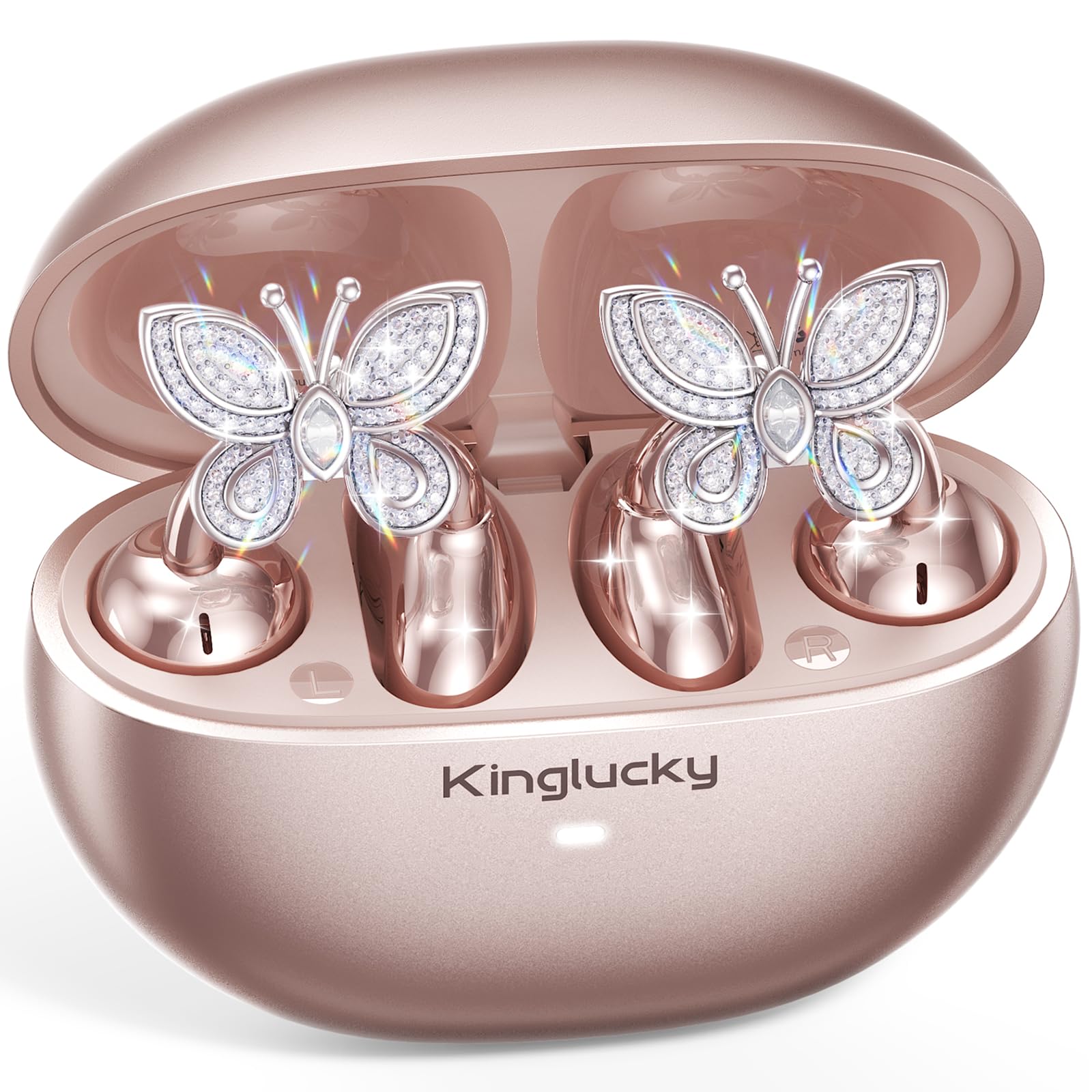
Image: Kinglucky ClipFree Open-Ear Headphones Model A8 in Rose Gold charging case.
2. O que está na caixa
Your Kinglucky ClipFree Open-Ear Headphones package includes the following items:
- Kinglucky OpenEarRing A8 Headphones (Rose Gold)
- Estojo de carregamento
- Crystal Butterfly Ear Clip Charms (Detachable)
- Cabo de carregamento USB-C
- Manual do usuário (este documento)

Image: All components included in the Kinglucky ClipFree Open-Ear Headphones package.
3. Setup: First-Time Pairing
Follow these steps to pair your Kinglucky headphones with your device for the first time:
- Remova as películas protetoras: Carefully remove any protective films from the charging contacts on the earbuds.
- Place in Charging Case: Place both ear clips into the charging case and close the lid. Ensure they are seated correctly.
- Open Lid & Pair: Open the charging case lid. The earbuds will automatically enter pairing mode. On your device (smartphone, tablet, etc.), go to Bluetooth settings and select "Kinglucky Earbuds" from the list of available devices to connect.

Image: Visual guide for the initial pairing process of the earbuds.
4. Wearing the Earbuds & Attaching Charms
The Kinglucky ClipFree headphones are designed for an open-ear fit, resting gently on your ear without entering the ear canal. This ensures comfort and situational awareness.
4.1 Como usar os fones de ouvido
Gently place the ear clip over the helix (the outer rim) of your ear. Adjust for a secure and comfortable fit. The speaker component should be positioned near your ear canal for optimal sound delivery.

Image: The C-shaped design ensures a comfortable and stable fit on the ear.
4.2 Attaching the Butterfly Charms
To personalize your headphones, you can attach the included crystal butterfly charms:
- Gently Open Ear Cuff: Locate the small opening on the earbud's cuff.
- Clip onto Earphone Stem: Carefully clip the butterfly charm onto the stem of the earphone.
- Posição: Place the earbud with the attached charm over your ear. Ensure the charm is securely fastened.
The silicone pad helps secure the charm. The charms are detachable and not stored in the charging case.

Image: Step-by-step guide to attaching the butterfly charms to your earbuds.
5. Instruções de operação
5.1 Controles de toque
The earbuds feature intuitive touch controls for managing your audio and calls:
- Reproduzir/Pausar: Toque uma vez em qualquer um dos fones de ouvido.
- Atender/encerrar chamada: Toque uma vez em qualquer um dos fones de ouvido.
- Próxima faixa: Toque duas vezes no fone de ouvido direito.
- Faixa anterior: Toque duas vezes no fone de ouvido esquerdo.
- Aumentar o volume: Toque três vezes no fone de ouvido direito.
- Volume baixo: Toque três vezes no fone de ouvido esquerdo.
- Ative o Voice Assistant: Pressione e segure (2 segundos) em qualquer um dos fones de ouvido.
5.2 Carregamento
To charge your earbuds and charging case:
- Fones de ouvido: Place the earbuds into the charging case. They will automatically begin charging. The indicator light on the case will show charging status.
- Estojo de carregamento: Connect the provided USB-C charging cable to the port on the back of the charging case and to a power source. The indicator light will show charging progress.
Uma carga completa proporciona até 50 horas de reprodução total com o estojo de carregamento.

Image: The charging case provides extended battery life for your earbuds.
5.3 MultiPoint Pairing
Your Kinglucky headphones support MultiPoint Pairing, allowing seamless connection to two devices simultaneously. This enables you to effortlessly switch between your phone, tablet, smartwatch, or computer without re-pairing.

Image: MultiPoint Pairing allows connection to two devices simultaneously.
6. Características e benefícios
- Jewelry-Inspired Design: Unique clip-on open-ear earbuds with detachable crystal butterfly earrings, offering both audio and style.
- Secure & Comfortable Open-Ear Fit: Weighing just 4.0g each, they rest gently on the ear without blocking the canal, providing a pressure-free and stable fit. Ideal for small ears, long hair, or glasses.
- Qualidade de áudio nítida: Tuned for clear vocals and balanced sound, allowing you to enjoy podcasts, calls, and music without the fatigue of in-ear headphones.
- Bluetooth 6.0: Ensures fast pairing and a stable wireless connection.
- Resistência à água IP56: Designed to withstand sweat and rain, making them suitable for daily commutes, office calls, and light workouts.
- Tempo de jogo estendido: Up to 50 hours of listening time with the portable charging case.
- AI-Powered Call Clarity: Equipped with 2 beamforming microphones and advanced noise-canceling technology for crisp conversations.

Image: The unique design blends elegance with everyday comfort and functionality.
7. Especificações
| Recurso | Detalhe |
|---|---|
| Nome do modelo | A8 |
| Marca | Rei sortudo |
| Tecnologia de Conectividade | Sem fio (Bluetooth 6.0) |
| Colocação da orelha | Ouvido aberto |
| Fator de forma | Verdadeiramente sem fio |
| Duração da bateria | Até 50 horas (com estojo de carregamento) |
| Nível de resistência à água | IP56 (Resistente ao suor e à chuva) |
| Método de controle | Tocar |
| Material | Plastic, Metal, Rhinestones |
| Peso do item | 3.17 onças |
| Componentes incluídos | Cabo USB-C |
8. Manutenção
To ensure the longevity and optimal performance of your Kinglucky headphones, follow these maintenance guidelines:
- Limpeza: Use um pano macio e seco para limpar os fones de ouvido e o estojo de carregamento. Evite usar produtos químicos agressivos ou materiais abrasivos.
- Contatos de carregamento: Periodically clean the charging contacts on both the earbuds and inside the case with a dry cotton swab to ensure a good connection.
- Armazenar: Quando não estiverem em uso, guarde os fones de ouvido no estojo de carregamento para protegê-los contra poeira e danos.
- Exposição à água: While IP56 rated for sweat and rain, avoid submerging the headphones in water. Dry them thoroughly if they get wet.
- Charms: Handle the detachable charms with care to prevent damage to the crystals or clips.
9. Solução De Problemas
If you encounter any issues with your Kinglucky headphones, refer to the following common solutions:
- Os fones de ouvido não estão emparelhando:
- Certifique-se de que ambos os fones de ouvido estejam totalmente carregados.
- Desative o Bluetooth no seu dispositivo e, em seguida, ative-o novamente.
- Forget "Kinglucky Earbuds" from your device's Bluetooth list and attempt to re-pair.
- Place earbuds back in the case, close the lid for 5 seconds, then open to reset pairing mode.
- Sem som ou volume baixo:
- Check the volume levels on both your device and the earbuds (using touch controls).
- Ensure earbuds are correctly seated on your ears.
- Confirm the earbuds are connected to the correct device.
- Um dos fones de ouvido não está funcionando:
- Coloque os dois fones de ouvido de volta no estojo de carregamento, feche a tampa e abra-a novamente.
- Certifique-se de que ambos os fones de ouvido estejam carregados.
- Try resetting the earbuds (refer to the full manual for specific reset instructions if available).
- Problemas de carregamento:
- Certifique-se de que o cabo USB-C esteja firmemente conectado tanto ao gabinete quanto à fonte de alimentação.
- Verifique se os contatos de carregamento dos fones de ouvido e do estojo estão limpos e livres de detritos.
- Experimente um cabo USB-C ou adaptador de energia diferente.
10. Garantia e suporte
Kinglucky is committed to providing quality products and customer satisfaction. Your Kinglucky ClipFree Open-Ear Headphones Model A8 come with the following:
- Garantia 18-Month: Scan the QR code on the product packaging to activate your warranty within 14 days of purchase.
- Garantia de 180 dias: Enjoy peace of mind with our extended guarantee.
- Substituição gratuita: In case of eligible issues, a free replacement will be provided.
- Suporte rápido 24 horas por dia, 7 dias por semana: For any questions, concerns, or assistance, please contact Kinglucky customer support.
If you encounter issues such as a used item, no sound, inability to pair, or charging problems, please reach out to our support team for hassle-free assistance.

Image: Kinglucky customer care details for support and warranty.