
Produto acimaview
The Piegricdiat Q26 Invisible Sleep Headphones are designed for comfort and discretion, especially for side sleepers. Featuring Bluetooth 5.3 connectivity, these mini earbuds offer noise blocking capabilities and a secure fit for various activities, including sleeping and working.

This image displays the Piegricdiat Q26 Invisible Sleep Headphones from two angles. The left earbud shows the outer casing with control sensors, while the right earbud highlights the ergonomic design and ear tip for comfortable wear.
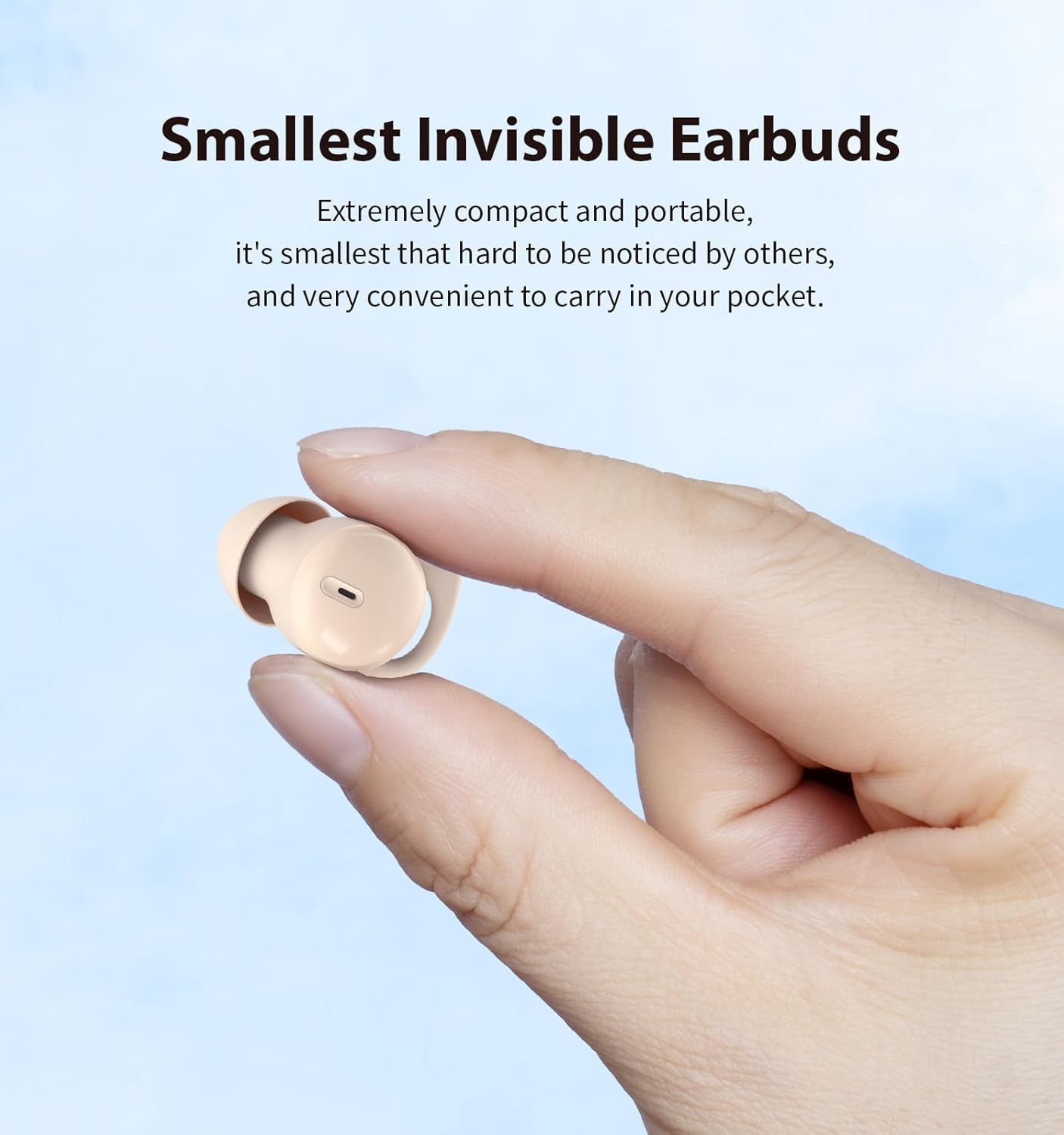
A close-up of a hand holding one Piegricdiat Q26 earbud, demonstrating its extremely compact and portable design, making it discreet and easy to carry.

This image highlights the IPX6 water resistance of the Piegricdiat Q26 earbuds, showing water droplets on the skin around the earbud, indicating protection against sweat and light rain.
Instruções de configuração
1. Carregando os fones de ouvido e o estojo
Before first use, fully charge the earbuds and charging case. Use the provided USB Type-C cable to connect the charging case to a power source.
- A full charge for the case typically takes 1 hour.
- The earbuds provide 6-8 hours of playback on a single charge.
- The charging case extends total battery life to approximately 40 hours.

This image shows a woman sleeping with the earbuds, alongside the charging case, illustrating the 6-8 hours of earbud battery life and 40 hours with the case, charged via Type C in 1 hour.
2. Emparelhamento Bluetooth
Follow these steps to pair your Piegricdiat Q26 earbuds with your device:
- Certifique-se de que os fones de ouvido estejam carregados e colocados no estojo de carregamento.
- Abra o estojo de carregamento. Os fones de ouvido entrarão automaticamente no modo de emparelhamento.
- No seu dispositivo (smartphone, tablet, laptop), ative o Bluetooth.
- Procurar available Bluetooth devices and select 'Q26' from the list.
- Após a conexão, você ouvirá um tom de confirmação e os fones de ouvido estarão prontos para uso.

The image displays the Piegricdiat Q26 charging case next to a smartphone screen showing a successful Bluetooth connection, highlighting the simple one-step pairing process with various devices.
3. Usando os fones de ouvido
For optimal sound quality and comfort, ensure the earbuds are correctly inserted:
- Insira suavemente o fone de ouvido no canal auditivo.
- Twist and tuck the earbud to ensure a snug and secure fit. The design accommodates small ear canals and prevents falling out during movement or sleep.

A diagram demonstrating the correct method for wearing the Piegricdiat Q26 earbuds, showing the 'insert' and 'tuck' steps for a secure and comfortable fit, even for small ear canals.
Instruções de operação
Controles de toque
The Piegricdiat Q26 earbuds feature intuitive touch controls for various functions:
| Ação | Controlar |
|---|---|
| Reproduzir/Pausar | Click L earbud / Click R earbud |
| Faixa anterior / seguinte | Press L earbud for 2 seconds (Previous) / Press R earbud for 2 seconds (Next) |
| Atender/desligar chamada | Clique / Clique duas vezes |
| Rejeitar chamada | Press earbud for 2 seconds |
| Assistente de voz | Triple-tap earbud |
| Aumentar/diminuir volume | Double-click R earbud (Volume Up) / Double-click L earbud (Volume Down) |

This graphic illustrates the easy-to-use touch controls for the Piegricdiat Q26 earbuds, detailing actions like play/pause, answer/hang up calls, previous/next track, call rejection, voice assistant, and volume adjustment.
Modo de suspensão
The earbuds are designed for comfortable sleep, featuring a 'Sleep Mode' that prevents accidental touches and eliminates disruptive beeps, ensuring an uninterrupted night's rest.

This image illustrates the noise-blocking capability of the Piegricdiat Q26 earbuds, showing a woman sleeping undisturbed next to a snoring partner, highlighting their effectiveness for peaceful sleep.
Manutenção
Limpeza
- Limpe regularmente os fones de ouvido e o estojo de carregamento com um pano macio, seco e sem fiapos.
- Não utilize produtos de limpeza abrasivos, álcool ou solventes químicos.
- Remova cuidadosamente qualquer cera ou resíduo das pontas dos fones de ouvido e da tela do alto-falante usando uma escova pequena e macia ou um cotonete.
Resistência à água (IPX6)
The earbuds are rated IPX6 water-resistant, meaning they are protected against high-pressure water jets from any direction. This makes them suitable for use during workouts or in light rain. However, they are not designed for submersion in water.
- Não mergulhe os fones de ouvido em água intencionalmente.
- Certifique-se de que a porta de carregamento esteja seca antes de carregar para evitar danos.
Armazenar
Quando não estiverem em uso, guarde os fones de ouvido no estojo de carregamento para protegê-los contra poeira, danos e para mantê-los carregados.
Solução de problemas
- Earbuds not powering on/off or charging: Ensure the charging case and earbuds are fully charged. Clean the charging contacts on both the earbuds and the case.
- Earbuds continuously powering off: This may indicate low battery. Fully charge both earbuds and the case. If the issue persists, try resetting the earbuds (refer to manufacturer's support for specific reset instructions).
- Connection issues (glitching, losing connection): Ensure the earbuds are within the Bluetooth range of your device. Disconnect and re-pair the earbuds. Try restarting your device.
- Som abafado: Check if the ear tips are clean and properly seated in your ear. Try different sized ear tips for a better seal.
- Sleep mode not activating: Ensure you are performing the correct touch gesture for sleep mode activation as per the operating instructions. If the function is inconsistent, a factory reset might be necessary.
- Ajuste desconfortável: Experiment with different ear tip sizes to find the most comfortable and secure fit for your ears.
Especificações
| Recurso | Detalhe |
|---|---|
| Número do modelo | Q26 |
| Versão Bluetooth | 5.3 |
| Faixa de frequência | 20 Hz - 20,000 Hz |
| Tipo de driver de áudio | Driver de armadura balanceada |
| Características especiais | Noise Cancellation, Waterproof (IPX6) |
| Formato do fone de ouvido | Redondo |
| Vida útil da bateria do fone de ouvido | 6-8 horas |
| Duração total da bateria (com capa) | Até 40 horas |
| Porta de carregamento | USB Tipo C |
| Tempo de carregamento | Approx. 1 hour (case) |
| Dispositivos compatíveis | Smartphones, tablets, laptops, desktops, alto-falantes inteligentes |
| Peso do item | 3.84 onças (0.11 quilogramas) |
| Dimensões da embalagem | 3.43 x 3.39 x 1.34 polegadas |
| UPC | 786570253939 |
Informações de garantia
Please refer to the official Piegricdiat website or the product packaging for detailed warranty terms and conditions. Typically, warranty coverage addresses manufacturing defects under normal use.
Suporte ao cliente
For further assistance, technical support, or inquiries, please visit the official Piegricdiat support page or contact their customer service directly. Contact information can usually be found on the manufacturer's website ou embalagem do produto.