
Introdução
This manual provides detailed instructions for the safe and efficient operation of your Kuephom PM24 Portable CD Player with Speakers. Please read this manual thoroughly before using the device and retain it for future reference.
The Kuephom PM24 is a versatile audio device offering multiple playback options including CD, Bluetooth, FM Radio, USB, and TF card. It features built-in stereo speakers, a rechargeable battery for portability, and a remote control for convenient operation.

Image: The Kuephom PM24 Portable CD Player, showcasing its design with an open CD lid, remote control, and an indicator for its rechargeable battery.
Conteúdo da embalagem
Verifique se todos os itens estão presentes na embalagem:
- Kuephom PM24 Portable CD Player with Speakers x 1
- Cabo de carregamento x 1
- Controle Remoto x 1
- Manual do usuário x 1
Produto acimaview
The PM24 offers a range of features for diverse audio playback. Familiarize yourself with the device's components and capabilities.

Image: A visual representation of the PM24's key features, including CD/MP3 playback, Bluetooth connectivity, USB and TF card support, FM radio, audio input, headphone jack, remote control, rechargeable battery, and sleep timer.
Principais características:
- Reprodução de CD/MP3: Supports standard audio CDs and MP3 files de discos CD-R/RW.
- Conectividade Bluetooth: Transmissão de áudio sem fio a partir de dispositivos compatíveis.
- USB & TF Card Support: Play MP3/WMA audio files directly from USB flash drives or TF cards (up to 32GB).
- Rádio FM: Built-in FM tuner with retractable antenna and programmable presets.
- Entrada auxiliar: Conecte fontes de áudio externas através de um cabo de áudio de 3.5 mm.
- Plug do fone de ouvido: Para audição privada.
- Controle remoto: Controle remoto completo para maior praticidade.
- Bateria recarregável: Provides portable power for extended use.
- Despertador: Automatically turns off the device after a set period.
- Auto-falantes estéreo: Integrated speakers for clear audio output.
Configurar
1. Carregando o dispositivo
Before first use, fully charge the PM24. Connect the provided charging cable to the DC 5V input port on the device and the other end to a standard USB power adapter (not included) or a computer USB port.
- A luz indicadora de carregamento acenderá durante o carregamento.
- Uma carga completa normalmente leva cerca de 4 horas.
- The device provides approximately 5-8 hours of playback on a full charge, depending on volume and mode.

Image: Visual representation of the PM24's rechargeable nature, highlighting its play time and charge time.
2. Ligar/desligar
Pressione e segure o PODER button on the device or remote control to turn the unit on or off.
3. Instalação da bateria no controle remoto
O controle remoto requer 2 pilhas AAA (não inclusas). Abra o compartimento de pilhas na parte traseira do controle e insira as pilhas, observando a polaridade correta (+/-).
Instruções de operação
1. Usando o controle remoto
The remote control allows for convenient operation of all functions from a distance.

Image: A user interacting with the PM24 using the remote control, illustrating various functions accessible from the remote.
- Botão de energia: Liga ou desliga o dispositivo.
- Botão de modo: Switches between CD, Bluetooth, FM, USB, TF, and AUX modes.
- Botão Reproduzir/Pausar: Inicia ou pausa a reprodução.
- Botões de faixa anterior/próxima: Skips to the previous or next track/station.
- Botões de volume +/-: Ajusta o nível de volume.
- Repeat/Shuffle Button: Changes playback repeat modes (e.g., repeat one, repeat all, shuffle).
- Botão de suspensão: Activates and sets the sleep timer.
2. Reprodução de CD
- Abra a tampa do compartimento de CDs.
- Carefully place a CD (audio CD or MP3 CD) onto the spindle with the label side facing up.
- Feche a tampa do compartimento do CD.
- Pressione o MODO pressione o botão até que o modo "CD" seja selecionado.
- O CD começará a tocar automaticamente. Caso contrário, pressione o REPRODUZIR/PAUSAR botão.

Image: Icons illustrating various CD playback options such as sequential play, random play, repeating a single track, repeating all tracks, and the play memory function.
3. Modo Bluetooth
- Pressione o MODO button until "BT" (Bluetooth) mode is selected. The display will show "bt" and flash, indicating it's in pairing mode.
- No seu dispositivo com Bluetooth (smartphone, tablet, etc.), ative o Bluetooth e procure por dispositivos disponíveis.
- Select "PM24" from the list of devices.
- Once paired, the "bt" indicator will stop flashing, and you can stream audio wirelessly to the PM24.

Image: A smartphone screen showing a successful Bluetooth connection to the PM24, with the player's display confirming 'bt' mode.
4. Modo de rádio FM
- Para uma recepção ideal, estenda a antena telescópica na parte traseira da unidade.
- Pressione o MODO pressione o botão até que o modo "FM" seja selecionado.
- Pressione e segure o REPRODUZIR/PAUSAR button to initiate an automatic station scan. The radio will scan and save available stations.
- Use o FAIXA ANTERIOR/SEGUINTE botões para navegar pelas estações salvas.

Image: A user enjoying FM radio on the PM24, with visual cues indicating different radio frequencies.
5. Reprodução de cartão USB/TF
- Insert a USB flash drive into the USB port or a TF card into the TF card slot. Ensure the card is inserted correctly.
- Pressione o MODO button until "USB" or "TF" mode is selected.
- The device will automatically detect and begin playing MP3/WMA audio files from the inserted storage.
- Use o FAIXA ANTERIOR/SEGUINTE botões para navegar entre files.

Imagem: Close-up view of the USB and TF card slots on the PM24, indicating their function for playing media from external storage.
6. Entrada auxiliar (AUX)
- Connect one end of a 3.5mm audio cable (not included) to the AUX IN port on the PM24.
- Connect the other end to the headphone jack or audio output of an external audio device (e.g., smartphone, MP3 player).
- Pressione o MODO pressione o botão até que o modo "AUX" seja selecionado.
- Controle a reprodução e o volume a partir do seu dispositivo de áudio externo.
7. Função Temporizador de Sono
O temporizador permite que o dispositivo desligue automaticamente após um período definido.
- While the device is playing, press the DORMIR botão no controle remoto.
- Pressione repetidamente o DORMIR button to cycle through available timer settings (e.g., 10, 20, 30, 60, 90 minutes).
- The selected time will be displayed. The device will automatically power off once the timer expires.

Image: A visual demonstration of the sleep timer function, showing the PM24 on a nightstand while a person sleeps.
8. Usando fones de ouvido
For private listening, connect 3.5mm headphones (not included) to the TOMADA DE FONE DE OUVIDO on the device. The built-in speakers will automatically mute when headphones are connected.
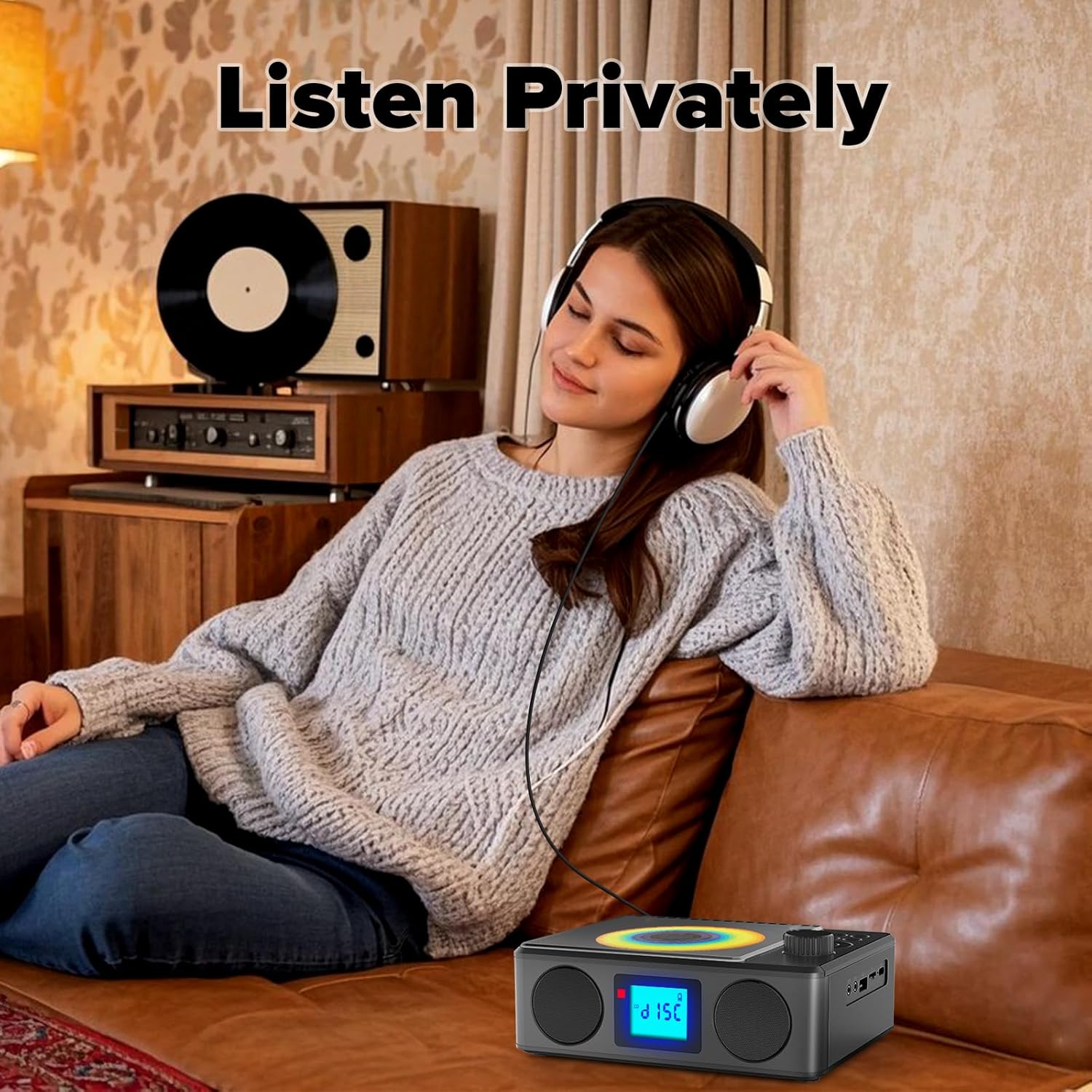
Image: A user enjoying private audio through headphones connected to the PM24.
Manutenção
- Limpeza: Use um pano macio e seco para limpar a parte externa do dispositivo. Não use produtos de limpeza abrasivos ou solventes.
- Cuidados com o CD: Manuseie os CDs pelas bordas. Limpe os CDs sujos com um pano macio e sem fiapos, limpando do centro para as bordas.
- Armazenar: Quando não estiver em uso por longos períodos, guarde o dispositivo em local fresco e seco, longe da luz solar direta e de temperaturas extremas.
- Bateria: Para prolongar a vida útil da bateria, evite descarregá-la completamente com frequência. Carregue o dispositivo regularmente, mesmo quando não estiver em uso.
Solução de problemas
| Problema | Possível causa | Solução |
|---|---|---|
| O dispositivo não liga. | A bateria está esgotada. | Connect the charging cable and allow the device to charge. |
| Nenhum som dos alto-falantes. | O volume está muito baixo ou silenciado. Os fones de ouvido estão conectados. | Aumente o volume. Desconecte os fones de ouvido. |
| O CD pula faixas ou não toca. | O CD está sujo, riscado ou inserido incorretamente. | Clean the CD. Ensure it is placed correctly. Try another CD. |
| O emparelhamento Bluetooth falha. | Device is too far, not in pairing mode, or already paired. | Ensure PM24 is in BT mode and flashing. Move devices closer. Disconnect from other devices. |
| Recepção de rádio FM ruim. | Antena não estendida ou área de sinal fraca. | Fully extend the telescopic antenna. Reposition the device for better signal. |
| O controle remoto não funciona. | Batteries are depleted or inserted incorrectly. Obstruction between remote and device. | Replace batteries, check polarity. Remove obstructions. Ensure remote is pointed at the device. |
Especificações
- Modelo: PM24
- Marca: Kuephom
- Dimensões do produto: 7.5 x 6.3 x 2.5 polegadas (19.05 x 16.00 x 6.35 cm)
- Peso do item: 1.96 libras (0.89 kg)
- Tecnologia de conectividade: Entradas auxiliares, Bluetooth e USB.
- Cor: Preto
- Tipo de alto-falante: Estéreo
- Baterias: 1 bateria não padrão (incluída)
- Tempo de jogo: 5-8 horas (aprox.)
- Tempo de carregamento: 4 horas (aprox.)
Garantia e Suporte
Kuephom products are designed for reliability and performance. For warranty information or technical support, please refer to the contact details provided on the product packaging or visit the official Kuephom website.
Guarde o comprovante de compra para reclamações de garantia.